Repository navigation
GammaOS Pico 1.1.0 for the Konkr Pocket Advance and the Konkr Pocket Block

Caution
This release is out of date: use GammaOS Pico 1.1.1 instead
Do not download or install this version. GammaOS Pico 1.1.1 has every fix and feature since this one, for both the Konkr Pocket Advance and the Konkr Pocket Block. This page is kept for reference only.
Get GammaOS Pico 1.1.1
GammaOS Pico for the Konkr Pocket Advance and the Konkr Pocket Block, release 1.1.0
(lk-mt6785 25520fe).
GammaOS Pico replaces only the console's bootloader (LK). With the GammaOS Pico microSD card in the slot the
console starts a console menu and plays Game Boy, Game Boy Color, Game Boy Advance, NES, Famicom
Disk System, SNES, Mega Drive / Genesis, Master System, Game Gear and SG-1000 games from the card.
Without the card, or after Boot to Android in the menu, Android starts exactly as before.
What's new in 1.1
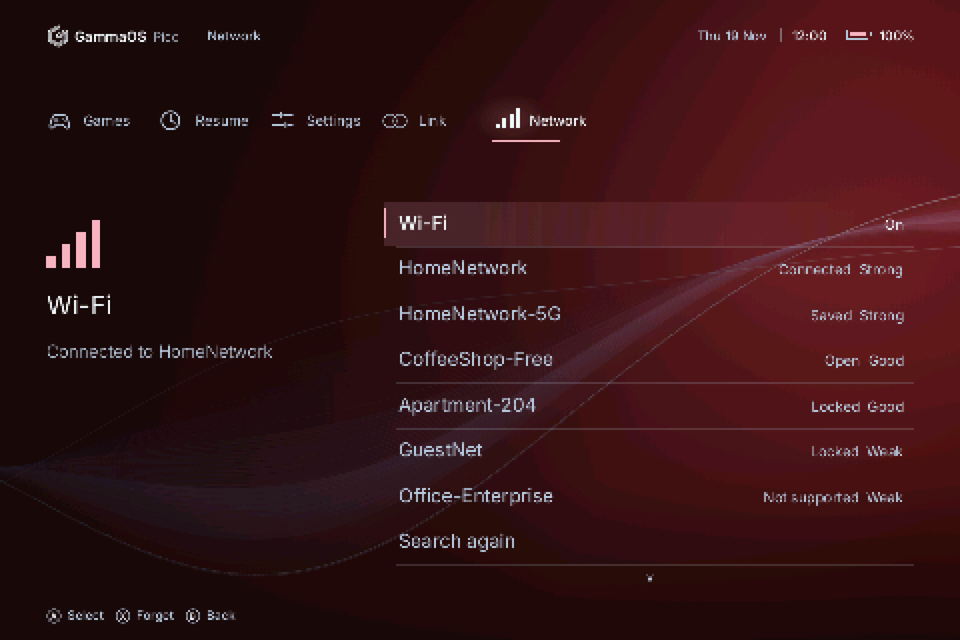
- Wi-Fi. Both consoles join Wi-Fi networks from the bootloader: a new Network tab in the
Pico menu (System > Network in the Classic themes) turns Wi-Fi on and off, lists the networks
around you strongest first with their security and signal, joins them with a password typed on
the on-screen keyboard, and remembers them. Saved networks join by themselves when they are in
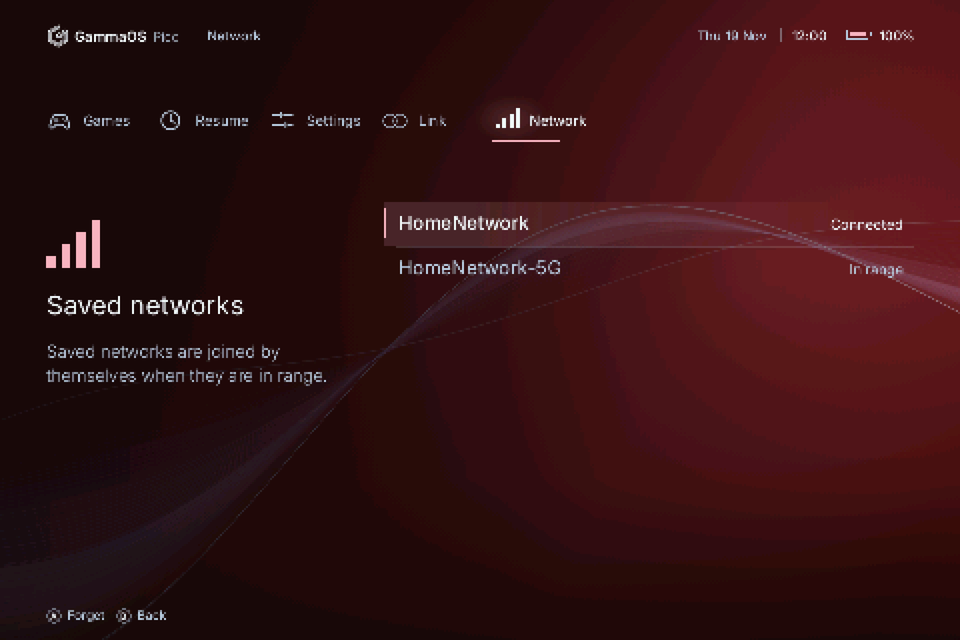
range, and Wi-Fi stays as you left it across power ons. A Saved networks page lists every
network kept on the card, in range or not, and forgets one with two presses of A. WPA2 and open
networks are supported (WPA3-only and enterprise networks are not yet). Wi-Fi costs nothing
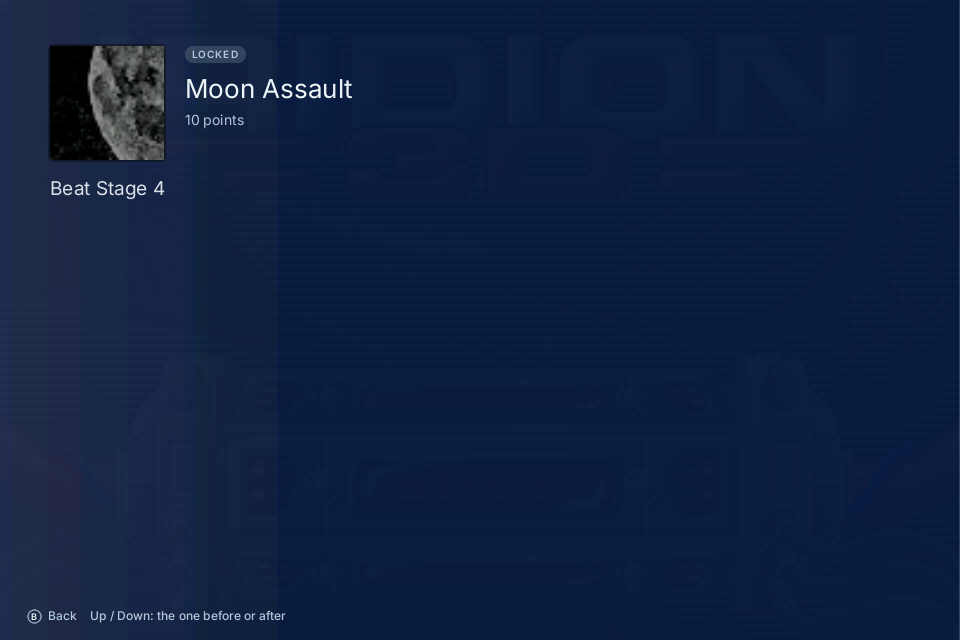
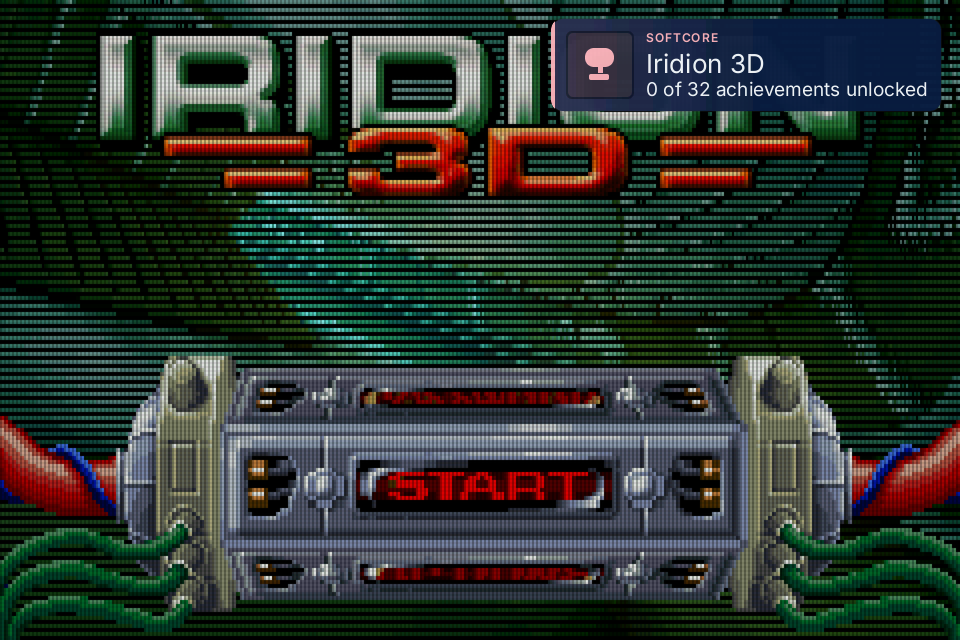
while it is off, and it sleeps while you play. - RetroAchievements. Sign in with your retroachievements.org account on the Network tab and
every system earns achievements: Game Boy, Game Boy Color, Game Boy Advance, NES, SNES, Mega
Drive / Genesis, Master System and Game Gear. Achievements are softcore. Unlocks earned without
a network are kept on the card and sent with their time once you are back online. The in-game
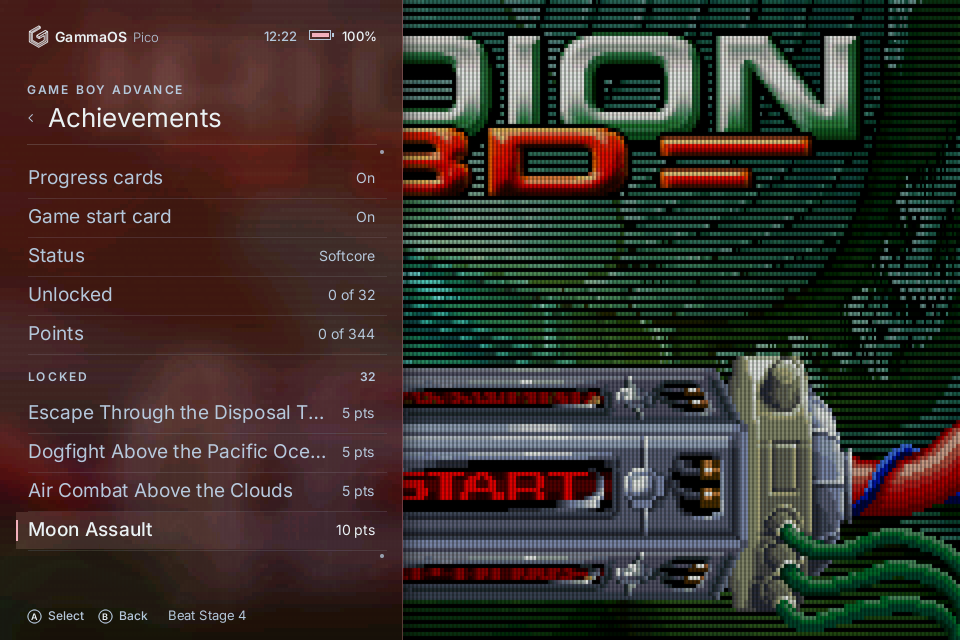
menu has an Achievements page with the game's set in groups (almost there, locked,
unlocked, waiting to be sent), each achievement's badge and a full screen detail, plus the
account and the settings (achievements on or off, which cards show). Unlock, progress and game
start cards appear over the game in your theme's own look. Save states keep achievement
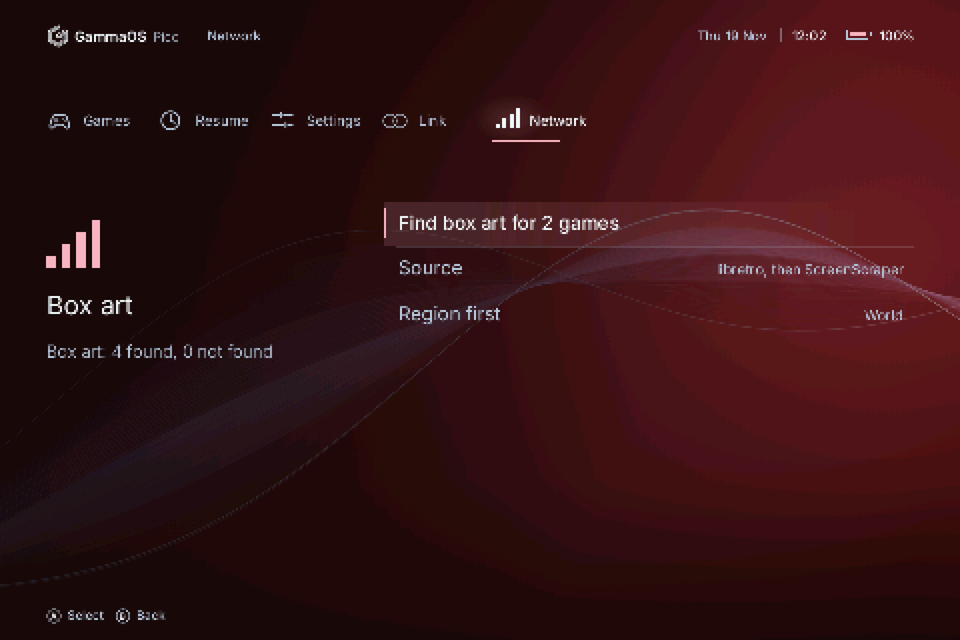
progress. GammaOS Pico identifies itself to RetroAchievements with its own name and each core's. - Box art from the network. The Network tab's Box art page finds covers for every game
that has none: libretro's thumbnails first (matched by the game's No-Intro checksum, so files
with any name are found, zipped games included), then ScreenScraper for the rest. Choose the
region you prefer; covers appear in the menu as soon as they arrive. Games no source has are
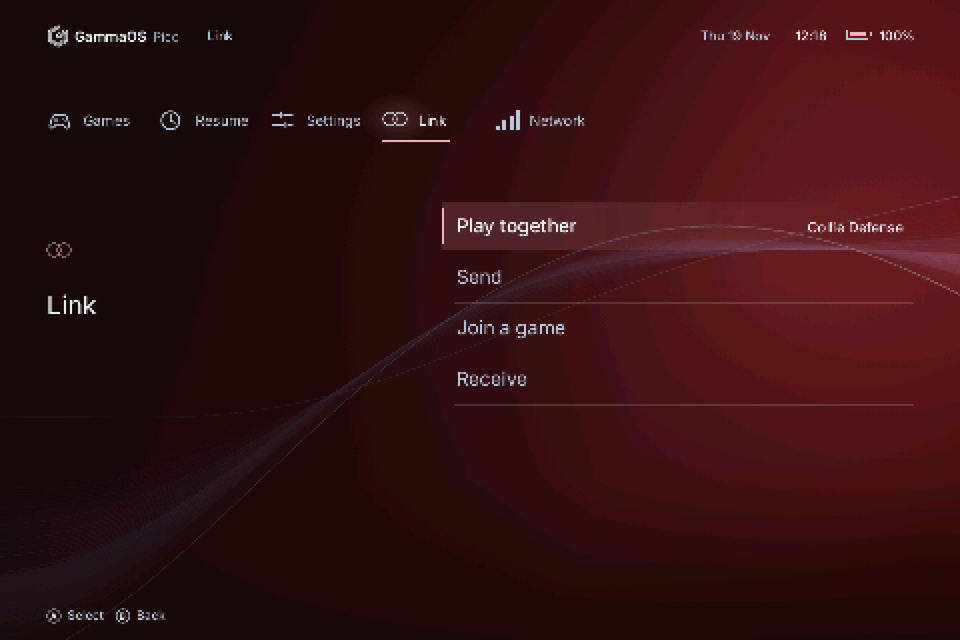
not asked again for 30 days. - Play together over Bluetooth. Two consoles link over Bluetooth with no cables: Play
together runs lockstep netplay for NES, SNES, Mega Drive / Genesis, Master System, Game Gear
and Game Boy / Game Boy Color / Game Boy Advance link games (trading, link battles), Send and
Receive copy a game you own from one card to the other, and Join a game offers the same
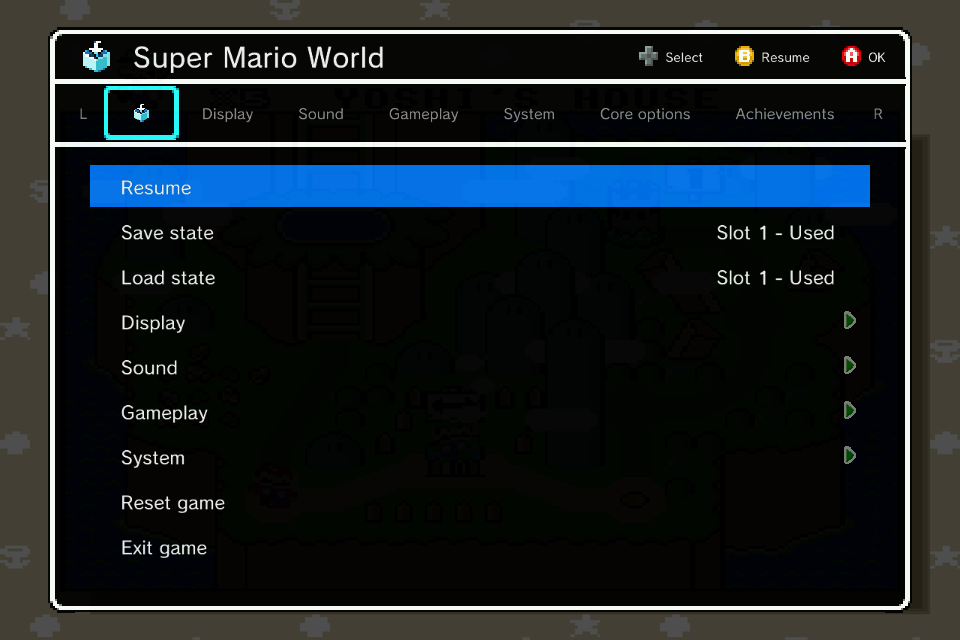
game when the other console has it. The consoles also share the time. - Each core's own options in the in-game menu, for every system, cropping among them.
- The Classic themes' own in-game menu: a sheet in the menu's look, with L and R for its tabs.
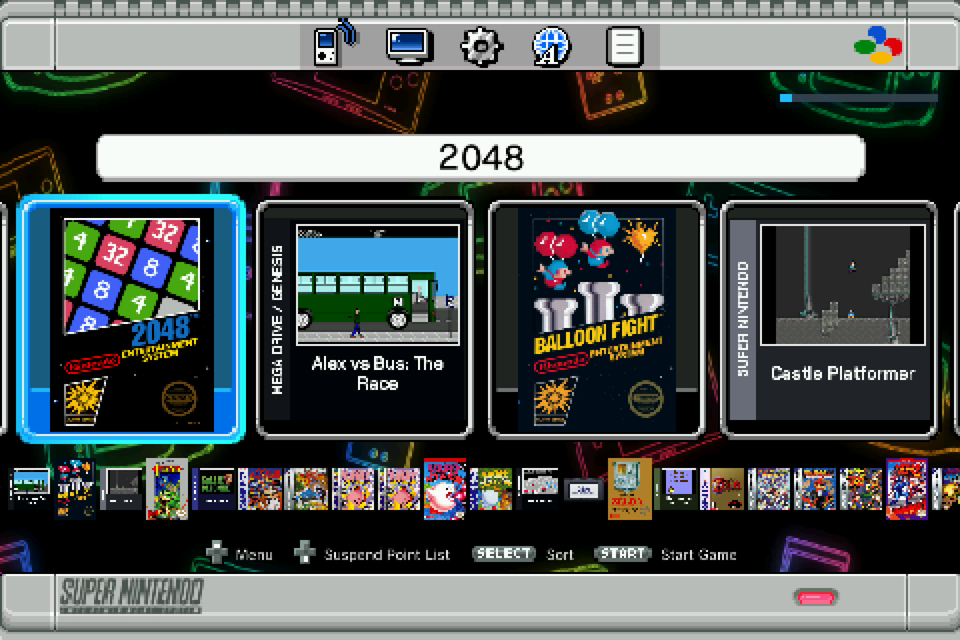
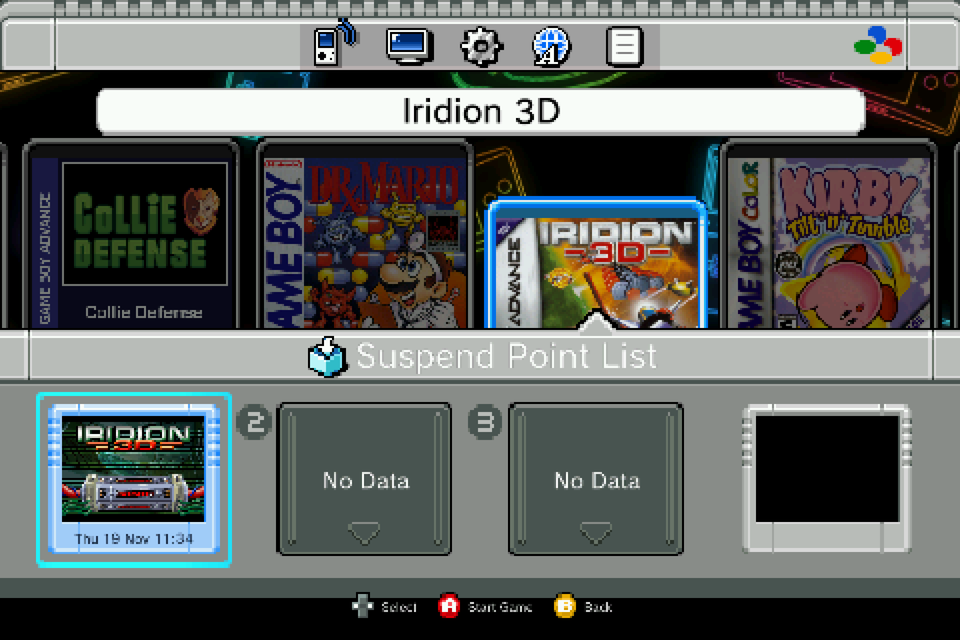
The Classic menubar starts with Link and has the Current theme's settings (Display, Settings,
System with Date & Time, Network and About), and Down on the home opens the Suspend Point
List: the focused game's save states, each with its picture and when it was made. - Konkr Pocket Block: tilt, gyro and rumble for the cartridges that have them, as on the Pocket Advance.
- Faster and safer under the hood: the clock is set from the network, HTTPS connections are
checked against trusted roots, and keys come from the chip's hardware random generator.
 |
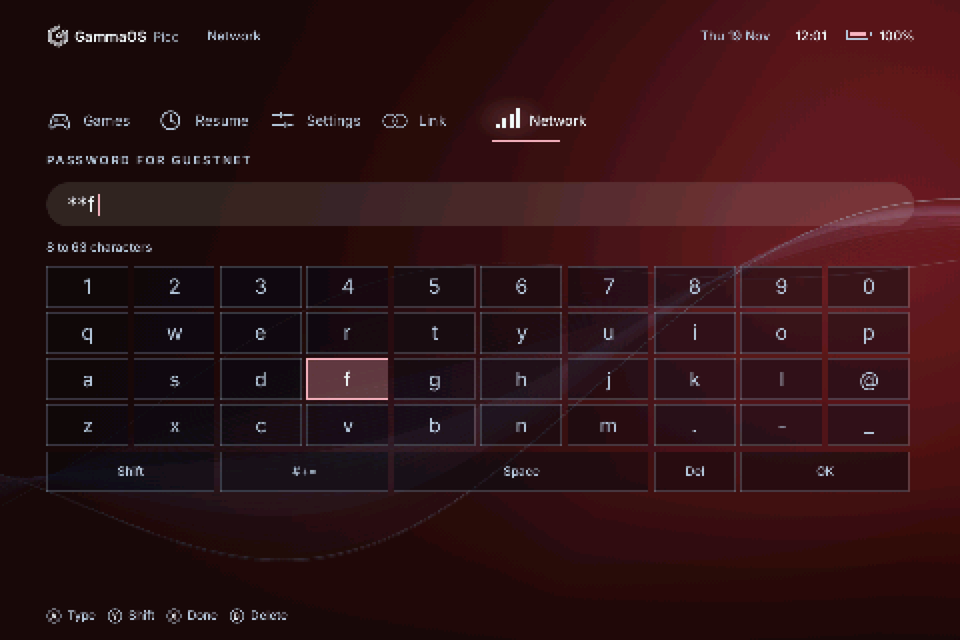 |
| Network > Wi-Fi: the networks around, strongest first | Typing a password |
 |
 |
| A game's achievements in the in-game menu | An achievement's full screen detail |
 |
 |
| The game start card over the game | Box art from the network |
 |
 |
| Play together, Send, Join a game, Receive | The Classic themes' own in-game menu |
 |
 |
| The Classic theme, Link first in its menubar | The Suspend Point List under the games |
The Wi-Fi screenshots show example network names.
Updating from 1.0.x
Flash the 1.1.0 bootloader and put the 1.1.0 card files on the card (GammaOS Pico Tool 1.1.0's card
update does both the files and keeps yours). The card brings the Wi-Fi and Bluetooth chip's
firmware in bios/connsys/ and HTTPS's trusted roots in bios/certs/: without them Wi-Fi and
Bluetooth do not start. Your games, saves, states and settings stay as they are.
Known issue
On the Konkr Pocket Advance the USB connection to a computer (fastboot, GammaOS Pico Tool's
console features) can drop after a game is started while Wi-Fi is busy. The console and the game
carry on; unplugging and plugging the cable back in, or a restart, brings it back.
What makes it different
GammaOS Pico isn't an app on top of Android or a Linux distro. It runs inside the console's
bootloader, before any operating system, and owns the hardware outright.
- Fast on. From power on to the GBA boot logo in about two and a half seconds (Android takes
around 25). Hold Power to save where you are and switch off; turn it back on and you're back
in the game. - Low latency by design. The panel is retimed to each console's real refresh rate (59.73 Hz
for GBA and Game Boy, 60.1 Hz for SNES, 50 Hz for PAL), every frame is paced to the panel's scan,
buttons are read as late as possible, and run-ahead ("Preemptive Frames") hides the games' own lag. - Android stays. Only the bootloader changes. Pull the card (or pick Boot to Android) and the
console starts its stock Android, untouched. - Everything on the card. Emulators, settings, saves, states and box art all live on the
microSD card. Swap the card, swap the whole setup. - Your card, your way. Games are found in GammaOS's
roms/<system>/or where another front
end keeps them:ROMs/<system>/(ES-DE),Emulation/roms/<system>/(EmuDeck) or any
<folder>/roms/<system>/, with the usual folder names (gba,snes,megadrive,
mastersystem,gamegearand so on). Drop a PNG cover named like the game into aboxart
folder beside it and the console sizes it for the menu at the next power on. - Zipped games welcome. Games can stay in .zip or .7z archives, unpacked as they start (about
half a second for a 16 MB GBA game, resume at power on included). An archive with several games
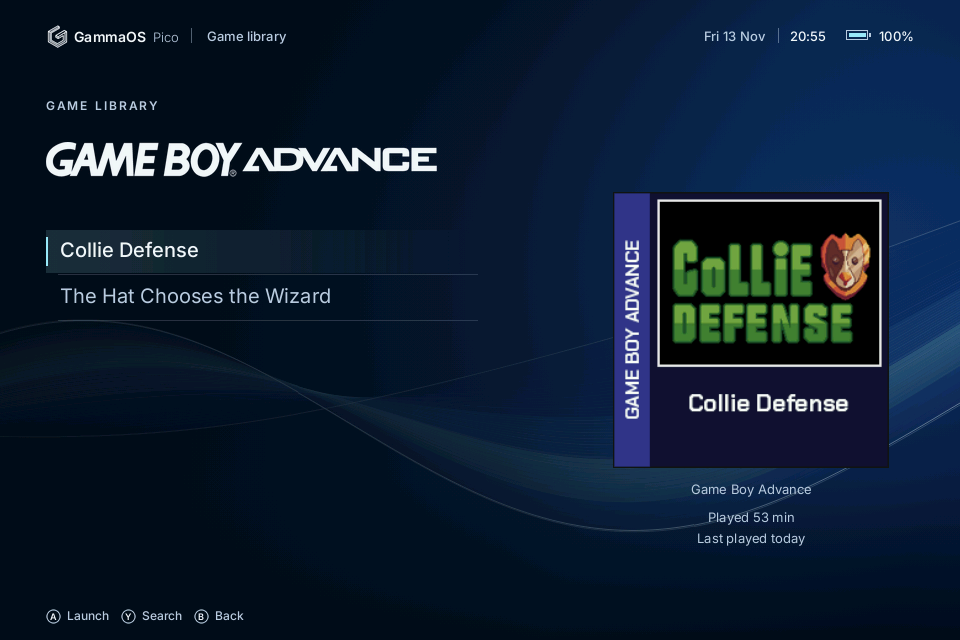
lists each one, and one that cannot be opened says why instead of failing quietly. - Made for big libraries. Tens of thousands of games list in moments. Hold a direction to
speed through a library, jump letter by letter with L / R, or press Y to search by name, in one
system or all of them, with an on-screen keyboard. Box art loads as you reach it. - The good stuff from the start. Rewind, fast forward, save states (written to the card while
the game plays on), scanline and LCD filters and colour correction, in a box art menu: the
Current theme, with the Classic and GBA Indigo themes in beta. - The real time. The console's own clock runs the games that keep time (Pokemon Ruby,
Sapphire, Emerald, Gold, Silver and Crystal, Boktai), shows in the menus, and is set with its
time zone in Settings > Date & Time. Each game shows how long it has been played and when last. - Sharper motion with black frame insertion. The backlight goes dark for part of every frame,
in step with the screen's refresh, so moving pictures stay crisp the way they did on a CRT
instead of smearing. 25 %, 50 % or 75 % dark (Settings > Black Frame Insertion, or per game in
the in-game menu's Display page); the screen looks dimmer the higher it is set. - Tilt, gyro and rumble (both consoles). The console's own motion sensor and vibration
motor stand in for the cartridges': Yoshi Topsy-Turvy and Kirby Tilt 'n' Tumble tilt (a flick of the console makes
Kirby jump), WarioWare: Twisted! turns and rumbles, as do Drill Dozer and the Game Boy Color's
rumble cartridges. - Headphones. Sound moves to the 3.5 mm jack as soon as headphones are plugged in, and back
to the speakers when they come out. - Names in any language. Game names show as the card has them: accented letters, Greek,
Cyrillic, Japanese, Chinese, Korean, Hebrew and Arabic, and search finds them by their letters
without accents. - In your language. The menus and the in-game menu in 17 languages: English, French, German,
Spanish, Italian, Dutch, Portuguese, Russian, Japanese, Korean, Simplified and Traditional
Chinese, Polish, Turkish, Arabic, Hebrew and Persian (Settings > Language).
Put the real Game Boy Advance BIOS on the card. Copy your own console's BIOS as
bios/gba_bios.bin(16 KB). GBA games then start on Nintendo's own BIOS: the original boot logo
and chime, and the exact BIOS routines every game was made against. Without it armGBA falls back
to its built-in replacement, which runs most games but not all of them the same way, and gpSP
(the second GBA emulator) cannot run at all. The BIOS is Nintendo's and is not included.
Screenshots
Captured on a Konkr Pocket Advance from the display buffers, with the demo games from the release;
the in-game menu shots lay its drawer over the game the way the display hardware blends them.
|
 |
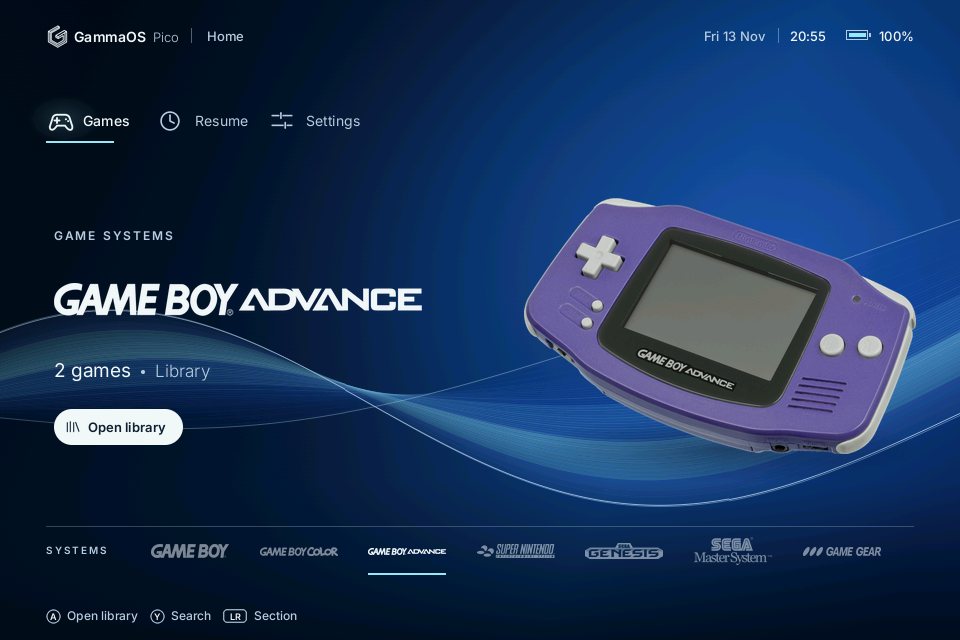
| Home: the systems on the card, with the date, the time and the battery | A system's library: box art, how long each game has been played and when last |
 |
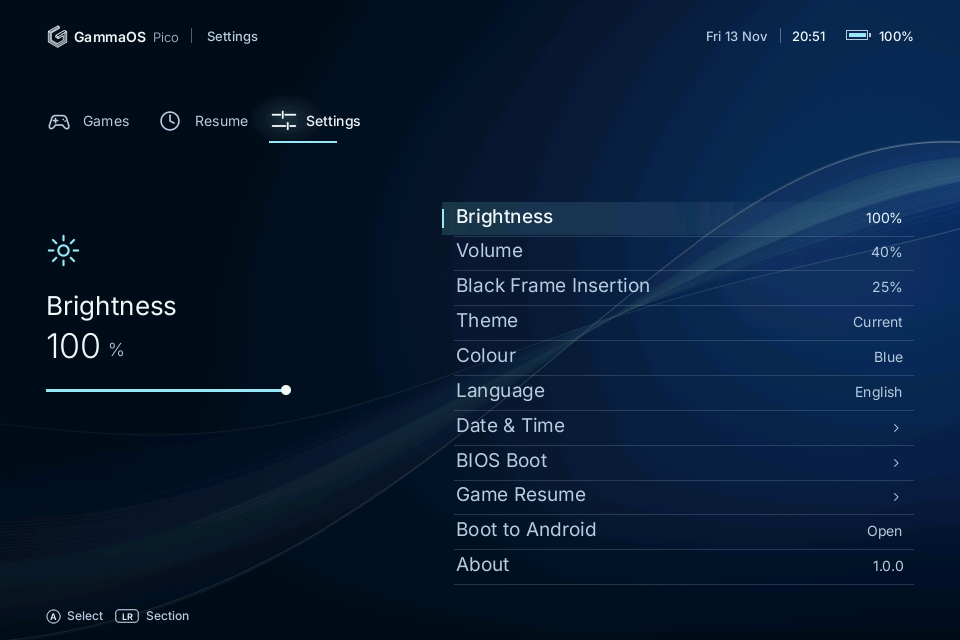 |
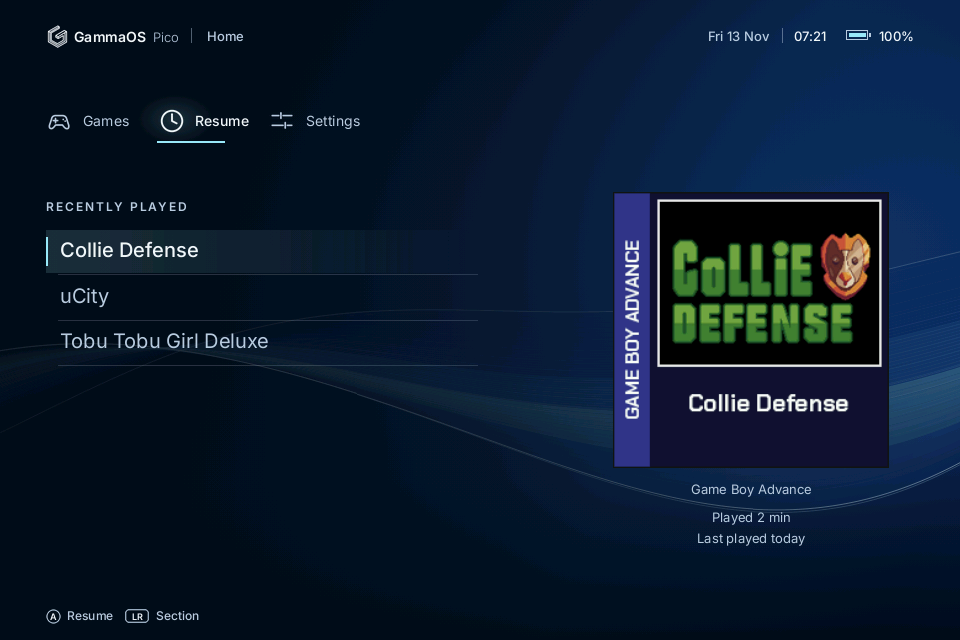
| Resume: the games played most recently | Settings |
 |
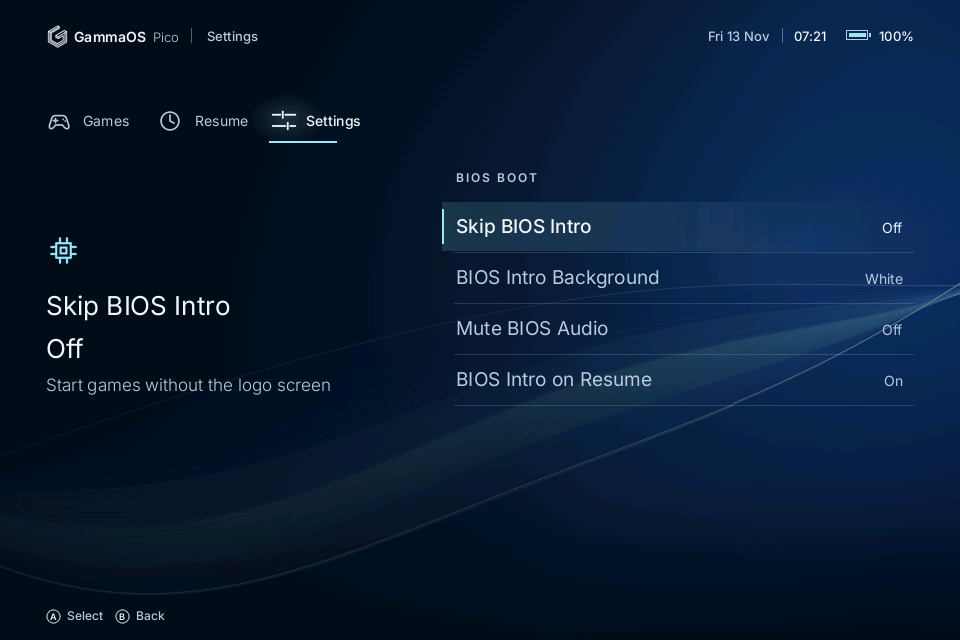 |
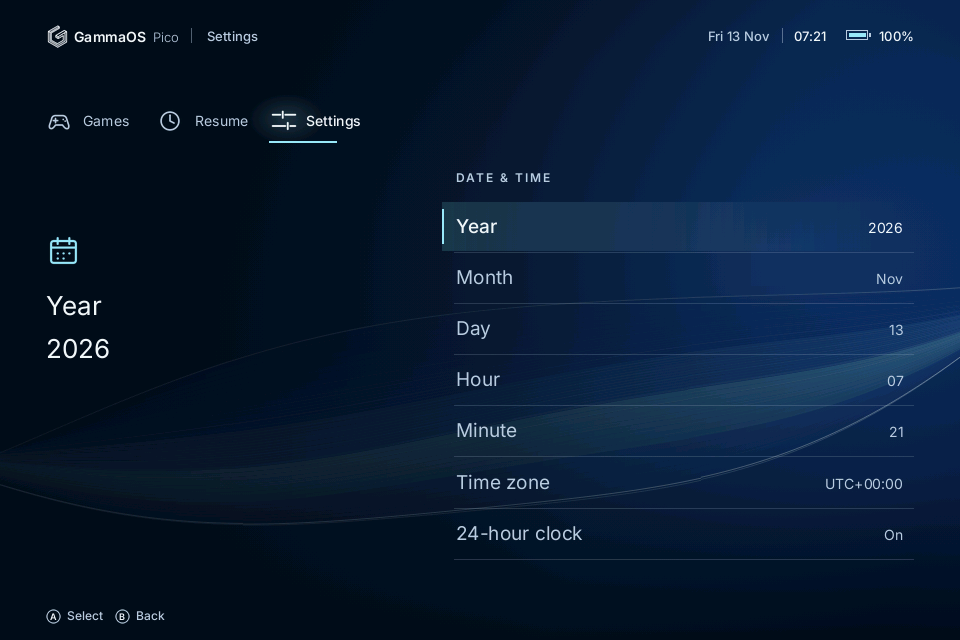
| Date & Time: the console's clock and time zone, which the games' clocks run on | BIOS Boot: the Game Boy Advance start-up screen |
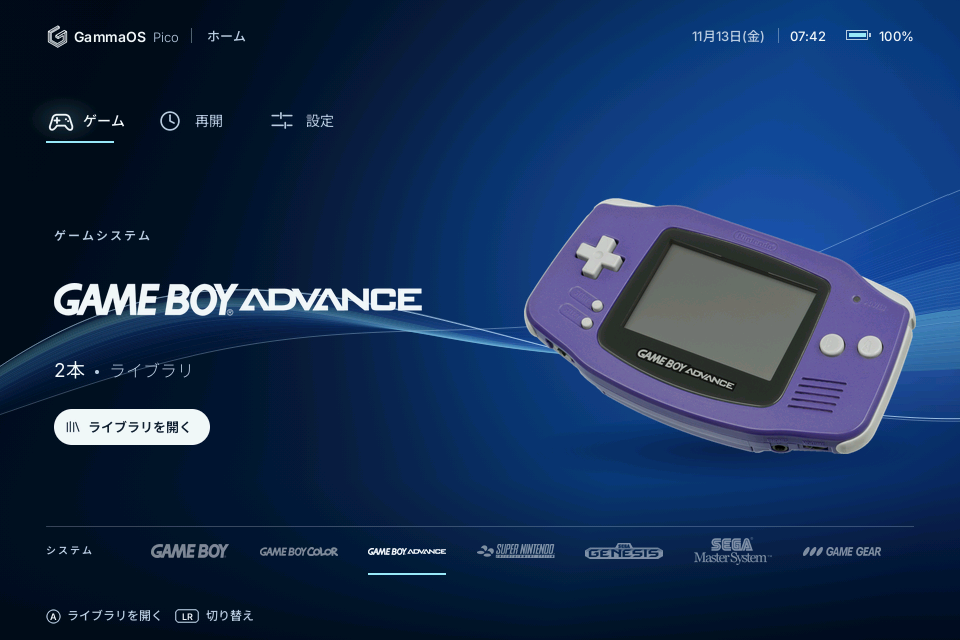 |
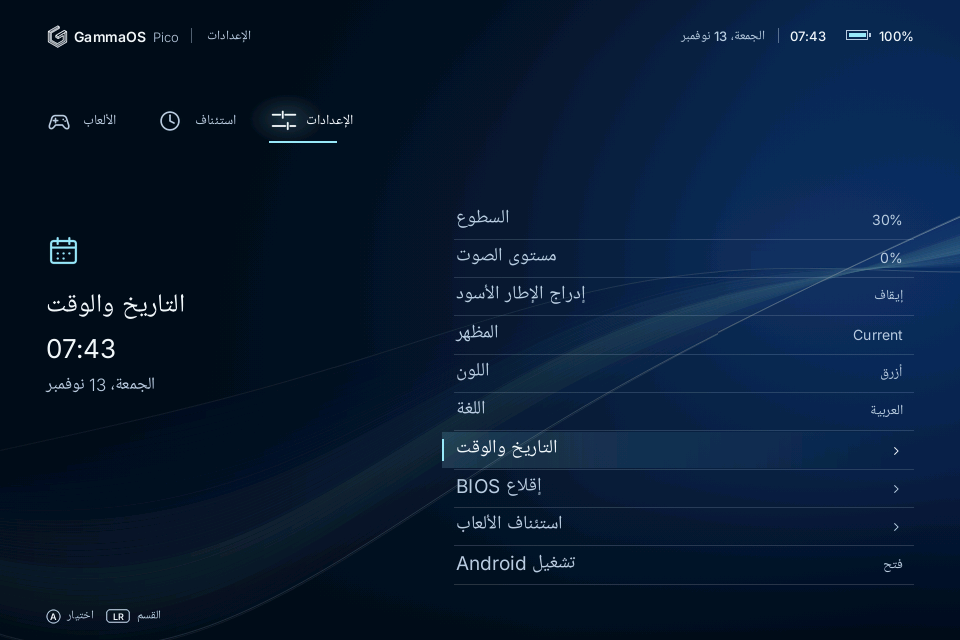 |
| In Japanese | In Arabic, written right to left |
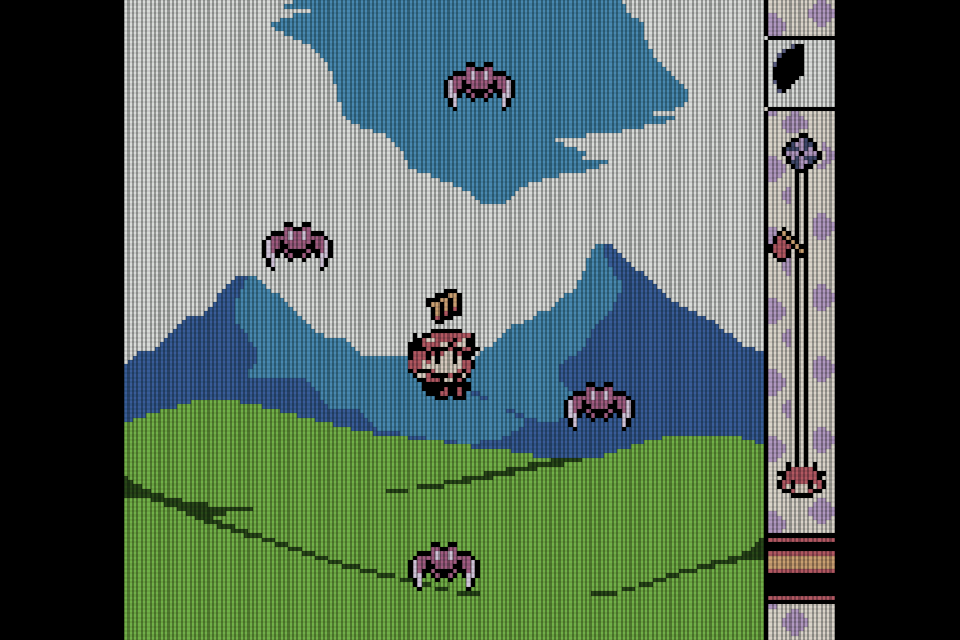 |
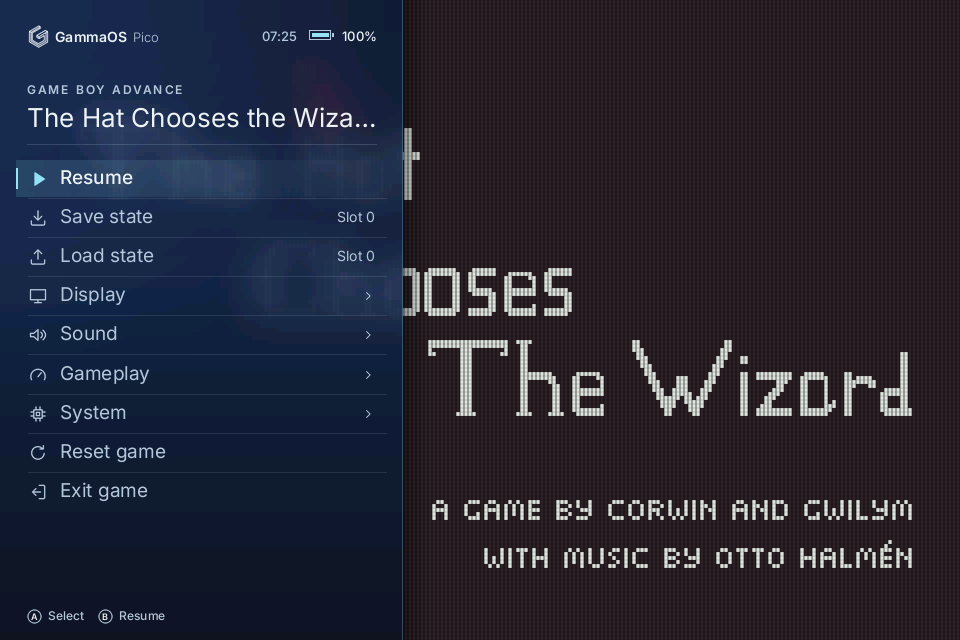 |
| In game (Tobu Tobu Girl Deluxe, LCD filter) | The in-game menu over the game (Menu button) |
 |
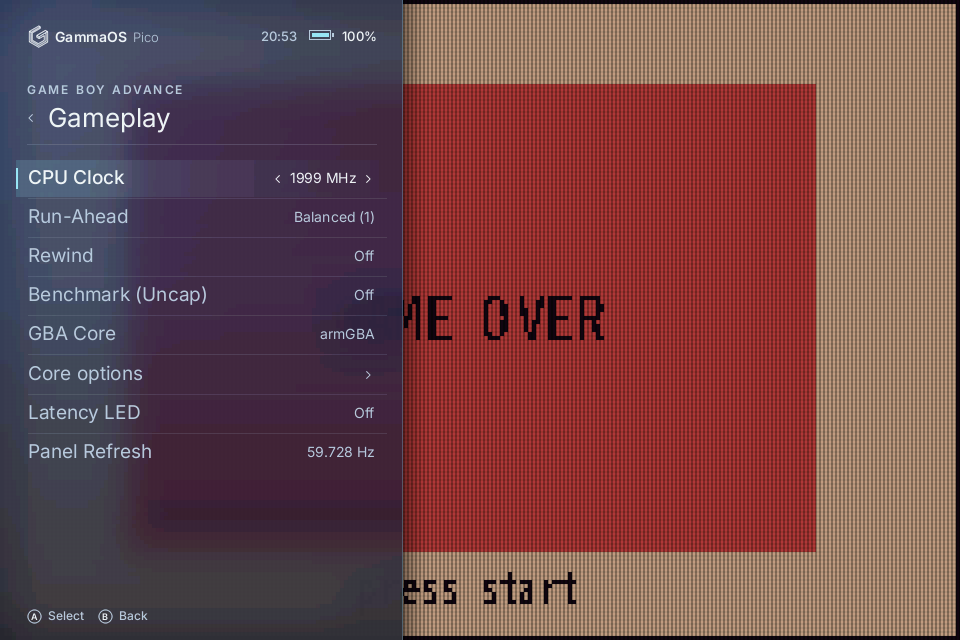 |
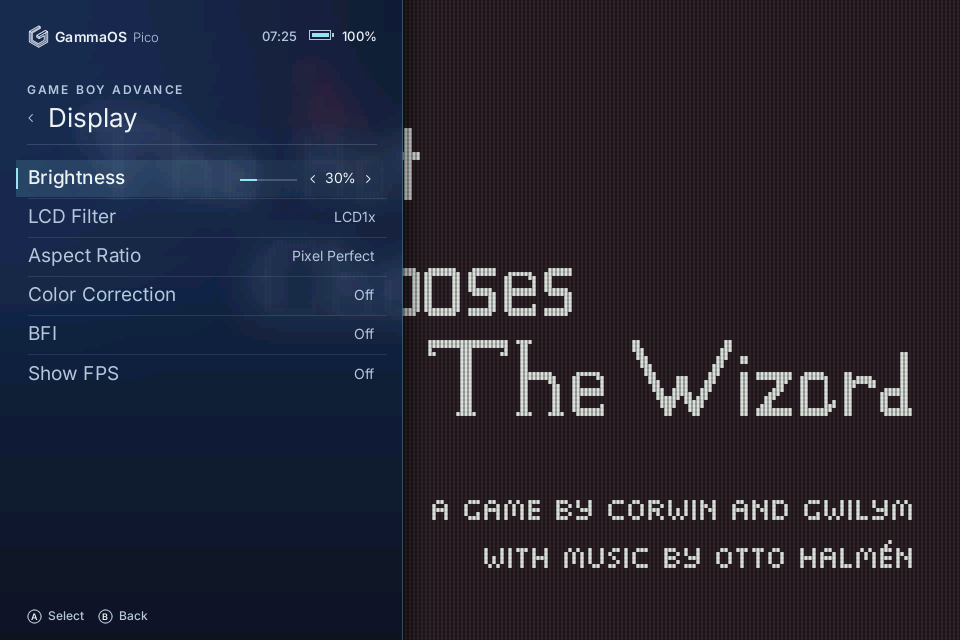
| Display: brightness, filters, aspect ratio, colour correction, BFI | Gameplay: CPU clock, run-ahead, rewind, the GBA core, the live panel refresh |
 |
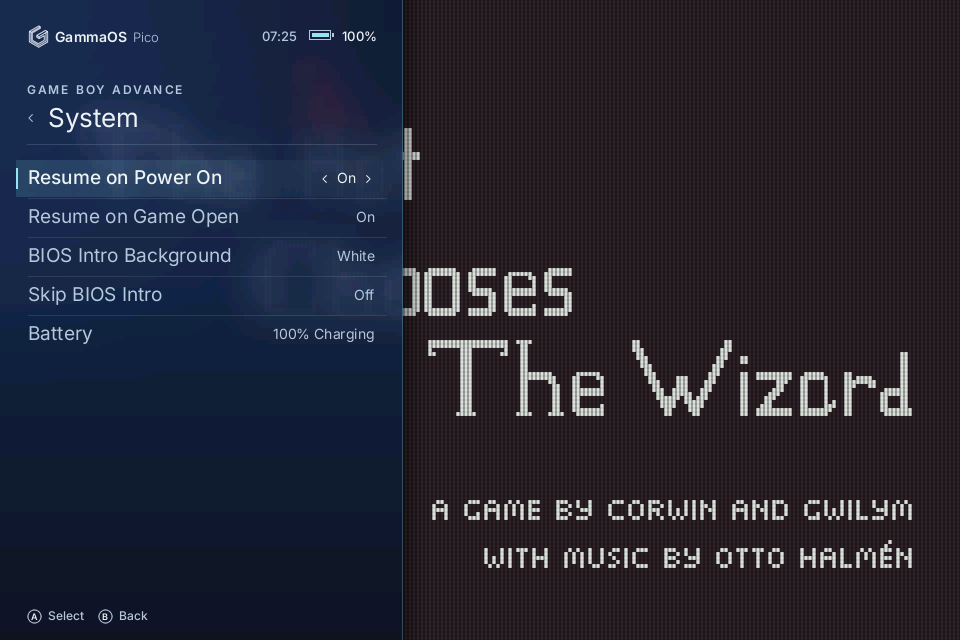 |
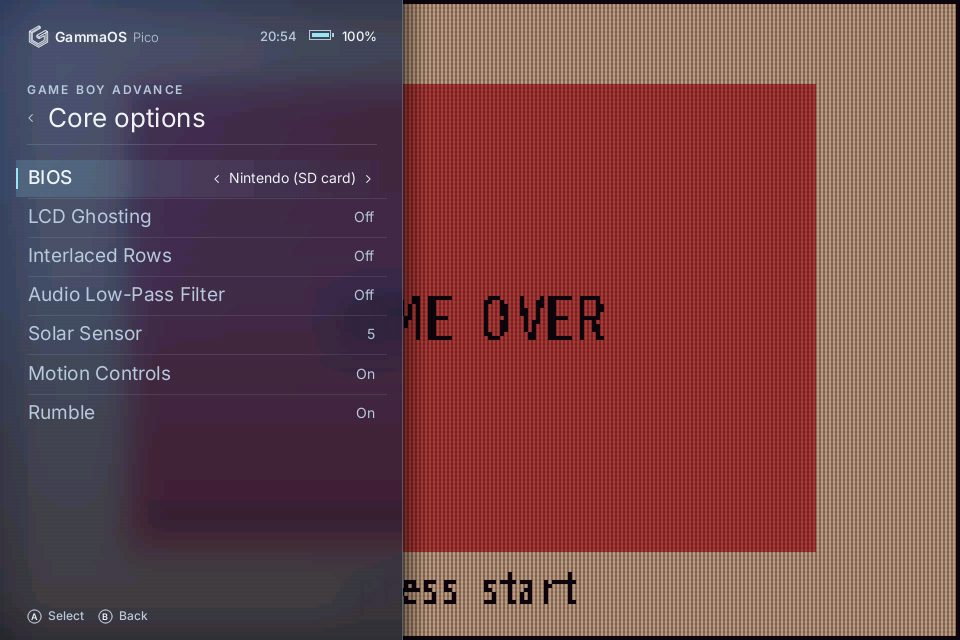
| armGBA's own options | System: resume, the BIOS intro and the battery |
 |
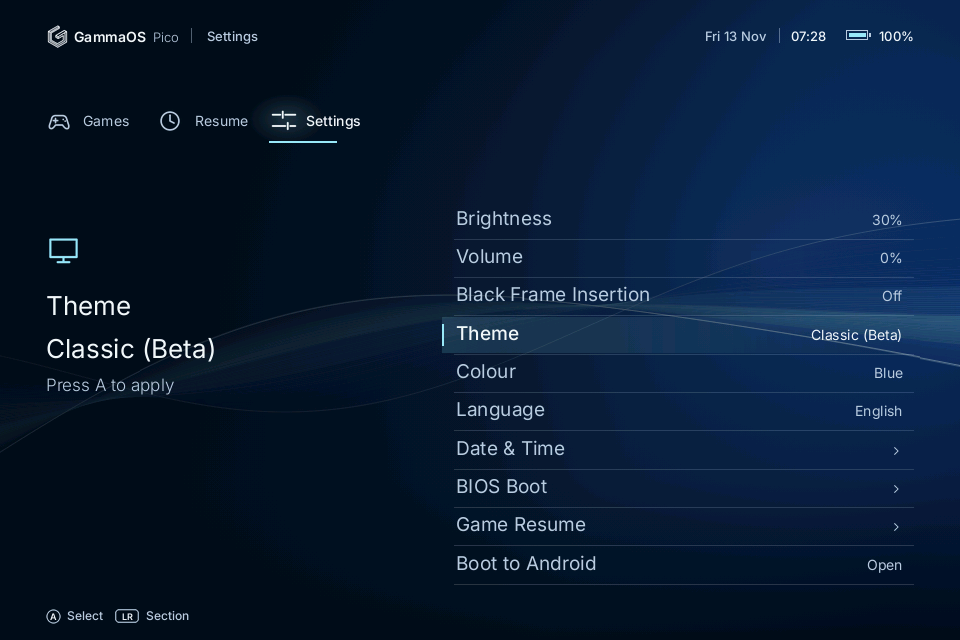 |
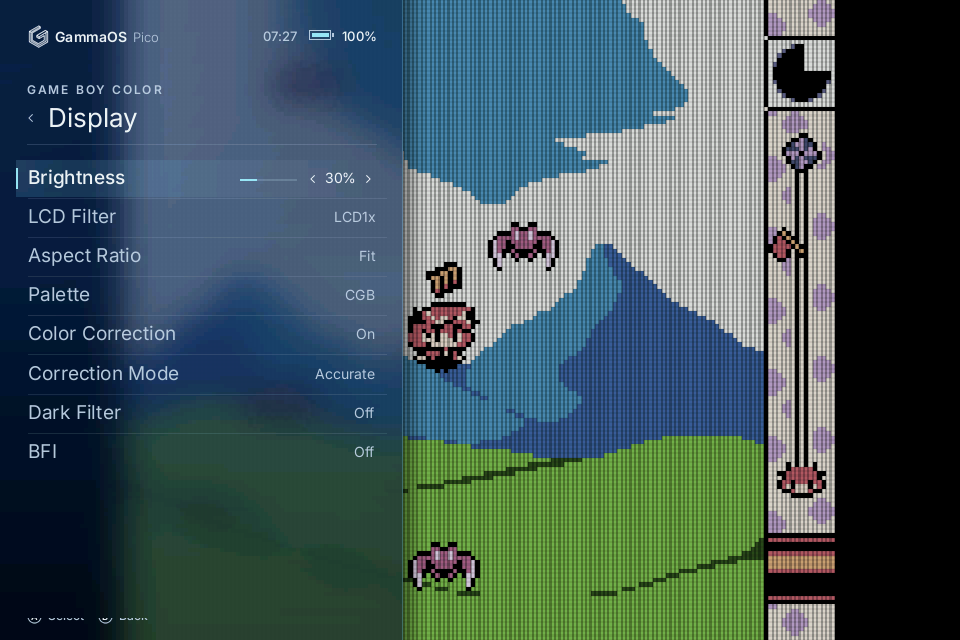
| A Game Boy Color game's Display page: palette, colour correction, dark filter | Picking a theme |
 |
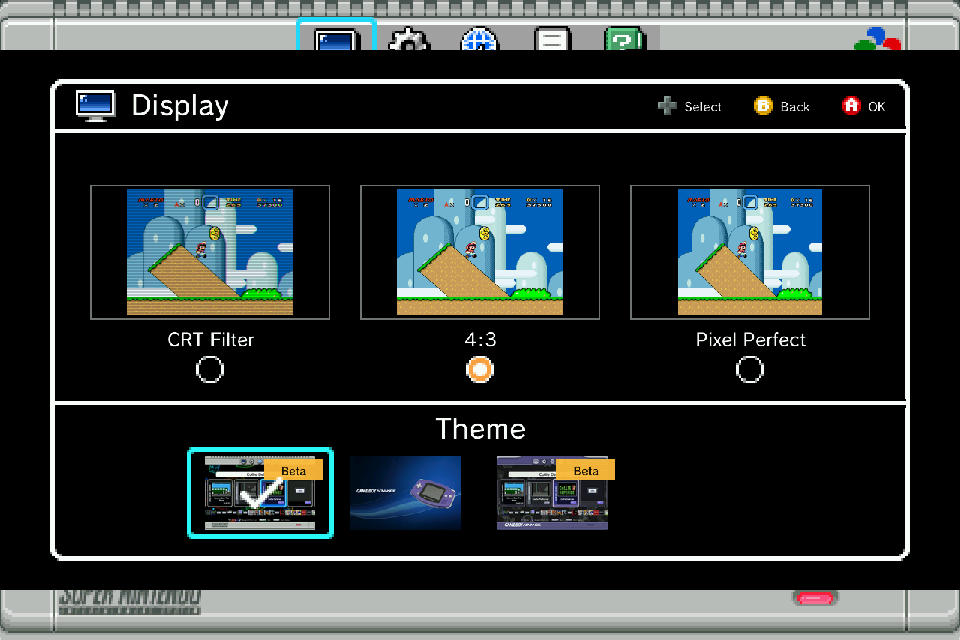 |
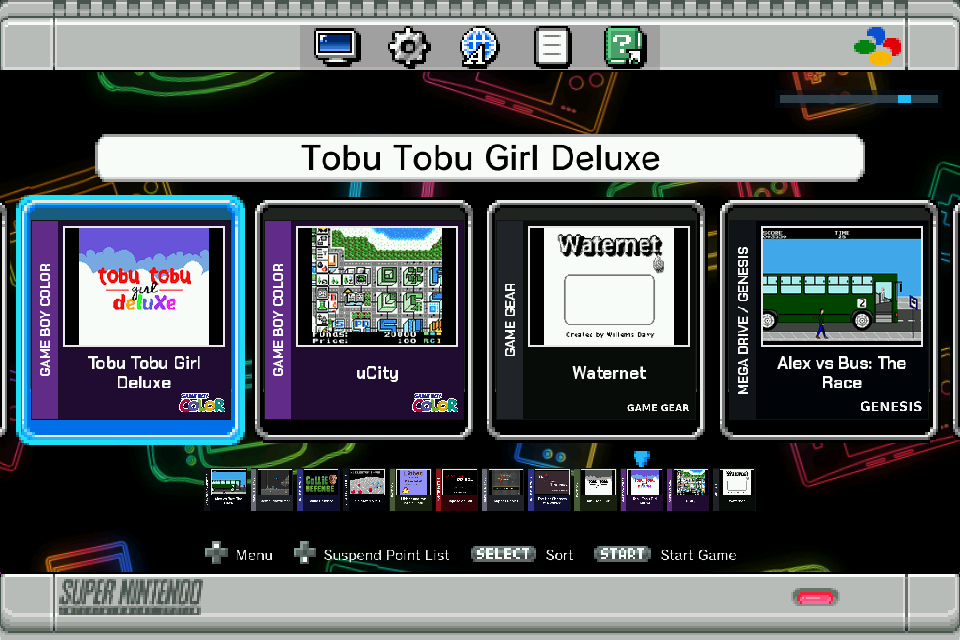
| The Classic theme (beta) | Its Display page, with the themes |
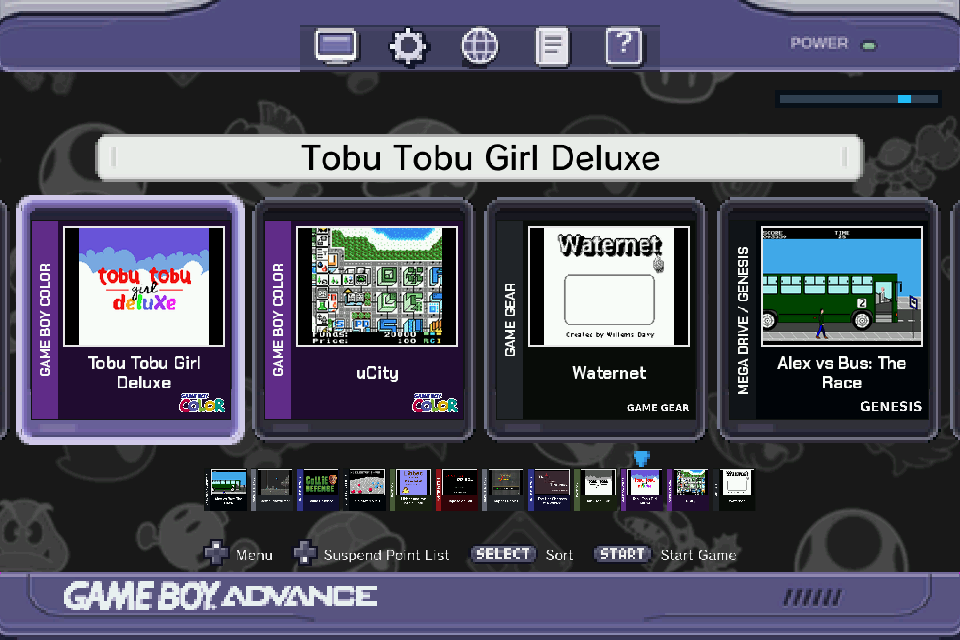 |
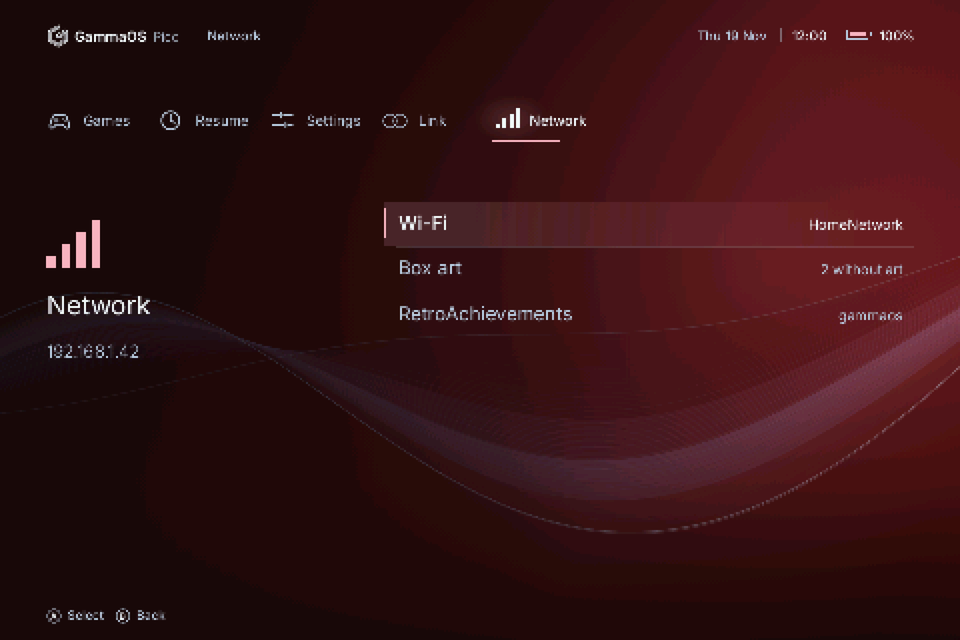 |
| The GBA Indigo theme (beta) | The Network tab: Wi-Fi, box art, RetroAchievements |
 |
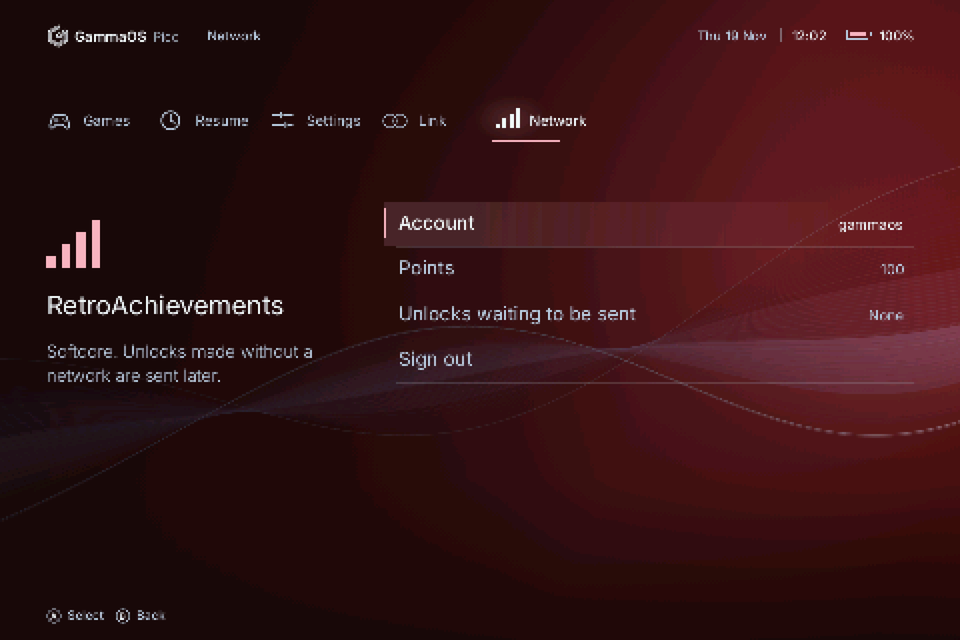 |
| Saved networks | The RetroAchievements account |
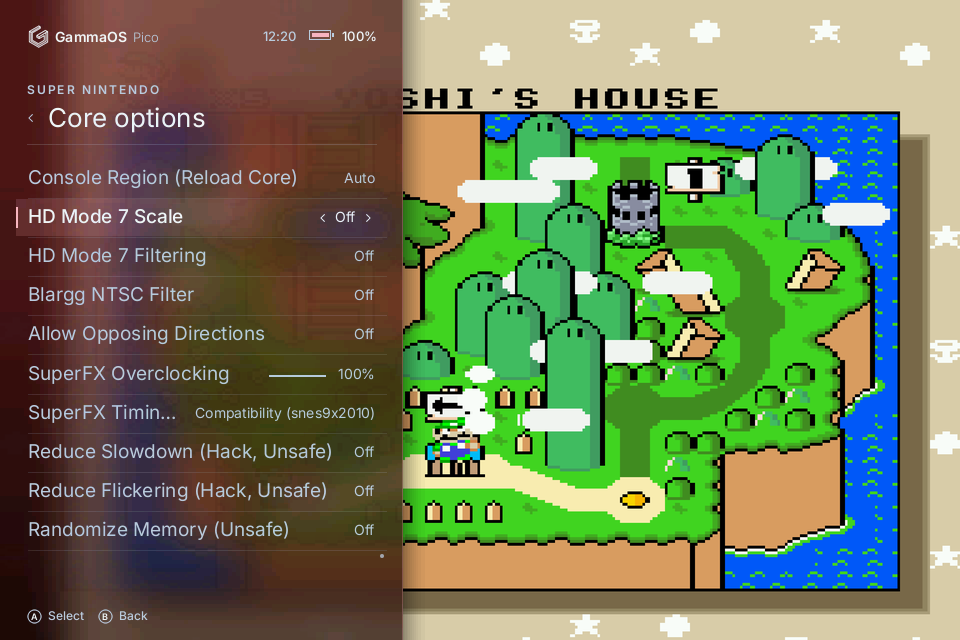 |
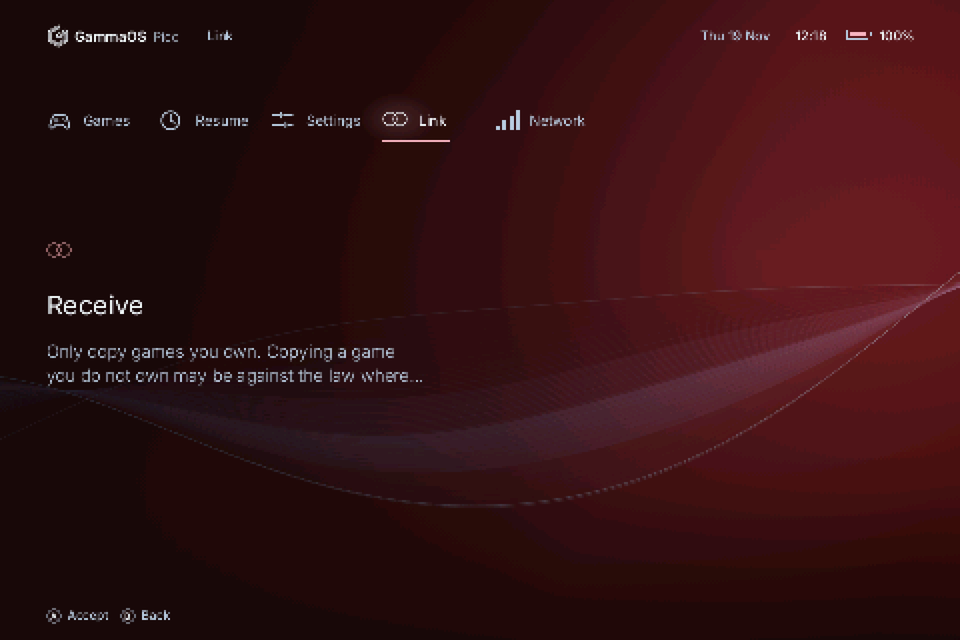 |
| snes9x's own options | Receive: only copy games you own |
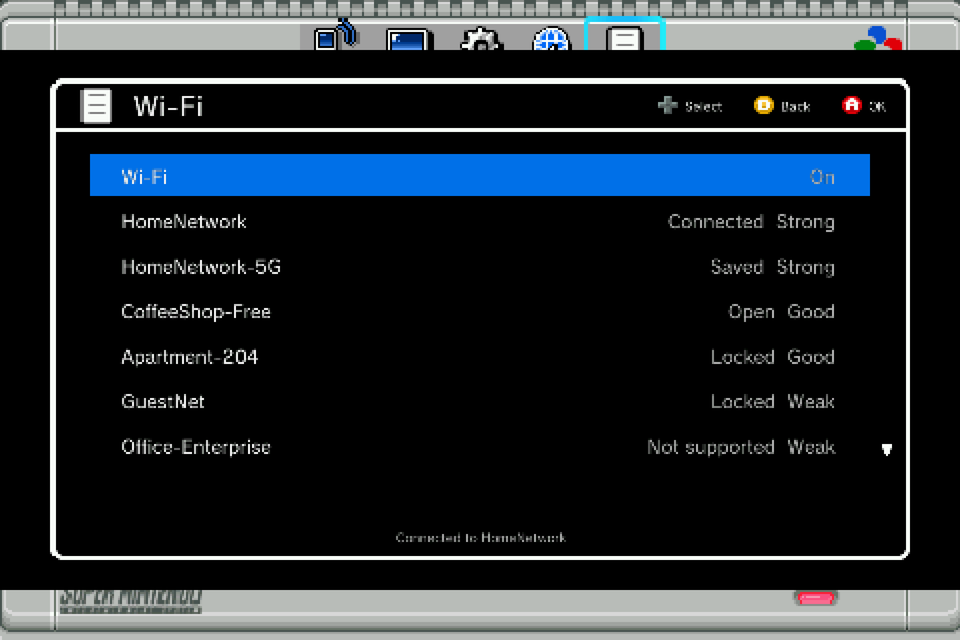 |
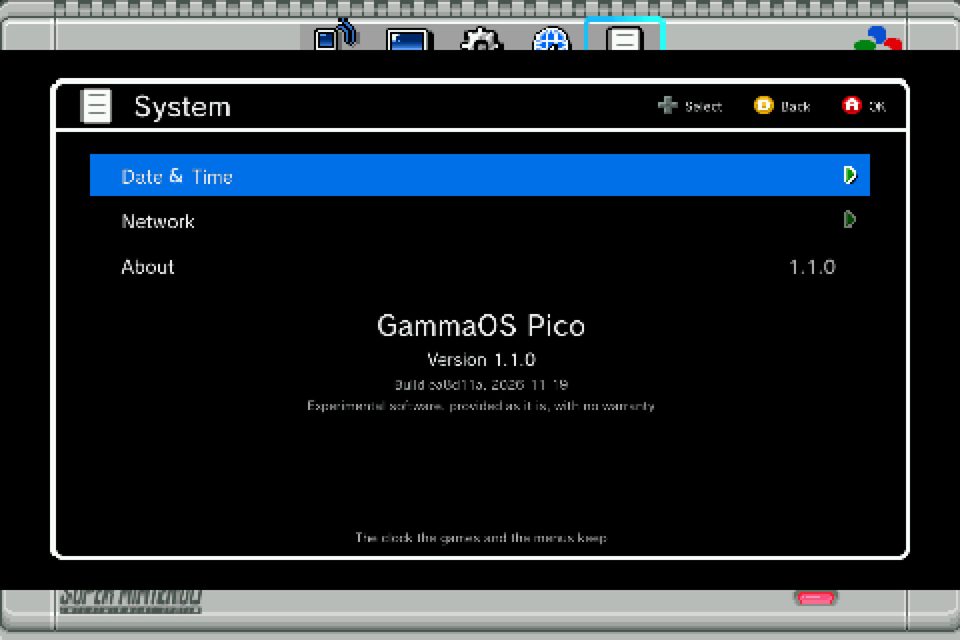 |
| The Classic themes' System > Network > Wi-Fi | The Classic themes' System page |
Buttons
At power on:
| Hold | Starts |
|---|---|
| nothing | whatever the card is set to (GammaOS Pico, or Android after Boot to Android) |
| SELECT | GammaOS Pico (the way back after Boot to Android) |
| SELECT + START | Android |
| SELECT + START + R (R1 on the Konkr Pocket Block) | the bootloader (fastboot), for updates |
No card, or a card without GammaOS Pico on it, always starts Android.
In a game:
| Button | Does |
|---|---|
| Menu (the side key on the Konkr Pocket Block) | the Pico menu (save and load states, filters, settings); hold 1.5 s to go back to the game list |
| R2 | fast forward on / off |
| L2 | rewind on / off |
| SELECT + START + L + R (hold) | restart the game |
| Volume wheel (Konkr Pocket Advance) | volume; with SELECT held, brightness. On the Konkr Pocket Block both are in the in-game menu |
| X / Y | autofire |
| Power (hold 1.2 s) | save and switch off |
In the game list, START plays, SELECT sorts and X switches between systems. During the boot logo,
hold B to skip it; on the Konkr Pocket Advance the volume wheel works there too.
The menus
Everything GammaOS Pico can set, as it is laid out on the console (the Current theme, the default).
Every menu is in the language chosen in Settings.
Home
| Tab | What it holds |
|---|---|
| Games | the systems on the card, each with its console and logo; Left / Right move between systems, A opens a system's library (its games with their box art, how long each has been played and when last), where holding Up / Down speeds up, Left / Right turn a page and L / R jump from letter to letter; Y searches the system (or, on this page, every system) with an on-screen keyboard |
| Resume | the games played most recently, newest first, to carry on with one press |
| Settings | the console settings below |
| Link | Play together, Send, Join a game and Receive between two consoles over Bluetooth (X on a game in a library starts Play together or Send for it) |
| Network | Wi-Fi (on or off, the networks around, joining with a password, Saved networks), Box art (find covers on the network: the source, the region first) and RetroAchievements (sign in, points, unlocks waiting to be sent, sign out) |
L and R switch between the tabs, A picks and B goes back. The header shows the menu you are in,
the date, the time and the battery.
Settings
| Row | Values |
|---|---|
| Brightness | the backlight, 0 to 100 % |
| Volume | 0 to 100 % |
| Black Frame Insertion | Off, 25 %, 50 %, 75 %: the backlight strobes for sharper motion |
| Theme | Current; Classic and GBA Indigo (beta). A applies |
| Colour | Blue, Indigo, Violet, Orchid, Rose, Crimson, Coral, Amber, Lime, Emerald, Teal, Sepia, Graphite |
| Language | the 17 languages. A applies |
| Date & Time | a page: Year, Month, Day, Hour, Minute (the console's clock, which Android shares), Time zone (UTC-12:00 to UTC+14:00 in quarter hours), 24-hour clock |
| BIOS Boot | a page: Skip BIOS Intro, BIOS Intro Background (Black or White), Mute BIOS Audio, BIOS Intro on Resume |
| Game Resume | a page: Resume on Power On (switching off in a game saves your place and the next power on goes straight back), Resume on Game Open (opening a game carries on where you left it; hold B while opening to start afresh) |
| Boot to Android | restarts the console into Android; hold SELECT at power on to come back |
In a game
The Menu button opens the in-game menu over the game. Its first page: Resume, Achievements (the
game's RetroAchievements and their settings), Save state and Load
state (Left / Right pick the slot), the Display, Sound, Gameplay and System pages, Reset game and
Exit game (a Disk System game also has Swap Disk Side there). The pages hold what each emulator
offers:
| Page | Game Boy Advance | Game Boy / Game Boy Color | NES / Disk System | SNES | Mega Drive, Master System, Game Gear, SG-1000 |
|---|---|---|---|---|---|
| Display | Brightness, LCD Filter, Aspect Ratio, Color Correction, BFI, Show FPS | Brightness, LCD Filter, Aspect Ratio, Palette (original Game Boy), Color Correction, Correction Mode, Dark Filter, BFI, Show FPS | Brightness, Aspect Ratio, LCD Filter, BFI, Show FPS | Brightness, LCD Filter, Aspect Ratio, Overscan, Hi-Res Blend, BFI, Show FPS | Brightness, Aspect Ratio, LCD Filter, BFI, Show FPS |
| Sound | Volume | Volume | Volume | Volume, Audio Filter | Volume |
| Gameplay | CPU Clock, Run-Ahead, Rewind, Benchmark, GBA Core (armGBA or gpSP), Core options, Latency LED, Panel Refresh | CPU Clock, Run-Ahead, Rewind, Core options | CPU Clock, Run-Ahead, Rewind, Region, Refresh Rate, Core options | CPU Clock, Run-Ahead, Rewind, Turbo (auto-fire), Benchmark, Panel Refresh, Core options | CPU Clock, Run-Ahead, Rewind, Region, Refresh Rate, Core options |
| System | Resume on Power On, Resume on Game Open, BIOS Intro Background, Skip BIOS Intro, Battery | Resume on Power On, Battery | Resume on Power On, Battery | Resume on Power On, Battery | Resume on Power On, Battery |
armGBA's Core options: BIOS (Nintendo from the card, or armGBA's built-in), LCD Ghosting, Interlaced
Rows, Audio Low-Pass Filter, Solar Sensor (for Boktai), Motion Controls (tilt and gyro cartridges)
and Rumble.
The values: LCD Filter Off, Scanlines, LCD Grid, Dot Matrix, LCD1x, LCD3x (Genesis: Grid, Grid+);
Aspect Ratio Stretch, Fit, Pixel Perfect (SNES 4:3, Pixel, NTSC, PAL, Stretch; Genesis Pixel, Core,
Stretch, 4:3, Square, 16:9); Run-Ahead Off, Balanced, Responsive, Max; Overscan Crop 8, 12 or 16 px
or Off; Audio Filter Linear, Gaussian, Cubic, Sinc, None; Hi-Res Blend Off, Merge, Blur; Turbo Off,
A, B, A+B; Region Auto, USA, Europe, Japan (NES: Auto, NTSC, PAL, Dendy).
Classic theme (beta)
The SNES Classic style carousel, with its own pages from the top bar: Link (Play together, Send,
Join a game, Receive), Display (brightness, black frame insertion and the Theme row), Settings
(volume, Mute Menu Audio, BIOS Boot, Game Resume, Boot to Android), Language (every language) and
System (Date & Time, Network, About). Down on the home opens the Suspend Point List: the focused
game's save states with their pictures and times, to start the game from one. Its own in-game
menu is a sheet in the menu's look, with L / R for its pages, Core options and Achievements among
them. X shows one system at a time; in a long carousel L / R jump from letter to letter.
Downloads
Each console has its own packages. The two card packages hold the same card.
| Konkr Pocket Advance | Konkr Pocket Block | |
|---|---|---|
| The LK (flash package) | gammaos-pico-kpa-1.1.0-flash.zip | gammaos-pico-block-1.1.0-flash.zip |
| The microSD card | gammaos-pico-kpa-1.1.0-sdcard.zip | gammaos-pico-block-1.1.0-sdcard.zip |
| The Windows install's tools | gammaos-pico-kpa-windows-tools.zip | gammaos-pico-block-windows-tools.zip |
- The flash package: the LK, to install GammaOS Pico and to go back to stock: SP Flash Tool v5
packages (Windows) and mtkclient scripts (Linux), both of which work on a stock console with a
locked bootloader, plus fastboot scripts for updates. On the Konkr Pocket Advance it writes
lk_aandlk_b, on the Konkr Pocket Blocklk_a(the slot its preloader starts). Read its
README.txt. - The Windows tools: what the Windows install needs: SP Flash Tool v5.1924 and MediaTek's USB
driver installer (MediaTek SP Driver 5.23.07.02), as MediaTek ships them. SP Flash Tool V6 does
not work with these packages. - The card: copy its contents to the root of a FAT32 or exFAT microSD card. It has the menus,
the six emulator cores and the demo games below. - GammaOS Pico Tool (Windows,
macOS, Linux) sets up and updates the card, adds box art, and backs up, updates and restores
the bootloader of a console already running GammaOS Pico, on both consoles.
Install
- Flash the GammaOS Pico LK from your console's flash package: on Windows
spflash/gammaos/with
SP Flash Tool v5 from the windows-tools package (install its USB driver first; the.txt
scatter, mode Download Only, onlylk_aandlk_bticked on the Konkr Pocket Advance, only
lk_aon the Konkr Pocket Block); on Linuxmtkclient/flash_gammaos.shwith
mtkclient. - Copy the sdcard package's contents to a microSD card, put it in and power on.
- Put your own Game Boy Advance BIOS on the card as
bios/gba_bios.bin(16 KB). GBA games then
run on Nintendo's own BIOS, with the original boot logo; without it armGBA falls back to its
built-in replacement, which not every game runs the same way on, and gpSP cannot run. Disk
System games need the Disk System BIOS asbios/disksys.rom(8 KB).
To go back, flash spflash/stock/ or run mtkclient/flash_stock.sh the same way.
On the Konkr Pocket Block, an Android update (OTA) installs into the console's second slot and
switches to it, which starts that slot's stock LK: install the GammaOS Pico LK again after one.
What has been tested on a console
| Method | Konkr Pocket Advance | Konkr Pocket Block |
|---|---|---|
SP Flash Tool v5.1924 with the .txt scatter |
tested | tested (the first install, bootloader locked) |
| fastboot scripts (updates) | tested: both slots written, the console starts GammaOS Pico | tested: lk_a written, the console starts GammaOS Pico |
| GammaOS Pico Tool (Console page) | tested | tested |
| mtkclient on Linux | untested on a console | untested on a console |
| SP Flash Tool V6 | does not work with these packages | not tried |
On the Konkr Pocket Block, Android starting from the GammaOS Pico LK has been tested on a console
whose bootloader was unlocked; the LK hands Android the console's real lock state, so a locked
console is expected to start it the same way.
Demo games
| Game | System | By | Licence |
|---|---|---|---|
| The Hat Chooses the Wizard | Game Boy Advance | by Corwin Kuiper and Gwilym Inzani (agb examples) | MPL-2.0; music "Sylvan Waltz" by Otto Halmén, CC BY 3.0 (https://creativecommons.org/licenses/by/3.0/) |
| Collie Defense | Game Boy Advance | by Yann Vaillant; art by Yulianto Hiu and Lea Espanet; music by Drozerix and JAM | code GPL-3.0, art CC BY-SA 4.0 (https://creativecommons.org/licenses/by-sa/4.0/), music public domain (CC0) |
| Libbet and the Magic Floor | Game Boy | by Damian Yerrick (with code by Martin Korth) | zlib |
| Tobu Tobu Girl | Game Boy | (c) 2017 Tangram Games | code MIT, assets (images, text, sound, music) CC BY 4.0 (https://creativecommons.org/licenses/by/4.0/) |
| Tobu Tobu Girl Deluxe | Game Boy Color | (c) 2017 Tangram Games | code MIT, assets (images, text, sound, music) CC BY 4.0 (https://creativecommons.org/licenses/by/4.0/) |
| uCity | Game Boy Color | by Antonio Niño Díaz | GPL-3.0-or-later; graphics and music CC BY-SA 4.0 (https://creativecommons.org/licenses/by-sa/4.0/); GBT Player BSD-2-Clause |
| Super Sudoku | SNES | (c) 2019-2022 Raphaël Assenat | MIT |
| Castle Platformer | SNES | (c) 2015 The UnDisbeliever | MIT; graphics CC0 (Jetrel, qubodup, Jason-Em on OpenGameArt) |
| KleleAtoms MD | Mega Drive / Genesis | (c) 2022 Nightwolf-47, graphics by GreffMASTER | MIT (built with SGDK, MIT) |
| Alex vs Bus: The Race | Mega Drive / Genesis | by Alexandre Almeida (M374LX) | code GPL-3.0-or-later, assets CC BY-SA 4.0 (https://creativecommons.org/licenses/by-sa/4.0/) |
| Raposa do Sol | Master System | (c) 2024 tibonev | MIT (with sms-fxsample, MIT, (c) 2020 Jordi Montornés Solé) |
| Waternet | Game Gear | (c) 2022 Willems Davy | MIT |
Each is redistributed under its licence; the texts are in licences/games/ on the card.
Source
- LK: https://github.com/TheGammaSqueeze/lk-mt6785 (branch
lk-gba-emu-sd-card-kpa); build this
release withtools/release/make_release.sh. - Cores: armGBA-pico,
gpsp-pico,
gambatte-pico,
snes9x-pico,
genesis-plus-gx-pico,
armNES-pico.
Checksums are in SHA256SUMS.