


Todoist is a powerful and intuitive task manager designed to help individuals and teams organize their personal and professional projects. With its clean interface and robust feature set, Todoist enables users to capture tasks, set priorities, and track progress seamlessly across all devices.
Whether you're managing daily to-dos, planning complex projects, or collaborating with a team, Todoist offers:
- Cross-platform synchronization – Access your tasks on web, mobile, and desktop.
- Integration with popular apps – Connect with Google Calendar, Slack, Dropbox, and more.
- Customizable project views – Use lists, boards, or timelines to visualize your work.
- Smart scheduling – Natural language input for quick due dates and reminders.
- Productivity tracking – Monitor your performance with karma points and trends.
Trusted by millions worldwide, Todoist combines simplicity with powerful functionality, making it an ideal choice for students, professionals, and anyone looking to bring order to their busy lives.
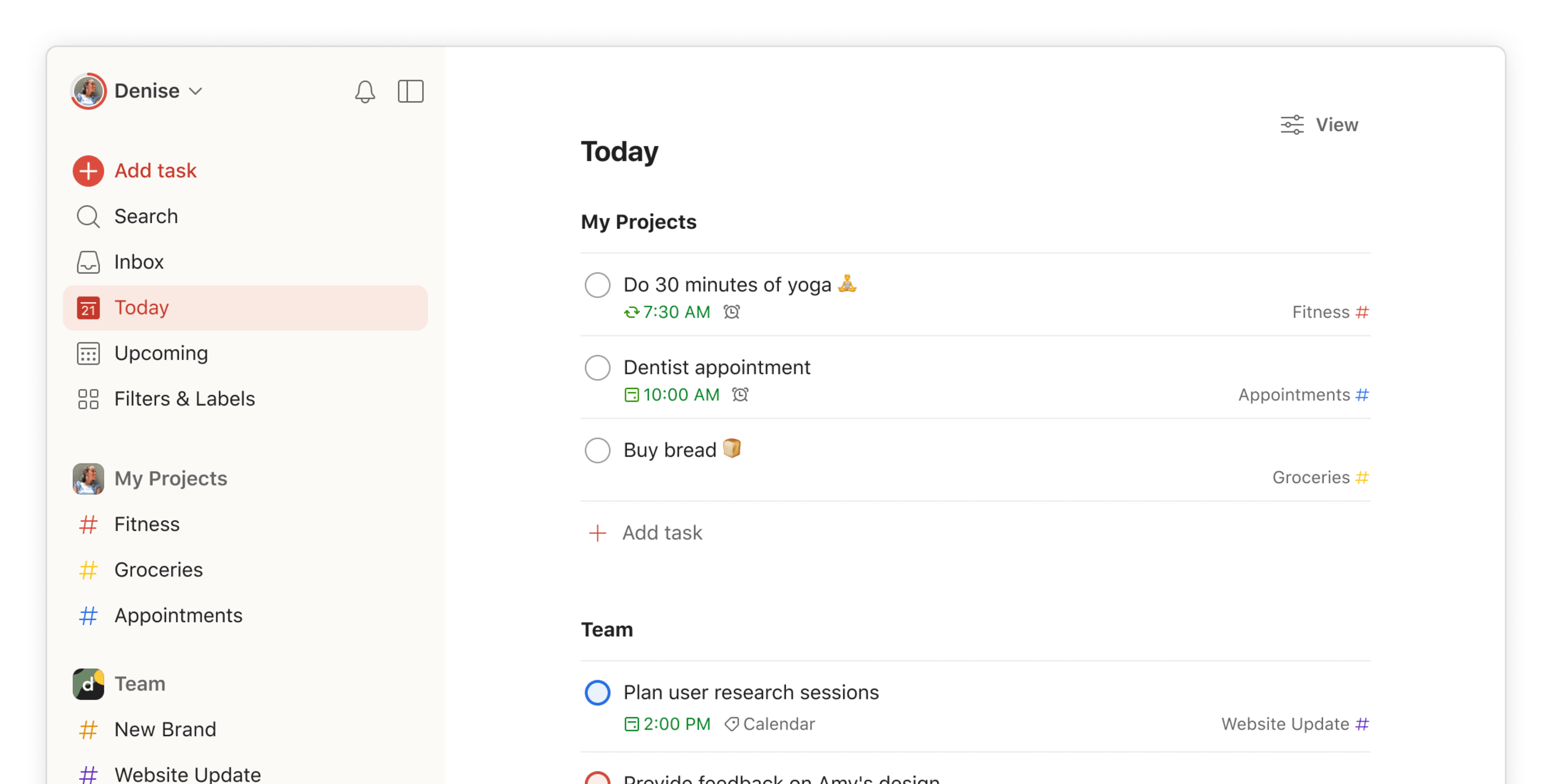
| Feature | Description |
|---|---|
| 📝 Task Management | Easily create, organize, and prioritize tasks and subtasks. |
| 🔄 Cross-Platform Sync | Sync your tasks across all devices in real time. |
| 🧩 Integrations | Connect with Google Calendar, Slack, Gmail, and more. |
| 👥 Team Collaboration | Share projects, assign tasks, and track team progress. |
| 🎯 Smart Scheduling | Use natural language to set due dates and recurring tasks. |
| 📊 Productivity Trends | Track your efficiency with visual stats and karma points. |
| 🏷 Labels & Filters | Customize your workflow with labels, filters, and priority levels. |
| 🌐 Multiple Languages | Available in over 20 languages for global accessibility. |
- Enhanced team collaboration tools.
- Improved natural language processing for due dates.
- New project templates for quick setup.
- Better performance and synchronization speed.
- Updated mobile and desktop UI for smoother navigation.
- Students – Organize assignments, exams, and study schedules.
- Freelancers – Manage client projects and deadlines efficiently.
- Teams – Collaborate on shared tasks and track project milestones.
- Personal Use – Plan daily routines, grocery lists, and personal goals.
- Sign up for Todoist on the official website or via the app.
- Create your first project and add tasks.
- Use labels, due dates, and priorities to organize your list.
- Install the mobile or desktop app for seamless access.
- Explore integrations to connect Todoist with your favorite tools.
| Parameter | Requirement |
|---|---|
| OS | Windows 10/11, macOS, Linux, iOS, Android |
| Browser | Latest Chrome, Firefox, Safari, or Edge |
| Storage | 100 MB free space |
| Internet | Required for synchronization |
todoist task manager • todoist productivity app • todoist download • todoist free • todoist premium • todoist github • todoist windows • todoist mac • todoist android • todoist ios • todoist web • todoist integrations • todoist templates • todoist collaboration • todoist karma • todoist scheduling • todoist filters • todoist labels • todoist projects • todoist tasks