Repository navigation
Shopping List HUD
The HUD (H to toggle) shows:
Every raw material still needed across all recipes, missing items first. Slide Total lists to a level to sum the steps in between instead: Level 1 is the pieces each recipe takes directly (e.g. Drill Motor, Refined Titanium), Level 2 what those take, up to Level 5. Raw materials needed above the chosen level are listed as they are. Set Total panel to Own panel to give the Total its own panel you can move, resize and scale in Move HUD..., like Craftable and Forging. Your stock is shared between recipes, never counted twice (earlier entries get it first).
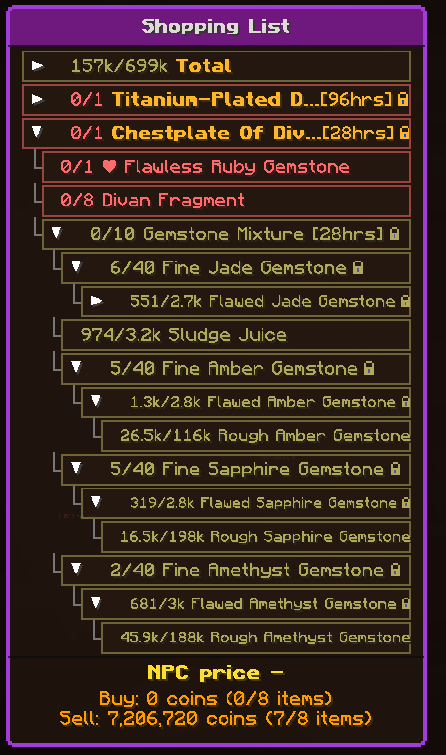
One tree per recipe, in the order of your list.
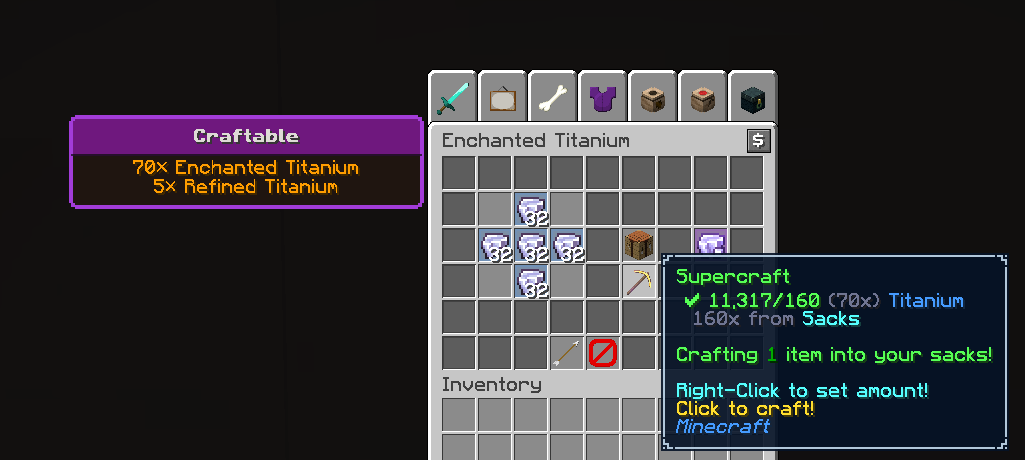
Intermediates you can make right now.
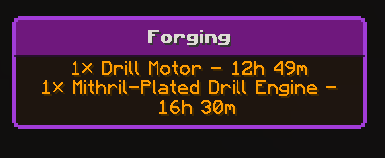
Items cooking in your Dwarven Forge, with time left. Updated when you open The Forge. Settings > Sections > Forging section picks what it shows:
- All (default): every forge slot. Items the list needs come first; the rest follow in the Forging text (not on list) colour (red by default, set in Appearance).
- Listed: only items the list needs.
- Off: no Forging section.
For items on your list that drop from mobs (anywhere in a recipe tree): how many kills you've done since the last drop, and about how many more it takes. It is off by default. Turn it on in Settings > Sections > Mob drops section. It has its own panel unless you move it into the main panel.
Each line reads like Ender Necklace (Zealot): 312 kills, best 15, you 88, worst 400 left:
- Best: lucky, with your Magic Find. A quarter of players have the drop by then.
- You: the average with your Magic Find.
- Worst: the average with no Magic Find. A line past this turns the Mob drops text (overdue) colour (red by default).
Settings > Sections > Mob drops estimates shows one of these or all three.
Where the numbers come from:
- Drop chances: the NEU item repo, already downloaded with the recipes. Guaranteed (100%) drops are left out, since they need no estimate.
- Kills: a mob you hit that then dies counts as one kill. Its name is read from the nameplate above it (e.g. "[Lv55] Zealot"), and the kill only counts for items that mob drops. Each line shows the mob you've been killing for that item. Before your first kill, it shows the mob with the highest chance. Kills only count when you hit the mob yourself, so bow or ability kills of mobs you never hit don't count.
- A drop: a RARE DROP message for the item puts its count back to 0. The item stays on the panel until the list has enough.
- Magic Find: read when you open Your SkyBlock Profile (SkyBlock Menu), from the tab list's Stats widget when it shows Magic Find, or from a RARE DROP message. The newest one wins. A value set in Settings > Sections > Magic Find (above 0) is used instead. The bottom line of the panel shows the Magic Find in use and where it came from, e.g. "Magic Find: 237 (last drop)". Magic Find only raises drops below 5%. Looting and Pet Luck aren't counted.
Kill counts are kept per SkyBlock profile. Settings > Sections > Reset kill counts starts them all from 0.
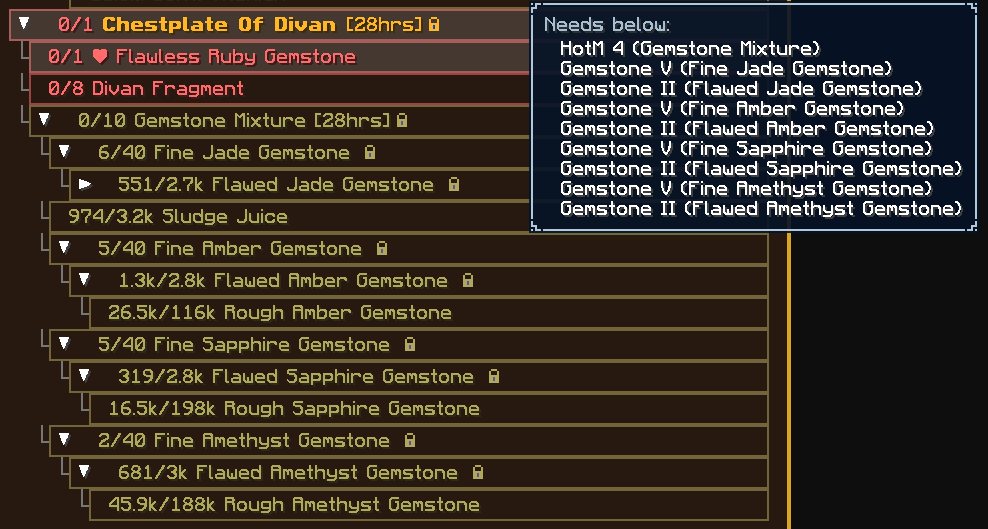
A small padlock after rows you still need to make whose recipe has to be unlocked first: a collection tier, a Heart of the Mountain tier or a slayer level. Rows with such a requirement further down their tree get the padlock too, so you see it before committing to the whole craft, even with the row collapsed. In the List tab preview, hover the row to see what it requires, e.g. Requires: HotM 6, then under Needs below each lower requirement with its item, e.g. HotM 2 (Refined Titanium). The requirement comes from the NEU repository. Your own collections and levels aren't read, so the padlock shows even if you've already unlocked the recipe; rows you already have enough of never show one.
At the bottom of the HUD: what the whole list costs at NPCs, like the bottom line of an invoice. Buy is the coins to buy every raw material in the Total from NPC shops, Sell is what NPCs pay for them. It covers everything the list needs, including what you already hold. Coin prices only: buy prices are the cheapest NPC shop offer that costs coins alone (e.g. Coal: 8 coins for 2 at the Mine Merchant, so 4 each), and sell prices come from Hypixel's item list. Many items have no NPC price (bazaar-only items, mob drops), so each line says how many of the items have one, e.g. Buy: 1,240 coins (12/15 items); those without one are left out of the sum. Coins on the list count towards Buy.
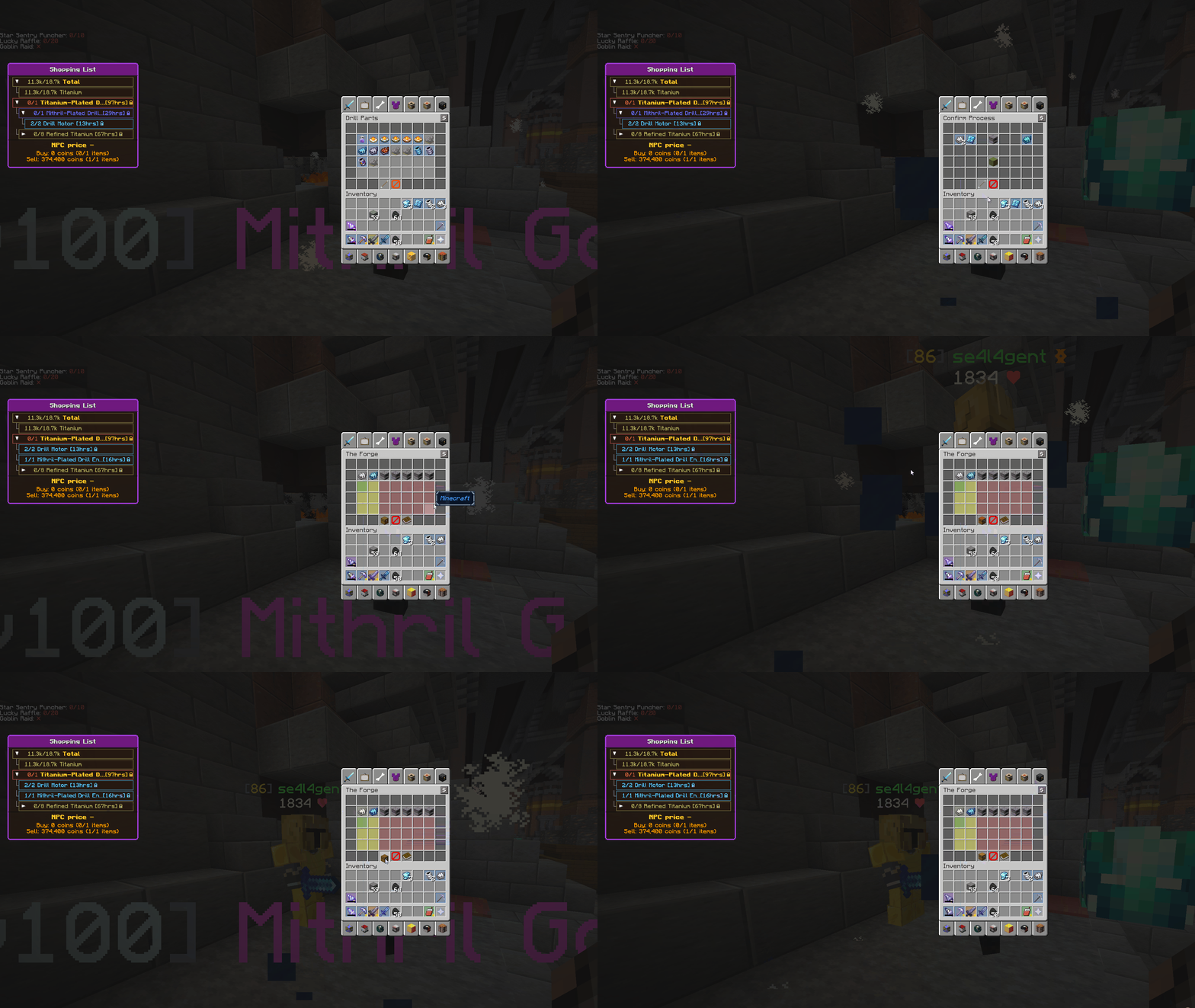
Rows made in the Forge show how long is still ahead, e.g. Titanium Drill DR-X455 [25hrs]: every forge craft still to make for that row, one after another (forge time × how many are still needed, plus all its ingredients). That is the worst case: forging several at once finishes sooner. Items cooking now add the time they have left and count down on their real timer. Crafts not started yet get your Quick Forge perk (read when you open Heart of the Mountain) and Cole's Molten Forge while he is mayor or minister (the mayor is checked hourly, only while Forge times is on). Times are rounded up (1h 41m shows [2hrs]). Settings > Rows > Forge times: Every row, Top level only, or Off. Long names are cut short so the time always shows.
When a recipe has everything it needs you get a "Ready to craft" notification, and once you have made the amount you asked for an "Item achieved" one and the recipe leaves the list (if Auto-remove is on). The mod also names the sacks to open after you join, when you add a recipe or raise its amount, and when you load a saved list ("Sacks to open"), and reminds you when no sack has been opened for an hour while the list has items ("Sack reminder", at most once an hour).
Settings > Notifications sets each one to Off, Chat, Toast (a pop-up in the corner) or Both. Defaults: Ready to craft and Item achieved as toasts, the two sack messages in chat. Notifications only show while on SkyBlock. Toasts use the vanilla notification type, so toast mods such as FancyNotify restyle and filter them (under its Systems filter).