Repository navigation
Releases: TomAs-1226/CatalystConsole
Release list
Catalyst Console v2.1.2

Added
- Show live vision-target visibility in the main status bar during matches: green TARGET, amber
NO TARGET, or VISION — without fresh telemetry. Any camera can supply the target; frozen frames,
stale tag counts and robot disconnects do not leave a false green indicator. - Demonstrate target acquisition and loss in the existing demo mode.
Included
- Ship the existing local three-camera panorama, camera identity checks and opponent-only popups
with this OTA update, including the fixes made since the previous published installer.
Windows x64. Built with the field, robot and driver models.
Catalyst Console v2.1.1
Fixed
- Decode the WPILib 2027 Driver Station control word and autonomous handover correctly.
- Start the autonomous field view at the selected routine's published start pose; retain measured
robot telemetry after handover. - Use the robust chooser tune topic and robot acknowledgement instead of presenting a local
selection as accepted before the robot has applied it. - Keep the connected team number on disabled bumpers and distinguish execution time from the
normal periodic interval in loop timing.
Documentation
- Refresh compatibility and operating instructions for the current Console release. The dashboard
remains advisory; only Driver Station enables the robot.
Windows x64. Built with the field, robot and driver models.
Catalyst Console v2.1.0
Fixed
- The released build opened a black window. The release workflow never ran
npm run vendorin the
job that builds the installer, so v2.0.0 shipped without three.js and the interface font and the
first import failed. The workflow vendors before it builds,tauri builddoes too, and the Rust
build now refuses to compile when the vendored files are missing. The field, robot and driver
models are baked from CAD on a development machine and are still not in a build made by CI: the
3D views fall back to the drawn robot there.
Changed
- Releases are built on the machine that has the models, with
npm run release, and published
from there. The workflow on GitHub now only checks and proves the build; it no longer releases.
Added
- A Drive status tile for a robot that says why it is holding a shot (team 5805's Numbers): the
blocker as one large line, amber when the driver can fix it, otherwise the robot's state in plain
words; an OPERATOR DRIVING chip, who has the heading (OPERATOR STEERING while the operator nudges
it), the driver's speed limit, the assist level and driver profile, the robot's own HUB countdown,
and a pose badge by localization level. - Capsules for a lost pose, for an auto winner nobody has named in teleop, and for assist shadow
mode (the assists are only logging), and a quiet one while a drive assist steers. The Hub activation caption names who won auto, the Shooter caption takes
the robot's own shot count, and Park shows pose trust, tag mode and where auto took its pose from.
Windows x64. Built with the field, robot and driver models.
Catalyst Console v2.0.0

Driver station dashboard. Windows installer + universal macOS .dmg, and the signed latest.json the console's auto-updater pulls from. The desktop app's build also fetches the bare catalyst-console.exe from here.
Catalyst Console 1.0 — Ready for the field
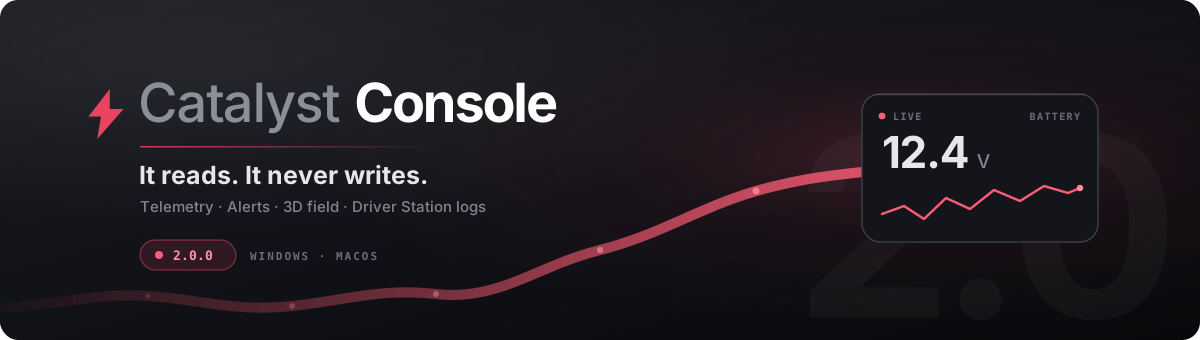
1.0
It is ready to be used at a competition. That is the whole meaning of the number — 0.8 said the shape
was still moving, and it is not any more.
Download the installer, run it,
set your team number once in Settings → Robot. Windows x64, 3.6 MB, nothing else to install. It
updates itself after that, and never during a match.
What it is
A driver station companion that sits next to the NI Driver Station and shows what the robot is doing.
It answers to three rules, in order, and every design decision in it is downstream of them:
- It never controls the robot. There is no code path that opens the DS control socket.
- Nothing it does may impede driving. No modal blocks the dashboard, nothing gates anything, and
every failure degrades to a dimmed number in a corner. - It never invents a number. A topic the robot has not published reads as a dash. Demo data must
be switched on deliberately and says so on screen the whole time it runs.
What you get
- A board you build. Tiles bound to NetworkTables keys you choose — gauges, graphs, alerts, match
clock, a 3D field view. Nothing hard-coded to a season. Export the layout as JSON and every laptop
in the pit comes up identical. - The robot's own spec sheet. A robot on FrcCatalyst 1.10+ introduces itself; the plan is drawn to
scale from its published frame, bumper and module figures, so wrong dimensions look wrong. - A device tree. Every CAN device by bus and id, and the power distribution drawn as the board it
is, so you can see which breaker feeds what and which slots are free. - Live tuning, Physics Core state, and Driver Station logs parsed into something readable.
- A read-only MCP server, so an agent can inspect the robot without being able to touch it.
Fixed in this release
- Escape took three presses to close Settings from the search box — clear, blur, close. The first
press cleared the filter but left focus in the field, so the second only blurred it. Two now. - The README claimed no network fetch at runtime, then described the update check nine lines
later. Both cannot be true. - The tunable manifest contract was documented wrong twice: only
keyis required, notkey,
nameandgroup; and what decides toggle-versus-slider is the value's type on the wire, not
whethermin/maxwas declared. - Settings said "six sections" in three places after Devices made it seven, and the README's own map
of Settings had no Devices row. - The search documentation used inches as its worked example of a match. That stopped being true
when the row copy was shortened and the word left the screen — the example was the one query
guaranteed to fail.
Known and unfixed
- Board tiles are not unit-aware. The Units setting converts the spec sheet only, and says so.
supportHeight()seeds from the robot's centre rather than its footprint.collisionCount()counts step-contacts rather than distinct impacts.- The collision map is about 12 mm narrower than the CAD guardrail interior.
Requires FrcCatalyst 1.10+ for the spec sheet and
1.12+ for the device tree. Everything else works against any robot publishing NetworkTables.
Catalyst Console v0.8.1 — Devices is its own section
The CAN device tree and the power distribution panel were a footnote to the spec sheet. They answer a different question at a different time: the sheet says what this robot is, and these say what is on it and where — which is what you want with a multimeter in the other hand.
Devices is now second in the rail, after Robot.
The spec sheet keeps its device count and its by-type inventory. A count is the right shape for a glance; a tree is the right shape for a diagnosis.
Neither half is a setting, so neither is reachable by search — the same as About — and the section says so plainly when the robot has published nothing for either.
Catalyst Console v0.8.0 — Less text, more robot
Less text, more robot
The settings rows stopped lecturing
Every row had a paragraph under it. Fifteen rows carried 403 words of explanation — twenty-seven per
row — which is not a settings panel, it is a manual with controls embedded in it. A row is a label
and a control; where a sentence genuinely earns its place it gets one line, and where it was
explaining the obvious it is gone.
Row prose is 74 words across twelve rows now, down from 366 across fourteen. The longer
reasoning that was worth keeping moved to the section prose, which is read once, rather than sitting
on a row that is read every single time.
CAN devices, as a tree
The sheet said 11 CAN devices and 8 × Kraken X60. That answers a question nobody has. At two in
the morning in a pit the question is which id is on which wire, and whether the device that stopped
answering is on the rio bus or the CANivore.
A robot on FrcCatalyst 1.12 publishes every device with its bus, id and type, and the garage
draws them as a tree — one group per bus, ids down the side, sorted the way you would read a loom.
The count and the by-type inventory are both still there: a count is the right shape for a glance and
this is the right shape for a diagnosis.
The power distribution, as a panel
A list of five channels does not show you that 9 through 19 are empty, and the shape of what is free
is most of what you want when you are adding a mechanism. It is drawn as the board it is now —
every slot, taken ones filled — with the map underneath.
It only appears when the robot published a channel count. A strip sized to whatever happened to be in
use would be inventing the shape of a distribution board nobody told this console about.
Catalyst Console v0.7.0 — Search, release notes, and documentation that is true
Search, release notes, and documentation that is true
Search
Twenty-odd settings across six sections is past the point where remembering which one holds what is
free. There is a search field at the top of the rail now. Typing filters every row in every section
at once and leaves them where they are, so a result is the setting — you change it in place
rather than in a copy of itself.
Escape clears the filter without closing the panel; choosing a section clears it and goes there.
The rail has icons
Quiet ones, sized to sit beside the label rather than compete with it. An icon that reads before its
own word is an icon doing the label's job badly.
Release notes before you install
The Updates page shows what is actually in a release before you decide to take it. The backend was
already returning them and the interface was throwing them away. Rendered as plain text and never as
markup: that body arrives over the network, and this program has no business executing it.
Copy the spec sheet
At inspection someone is reading frame perimeter and weight off a screen and writing them on a form.
The button under the garage writes the sheet as aligned plain text, in whatever units are selected,
built from the same data the panel rendered so the two cannot disagree. If the clipboard refuses it
says so rather than claiming it worked.
Corrections
- The Units row was lying. It said measurements convert "on the sheet above and across the
board". They do not — only the spec sheet converts, and no board tile reads the setting. The copy
now says what the code does. - The three rules in About folded to one column at 1080px while the keyboard and links below them
folded at 1040px, so between those widths the page disagreed with itself. Both fold at 1080 now. F1opens About and always did, but it was missing from the shortcut list About itself renders, so
the one page documenting the keyboard under-reported it.- The search placeholder was set in the palette's dimmest ink at 2.72:1 — and it is that field's only
label, since there is no caption above it. It is 4.08:1 now.
Documentation
Both repos' documentation is rewritten and fact-checked against the source. Some of what it found was
wrong rather than merely missing, and those matter more:
- The README told you to set your team number in
candidate_addressesinsrc-tauri/src/main.rs.
That function takes the team as an argument; the number lives in the app's config and is set from
Settings → Robot. - The README listed
/FMSInfo/MatchTimeas the match countdown./FMSInfocarries no clock — the
robot has to publish one, whichdocs/hub-schedule.mdalready said correctly, so the two documents
contradicted each other. - The link to FrcCatalyst on line 3 was a 404.
docs/installing.mdstill described the team-number modal that no longer exists, claimed the
console and the desktop app "stay in step" when they have separate release cadences, and gave the
installer size as about 3 MB when it is 3.6.
Catalyst Console v0.6.0 — What the robot is made to do
What the robot is made to do, and About you can read across
The bumpers are no longer the alliance colour
They were, and that was wrong. Alliance is match state — it flips between matches and a team carries
both sets of bumpers — so painting it made a robot's spec sheet change colour depending on when you
happened to open it. This card describes the machine, and the machine is the same robot on either
side. The plan draws neutral now, and the caption no longer claims a side.
Catalyst, at the top of the sheet
A robot running FrcCatalyst 1.11 publishes which parts of the library it actually runs, and that
group now leads the spec sheet:
Autopilot        Cycle
Goal Director    Stow
Physics Core     BALANCED
Sequence         ThreePiece, LeaveAndShoot
Strategist       CoPilot
The library records each entry as the component is built, so this is what came up rather than what
someone remembered to list. A feature the robot does not run is absent, not a zero — "no autopilot"
and "an autopilot that threw while building" are different facts and only one of them needs a
driver's attention.
About reads across instead of scrolling
The pane was capped at 880px, which is the right measure for a label beside a control and the wrong
one for a document. About now takes the pane's real width and sets the three rules as three columns —
they are one idea in three parts, and a reader who has to scroll to reach the third has stopped
holding the first two. Below 1080px it folds back to a single column with the numeral in the margin.
The keyboard reference gets two pairs per row in the space that freed up.
New settings
- Units — metric or imperial, across the spec sheet and the board. FRC writes its frame and
height rules in inches, so a team checking whether they are legal was converting these by hand.
The robot always publishes metric and nothing on the wire changes; this is a display choice. - Opens on — which view the console comes up in. A team living in Tune on a practice day should
not press a key to get there every launch.
Also
- The power channel map is listed rather than counted. The summary says how loaded the PDH is; the
map says which breaker just popped. - Rotation rate, steer ratio, CAN FD vs CAN 2.0, bumper depth, gyro CAN id, Java version, roboRIO
serial and image, wheel grip, slip current and drive current limit — all published already, none
of it previously shown. - The Catalyst line carries its build stamp, so
1.11.0 · d604d51tells two builds apart where a
bare version number cannot.
Catalyst Console v0.5.1 — The garage, properly
The garage, properly
0.5.0 drew the robot as a wireframe the size of a postage stamp and stopped at nineteen facts. This
is the same data, given the room it deserved.
The plan is now a render. Filled chassis on a lit ground, bumpers as a solid band, wheels sized
off the published wheel radius and oriented fore-aft, a brighter edge across the front so it cannot
be read upside down. It is more than twice the size it was.
The bumpers carry your alliance colour, taken from FMS. An unknown alliance draws neutral rather
than picking one, because the colour is a claim about which side you are on and the console should
not make that up. The caption says which alliance it drew, and which of bumpers, frame and modules
it actually had figures for — so a partial plan cannot be mistaken for a complete one.
More of what the robot already publishes. Two new groups and eleven new rows:
- Controller — roboRIO model, serial, image, FPGA version, and the comment field teams use to
label a spare. - Traction — wheel coefficient of friction, slip current, drive current limit.
- The Catalyst line carries the build stamp, so
1.10.0 · 6e02513 dirtydistinguishes two builds
between releases where a bare version number cannot. - Java version, rotation rate in degrees per second, steer ratio, whether the drivetrain is on CAN FD
or CAN 2.0, bumper depth, and the gyro's CAN id beside its name. - Bumper diagonal, computed from the two published bumper dimensions — the width that actually
has to clear a gap when you approach one at an angle. Absent whenever either side it is built from
is, which is the same licence the library takes for bumper-to-bumper itself. - The power channel map, listed rather than counted. The summary row answers how loaded the PDH
is; the list answers which breaker is the one that just popped, and only the robot knows it.
A robot that publishes a name but no geometry is the ordinary case rather than a broken one, so the
card drops its stage lighting and hero spacing and becomes a plain sheet of facts instead of a frame
around a missing picture.
Nothing here is invented. What the render adds over the previous drawing is lighting, not geometry.