Repository navigation
Getting started
- Install Fabric Loader for Minecraft 1.20.1 or 1.21.1, and use the VenueSound jar for
that version (
venuesound-<version>+mc1.20.1.jaror+mc1.21.1.jar). - Put these in your
mods/folder (on a server: on the server and every client): - Start the game and press V once to set up Simple Voice Chat's microphone.
Everything is in the VenueSound creative tab, and every device has a crafting recipe.
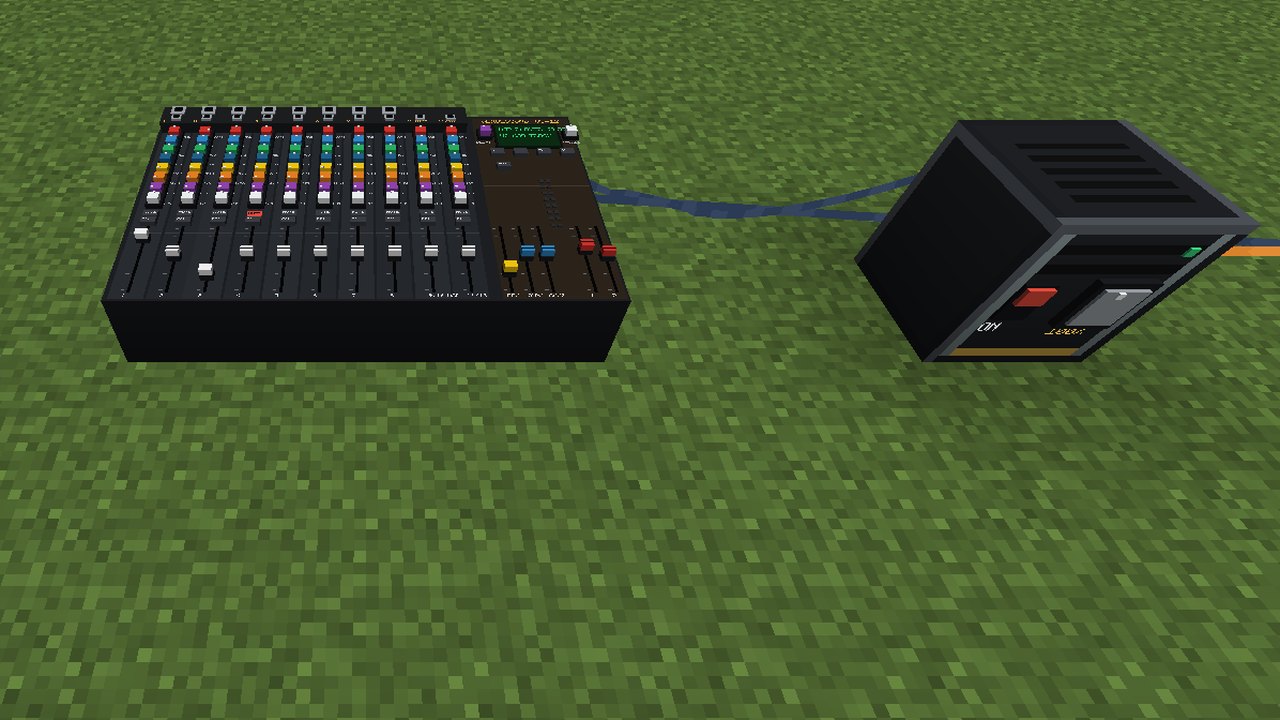
- Place a Mixing Console VS-12 (it needs 3×2 free blocks in front of and to the right of you).
- Place a Power Amplifier and two PA Speaker Cabinets (one each side of the stage), speakers facing the audience.
- Take an audio cable. Right-click a socket to plug in one end, then a socket on another
device to plug in the other end:
- console MAIN L → amplifier IN A (amplifier sockets are on its back)
- console MAIN R → amplifier IN B
- amplifier OUT 1 → left speaker INPUT (on its back)
- amplifier OUT 3 → right speaker INPUT
- Place a Wireless Receiver; cable its OUT (back) to console IN 1 (on the console's rear side, facing the stage).
- Take a Wireless Microphone. Its channel must match the receiver's (right-click the mic to change it, click the receiver's display or -/+ buttons to change the receiver).
- Talk. On the console, push fader 1 and the red L/R master faders up.
Holding a cable you have plugged in at one end shows it running to your hand.
- Music: put
.mp3/.wavfiles invenuesound_media/(next tomods/; on a server, in the server folder) and use a Media Deck or the console's built-in USB player. - Monitors for performers: send AUX 1 to floor wedges or an in-ear monitor transmitter.
- Tidy cables with cable clips and run many channels with a stage box and snake.
This page is copied from docs/guide in the repository. To change it, edit the file there (a pull request is welcome); edits made only here would be overwritten by the next copy.