Repository navigation
The mixing console
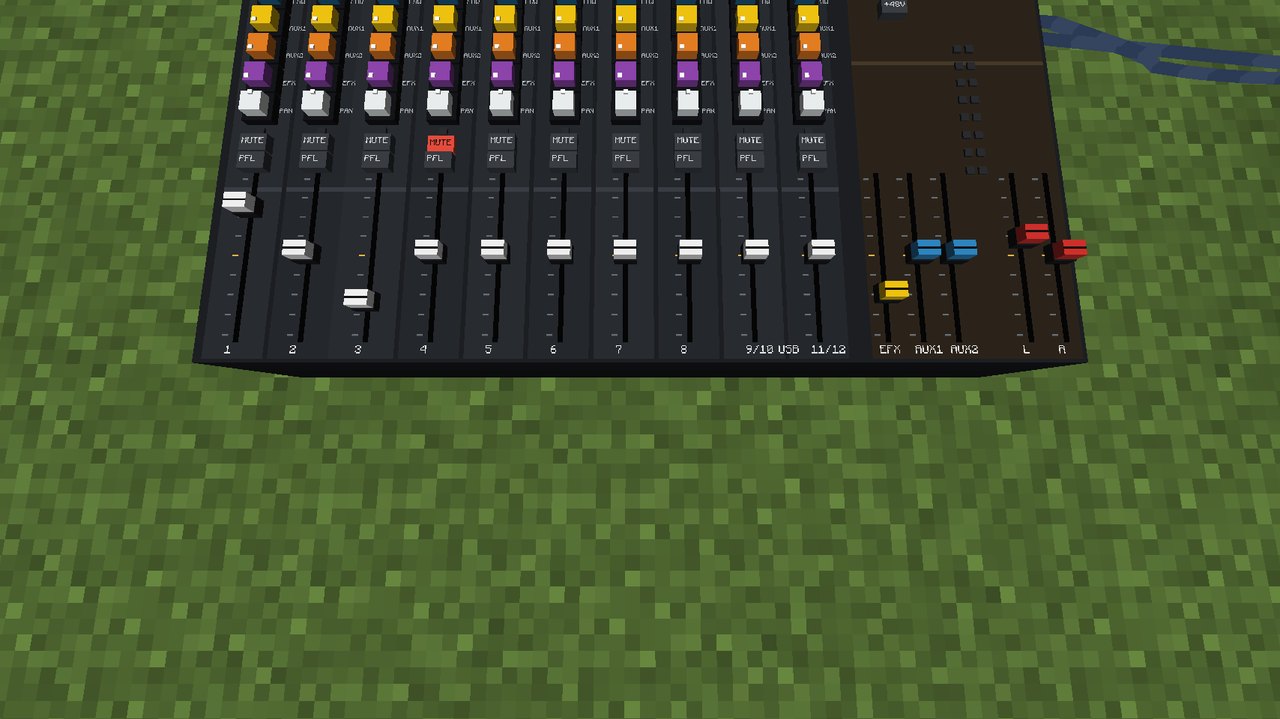
| Control | Does |
|---|---|
| GAIN + PEAK LED | Input level; PEAK lights when the strip is driven hard |
| HI / MID / LOW | 3-band EQ, ±12 dB (8 kHz shelf, 1 kHz peak, 120 Hz shelf) |
| AUX 1 / AUX 2 | Sends to the AUX outputs (monitors) |
| EFX | Send to the effects unit (echo) |
| PAN | Between MAIN L and MAIN R |
| MUTE / PFL | Mute the strip / PFL light |
| Fader | Strip level; the gold mark, three quarters up as on a real console, is 0 dB (+6 dB at the top) |
USB player (display, prev / play / stop / next) feeding ST1 · effects return and delay time · phones · level meters · AUX 1/2 masters (blue) · MAIN L/R (red).
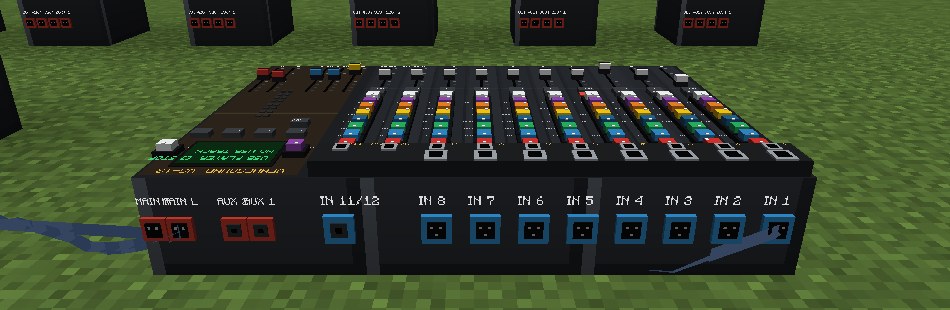
All sockets are on the rear side, facing the stage, so cables don't hang in front of you: IN 1–8 (VS-24: 1–16) and the stereo inputs behind each strip; MAIN L, MAIN R, AUX 1, AUX 2 behind the master section.
- Faders: hold right-click on the cap and move the crosshair, or scroll.
- Knobs: click the left half to turn down, right half to turn up, or scroll.
- Buttons: right-click.
- +48V: phantom power for condenser mics (gooseneck, choir), in the master section beside the USB player buttons. See phantom power.
-
Readout: point the crosshair at any knob or fader to see its name and value below the
crosshair, for example
CH 6 FADER +0.0 dB,CH 2 HI +4 dBorCH 3 PAN L 40. It works on the amplifier, the processors and the speakers' coverage knob too.
The console can be run from a tablet app or any OSC software: see OSC remote control.
The two LED columns in the master section are the MAIN L and MAIN R output meters. They follow the sound actually leaving the console, live: the first green LED lights at -42 dBFS, each next one 6 dB higher, and the red top LED at -3 dBFS, close to clipping. They jump up at once and fall back at about 20 dB per second.
Each strip's red PEAK LED lights for half a second when that channel's signal, after GAIN and EQ, gets within about 1 dB of full scale. If it keeps lighting, turn that channel's GAIN down.
The meters are sent to players within 48 blocks of the console.
This page is copied from docs/guide in the repository. To change it, edit the file there (a pull request is welcome); edits made only here would be overwritten by the next copy.