

The internet is a living tapestry, woven with millions of visual stories. But how often have you found yourself lost in a labyrinth of tabs, trying to collect a specific thread—a collection of product images, a series of reference photos, or a curated gallery of artwork—manually downloading one by one? You are not alone. The modern workflow demands a tool that can navigate this visual chaos with precision and care.
Welcome to ImageFlow Weaver, a reimagined approach to assembling digital media from the web. This project is not just another scraper; it is a thoughtful, policy-aware orchestrator that respects both your time and the source's integrity. Instead of mindlessly grabbing files, it intelligently parses page structures, identifies high-fidelity visual assets, and assembles them into a structured, locally organized collection.
Forget the clunky, outdated downloaders of the past. ImageFlow Weaver acts as a bridge between the boundless creativity of the web and your personal workspace. Whether you are a designer gathering mood board material, a researcher cataloging visual data, or a creator backing up a gallery, this tool turns a tedious chore into a single, elegant command.
At its core, ImageFlow Weaver is a specialized batch retrieval system. It draws a distinct line between efficient collection and intrusive extraction. The engine is built on a philosophy of "selective sovereignty" —meaning you have total control over the quality, origin, and destination of every asset you bring home.
Instead of relying on heavy, resource-sapping interfaces, the system offers a lightweight, terminal-friendly experience that can be integrated into larger scripting pipelines. It features intelligent domain-aware logic that adapts to different website architectures, ensuring that the media you get is the media you intended to capture. It supports output conventions like [WEAVER_2026_media_collection] for easy filtering and management.
The name "Weaver" is intentional. A weaver takes disparate threads and creates a coherent fabric. Similarly, this tool takes scattered images from potentially hundreds of pages and unifies them into a single, coherent archive. It prioritizes data integrity (avoiding broken files) and structured naming (preventing overlap collisions).
This is not about "getting things for nothing." It is about efficiency with ethics. The tool is designed for publicly accessible media intended for personal, archival, or research use—respecting robots.txt directives and implementing polite delays to avoid server strain. Think of it as a highly disciplined assistant who works silently while you focus on the creative synthesis.

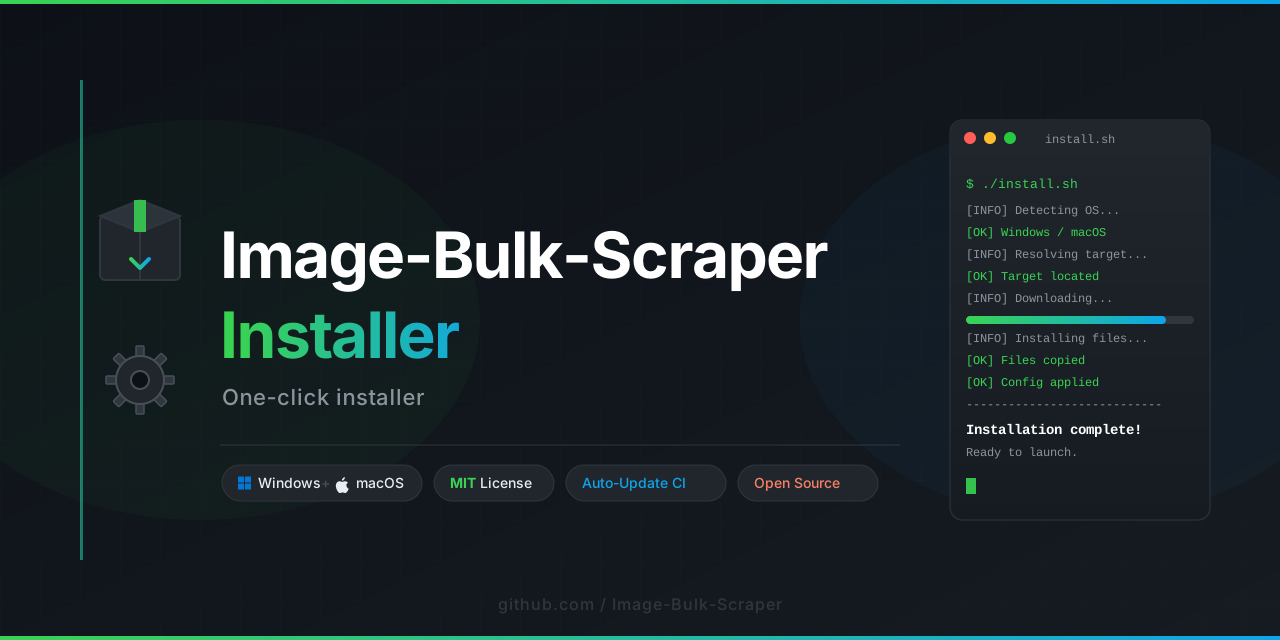
Once the core bundle is placed in your working environment, you can verify the setup by invoking the metadata check. The system will verify its connection to the media stream and prepare the runtime dependencies.
To initiate a project, you define a "Weave Plan" —a simple configuration that lists the source URLs and your desired output structure. This plan is passed to the engine, which then executes the retrieval sequence with surgical precision. The system is designed to be stateless; every run is a clean operation.
- Prepare a text file listing the target URLs (one per line).
- Execute the
weavercommand with your plan. - Watch the console log as the transformer catalogues and downloads the assets.
- Find your results structured in a timestamped folder.
The default naming convention uses a [WEAVER_2026_media] prefix for all downloaded folders, making them immediately searchable. You can customize this prefix for different projects.
The system doesn't just look for <img> tags; it analyzes the Document Object Model (DOM) to find the optimal resolution available. It intelligently extracts srcset attributes, background-image CSS rules, and even canvas elements, ensuring you retrieve the sharpest version available within the source constraints.
Every website speaks a different visual language. ImageFlow Weaver includes a library of "Dialect Modules" for popular platforms (forums, portfolios, galleries). If a popular structure is detected, the engine automatically applies the optimal extraction pattern—minimizing misses and maximizing throughput.
The underlying runtime is designed to be hardware-agnostic. Whether you are running it on a compact development board or a high-performance workstation, the engine scales its parallel connections and memory allocation intelligently. It adapts to your system's bandwidth, ensuring other applications remain responsive.
File names often contain characters from diverse writing systems (Cyrillic, Kanji, Arabic). The Weaver features native support for Unicode path handling and generates safe, cross-platform file names that prevent corruption on different operating systems. Your collection remains intact, regardless of locale.
Built for the modern web, the tool supports newer media formats like AVIF, WebP, and high-efficiency image containers. It discards unnecessary metadata (like EXIF) by default unless explicitly requested, optimizing storage space.
Every action is logged in a detailed, human-readable audit trail. If a connection fails, the system notes the reason (e.g., "Timed Out," "Access Denied," "Resource Removed"). This transparency allows you to verify the integrity of the collection without having to manually check each file.
- Design Mood Boards: Curate a high-resolution library of inspiration from various portfolio sites without manual saving.
- Research Archives: Catalog visual data from academic archives or news sites for offline analysis.
- Content Migration: Backup your publicly posted image galleries from social platforms efficiently before moving hosts.
- Asset Verification: Validate that external images referenced in your documentation are still live and matching their expected hashes.
- Gallery Compilation: Collect thematic artwork or photography series for personal study and reference.
ImageFlow Weaver uses a declarative configuration approach. You define what you want, and the tool figures out how to get it.
- Depth Limit: Set how many nested pages to explore concurrently.
- Rate Limiting: Define the pause between requests to maintain good citizenship.
- Output Schema: Choose between flat, date-based, or domain-based folder structures.
- Filtering: Include or exclude files based on dimensions (e.g., "only files larger than 500px wide") or file type (e.g., "ignore
gifanimations"). - Metadata: Choose to keep or strip copyright and creation metadata from the files.
We believe in the power of collaborative creation. While the core engine is self-contained, the community plugins and dialect modules are where its true adaptability shines. If you encounter a site with a unique structure, you are encouraged to contribute a new module.
For immediate issues, the 24/7 support portal (linked within the repository info) provides troubleshooting steps. Our community forum focuses on "Weave Patterns"—proven configurations for specific industries and workflows.
Important: Ethical Use Policy
ImageFlow Weaver is designed strictly for personal, non-commercial archival and research purposes. It operates under the following principles:
- You may only use this tool to download images that are publicly accessible and intended for public distribution.
- You must respect the
robots.txtfiles of target websites. The engine includes a built-in compliance checker that defaults to rejecting restricted paths. - You must not use this tool for scraping behind authentication walls or for collecting copyrighted material for redistribution.
- The developer assumes no liability for the misuse of this tool for any action that violates a website's terms of service or copyright laws.
By using this project, you agree to use it as an instrument of efficiency, not exploitation. The "Weaver" is a tool of creation and organization, not extraction.
This project is licensed under the MIT License - see the LICENSE file for details.
Copyright (c) 2026 ImageFlow Weaver Team
Permission is hereby granted, free of charge, to any person obtaining a copy of this software and associated documentation files (the "Software"), to deal in the Software without restriction, including without limitation the rights to use, copy, modify, merge, publish, distribute, sublicense, and/or sell copies of the Software, and to permit persons to whom the Software is furnished to do so, subject to the following conditions: The above copyright notice and this permission notice shall be included in all copies or substantial portions of the Software.