Repository navigation
拾光屿 v1.1.0 · 自由构图与光影动图

拾光屿 v1.1.0 / Shiguang Isle v1.1.0
专为拍摄 RAW 的单反与微单摄影用户量身定制的本地桌面相册。 JPEG 与 Canon CR3 配对浏览,原片留在原目录,收藏、标签及设置沿用本机资料。
A local desktop library tailored to DSLR and mirrorless photographers who shoot RAW. Browse matching JPEG and Canon CR3 together while originals stay in their folders and favorites, tags, and settings keep using local data.
简体中文
- 逐张调整构图:点选拼图里的照片,单独放大、缩小、拖动格内位置;可以选择填满或完整放入格子,保住主体。Option / Alt + 滚轮继续缩放整张画布,放大时 Shift + 拖动调整单张。
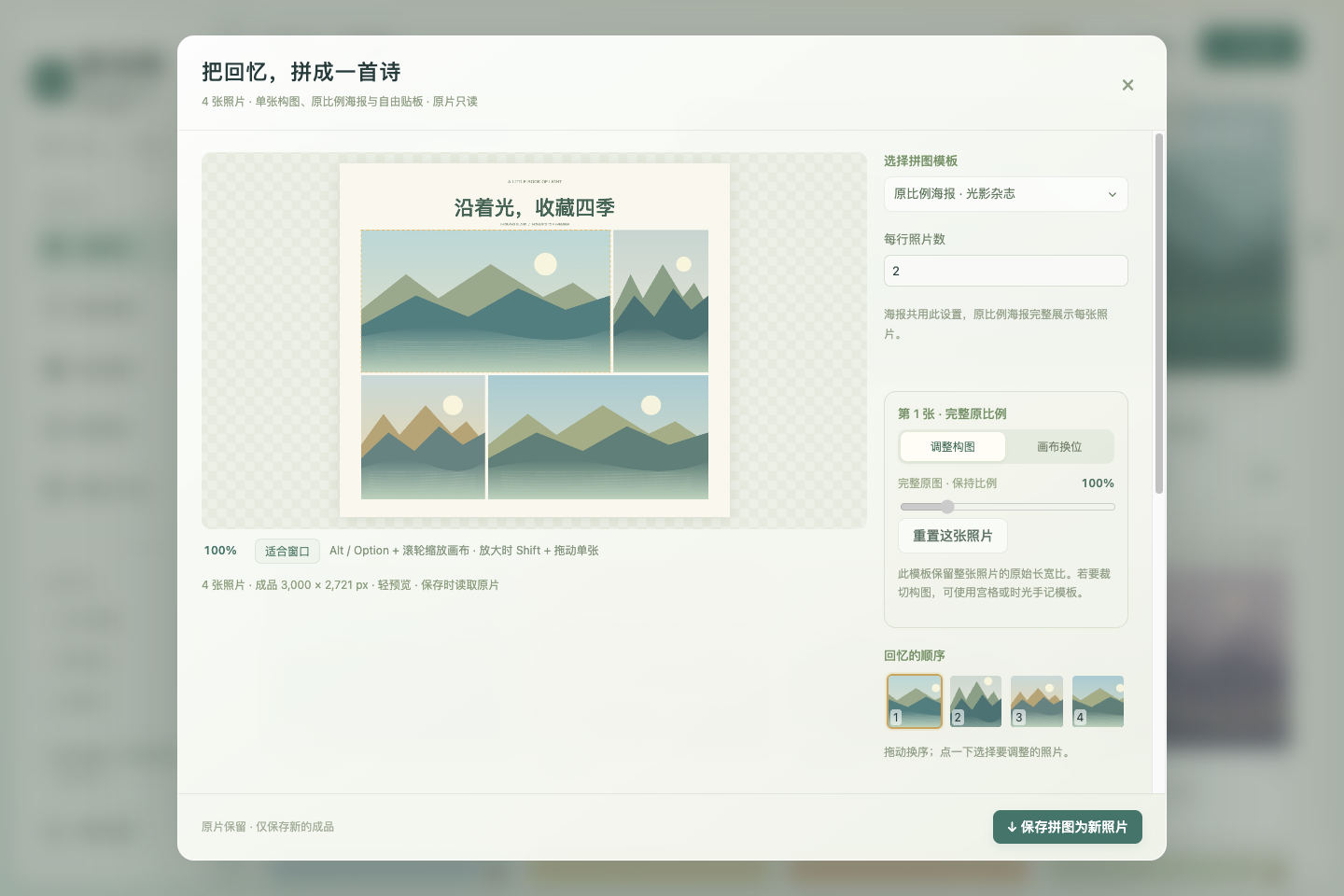
- 原比例海报:“光影杂志”保留横图、竖图与方图各自的长宽比,支持标题及字号。
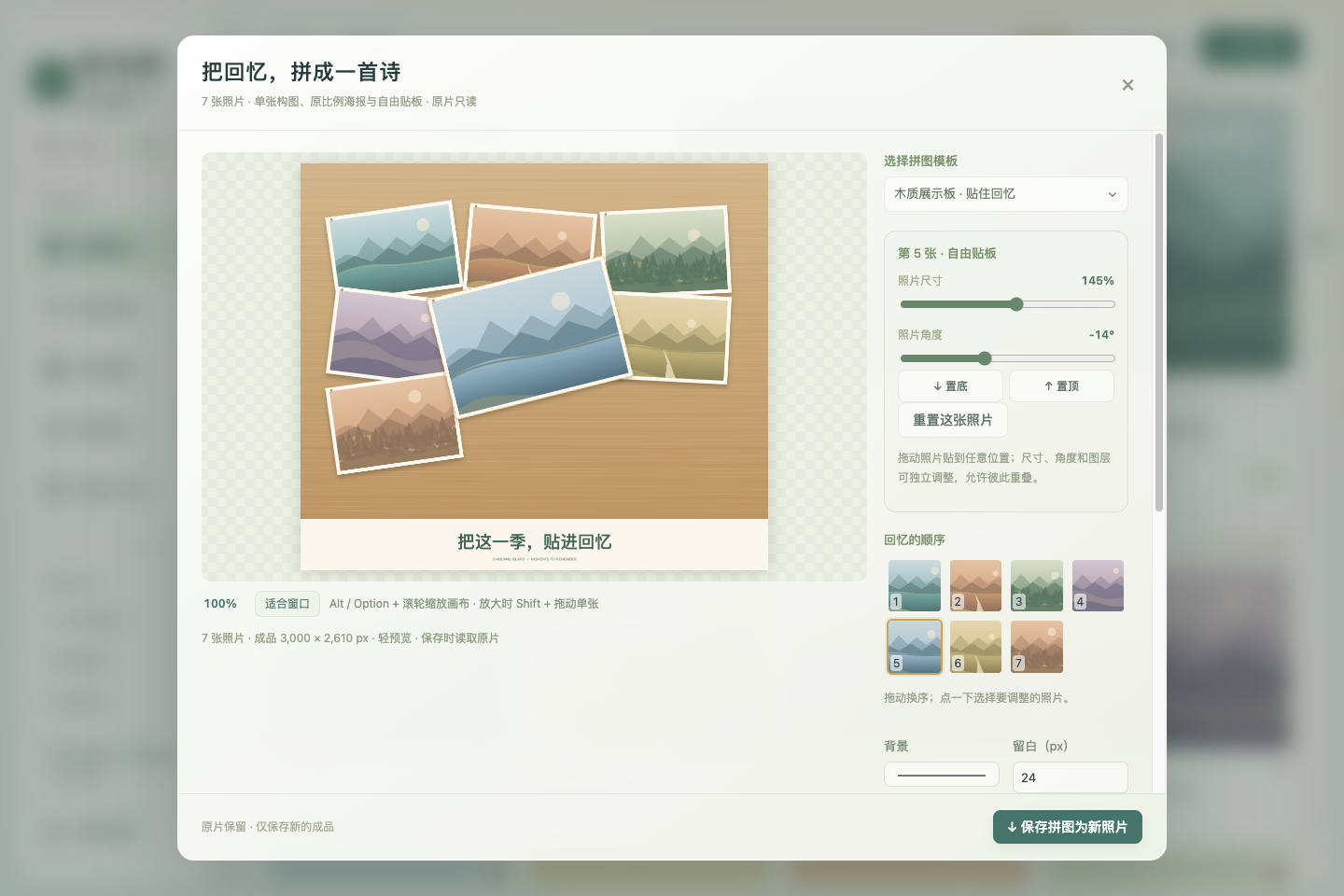
- 木质展示板:把完整照片直接贴在木板上,可拖动位置、调大小和角度,置顶或置底,允许重叠遮挡。导出保持摆放结果。
- 主动分享压缩:逐张从原片预缩采样,最终 JPEG 编码一次;界面显示实际编码成品,保存同一份字节。参考档为长边 1440 / JPEG 品质 80,也可选择清晰档或自定义尺寸、品质。显示像素和文件大小,可看成品 100%。修改布局后重新生成。
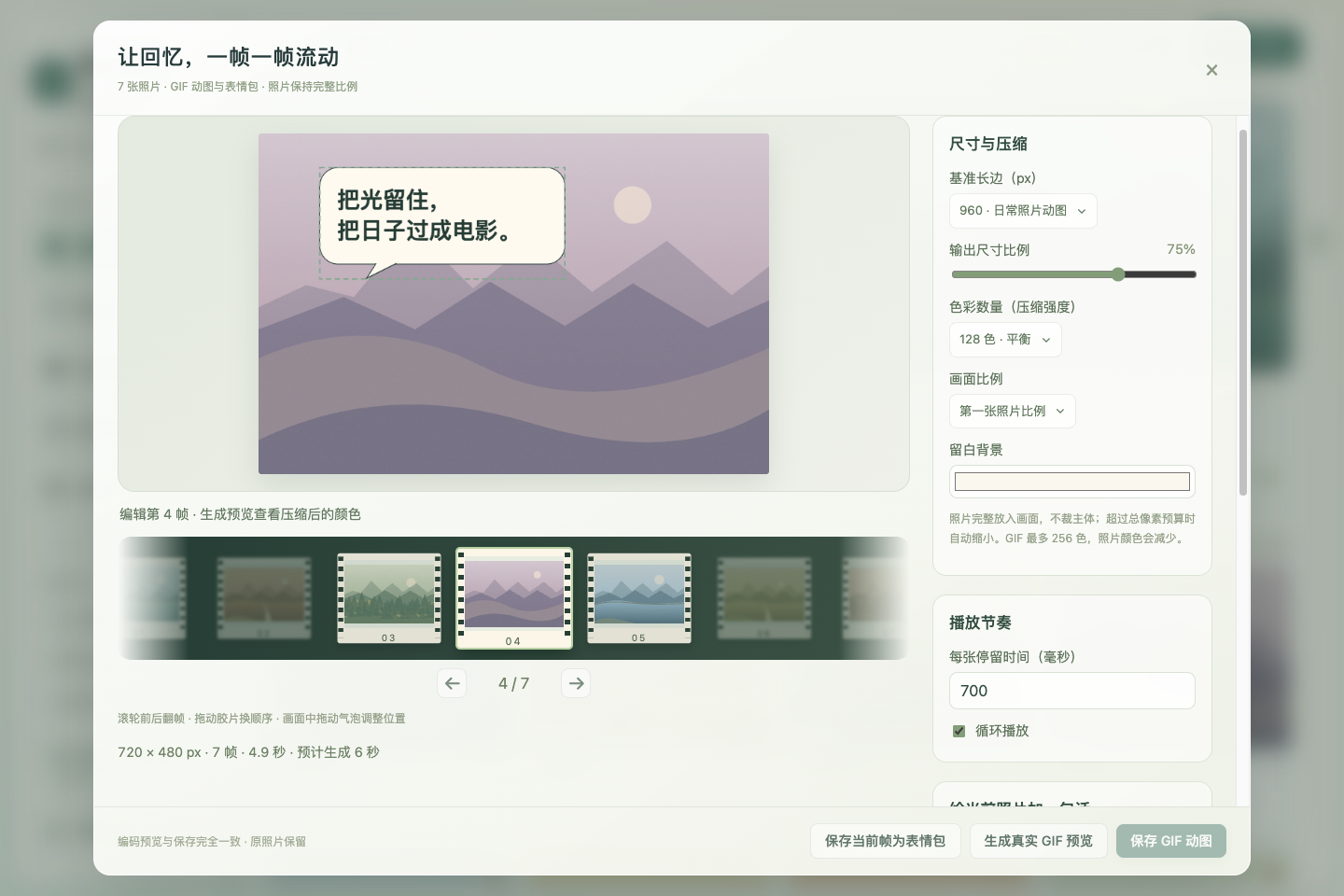
- GIF 与表情包:多选后打开“GIF / 表情包”;电影胶片支持滚轮翻帧、拖动换序,远处逐渐虚化。设置尺寸比例、色彩数量、时长和循环,每帧独立添加可拖动的对话气泡、想法气泡与文字。先预览真正编码的 GIF,再保存同一成品;一张照片也可制作静态 PNG 表情包。
- 详情全屏:点击全屏或按 F,保留缩放、拖动及左右切图;Esc 先退出全屏,再按关闭详情。关闭后恢复原窗口状态。
分享预览指本应用导出的文件,不能保证微信再次处理后的结果完全一致。 一组匿名实测长图从 3000 × 8364 变为 516 × 1440,1440 / 品质 80 是样本参考,不能代表所有微信版本与发送方式。预先压缩无法恢复已失去的细节,也无法保证免于二次压缩。完整使用与边界说明
处理在内存中完成,不把照片重新导入一份。GIF 最多 80 帧、最长边 1600 px、合计 2400 万像素,输出上限 24 MB;超预算可缩小尺寸或减少帧数,生成支持进度和取消。拼图最多 4800 万像素、长边 24000 px,超出时同比例缩小。CR3 使用相机内嵌预览,不提供 RAW 显影。
已安装 v1.0.8 可通过 相册设置 → 软件更新 → 一键更新并重启 升级;收藏、标签和设置继续保留。提供 Mac Apple Silicon / Intel 的 DMG、ZIP,Linux x64 的 AppImage、deb。核对同版 SHA256SUMS.txt。Mac 包为 ad-hoc 签名,无 Apple 公证;首次打开的系统安全提示见中英文安装指南。
English
- Individual composition: Select a photograph in a collage to zoom in or out and drag it within its cell. Choose fill or contain to keep subjects visible. Option / Alt + scroll zooms the entire canvas; Shift-drag adjusts an individual photograph while zoomed in.
- Original-ratio magazine: Landscape, portrait, and square photographs retain their own aspect ratios, with an editable title and font size.
- Wooden display board: Position full photographs directly on the board, resize and rotate them, change their stacking order, and allow overlaps. Export retains the arranged positions.
- Controlled share compression: Resample originals individually, then encode the final JPEG once. Preview the actual encoded result and save exactly the same bytes. Choose the 1440-pixel / quality-80 reference, a clearer preset, or custom dimensions and quality. Inspect pixel dimensions, size, and the result at 100%. Editing regenerates the result.
- GIF and memes: Open GIF / meme creation from a multiple selection. Scroll the filmstrip, drag to reorder, and see distant frames fade. Configure output scale, palette size, timing, and looping. Add movable speech bubbles, thought bubbles, or text per frame. Preview a real encoded GIF and save the same result; a single photograph can also become a static PNG meme.
- Fullscreen details: Choose Fullscreen or press F, with zoom, panning, and adjacent-photo navigation retained. Escape exits fullscreen first, then closes details. Closing restores the prior window state.
The share preview represents this app's exported file, not a guaranteed result after WeChat processes it again. One anonymous observed long-image pair changed from 3000 × 8364 to 516 × 1440. The 1440 / quality-80 preset is a sample-based reference, not a rule for every WeChat version or sending method. Precompression cannot restore lost detail or guarantee avoidance of another compression pass. Usage and limits
Processing stays in memory without importing duplicate originals. GIF limits are 80 frames, a 1600-pixel longest edge, 24 million total pixels, and a 24 MB encoded result, with progress and cancellation. Collages are limited to 48 million pixels and a 24000-pixel longest edge, shrinking proportionally when needed. Canon CR3 uses embedded previews without RAW development.
Installed v1.0.8 users can upgrade through Settings → Software update → Update and restart, retaining favorites, tags, and settings. Packages include DMG / ZIP for Apple Silicon and Intel Mac, and AppImage / deb for Linux x64. Verify the release's SHA256SUMS.txt. Mac packages are ad-hoc signed without Apple notarization; see the bilingual first-launch guide.
所有下列界面仅使用合成画面,无私人照片。All screenshots below use synthetic artwork without private photographs.