Repository navigation
Shutter Cove · 拾光屿 v1.2.1

Shutter Cove v1.2.1 · Repository migration and full-height collage exports
A desktop photo organizer and creative studio for photographers shooting JPEG / Canon CR3, with paired RAW browsing, collage posters, GIFs, and memes.
- A clearer public name. The official GitHub repository is now Undefeated-man/ShutterCove, with no hyphen in the repository name. The English brand is Shutter Cove; the Chinese name remains 拾光屿.
- Updates use the new address. Version 1.2.1 checks for stable releases and downloads verified installation packages from
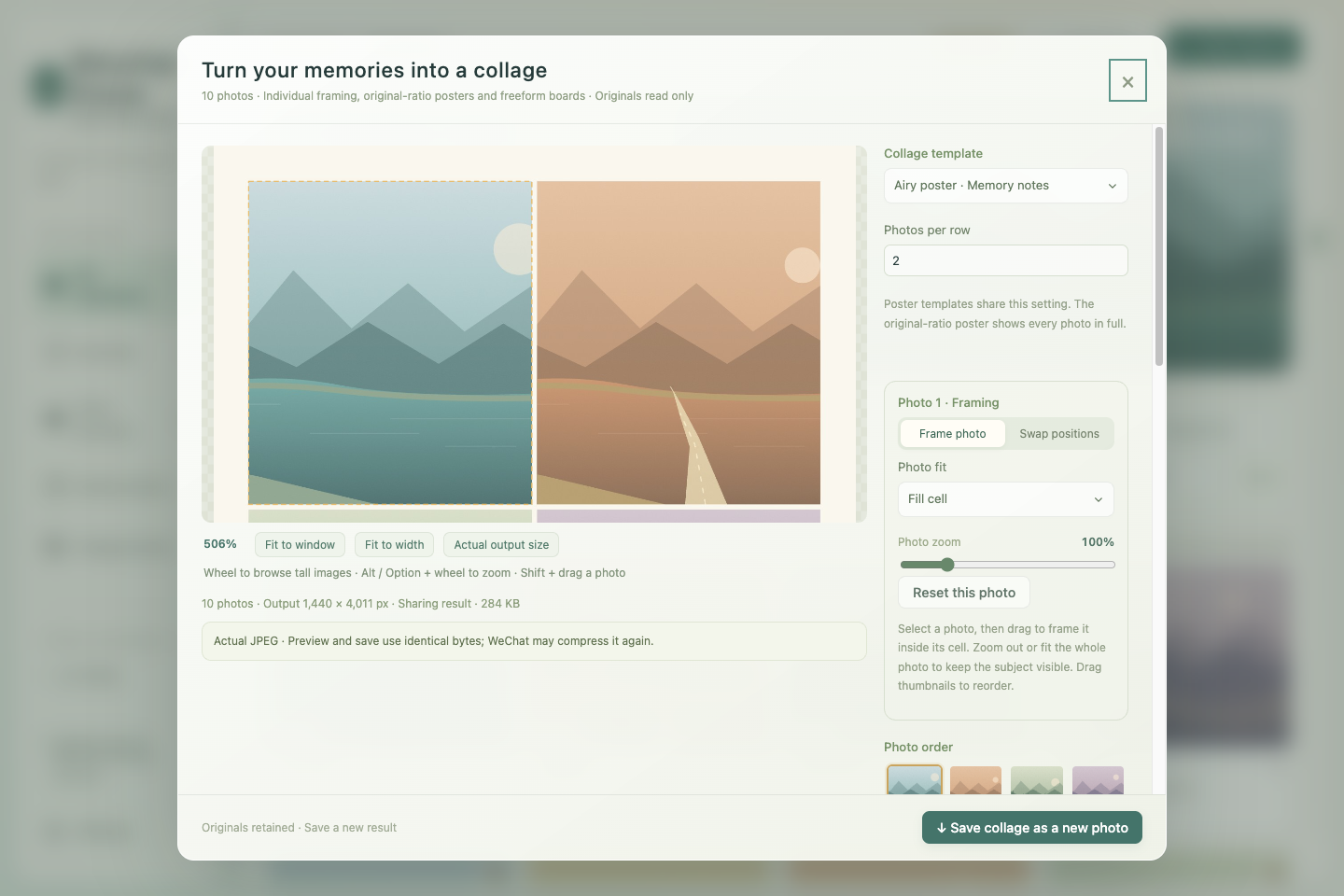
Undefeated-man/ShutterCove. Documentation, screenshots, and release links also use the new repository address. - Tall collages keep their full height. Share compression now controls the final image width: 1,440 px by default, 2,560 px for a larger preset, or 480–8,000 px custom. The complete layout scales proportionally without stretching, instead of forcing a long collage's height into the width budget. Output does not enlarge beyond the base export; 24,000-pixel side and 48-megapixel safety limits still apply, with actual dimensions shown when they reduce the requested width.
- One final JPEG encoding. Originals are drawn directly to the final-sized canvas with high-quality smoothing, avoiding an additional per-photo resize. JPEG quality defaults to 90%. Preview and save still use the same encoded JPEG bytes; originals remain untouched. This controls this app's output and does not guarantee how WeChat will process it afterward. See the creative-studio guide.
- Browse the long result at a useful size. Share previews start in Fit to width; ordinary scrolling moves through the full-height image. Fit to window still provides an overview, and Alt / Option + scroll still zooms into details. These view controls do not change the exported dimensions.
- Continue with your existing library. The application identifier, existing installation path, and local data location remain the same. Favorites, tags, settings, and the photo index carry over. Original photographs stay in their selected folders.
- Recognizable installation packages. Filenames still begin with
Shiguang-Isle-, and the Mac package still containsShiguang Isle.app. These compatibility names identify the same Shutter Cove / 拾光屿 application.
Download mac-arm64.dmg for Apple Silicon, mac-x64.dmg for Intel, or the Linux x64 AppImage / deb from the official Releases. Mac ZIP packages support the in-place updater. Verify the same release's SHA256SUMS.txt. If an older app cannot check for updates after the repository move, install v1.2.1 at its existing location using the update guide.
Mac packages remain ad-hoc signed without Apple notarization; see the Mac installation guide for first-launch approval. The app continues to support English and Simplified Chinese, with language selection before the first-use guide and immediate switching in Settings.
拾光屿 v1.2.1 · 仓库迁移与长图完整导出
为拍摄 JPEG / Canon CR3 的摄影用户设计的桌面相册与创作工具,支持 RAW 配对浏览、拼图海报、GIF 和表情包。
- 公开名称更清楚。 官方 GitHub 仓库改为 Undefeated-man/ShutterCove,仓库名不含连字符。英文品牌为 Shutter Cove,中文名继续保留拾光屿。
- 更新地址同步迁移。 v1.2.1 从
Undefeated-man/ShutterCove检查正式新版、下载并校验安装包;说明文档、截图与发布链接也使用新地址。 - 长图保留完整高度。 分享压缩改按最终成图宽度控制,默认 1,440 px、清晰档 2,560 px、自定义 480–8,000 px。整幅排版等比缩放、不拉伸形变,不再把纵向长图的高度压到宽度预算内。不会放大超过基础导出尺寸;仍遵守每边 24,000 px、4,800 万像素的安全限制,受限时展示实际尺寸。
- 一次最终 JPEG 编码。 原片直接绘制到最终尺寸画布,启用高质量平滑,减少逐张预缩小的额外采样,JPEG 默认品质为 90%;预览和保存仍使用同一份编码字节,原片保留。这控制的是本应用的成品,不能保证微信后续处理方式,详见 光影创作台说明。
- 长图按宽度清楚浏览。 分享预览默认“适合宽度”,普通滚轮上下浏览完整长图;“适合窗口”仍可总览,Alt / Option + 滚轮继续放大细节。这些显示操作不改变导出尺寸。
- 继续使用原有相册。 应用标识、现有安装路径和本地资料位置保留,收藏、标签、设置与照片索引继续使用。原照片仍放在你选择的目录。
- 保留兼容包名。 安装文件名前缀仍为
Shiguang-Isle-,Mac 包内仍为Shiguang Isle.app,对应的是同一个 Shutter Cove / 拾光屿应用。
Apple Silicon 下载 mac-arm64.dmg,Intel 下载 mac-x64.dmg,Linux x64 下载 AppImage 或 deb。请从 官方 Releases 下载并核对同版 SHA256SUMS.txt;Mac ZIP 支持原位更新。旧版若在迁移后无法检查更新,可按 更新说明 在原位置安装 v1.2.1。
Mac 包仍使用 ad-hoc 签名,未经过 Apple 公证;首次打开时的系统允许流程见 Mac 安装说明。应用继续支持简体中文与英文,首次打开先选语言,在设置中可以即时切换。