


A Windows utility to convert Hamilton Venus deck layout (.lay) files into a structured Markdown file, designed for seamless integration with the VerisFlow ecosystem.
LayParser is a lightweight desktop tool for Windows that bridges the gap between Hamilton's VENUS software and modern lab automation workflows. It reads the complex .lay file, extracts all essential labware data—including IDs, positioning, and dimensions—and exports it into a clean, human-readable Markdown file.
The primary purpose of LayParser is to empower VerisFlow, a platform that generates Hamilton HSL code from natural language commands using the Gemini API.
The workflow is simple:
- Generate Markdown: Use LayParser to convert your
.layfile into a Markdown file. - Upload to VerisFlow: Upload the generated Markdown file to the VerisFlow platform.
- Visualize & Generate: VerisFlow uses the file to render an accurate virtual deck. This visualization is crucial for enhancing the quality and reliability of the HSL code generated from your natural language descriptions of pipetting processes.
- Parse Hamilton
.layFiles: Accurately reads deck layout files from the Hamilton VENUS software. - Extract Labware Data: Gathers a list of all associated labware files and extracts critical information like Labware ID, grid position, and dimensions.
- Generate Structured Markdown: Exports the collected data into a well-organized Markdown file, ready for use in other systems.
- Simple Windows UI: An intuitive and easy-to-use graphical interface.
Watch the video below to see how LayParser is used to render a virtual deck within VerisFlow.
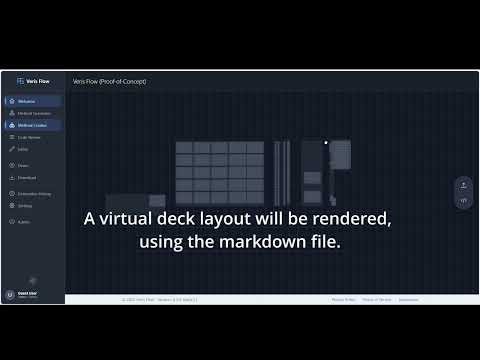
(Click the image to watch the YouTube video)
- Windows 10 or later.
- Microsoft .NET Framework 4.7.2. (Note: This is often pre-installed on modern versions of Windows 10 and 11).
- Go to the Releases page.
- Download the latest
LayParser-v1.0.0.zipfile. - Unzip the folder and run
LayParser.exe.
- Launch the
LayParser.exeapplication. - Load your layout file by either:
- Clicking the "Select Deck Layout File" button.
- Dragging and dropping the
.layfile directly onto the application window.
- The application will instantly display the labware data and automatically generate the
.mdfile. The new file will be saved in the same folder as your original.layfile, using the same name but with a.mdextension. - Upload the newly created Markdown file to VerisFlow to visualize your deck.
Contributions are welcome! If you'd like to help improve LayParser, please follow these steps:
- Fork the repository.
- Create a new feature branch from the
devbranch (git checkout -b feature/your-amazing-feature dev). - Make your changes and commit them.
- Push your branch and create a Pull Request targeting the
devbranch.
Please read our CONTRIBUTING.md file for more details on our code of conduct and the process for submitting pull requests.
This project is licensed under the MIT License - see the LICENSE file for details.