Repository navigation
Releases
0.9.1

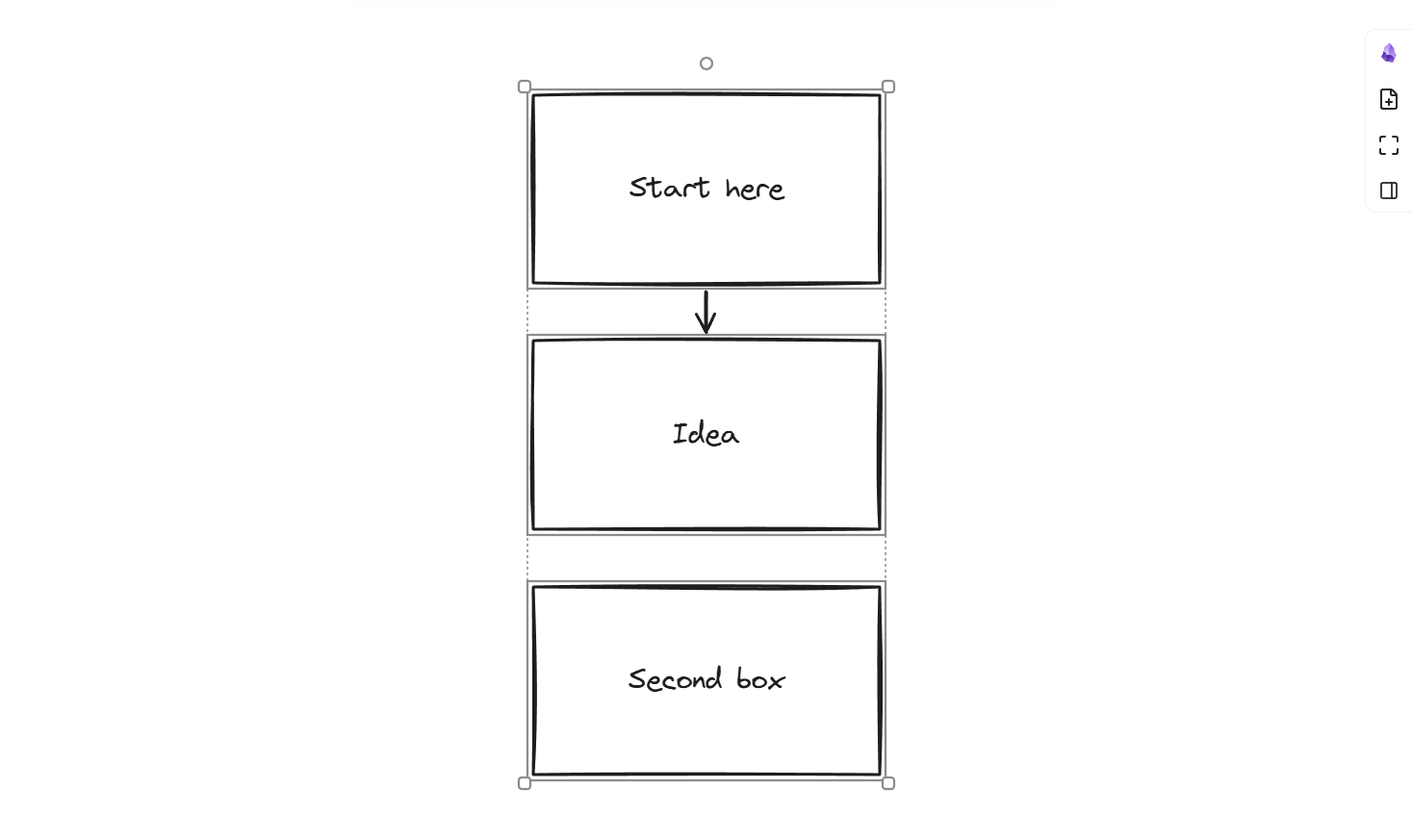
Line up never piles boxes. If lining up would put a box on another box, or too close to it, the box moves down (or right) until there is a clear gap. Select three boxes and line up their left edges: you get a neat column.
Arrows stay correct after a line up. Before, an arrow could end up inside a box when two boxes came very close.
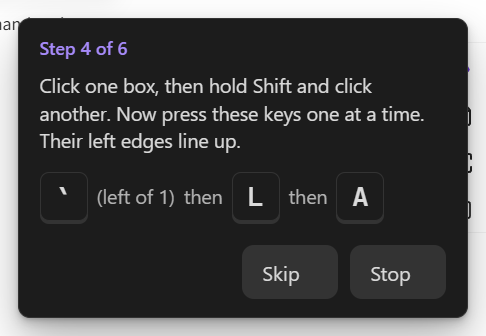
Shift works in the leader menu. The menu shows capital letters, so you may press Shift. Now Shift+L means L.
Practice is clearer. Each key shows on its own, big, with "then" between. The ` key says where it is (left of 1). On a phone, the tidy step now counts even when the map is already tidy.
0.9.0
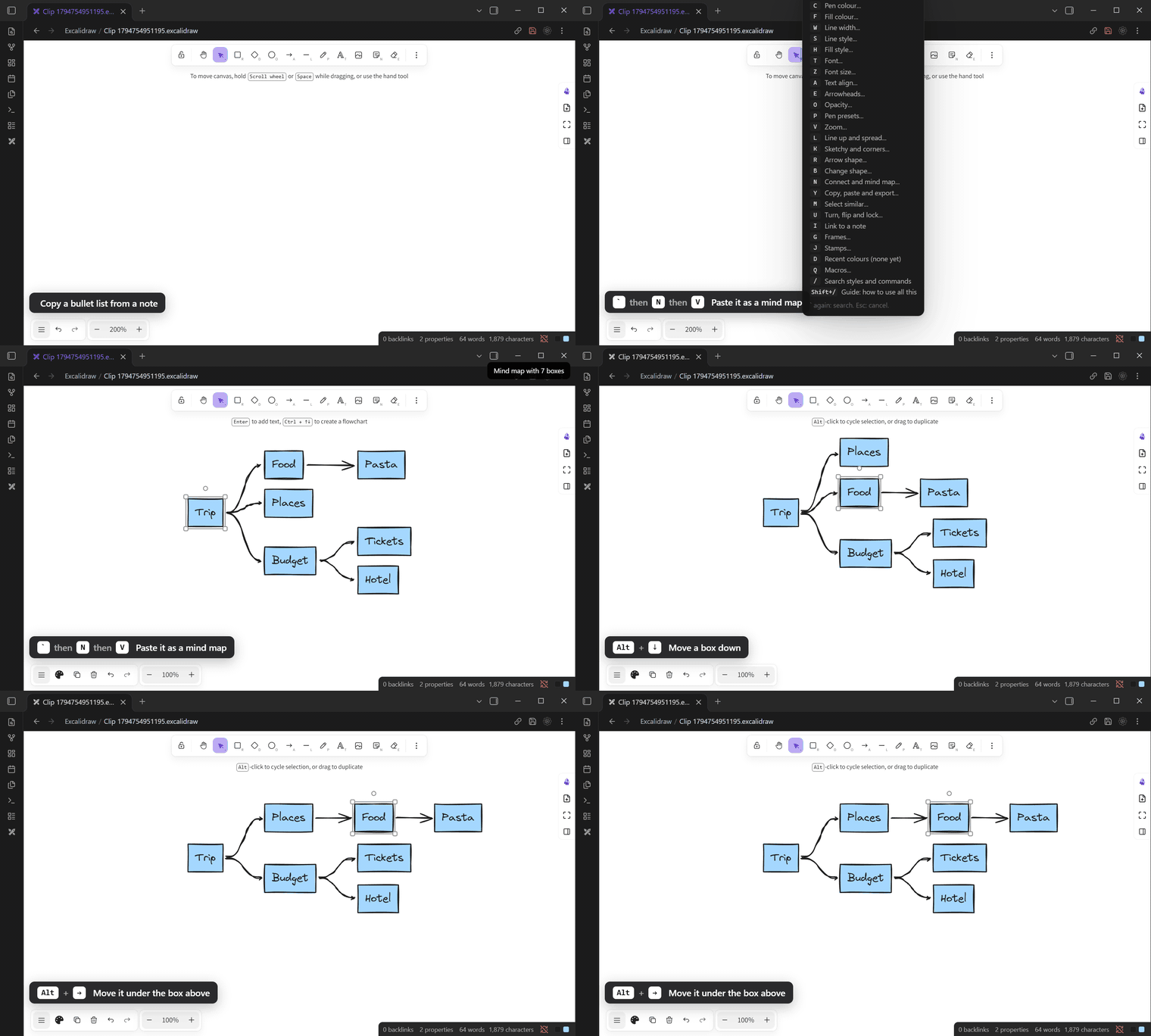
A list becomes a mind map, and back. Copy a bullet list from any note. In a drawing, press leader, N, V. Each item becomes a box, joined to the item it sits under. Leader, N, Y copies a map as a list. Leader, N, I puts the list in a note.
Edit a map like an outline. Select a box. Alt+Up and Alt+Down move it among its siblings. Alt+Left moves it up a level. Alt+Right moves it under the box above. The map tidies itself after each move.
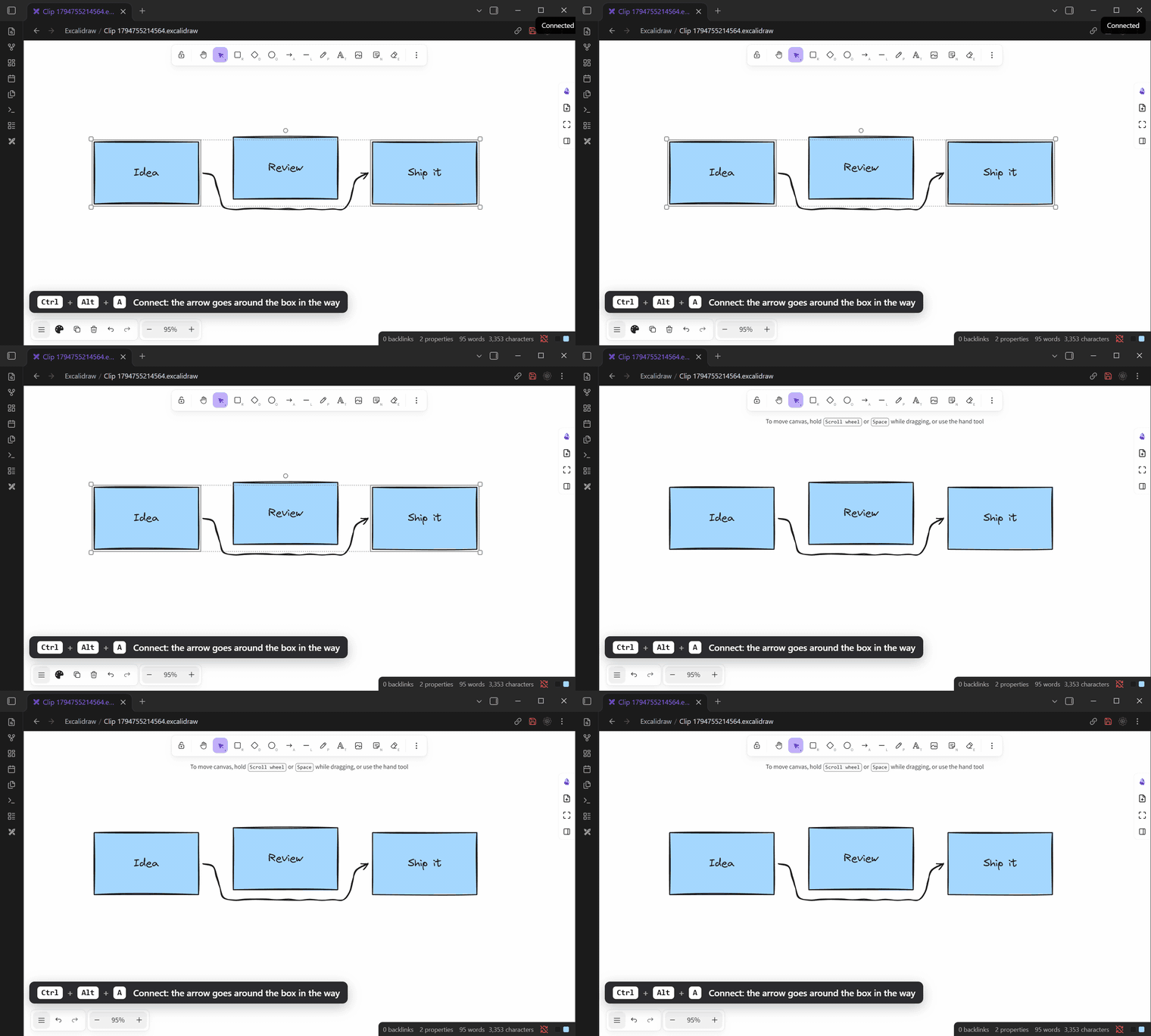
Arrows go around boxes. When a box sits between two shapes, a new arrow goes under or over it, not through it.
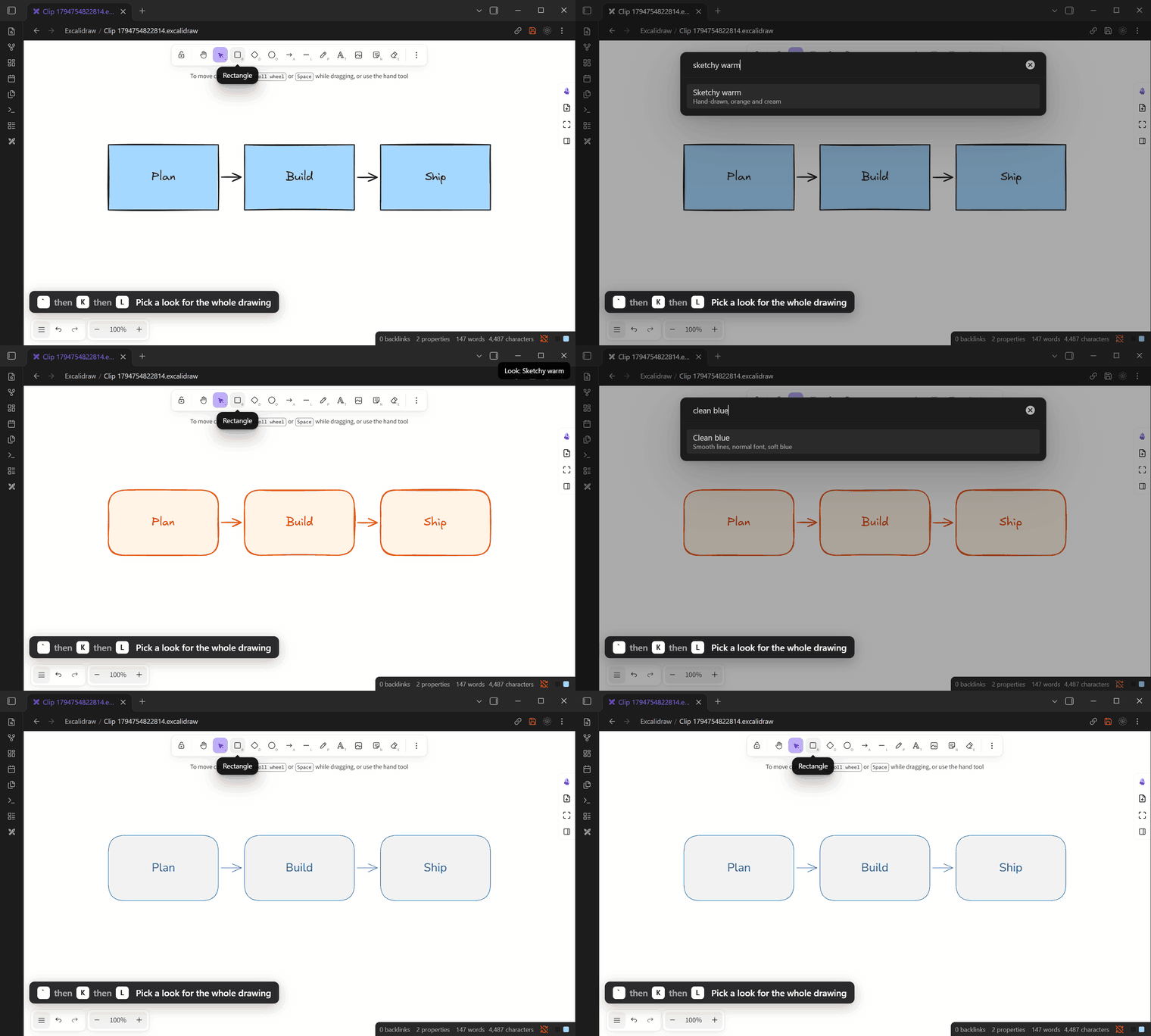
One look for the whole drawing. Leader, K, L. Pick one of five looks. All boxes, lines and text change in one step. One Ctrl+Z undoes it.
Also new
- Fold all (leader, N, Z) and open all (leader, N, O) for a whole mind map.
- Label an arrow: select it, then leader, R, L. You type the label at once.
- Export everything and Import everything in Settings, Share. One file holds all your settings, keys, presets and stamps. Use it to move to a new computer.
- Lighter on your computer. The plugin does almost no work when no drawing is open or Obsidian is in the background. Big drawings (1,500 shapes) stay fast.
0.8.1
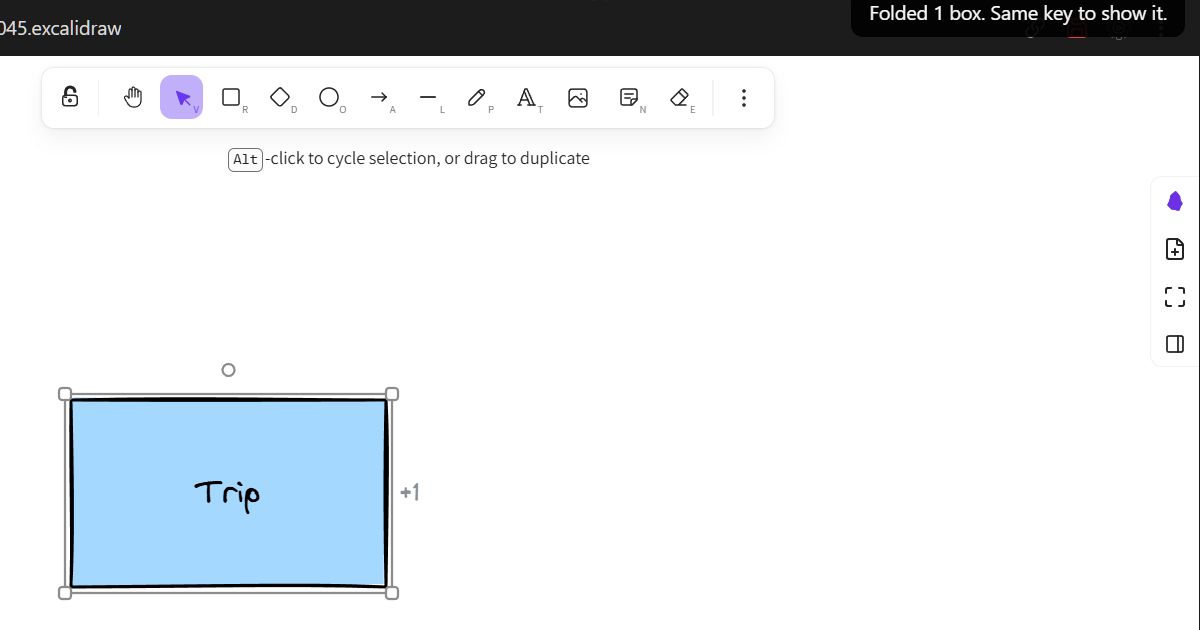
- Folding one box now says "Folded 1 box", not "1 boxes".
0.8.0
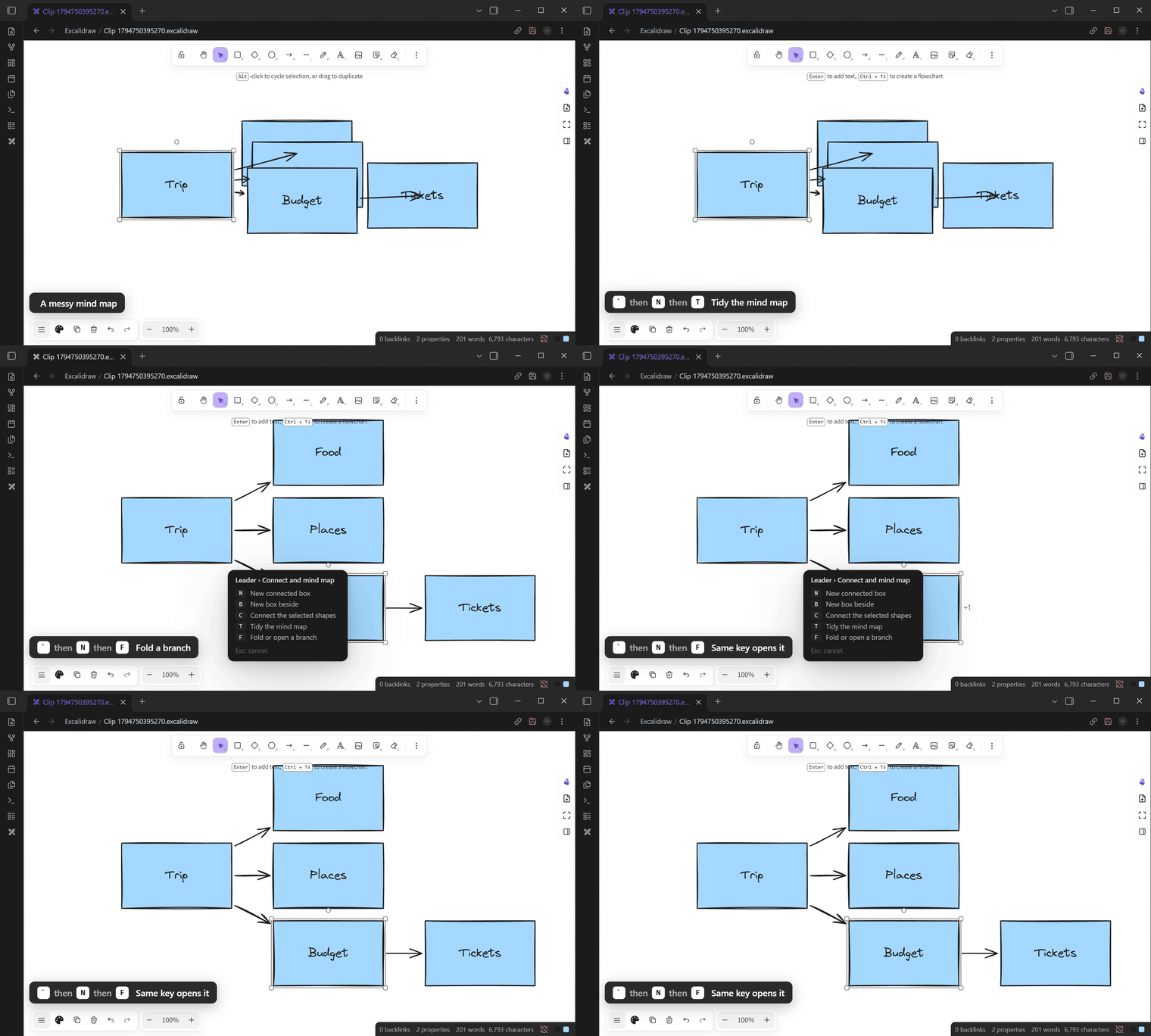
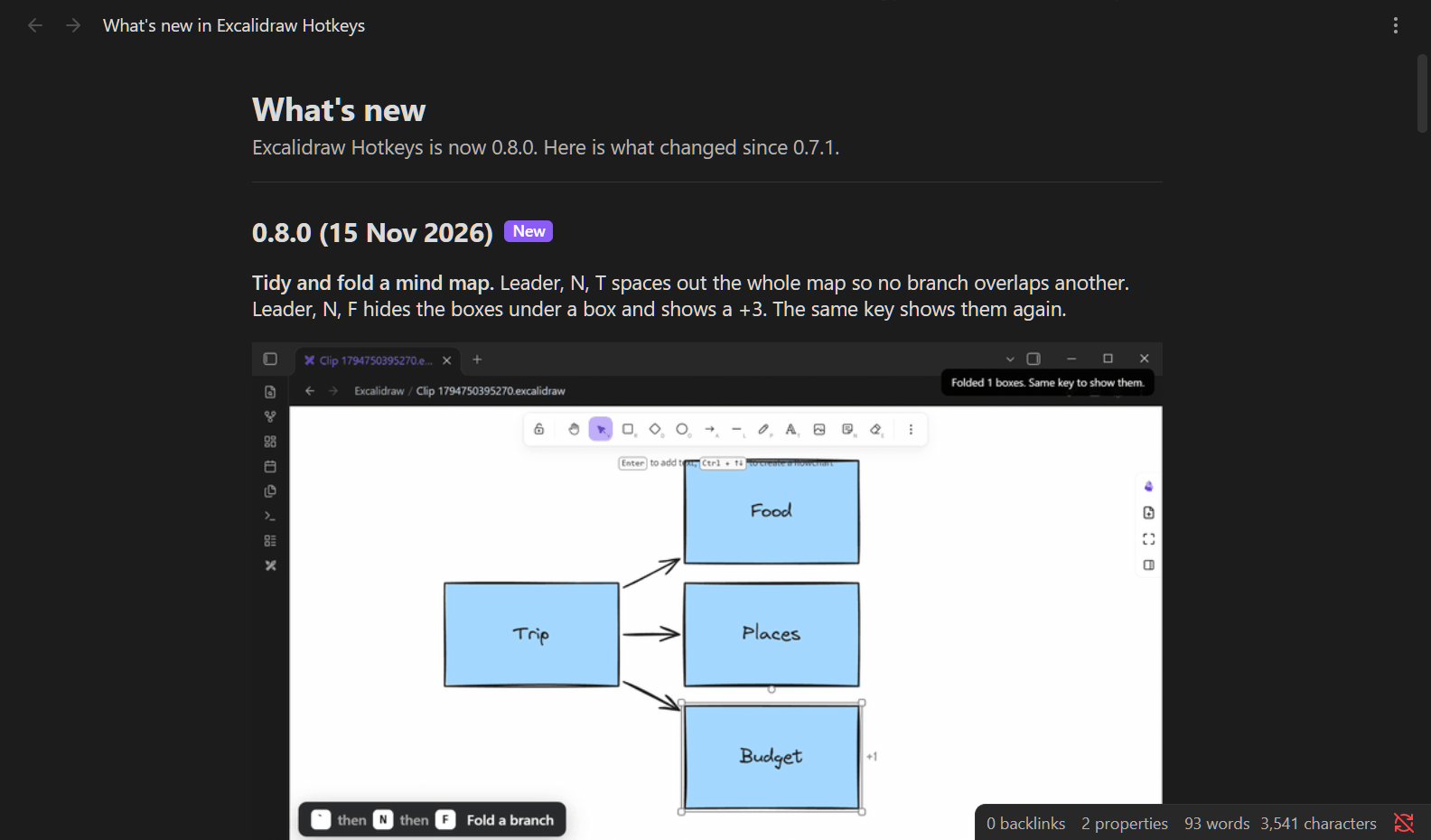
Tidy and fold a mind map. Leader, N, T spaces out the whole map so no branch overlaps another. Leader, N, F hides the boxes under a box and shows a +3. The same key shows them again.
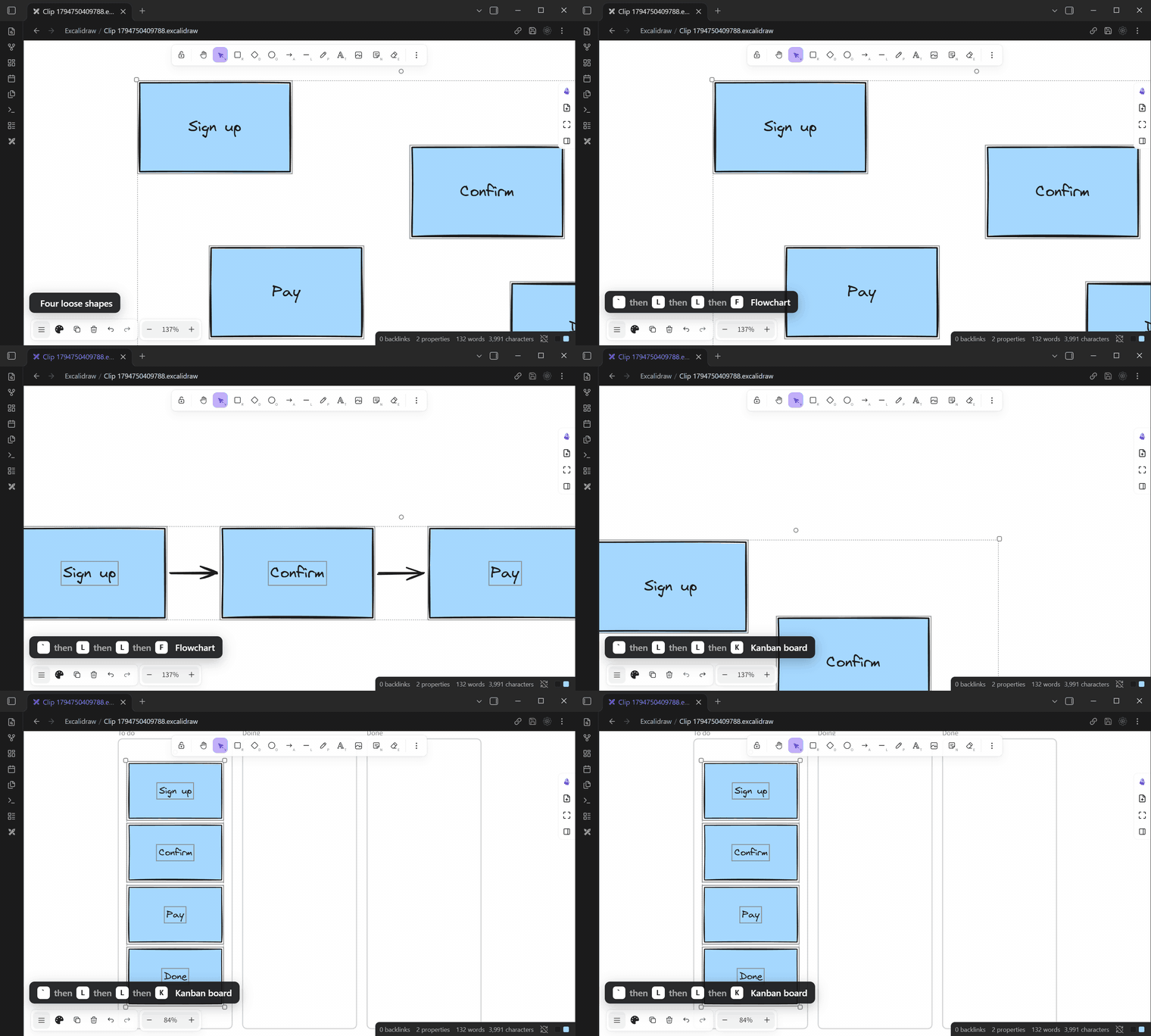
Layouts. Select some shapes, then leader, L, L. Pick a flowchart, timeline, kanban board or 2×2 grid.
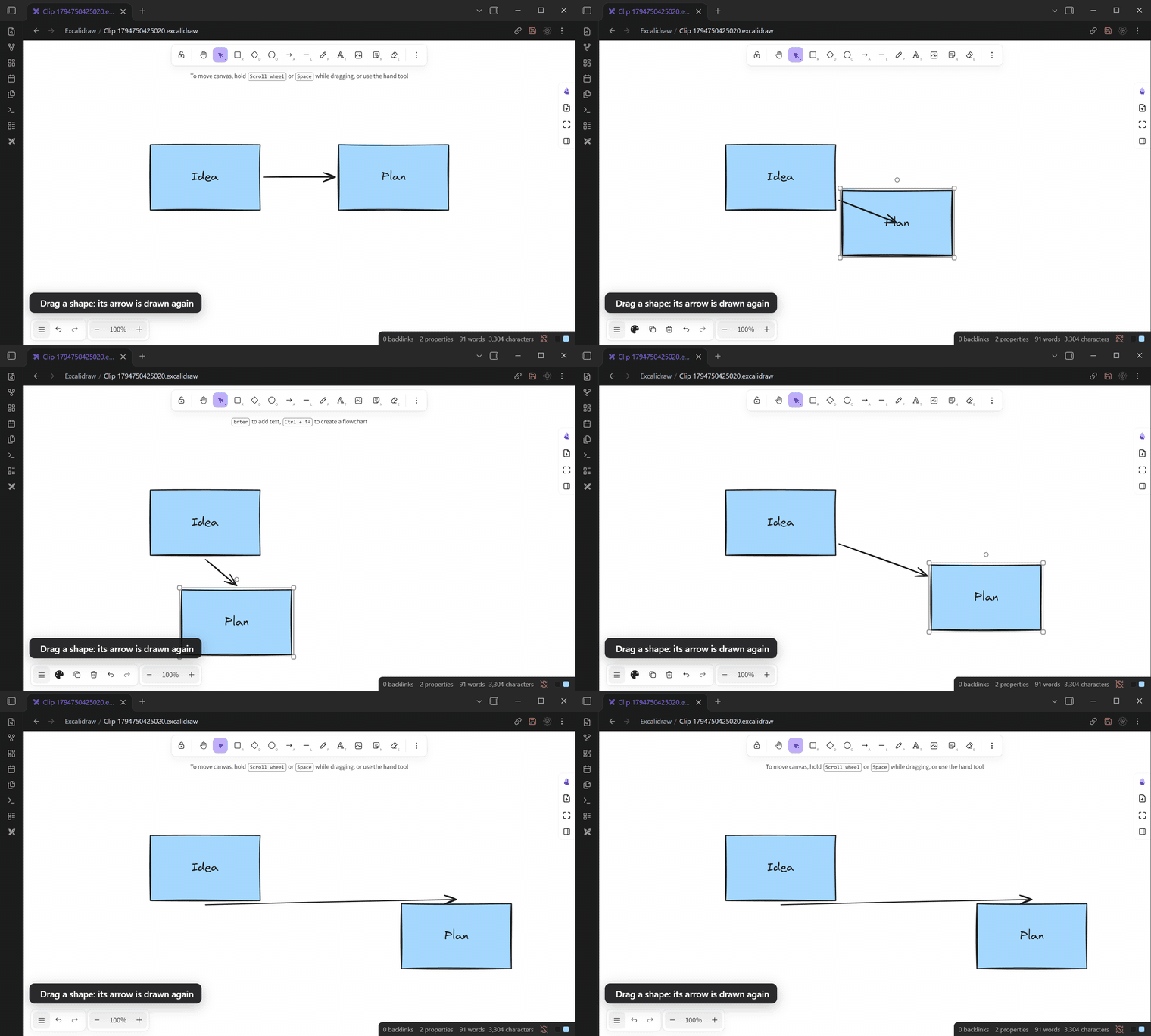
Arrows follow a mouse drag. Drag a shape, and the arrows this plugin laid are drawn again from the sides that now face each other. One Ctrl+Z still undoes the drag.
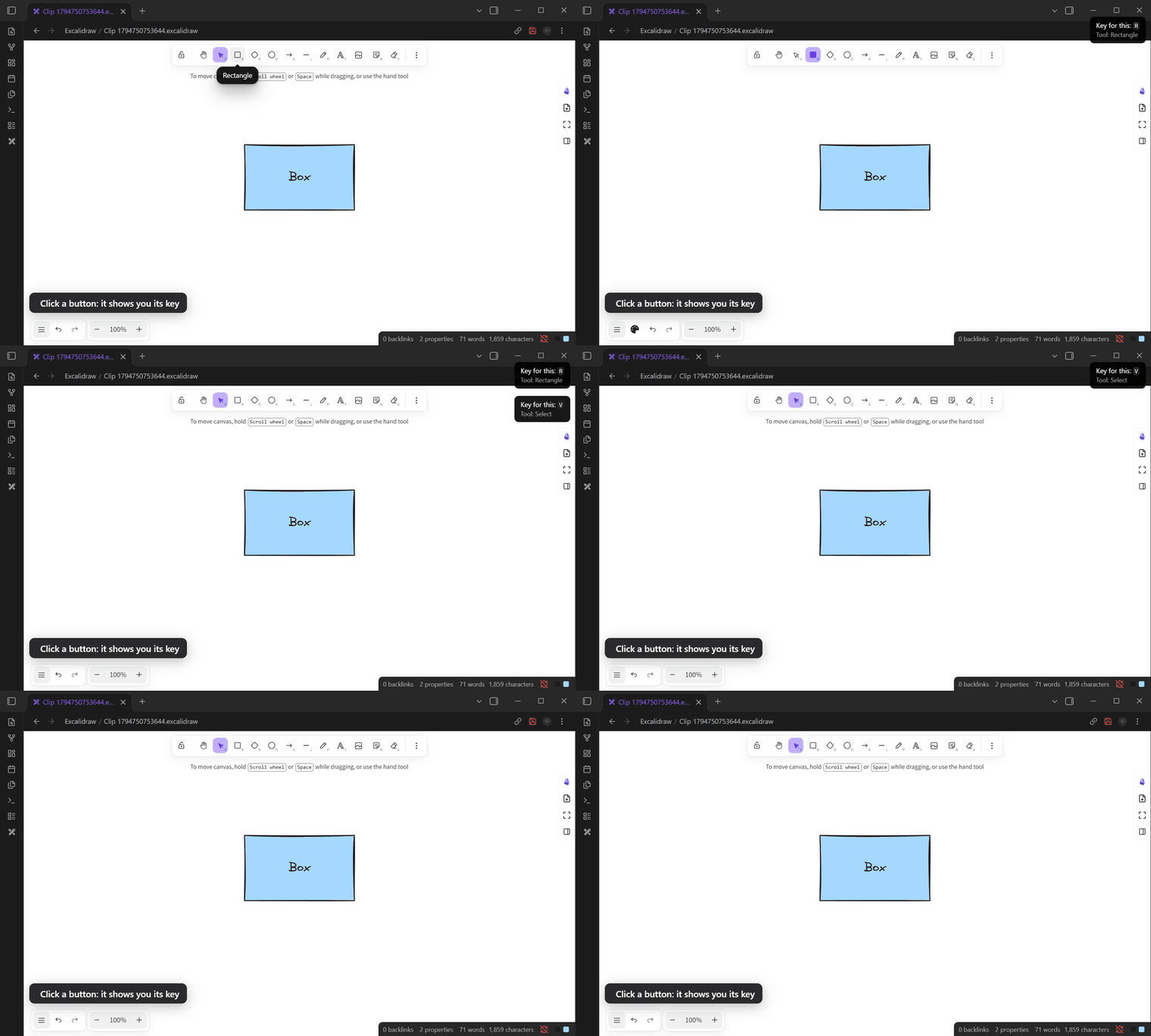
Learn the keys as you go. Click a toolbar or style button that has a key, and a short note shows the key. Three times for each, then it stops.
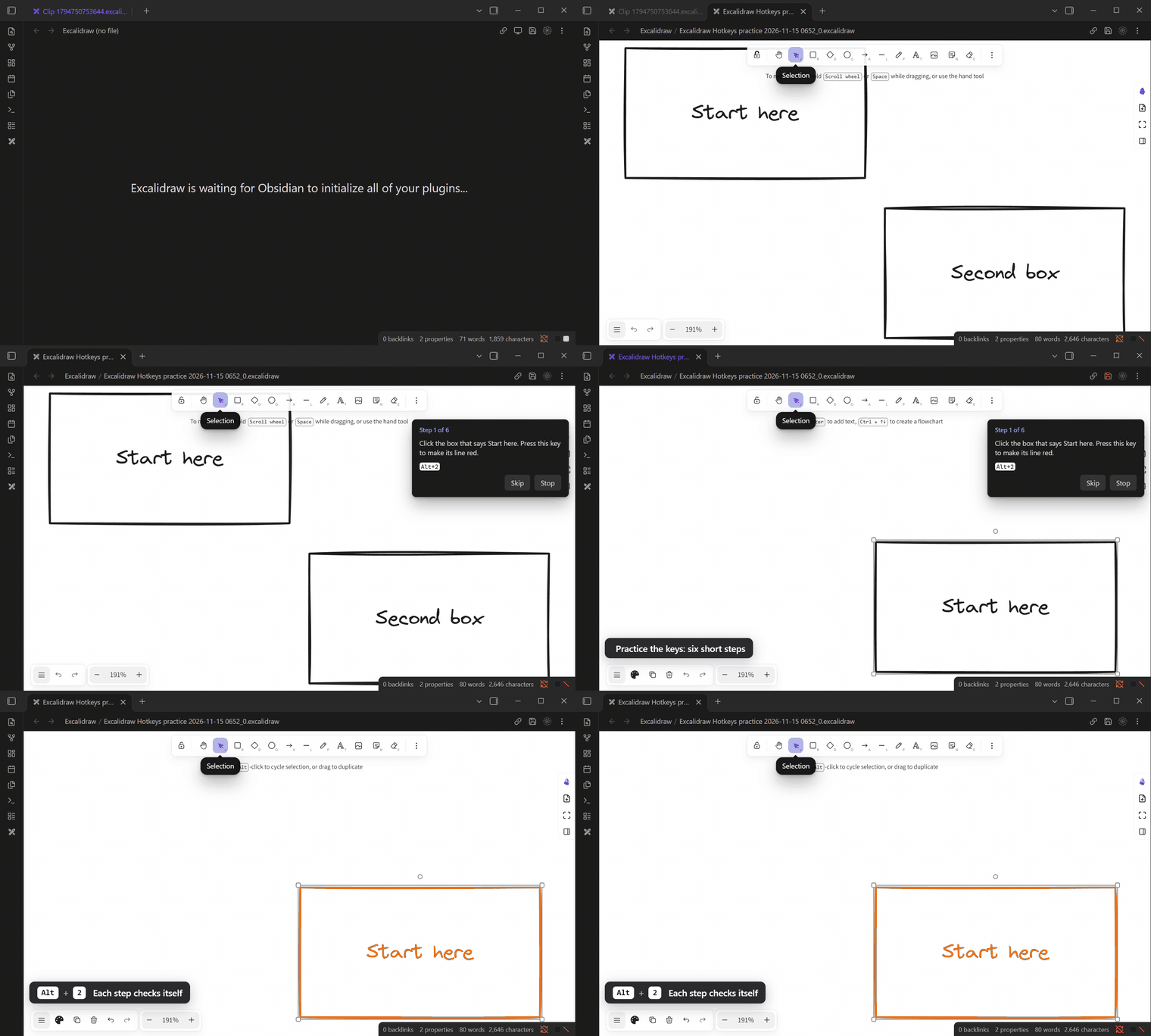
Practice. Run Practice the keys for a two-minute lesson in a new drawing. Each step checks itself.
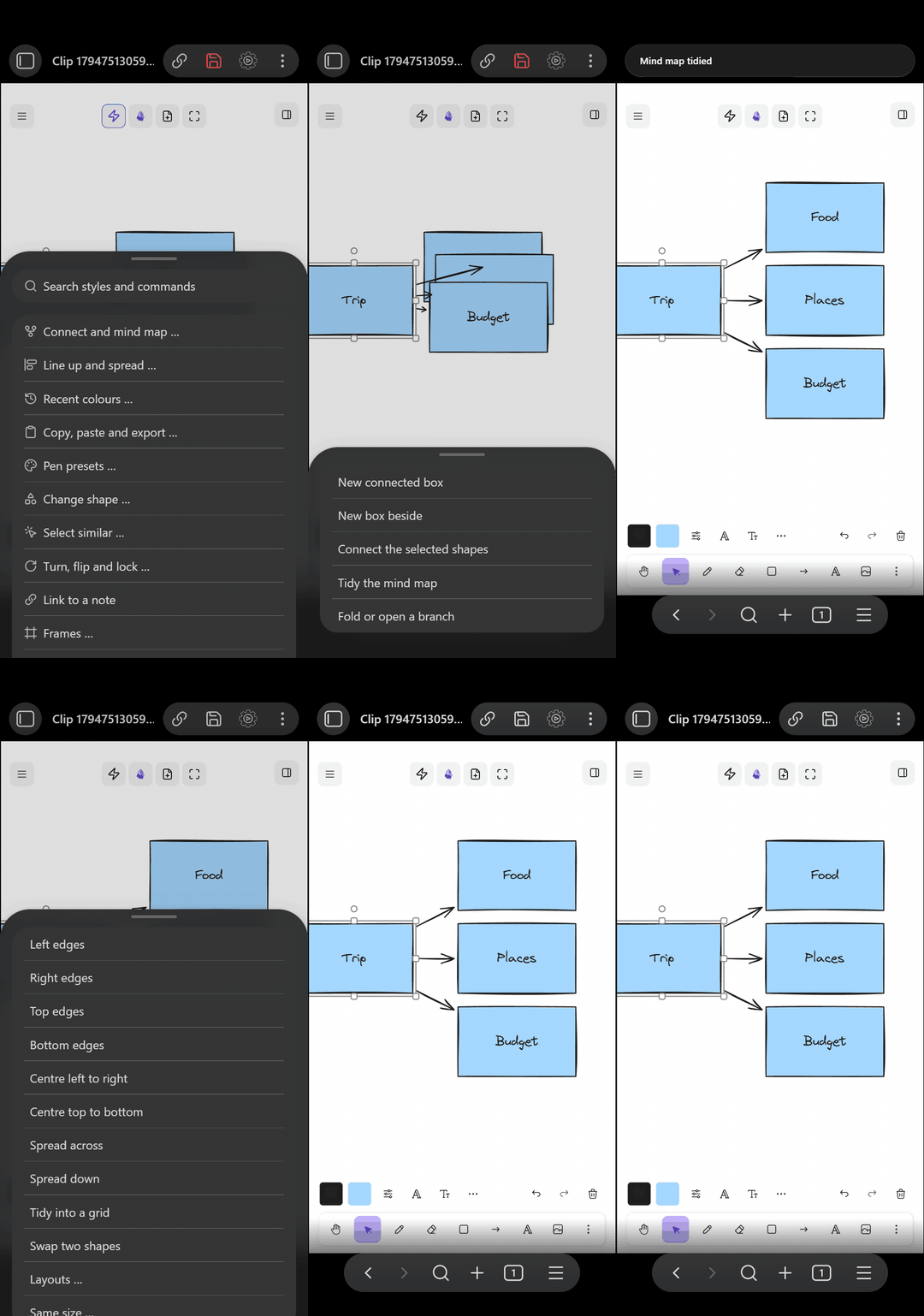
Phones and tablets. One ⚡ button in the drawing's top row has every action, with the same names as the leader menu. It repeats nothing that Excalidraw's own bar has, and it takes no room from the drawing. Without a keyboard, the plugin keeps to a light version: 23 commands and a short settings page. Turn on I use a keyboard on this device to get everything on that device.
Also new
- Copy as an image: leader, Y, I. Put in a note: leader, Y, N saves a PNG and adds it to the end of a note.
- Key sets: the first-start popup and Settings, Keys can give keys to only the basics, or to the leader key only.
- What's new: after an update, this list opens in a tab. Turn it off in Settings, Keys.
- Release notes on GitHub show the same list, with pictures.
0.7.1
0.7.0
0.6.1
0.6.0
0.5.0
0.4.1
Tool keys take any key or combo.
- In Settings, Tool keys, click a tool's key, then press any key or combo, like W or Alt+P.
- A key another tool already uses is refused.
- Escape cancels. The x button removes a key.