Repository navigation
0.3.4

Cite as you write from your EndNote library, then export to Word or LaTeX.
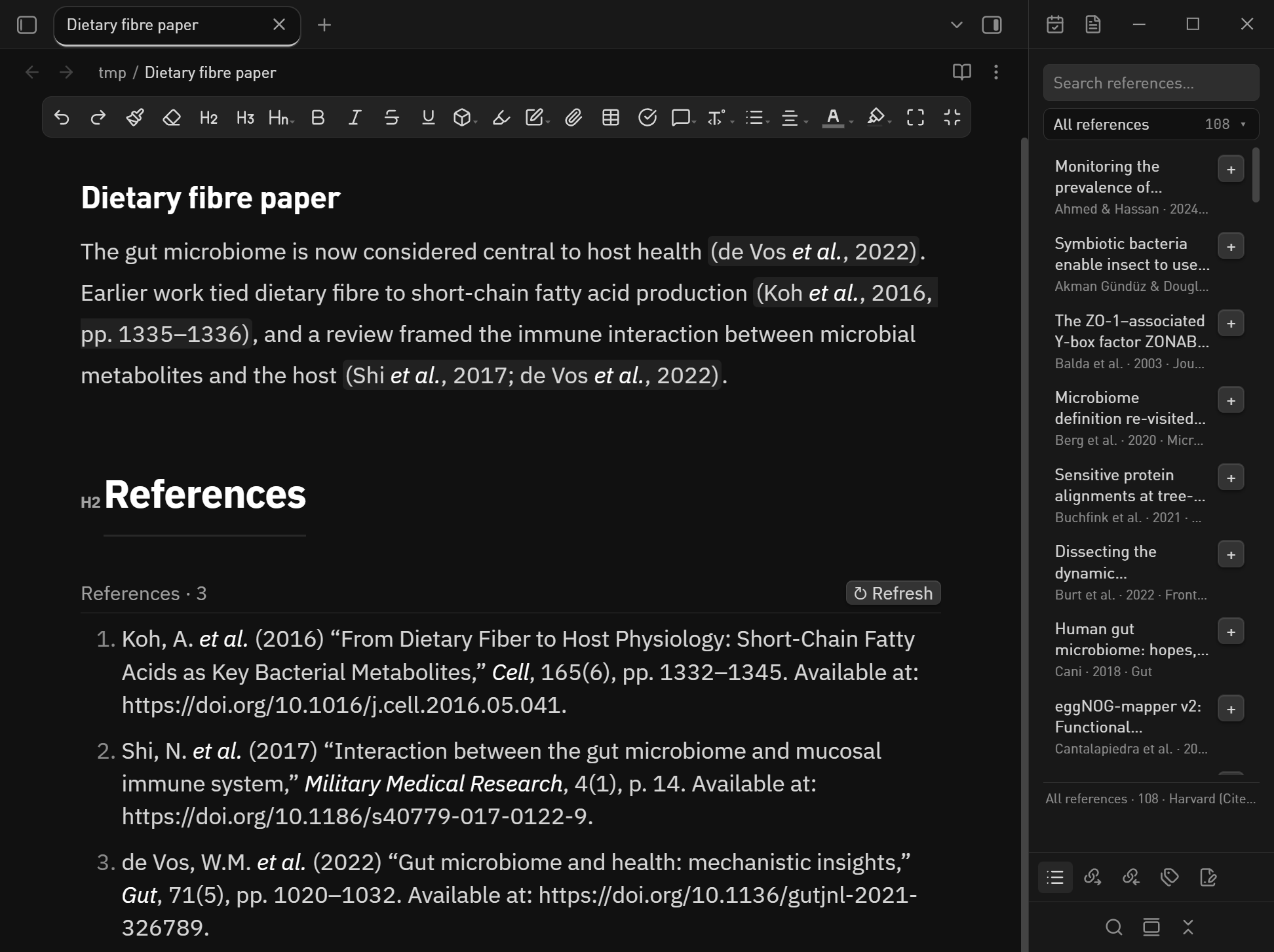
First submission to the Obsidian community directory.
Install
From the directory once published: Settings → Community plugins → Browse → EndNote Cite.
Until then, unzip endnote-cite-0.3.4.zip into <your vault>/.obsidian/plugins/endnote-cite/
(the bridge/ folder must sit next to main.js) and reload the plugins list.
What changed in 0.3.4
- Citation text is now built as DOM nodes instead of going through
innerHTML, so no
markup from your library can ever be parsed as HTML. - Removed console logging and gave the manifest a real author name and author URL, per
the submission requirements. - README now states the plugin's file access and network behaviour explicitly
(read-only.enloutside the vault, no network, no telemetry).
SHA256SUMS.txt covers every asset in this release.
中文说明
第一次提交到 Obsidian 官方社区插件目录。
这一版改了什么
- 正文引用不再走
innerHTML,改为一颗一颗节点手工构建,文献库里的文字不可能被当成 HTML 解析。 - 去掉控制台日志;manifest 补上真实作者名和作者主页(提交要求里有这一条)。
- README 明确写清文件访问和联网行为:只读库外的
.enl、不联网、无遥测。
安装:发布后从 设置 → 第三方插件 → 浏览 搜索 EndNote Cite;在此之前把
endnote-cite-0.3.4.zip 解压到 <你的库>/.obsidian/plugins/endnote-cite/ 并重新加载插件列表。