A Retrieval-Augmented Generation system for understanding and analyzing software repositories.




The system analyzes a GitHub repository by cloning it, extracting source files, generating semantic embeddings for code chunks, and indexing them using FAISS. When a user asks a question, the system retrieves the most relevant code segments and provides an explanation using a language model.
This project demonstrates how vector search and language models can be combined to analyze and explain large codebases.
- Analyze any public GitHub repository
- Extract and process source code files
- Generate semantic embeddings for code
- Vector similarity search using FAISS
- Question answering about repository code
- Repository summary (languages, files, modules)
- Optional AST-based dependency analysis
- Web interface built with Streamlit
The system consists of three main layers:
Frontend
Streamlit interface for interacting with the system.
Backend
FastAPI service responsible for repository processing, vector indexing, and answering questions.
AI Pipeline
A Retrieval Augmented Generation (RAG) pipeline that retrieves relevant code context before generating responses.
User
 │
 ▼
Streamlit Frontend
 │
 ▼
FastAPI Backend
 │
 ├── Repository Loader
 ├── Code Parser
 ├── Code Chunker
 ├── Embedding Generator
 │
 ▼
FAISS Vector Index
 │
 ▼
Retriever
 │
 ▼
LLM (Groq API)
 │
 ▼
Generated Explanation
The question answering process uses a Retrieval Augmented Generation architecture.
User Question
      │
      ▼
Embed Question
      │
      ▼
Vector Search (FAISS)
      │
      ▼
Retrieve Relevant Code Chunks
      │
      ▼
Send Context + Question to LLM
      │
      ▼
Generate Answer
This approach ensures the language model answers using actual code from the repository.
When a repository is analyzed, the system performs the following steps:
GitHub Repository URL
        │
        ▼
Clone Repository
        │
        ▼
Load Source Files
        │
        ▼
Chunk Code into Segments
        │
        ▼
Generate Embeddings
        │
        ▼
Store Embeddings in FAISS Index
        │
        ▼
Repository Ready for Queries
The project also includes a static analysis component using Python AST.
Python Files
      │
      ▼
AST Parsing
      │
      ▼
Extract Import Relationships
      │
      ▼
Build Dependency Graph
This provides a high-level view of how modules in the repository interact.
ai-codebase-analyzer
│
├── app
│   ├── repo_loader.py
│   ├── code_parser.py
│   ├── chunker.py
│   ├── embedder.py
│   ├── vector_store.py
│   ├── retriever.py
│   ├── qa_engine.py
│   ├── repo_summary.py
│   ├── architecture.py
│   └── api.py
│
├── data
│
├── frontend.py
├── requirements.txt
├── run.sh
├── .gitignore
└── .env
Clone the repository and install dependencies.
git clone <repository_url>
cd ai-codebase-analyzer
pip install -r requirements.txt
Create a .env file containing your Groq API key.
GROQ_API_KEY=your_api_key
You can start both backend and frontend with a single command:
./run.sh
Or run them separately.
Start the backend:
uvicorn app.api:app --reload
Start the frontend:
streamlit run frontend.py
The Streamlit interface will open in your browser.
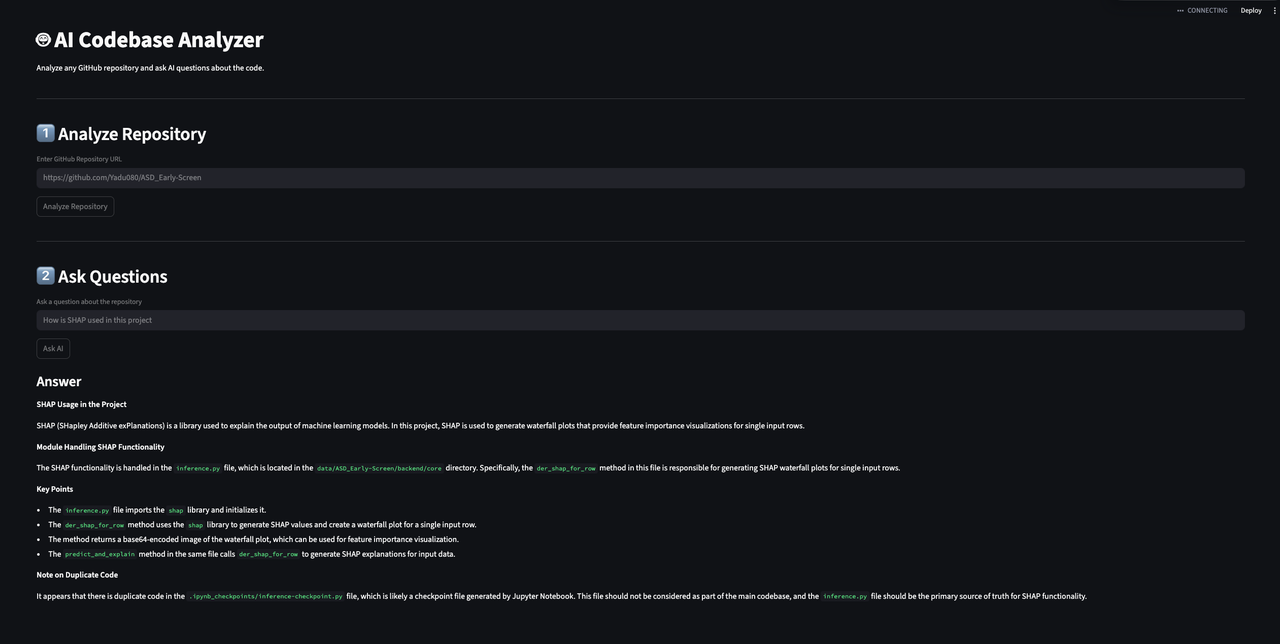
- Enter a GitHub repository URL
- Click Analyze Repository
- Ask questions about the codebase
Example questions:
- How does routing work in this project?
- Where is authentication implemented?
- What modules are responsible for handling requests?
- The vector index is stored in memory, so restarting the server requires re-indexing the repository.
- The system currently focuses on Python repositories for best results.
This project is intended as a demonstration of how Retrieval Augmented Generation can be applied to source code analysis and developer tooling.