Repository navigation
Hypervisaur 0.5.0

What's new
-
See where your space goes. The new Storage window (Window › Storage, ⌥⌘0, or the drive button in the library's toolbar) shows how virtual machines use the space on your library's volume.
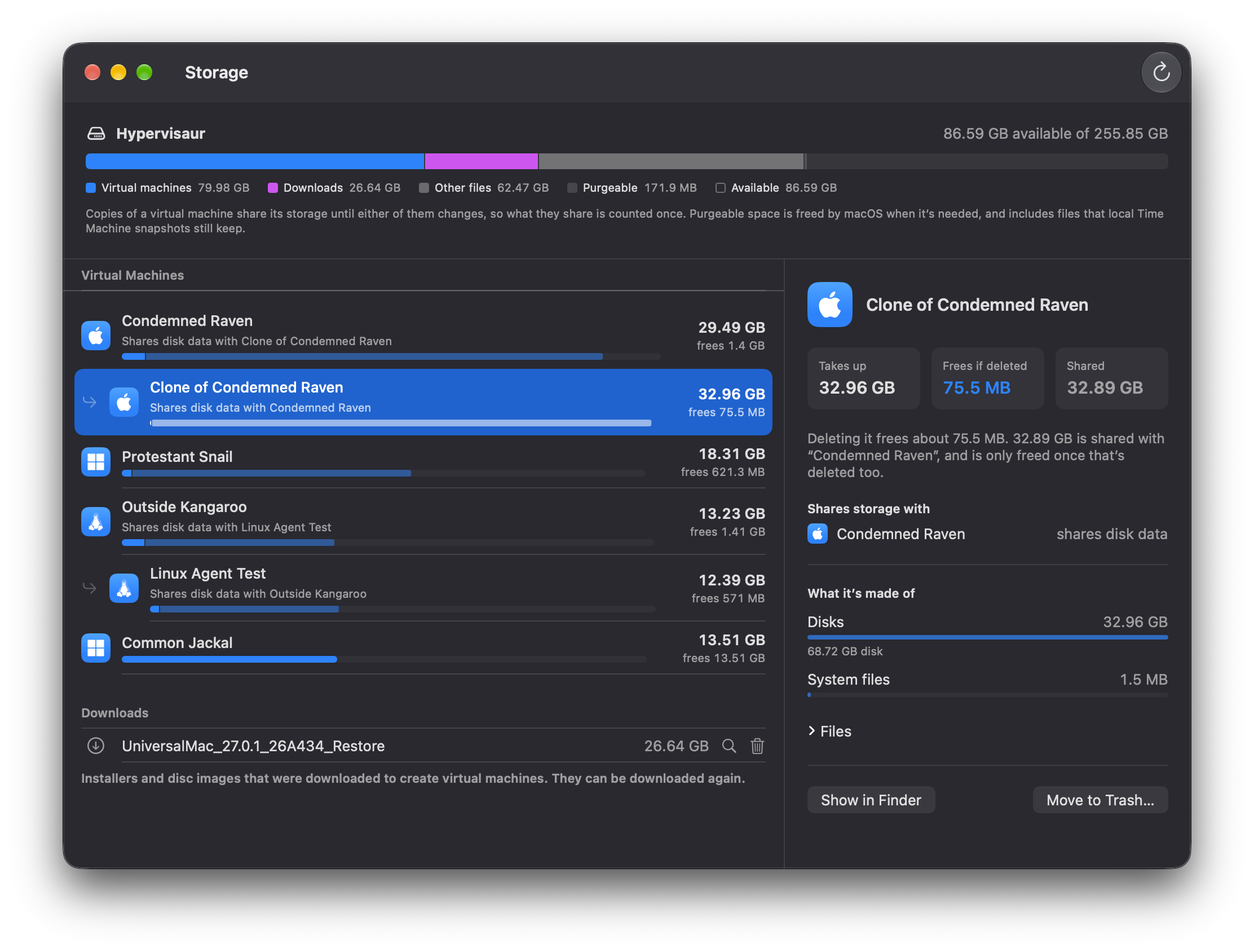
- What deleting each virtual machine would actually free. A clone shares its storage with the virtual machine it came from until either of them changes, so deleting one of them only frees what's changed in it. Each virtual machine shows what it takes up, what deleting it frees, and what it shares.
- Which virtual machine came from which. Clones and duplicates are shown under the virtual machine they came from, with the virtual machines they share storage with named. Hypervisaur now records where copies come from, and finds the copies you made with earlier versions from the data their disk images still share.
- The whole volume at a glance: virtual machines, downloads, virtual machines in the Trash, other files, space macOS can free when it needs to, and what's available.
- Downloads and the Trash. Downloaded installers and disc images can be moved to the Trash from the Storage window, and virtual machines in the Trash are listed, since they take up space until you empty it.
-
Know what Move to Trash frees. Moving a virtual machine to the Trash from the library now asks first, saying how much space it frees, and what it shares with which virtual machines.
Updating from 0.4
- Open the installer package to replace Hypervisaur 0.4. Your virtual machines and their saved sessions stay as they are.
Requirements
- A Mac with Apple silicon and macOS 14 or later
- For Windows: Homebrew, the Windows 11 ARM64 disc image and your own Windows license
Much of this release was written with Claude Code. See the README for details.