Repository navigation

e0c0884  acltabontabon
Alvin Cris Tabontabon
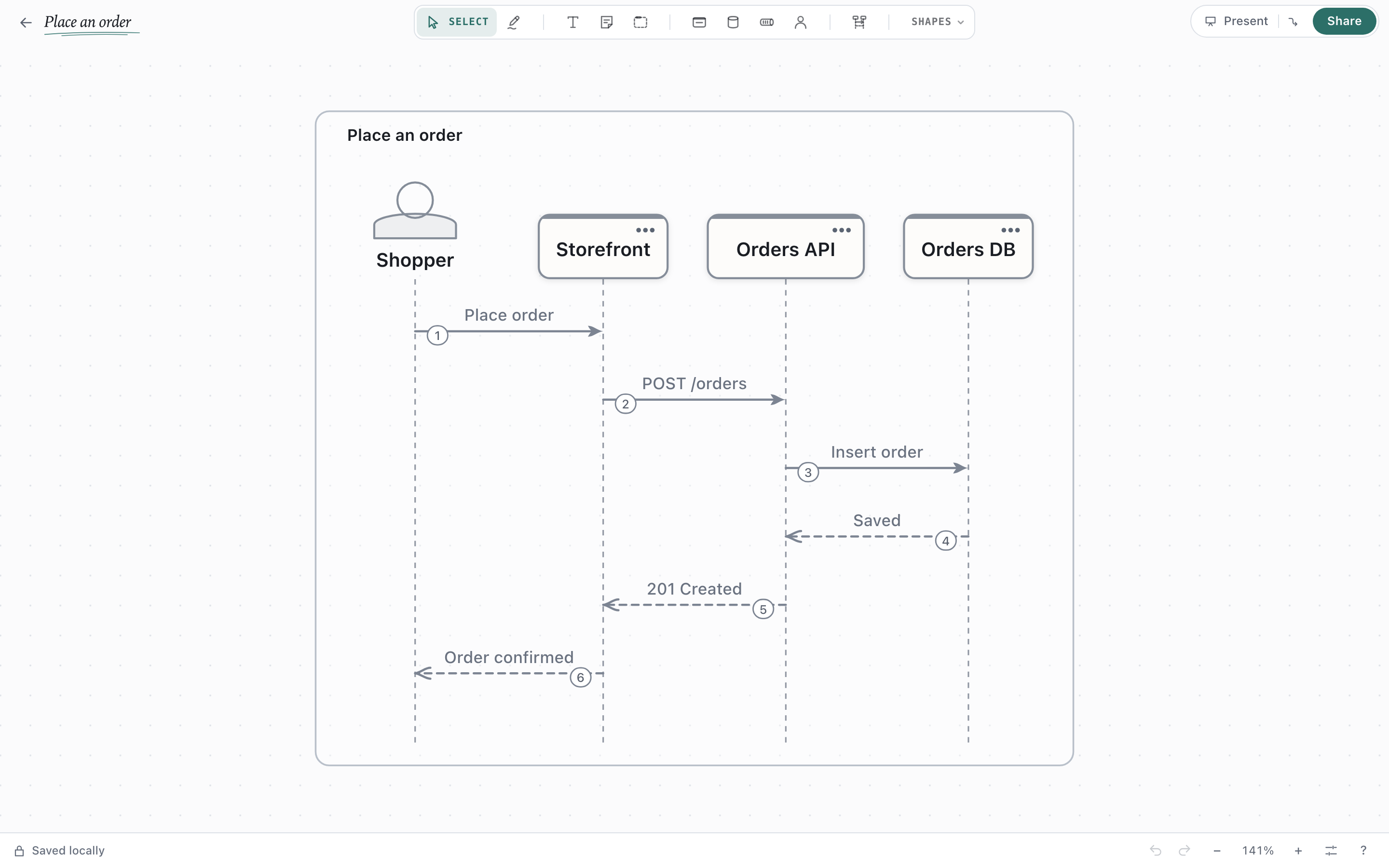
Draft Canvas 1.20.0 draws sequences on the canvas and lets you sketch over any diagram. Arrange and Tidy up now show a preview before anything moves, and starters come from a public gallery you load when you want them.
Get it
| Platform | Download |
|---|---|
| Web | Open the editor. No account; nothing you draw is uploaded. |
| macOS | Apple silicon · Intel |
| Windows | Installer. Installs for your user only. |
brew install --cask acltabontabon/tap/draft-canvasInstalled desktop copies update themselves.
What's new
Sequences, drawn where the architecture lives
Press L to start with a participant, then drag between lifelines to add messages; replies and work bars lay themselves out. Wrap messages in a condition, loop or parallel branches, drop in a Service, Data Store or Queue to use its name and technology, and present the sequence one message at a time. Export it to Mermaid or PlantUML, or paste a Mermaid sequence to edit it.
Sketch and Smart Ink
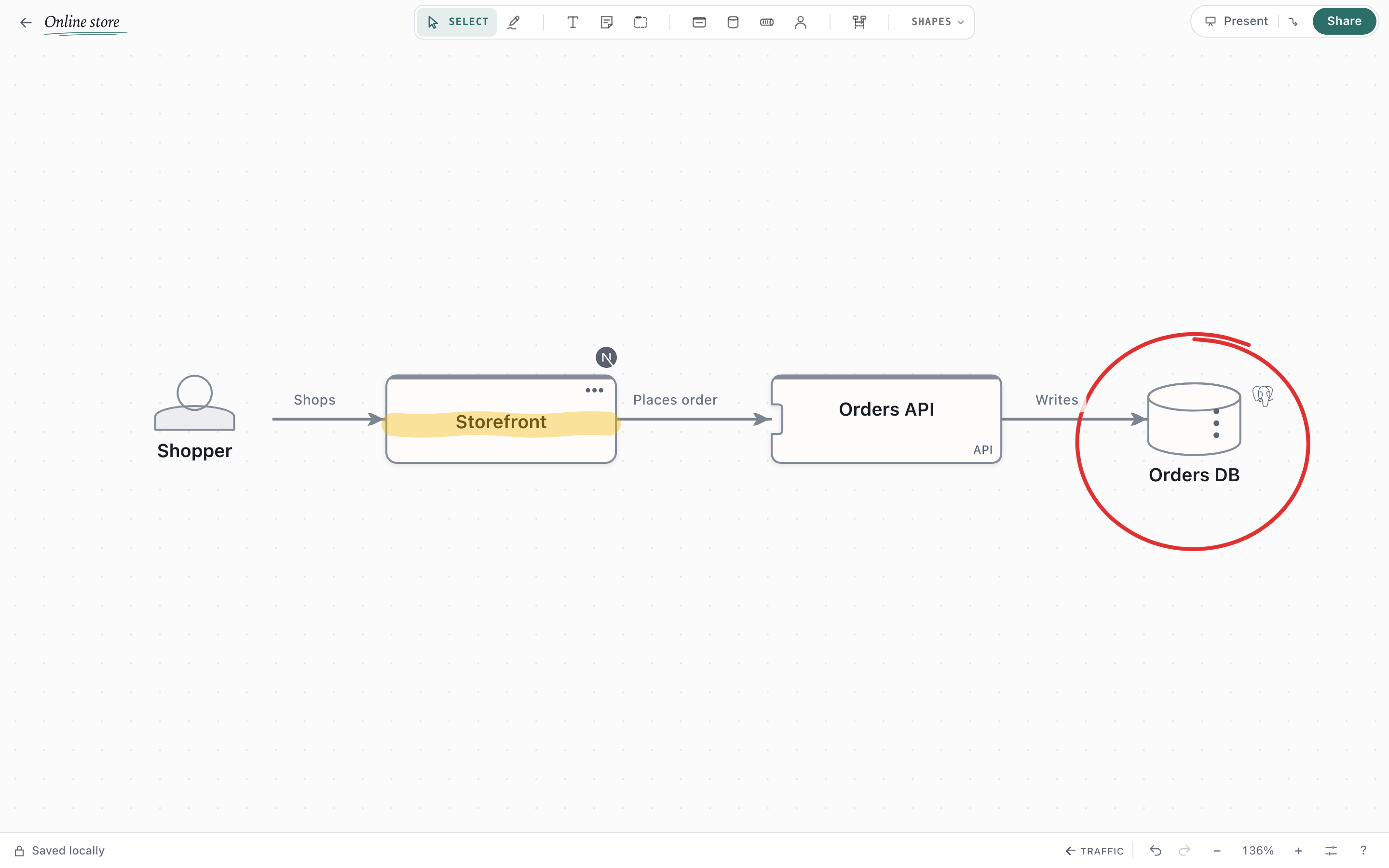
Pick up the Pencil (P) to draw over a diagram: circle a service, underline a risk, highlight a name. Smart Ink turns rough boxes, cylinders, circles and arrows into real shapes and connectors as you draw, and Esc or undo puts your drawing back. It works with a mouse, a finger or a pen, offline.
Arrange and Tidy up, with a preview
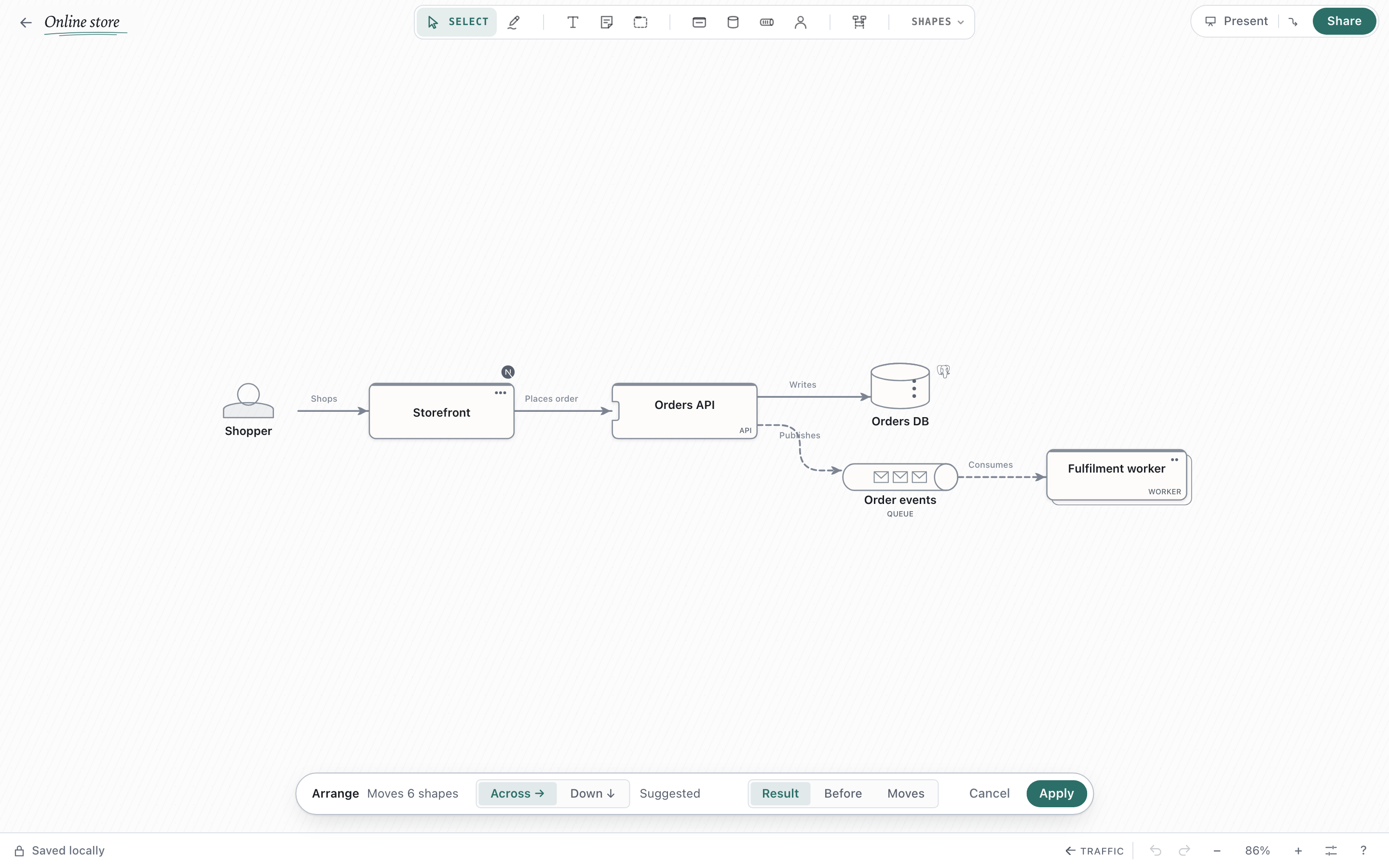
Arrange shows the diagram laid out again before anything moves, Across or Down with the better fit suggested. Before flips to what you have, Moves shows where every shape goes, and Apply is one undo step. Tidy up works the same way for gentler cleanup, and both run in the background with Cancel.
A starters gallery you choose to load
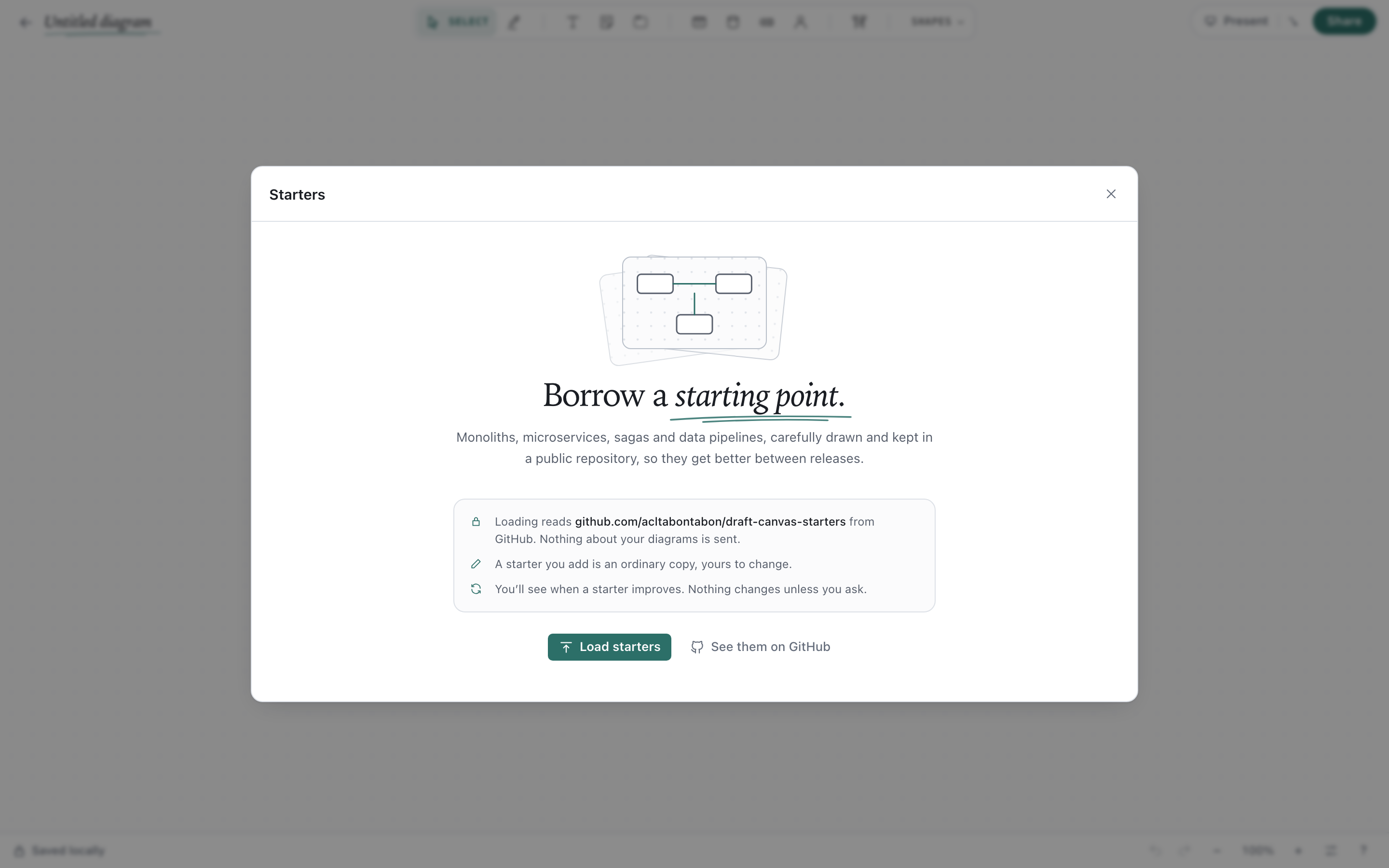
Starters now live in a public repository, draft-canvas-starters, so they improve between releases. Load them once from a blank canvas or ⌘K, preview what each is for, then add it or open it as a new diagram. Nothing about your diagrams is sent.
Export by what you want to do
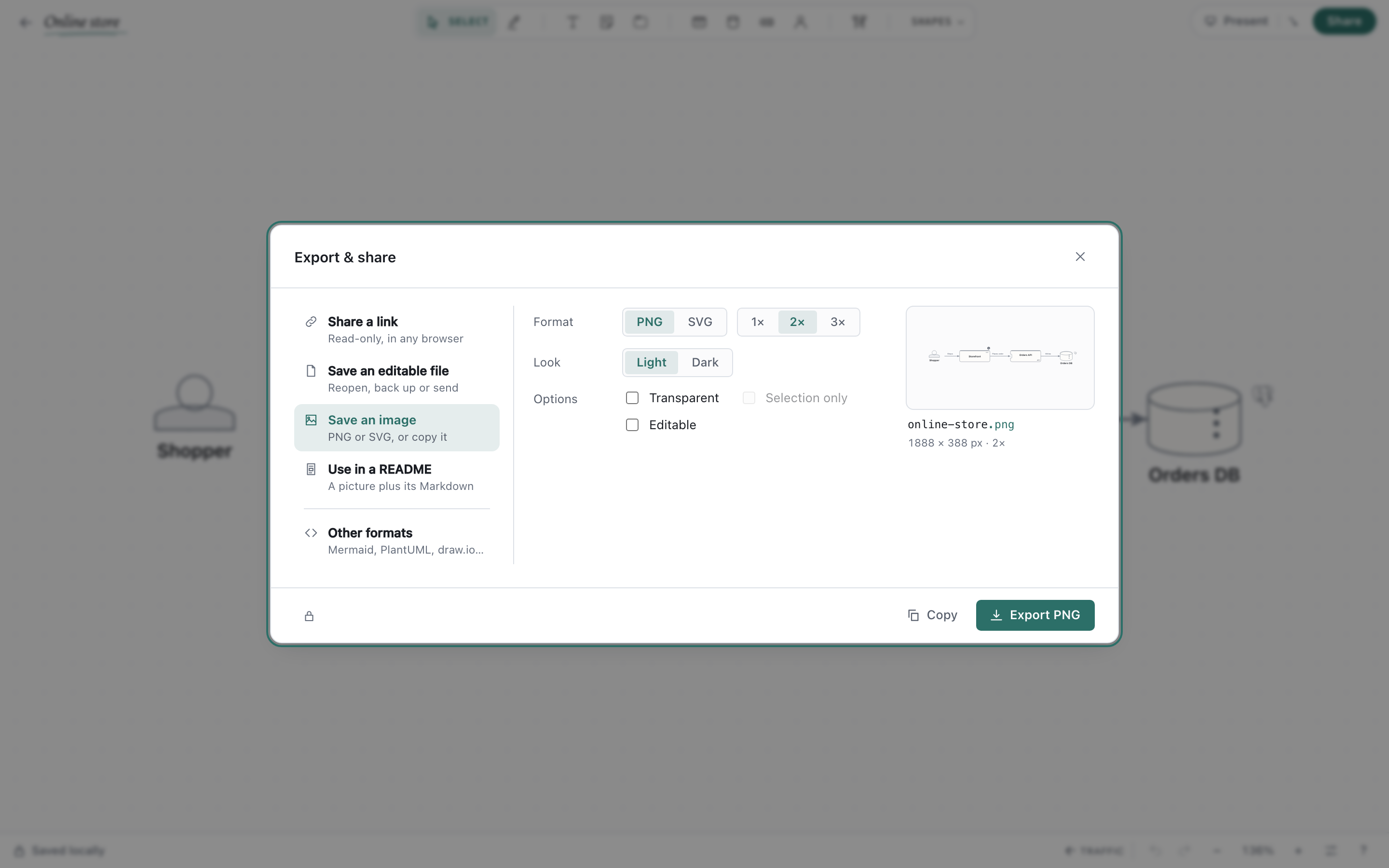
Choose Share a link, Save an editable file, Save an image or Use in a README, with Mermaid, PlantUML, C4 and draw.io under Other formats. Click the preview to inspect the image large.
Also in this release
- Cleaner connectors. A connector that would cross another or cut through a shape tries the other sides of its shapes, and captions and notes keep clear of corners and arrowheads.
- Faster shape work. Drop a shape onto a connector to put it in the middle, press
⌥⌫to delete and keep the line,⇧Qor⇧Dto turn the selection into a Queue or Data Store, and drag from several selected shapes to connect them all. - Search by technology. Type
kafka,redisorpostgresin Shapes to get that technology as a shape with its logo, and the right kind set. - Data pipelines read as data. The Medallion starter runs left to right, connectors can say how often they run, and Show lineage lights up where a shape's data comes from and goes.
- Safer saving. A failed save says why and offers Retry, Export and Leave without saving.
- Nodi is quicker on simple edits desktop. Renames, descriptions and added shapes resolve locally with no extra model call, and the diagram still changes only when you accept.
Every change is in the full changelog.
First-time desktop installation
The desktop installers are not signed or notarized, so your OS warns you the first time. They are built by this repository's release workflow from the tagged source, and SHA256SUMS.txt lists their checksums.
- macOS: open the .dmg and drag Draft Canvas to Applications. The first time you open it, macOS says it can't verify the app: open System Settings → Privacy & Security, scroll to the message about Draft Canvas and choose Open Anyway. Or run this once in Terminal:
xattr -dr com.apple.quarantine "/Applications/Draft Canvas.app". - Windows: run the installer. If SmartScreen says it protected your PC, choose More info → Run anyway.