Repository navigation
noted 1.6.0

Install or update to this version
# npm: macOS, Linux, Windows
npm install -g @adrianmg/noted

# Homebrew: macOS, Linux (already installed with it? brew upgrade noted)
brew tap adrianmg/noted https://github.com/adrianmg/noted && brew trust adrianmg/noted && brew install noted

# Install script: macOS, Linux
curl -fsSL https://noted.computer/install | sh

# Windows, in PowerShell
irm https://noted.computer/install.ps1 | iex
What's changed
Try a theme before you pick it.
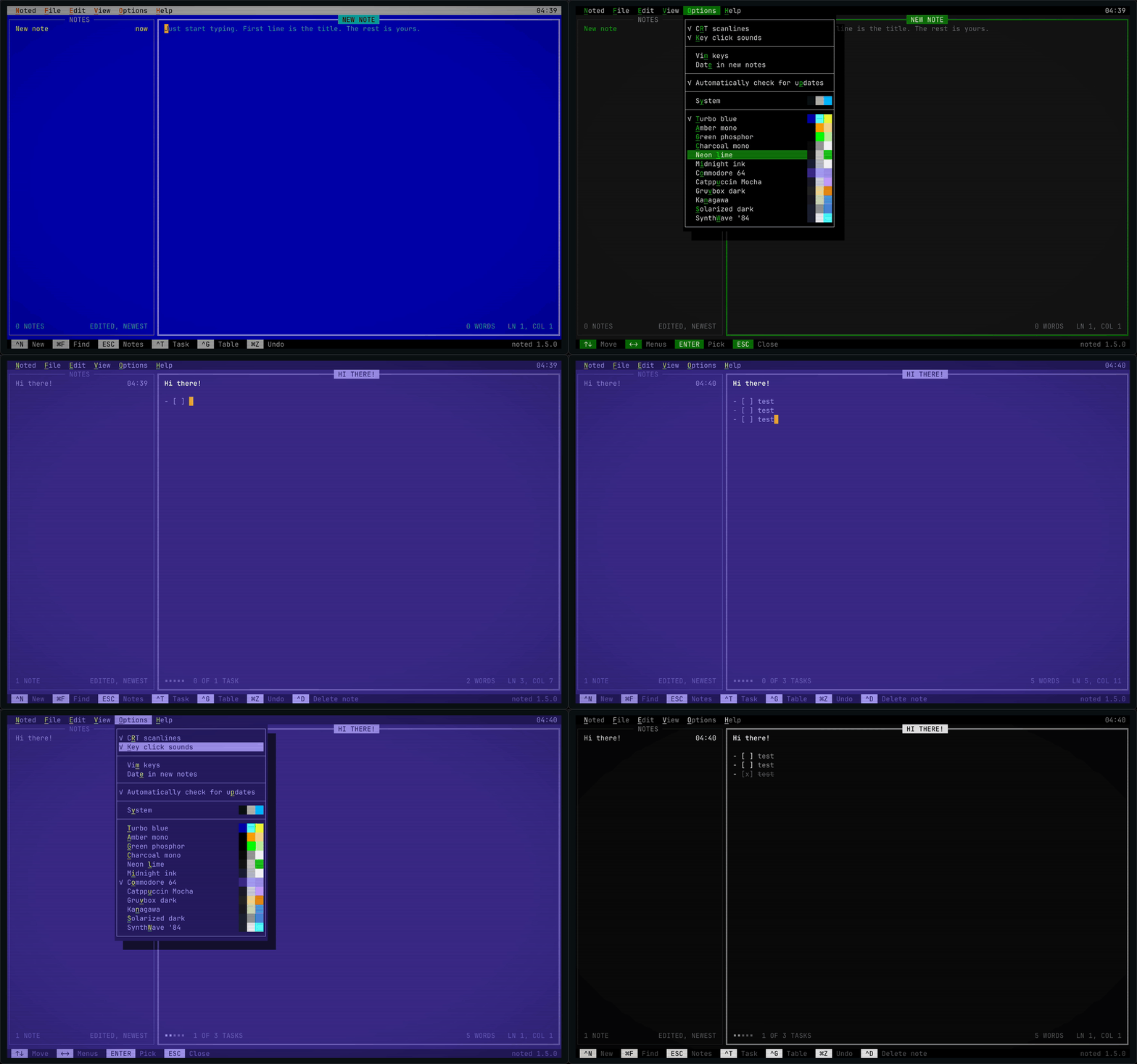
- Theme preview. In Options, move onto a theme and the whole screen is drawn in it at once.
ENTER, its letter or a click keeps it;ESC, moving off the themes or another menu puts back the one you had. Nothing is saved until you pick one, and the tick stays on the theme in use. Each theme shows its colors beside its name: the page, the text and what stands out. - Options. CRT scanlines and Key click sounds, Vim keys and Date in new notes, the update check, then every theme. CRT scanlines moves here from View, and its letter is now
R(Sis Solarized dark). Options opens on its first entry, so opening it never changes what you see, and it fits an 80 × 24 terminal. - View ▸ Image at cursor is grayed out until the cursor is on an image, as menus in DOS did for what can't be done yet.
⌥↩still says how to add one.
Each build is checked against SHA256SUMS. More at noted.computer.