Repository navigation
Housekeeper 0.25.0 — The Kitchen-Sink System Companion

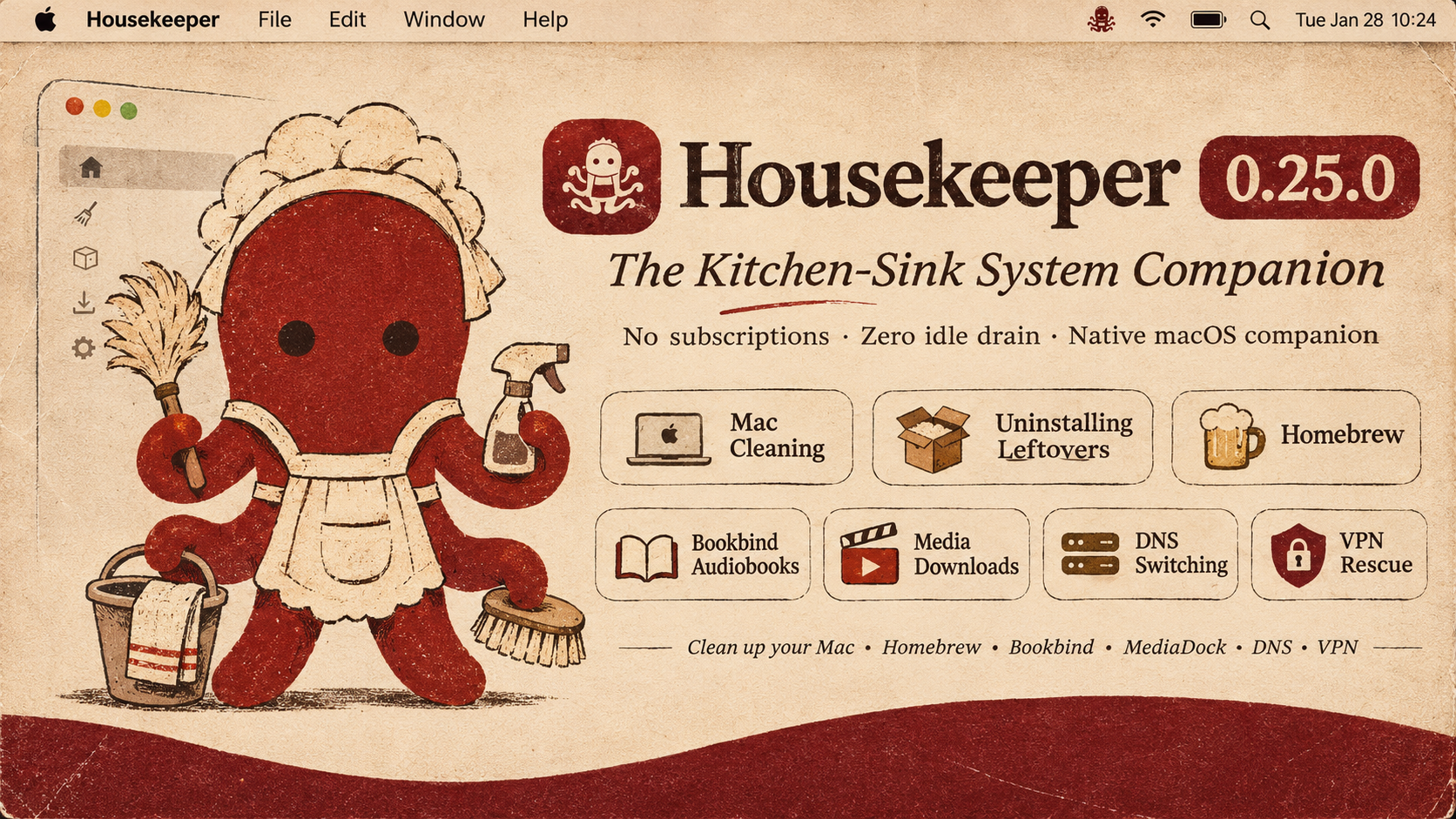
Housekeeper 0.25.0
The All-in-One Native macOS Companion & System Maintenance Suite
Made by Morad · No Subscriptions · Zero Idle Drain · The Full Kitchen Sink
Why I Made This
I basically just wanted an app for the things I actually deal with every day on my Mac.
I wanted something that has the good stuff that CleanMyMac has, the useful low-level tricks from Mole, but also all the extras that none of those apps ever bother to include. Instead of having five different utilities running in the background—or paying an annual subscription for an app that leaves half a dozen unkillable root daemons on your system—I wanted one clean, native app that puts it all in one place.
Here is the reality of what I needed:
- Audiobooks: I love audiobooks. But when you get an audiobook, it often arrives as sixty separate, messy MP3 tracks. I wanted a way to just drag them in, search the iTunes catalogue for the right cover art and chapters, and compile them into a proper
.m4bfile so I can actually listen to them without losing my place. There you go: that’s Bookbind, built right in. - Living in Iran & Dealing with VPNs: When you live in Iran, you have to use VPNs constantly. The problem is that VPNs get blocked all the time, server IPs die, and when a tunnel drops, it often leaves your network routing silently confused or your default gateway stuck. You disconnect the VPN, but your internet is dead. I wanted a route sweeper and interface watchdog that shows you exactly what
utundevices and tunnels are active, and lets you flush the routes and delete dead VPN profiles with one click. - Sanctions & 403 Errors: Because of geographic sanctions, half the developer tools you use—Docker, Homebrew, Gradle, Android SDK, NPM—throw 403 Forbidden errors unless you route them through specific bypass DNS providers like Shecan, 403.online, or Begzar. And sometimes you just want Cloudflare or Google DNS to speed up standard browsing. Having to open terminal commands or dig through macOS Network settings every time is annoying. So there’s the DNS Easy Switcher, complete with live ping benchmarks so you can see what’s actually reachable.
- Coding with Codex, AI & Python Clutter: As soon as you start working with AI tools, local LLMs, and coding harnesses, you realize there is a massive amount of Python, Homebrew, and cache clutter getting dumped into places you don’t even know exist. Huge MLX model weights, gigabytes of Hugging Face caches,
uvbuild artifacts, and orphaned app containers sitting in~/Library. I wanted an uninstaller and cleaner that actually tracks down those hidden folders, lets you inspect every leftover item before touching it, and lets you reveal it in Finder. - Damaged App Gatekeeper Warnings: macOS loves to flag tools downloaded from GitHub as “damaged and cannot be opened.” Instead of opening Terminal every single time to remember
xattr -crandcodesigncommands, I wanted an App Doctor where you just drag the app in and it fixes the quarantine flags and permissions instantly.
That’s really the whole reason. Just a fast, honest, kitchen-sink companion that looks after your Mac, sits at 0.1% CPU when you’re not looking at it, and does the things that actually matter.
What’s Inside Housekeeper 0.25.0
1. DNS Easy Switcher (⇧⌘D · Sidebar ▸ Studios & Network)
A zero-privilege, native DNS manager that matches and replaces standalone tools like DNS Easy Switcher.
- 1-Click Preset Switching: Instant switching across curated Anycast networks:
- Fast & Privacy: Cloudflare (
1.1.1.1), Google Public DNS (8.8.8.8), Quad9 (9.9.9.9), OpenDNS. - Ad & Threat Blocking: AdGuard DNS, Cloudflare Security.
- Sanction & 403 Bypass (Iran): Shecan, 403.online, Begzar — unblocking Docker, Homebrew, Gradle, Android SDK, and NPM without clunky proxy setups.
- Gaming & Low Latency: Electro, Radar Game.
- Fast & Privacy: Cloudflare (
- Real-Time ICMP Ping Benchmarks: Click [Test All Latencies] to ping every provider simultaneously with color-coded millisecond badges (
🟢 14 ms,🟡 85 ms,🔴 Timeout). - 1-Click DHCP Reset & Cache Flush: Revert back to your router's default DNS with one click, or purge macOS's resolver cache (
dscacheutil+mDNSResponder) instantly. - Hardware Interface Targeting: Target your active gateway (
Wi-Fi · en0), a specific Ethernet adapter, or all network interfaces at once.
2. App Uninstaller with Deep Leftover Inspection
Uninstalling an application shouldn’t mean leaving gigabytes of cache and state scattered in ~/Library.
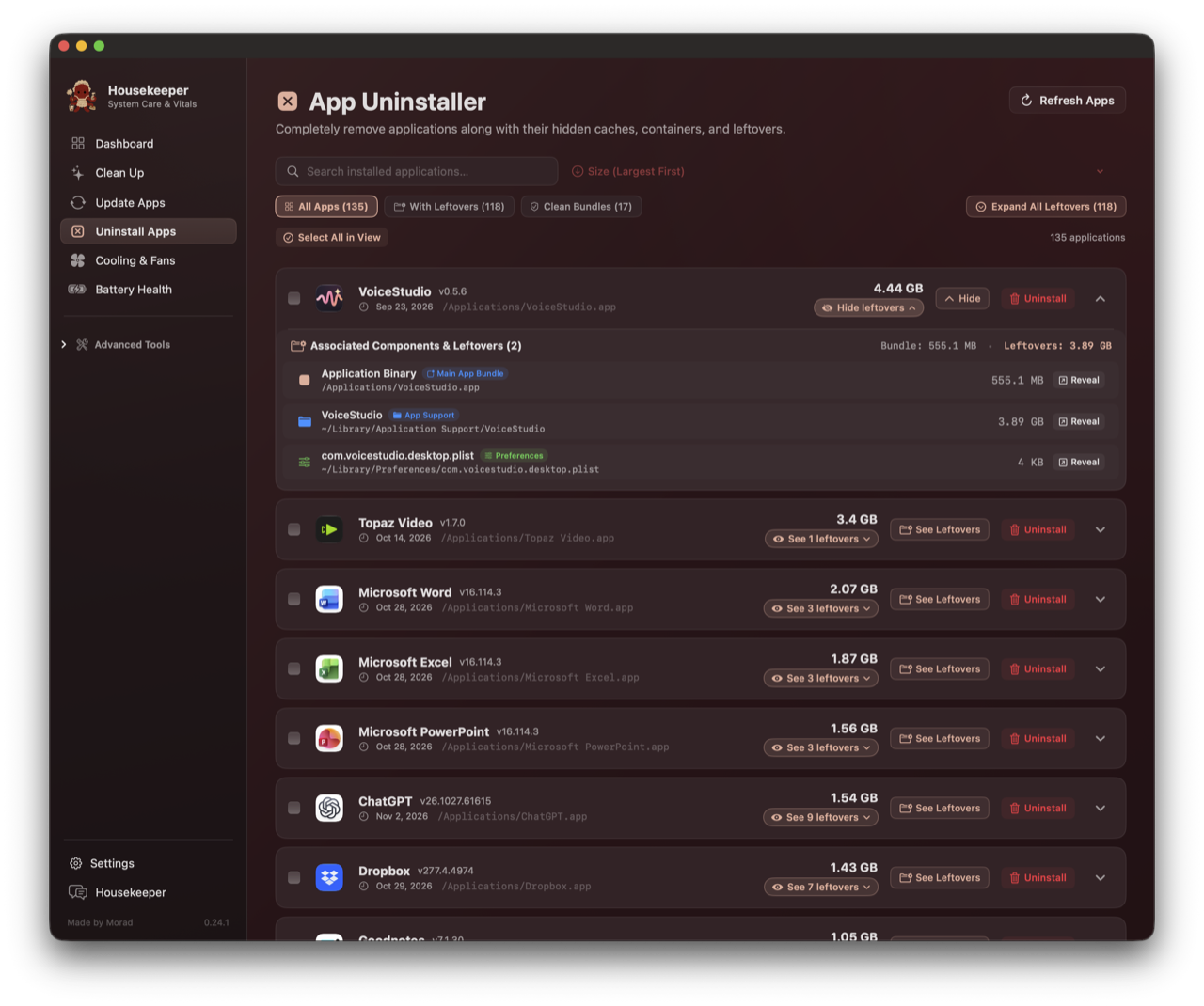
- Deep Component Inspection: Click the [See X leftovers] pill on any row to open the full drawer:
- Categorized badges:
App Support,Caches,Sandbox Containers,Preferences,Saved State,WebKit, andLogs. - Selectable, clean paths (
~/Library/Application Support/...). - Direct [↗ Reveal in Finder] button for every single file or folder before you touch it.
- Categorized badges:
- Multi-Criteria Sorting: Sort your entire software library by Size (Largest First / Smallest First), Recently Modified, Recently Installed, or Alphabetical (A–Z / Z–A).
- Clean Bundles vs Leftovers: Instant filter tabs separating self-contained apps from clutter-heavy applications.
- Global Leftover Drawer Toggle: Expand or collapse every leftover drawer across your Mac with one click.
3. Space Lens: Real APFS Storage Intelligence
Most storage visualizers on macOS either hang or guess. Space Lens uses direct kernel-level parallel traversal to measure the real size of your files:
- Accurate Bundle Traversal: Measures the true recursive size of
/Applications(e.g. 92.2 GB),Documents(218 GB), and~/.Trash. Zero artificial fallback floors. - Fast Spotlight Indexing: Identifies big and old files (>200 MB) across your drive in under 50 milliseconds using native metadata queries.
- Clickable Category Cards: Jump directly from a category breakdown into the folder browser with live progressive calculation indicators.
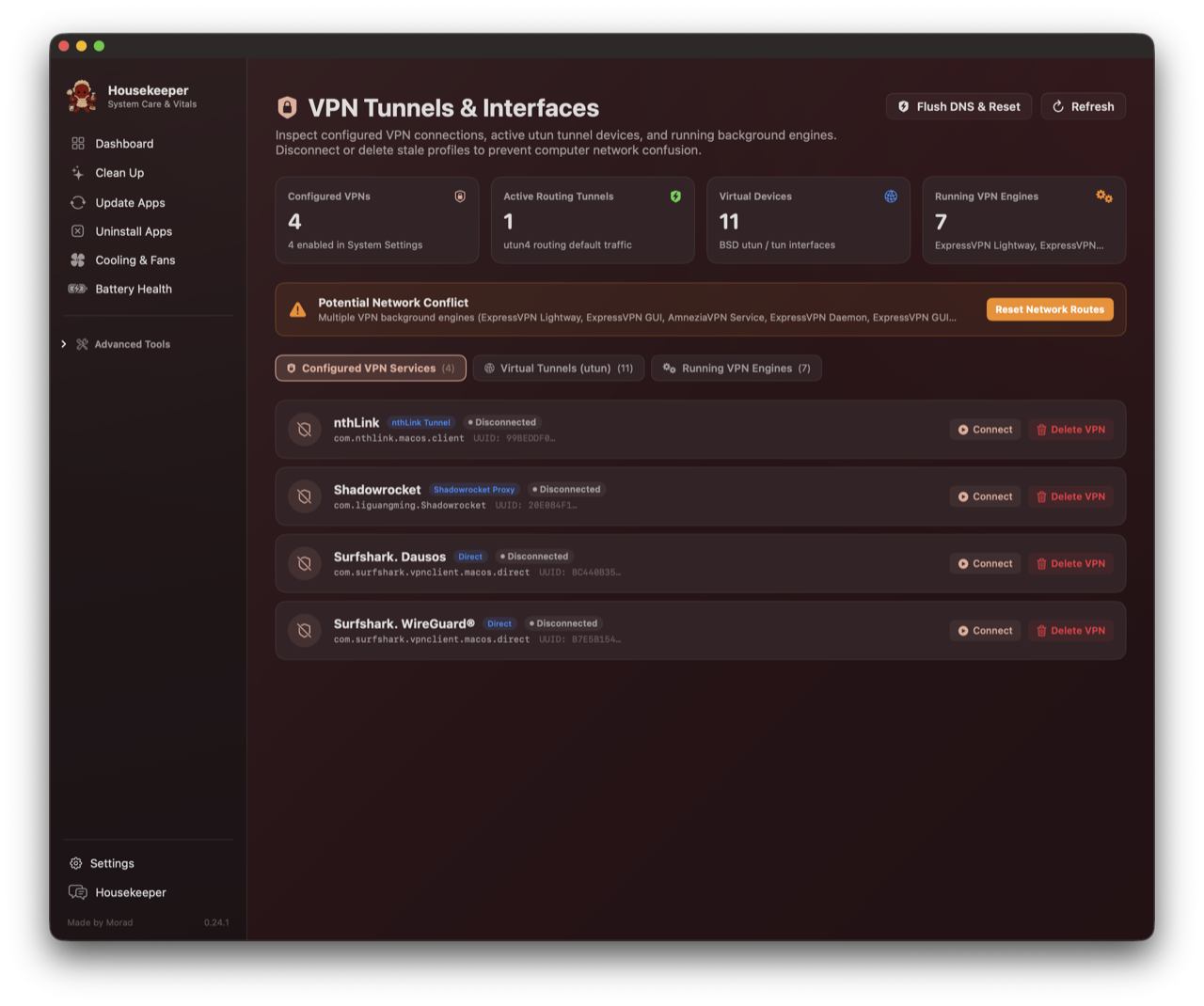
4. VPN Tunnels & Virtual Interfaces Watchdog (⇧⌘V)
When you disconnect a VPN and your internet silently breaks, it’s usually because a virtual tunnel or routing table entry got stuck.
- Kernel
utunDevices: Inspects active BSD tunnel interfaces, MTU values, and IP assignments. - Routing Table Conflicts: Highlights whether a tunnel has hijacked your default gateway (
0.0.0.0/0). - Background VPN Daemons: Surfaces background processes holding network extensions with PID, CPU %, and memory footprint.
- 1-Click Rescue: Disconnect stuck tunnels, permanently delete orphaned VPN network services, and flush routing tables and DNS cache with one click.
5. App Doctor: Gatekeeper & Damaged App Repair
macOS Sequoia loves to claim that an app downloaded from GitHub or the web is “damaged and can’t be opened.” App Doctor eliminates the terminal dance:
- Quarantine & Provenance Stripping: Clears
com.apple.quarantineand purges download tracking tags (xattr -cr). - Permissions & Code Signing: Ensures execution bits on
Contents/MacOSbinaries and applies an ad-hoc code signature (codesign --force --deep --sign -). - Drag-and-Drop or Shelf: Drag any broken app into the repair card, or pick from the automatically detected Quarantined Apps shelf.
6. Battery Health & Power Management
Reads Darwin IOKit AppleSmartBattery hardware registers directly without running heavy profiling scripts:
- Hardware Telemetry: Real-time cycle count, factory design capacity vs maximum charge capacity, cell wear loss in mAh, voltage, amperage, and battery controller IC.
- Power Delivery & States: Detects USB-PD adapter wattage, Optimized Battery Charging (80% hold state), and AC pass-through.
- Sleep Inhibitor Watchdog: Live
pmset -g assertionsparser showing which applications are preventing your Mac from entering deep sleep, with one-click quit buttons.
7. Full Kitchen-Sink Bundle: MediaDock 9 & Bookbind
Housekeeper is a full suite. You do not need separate standalone installations of MediaDock or Bookbind:
- MediaDock 9: Native YouTube, Spotify, and Apple Music downloader supporting video up to 4K and lossless audio extraction (FLAC, MP3, M4A, OPUS). Displays exact CLI commands for full transparency.
- Bookbind (
⇧⌘B): Built-in audiobook studio. Drag in loose chapter tracks, look up official cover art and metadata from the iTunes catalog, and bind them into a finished, beautifully chaptered.m4baudiobook. Runs locally on port8765with pre-packagedffmpegandffprobebinaries inside the bundle.
8. Native macOS Visual Ergonomics

- Monochrome Menu Bar Silhouette: Replaced colored raster icons in the menu bar with a native vector cut-paper template silhouette (
image.isTemplate = true). It adapts dynamically to dark and light menu bars and high-contrast clicks, matching native macOS buttons like Wi-Fi and Bluetooth. - Transparent Maid Octopus Mascot: Morad’s hand-crafted brand mascot floats on a clean transparent background across the Dock, Finder, and in-app dashboard—with zero artificial white boxes or clipped borders.
- Zero Idle Drain: Engineered with strict motion budgets and
LazyVStackrendering. When idle in the menu bar, Housekeeper sits at 0.1% CPU.
9. AI Runtime Dependency & Necessity Engine (ModelsView.swift · Advanced Tools)
- Intersection Engine: Scans all local AI models and runtimes (Ollama, MLX, Whisper, SenseVoice, Parakeet, Draw Things, ComfyUI, LM Studio) and evaluates what scripts and apps call them.
- Necessity Triage: High-contrast badges classify every item as
🟢 NECESSARY(actively used by projects/services),🟡 OPTIONAL(standalone utilities), or🔴 EXTRA / ORPHANED(dormant environments with no models or uninstalled apps). - Cross-Project Intersections: Displays horizontal tags revealing exact system dependencies (e.g.
INTERSECTS: Jeopardy (generate_image.sh) · Agent Skill (generate-image) · draw-things-cli). - 1-Click Native Trash: For extra/orphaned items, safely moves folders to macOS
~/.Trashreversibly viaFileManager.default.trashItem(). - Orphan Scanner Extension: Automatically flags user dot-folders (
~/.lmstudio,~/.comfyui) when their host applications are uninstalled.
Checksums & Downloads
| Package | Architecture | SHA-256 Checksum |
|---|---|---|
Housekeeping-macOS-universal.zip |
Universal (arm64 + x86_64) |
836748596f929708dc4a0652d6c34846b2e560c5ade9010741dddd9b7a8fc04c |
Housekeeping-macOS-arm64.zip |
Apple Silicon (M1/M2/M3/M4) |
d49839a517e002a37647bfd5c3ec9f7f0b89d1dde62275ef393549d55d34eee8 |
Housekeeping-macOS-x86_64.zip |
Intel Macs | 82ff03dd646b8fe252ae61ad65a2796d54bf56a65d8755a7a0db000e5f269a0c |
Built for macOS 13.0 (Ventura) and later.