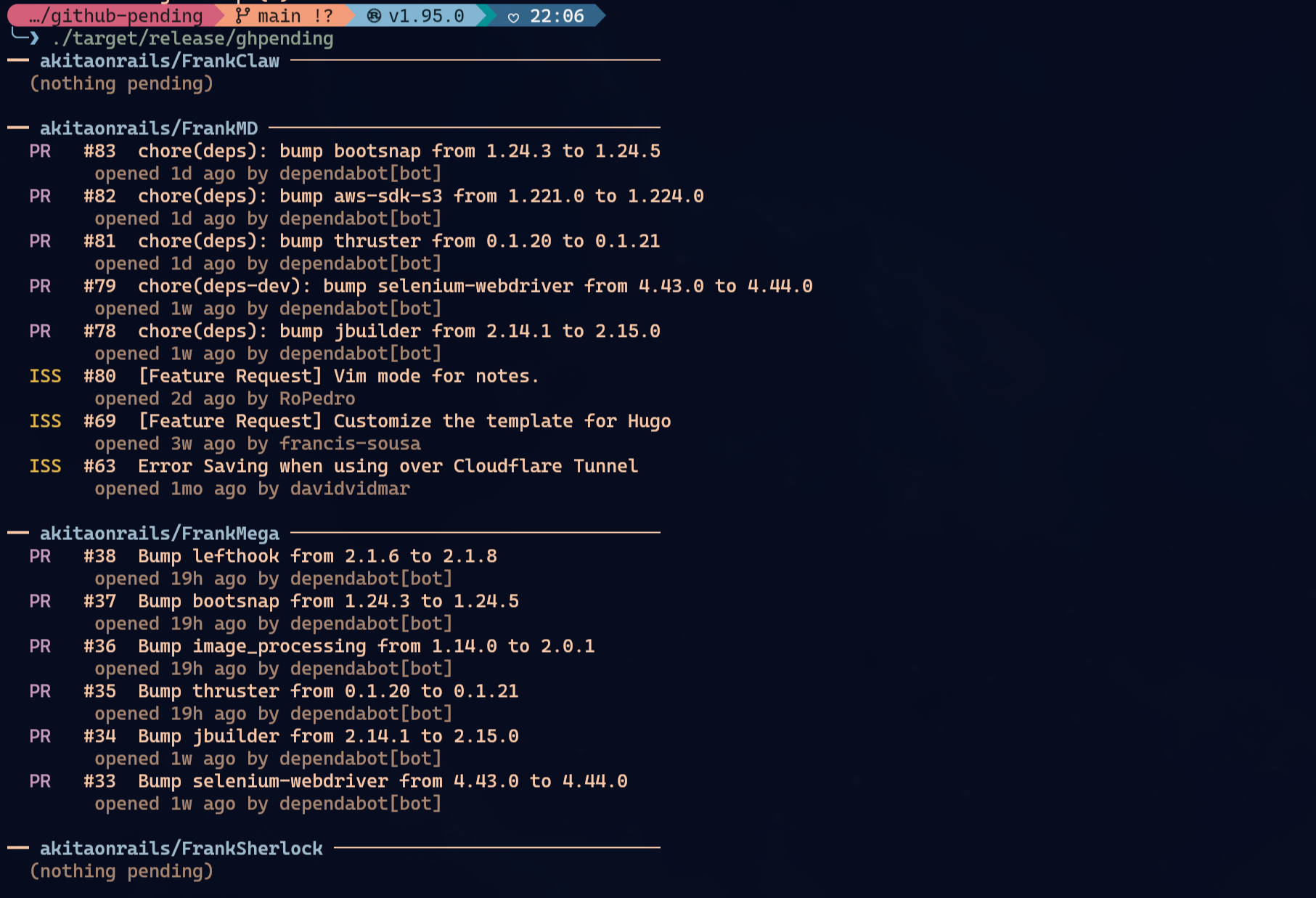
See open issues and pull requests across the GitHub repos you care about, at a glance.
brew tap akitaonrails/tap && brew install ghpendingyay -S ghpending-bin # prebuilt x86_64 binary, fastest
yay -S ghpending # builds from source, x86_64/aarch64cargo install ghpendingmise use -g github:akitaonrails/ghpendinggit clone https://github.com/akitaonrails/ghpending
cargo install --path ghpending# Homebrew
brew upgrade ghpending
# AUR (any helper that respects upstream changes)
yay -Syu ghpending-bin
# Cargo
cargo install ghpending --force
# mise
mise upgrade ghpending
# From source
cd ghpending && git pull && cargo install --path .ghpending add # pick repos from the saved user/org to track
ghpending add --user <name> # switch to a different user/org (replaces the saved one)
ghpending add --all # pick from every repo your token can reach (private included)
ghpending # print the digest
ghpending list # show tracked repos
ghpending rm # remove repos from the listghpending add— lists repos and lets you select which to track. The username is saved so subsequentaddruns skip the prompt. Pass--user <name>to switch to a different user/org without editing the config; it replaces the saved one.- Private repos: with a
GITHUB_TOKENthat has thereposcope,addincludes private repos automatically when the target is your own account or an org you belong to. For a third-party user only their public repos are visible. --alllists every repo your token can reach — owned, collaborator and organization-member, private included — in a single picker, ignoring the saved user. Use it to grab private repos you collaborate on across different owners.
- Private repos: with a
ghpending— fetches all tracked repos concurrently and prints a digest of open issues and pull requests.ghpending list— prints the repos currently in your watch list.ghpending rm— opens an interactive menu to select repos to remove from tracking.
Everything works unauthenticated for public repos, subject to GitHub's default 60 requests/hour rate limit. Set GITHUB_TOKEN to raise that to 5,000 requests/hour:
GITHUB_TOKEN=$(gh auth token) ghpendingThe token is read silently at startup — no configuration needed. To track private repos (and have them show up in ghpending add), the token needs the repo scope (classic) or read access to the repo's Contents, Issues and Pull requests (fine-grained).
The config file lives at:
- Linux:
~/.config/ghpending/config.toml - macOS:
~/Library/Application Support/ghpending/config.toml
Example:
user = "akitaonrails"
repos = ["ratatui-org/ratatui", "tokio-rs/tokio"]
Run ghpending add --user <name> to change the user field, or edit the file directly to reorder repos.
MIT