Repository navigation
0xTerm 0.1.0

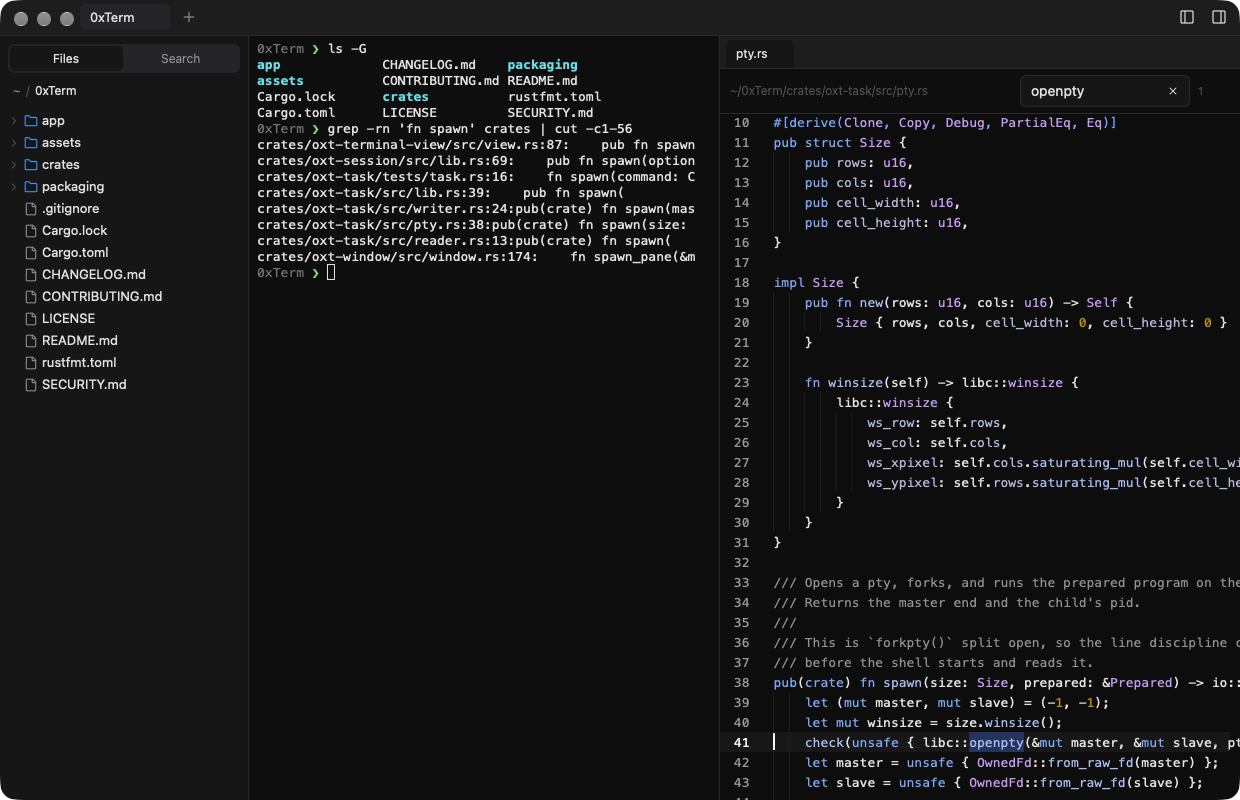
The first release of 0xTerm: a minimal terminal workspace for macOS, drawn by the GPU.
Highlights
- GPU-drawn terminal on Metal, with truecolor, wide characters, IME and a parser on its own thread.
- Tabs and splits. Tabs are named after the running job, and inactive panes dim.
- A file tree that follows your shell.
cdand it moves with you, skipping.gitignored files. - Folder search off the main thread, grouped by file.
- File viewer with syntax highlighting, ⌘F find and live reload, plus Markdown with native Mermaid diagrams.
- ⌘-click any
path:line, URL or OSC 8 link. Drag a file onto a pane to type its path. - One config file,
~/.config/0xterm/config.toml, reloaded on save. Light and dark follow the system.
Install
- Download
0xTerm-0.1.0.dmg, open it, and drag 0xTerm to Applications. - This build isn't notarized yet, so macOS blocks the first launch. Open 0xTerm once, dismiss the warning, then click Open Anyway in System Settings → Privacy & Security. Or run
xattr -dr com.apple.quarantine /Applications/0xTerm.app.
Requires a Mac with Apple Silicon and macOS 13 or later.
SHA-256: f5ea5d9f0e6412486a338a1be9a594ec8a9ac876226a88eebcc459d70678078c
Known issues
- Expanding Desktop, Documents or Downloads in the file tree shows the macOS privacy prompt, and the window waits for your answer.
- Emoji are drawn slightly wider than two cells.
- Wide Mermaid diagrams shrink to the viewer's width.
Full notes: CHANGELOG.md. Licensed under GPL-3.0.