Grid
A grid is several blumi serve gateways on a LAN that share one secret. Same secret =
same grid. Nodes auto-discover each other and the orchestrator (the node your phone connects to)
hands tasks off to peers, which execute them on their own runtime/workspace and stream results
back. Run a fleet of machines as one — and when compute is expensive, none of it sits idle.
Status: live. Peer discovery (mDNS + optional static peers), per-machine task delegation from the phone (blugo Grid tab), the chat-driven
grid_dispatchtool, and the distributedblumi loopall work today. Every result is tagged with the machine that ran it.
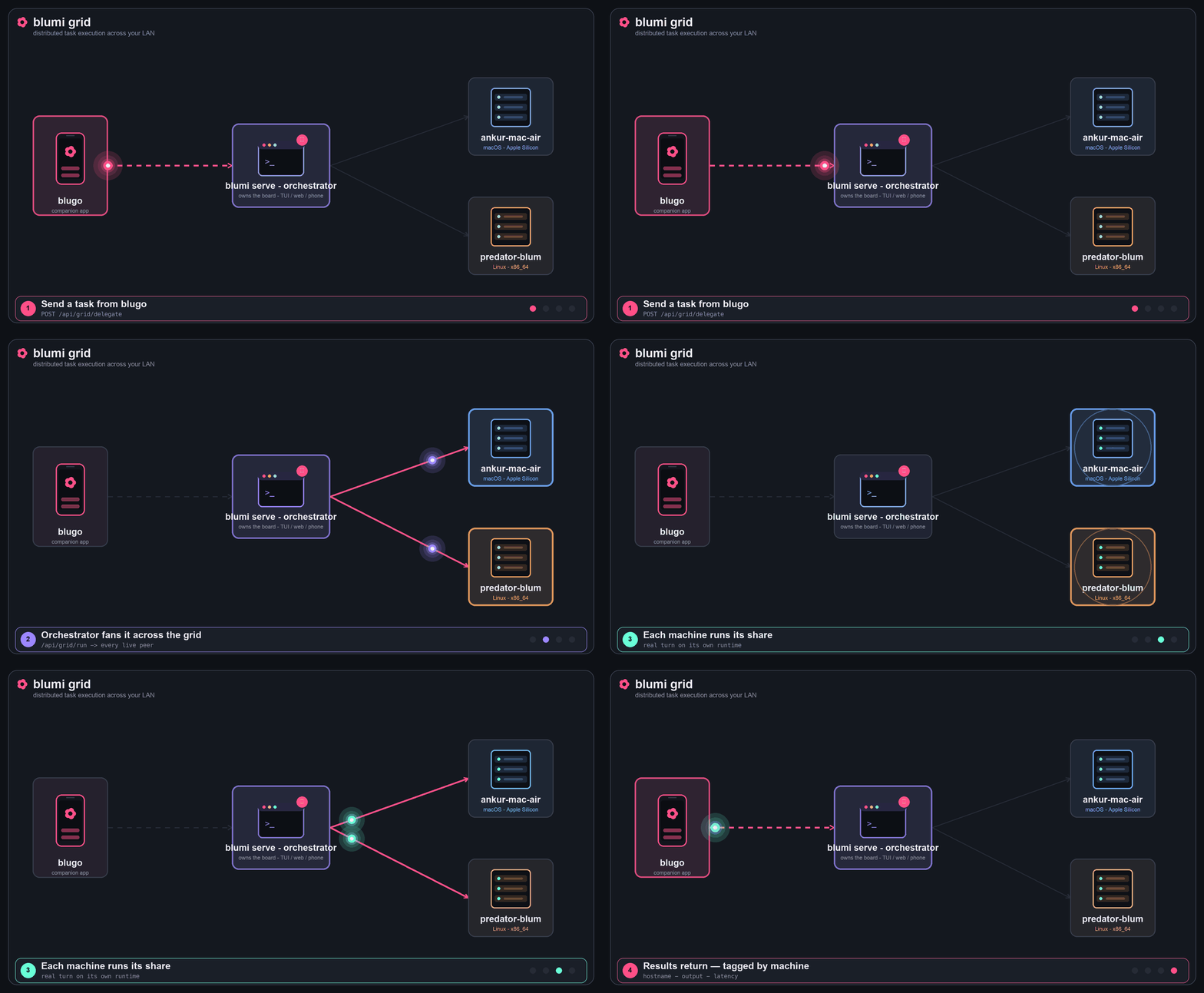
Grid task execution — a task from blugo fans out across the grid and the results return, tagged by machine.
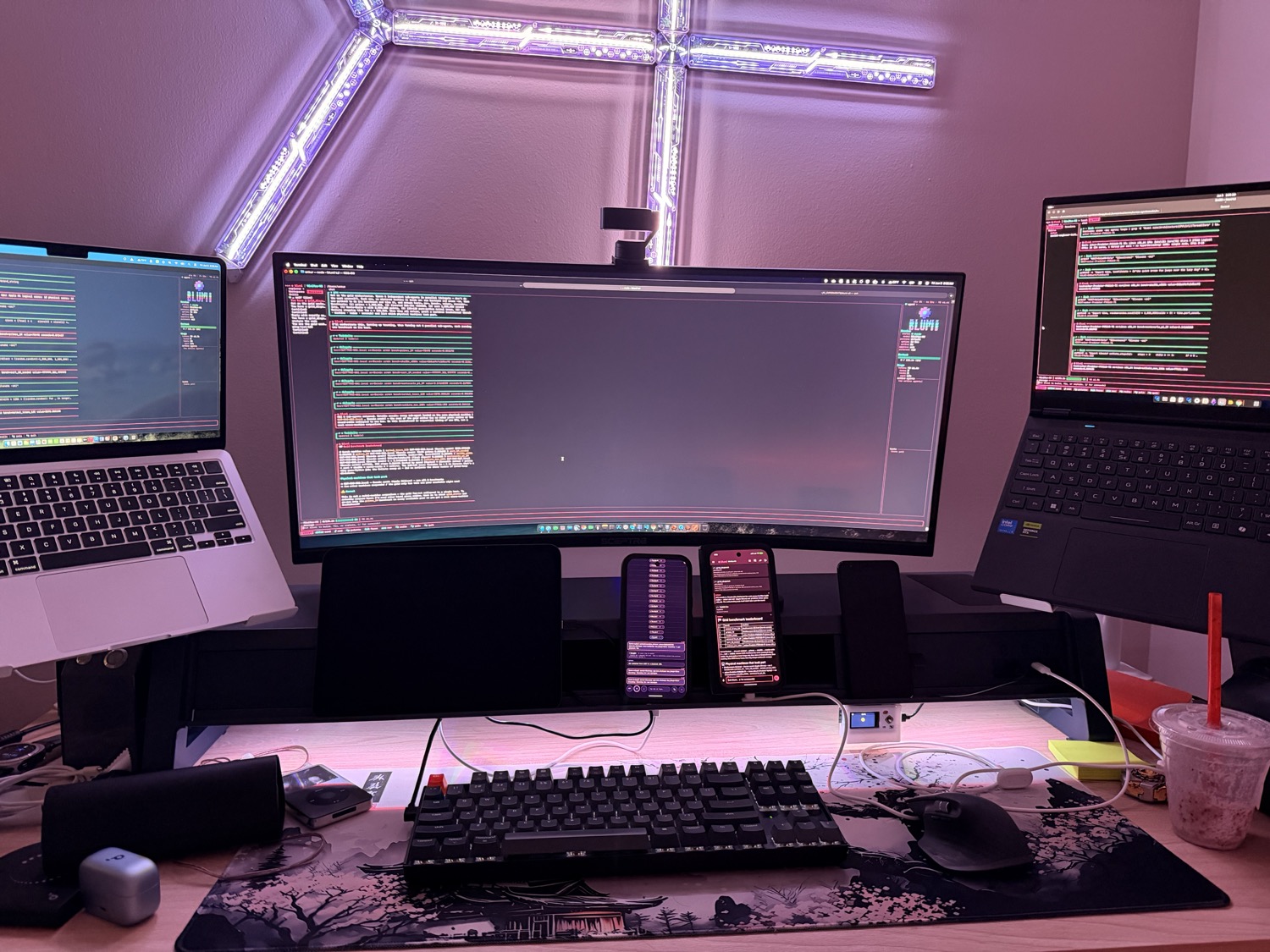
- One shared
grid.secreton every node. Holding the secret = membership. - The secret is never advertised over mDNS — only a non-reversible
grid_iddigest is, so peers recognize same-grid nodes without exposing the secret. (Same secret ⇒ samegrid_id.) - Keep the secret in
settings.json(mode0600) or inject it viaBLUMI_GRID__SECRET. - Node-to-node grid traffic is authenticated by the shared secret via the
X-Blumi-Gridheader (separate from the human password browsers/the app use). Keep nodes on a trusted LAN.
On each machine (mixing macOS + Linux is fine):
- Install blumi → Installation and configure a provider → Configuration.
- Enable the grid with the same secret. In
~/.blumi/settings.json:…or via env (e.g. in the service environment):"grid": { "enabled": true, "secret": "one-shared-secret-for-the-whole-grid", "node_name": "mac-mini", "peers": ["10.0.0.150:7777", "10.0.0.113:7777"] }
BLUMI_GRID__SECRET=one-shared-secret. - Run the gateway as a service → Gateway:
blumi serve install --host <this-machine-LAN-ip>
-
Restart the gateway after editing settings so it re-reads the grid config:
- macOS:
launchctl kickstart -k gui/$(id -u)/com.blumi.serve - Linux:
systemctl --user restart blumi-serve
- macOS:
Nodes with the same secret find each other on the LAN automatically.
-
mDNS (
_blumi._tcp) is automatic on a normal LAN — leavepeersempty. -
Static peers (
peers: ["IP:port", …]) are for networks where multicast is blocked — or after a fresh ad-hoc code-sign on macOS resets the Local-Network permission (which silences mDNS). Static peers are mDNS-independent: list each other node'sIP:portand discovery is instant on gateway start. A node that's both statically listed and mDNS-discovered is de-duplicated byhost:port(the friendly mDNS name wins).
| Field | Meaning |
|---|---|
enabled |
Master switch. Off = no discovery, no /api/grid/*. |
secret |
Shared secret. Empty while enabled = fail closed (no grid). |
grid_id |
Optional explicit grid id; blank = derived digest of the secret. |
node_name |
Friendly label for this node in the peer list / UI. Blank = hostname. |
peers |
Optional ["IP:port", …] static peers for mDNS-independent discovery. |
From any node (authenticated), list the peers it can see — or just open blugo → Control Center → Grid, which lists live peers:
curl -H "Authorization: Bearer <token>" http://<node-ip>:7777/api/grid/peers{
"self": { "node_name": "mac-mini", "grid_id": "a1b2c3d4e5f6", "version": "0.1.0" },
"peers": [
{ "id": "linux-box._blumi._tcp.local.", "name": "linux-box",
"host": "10.0.0.7", "port": 7777, "online": true, "grid_id": "a1b2c3d4e5f6" }
]
}GET /api/grid/metrics aggregates each peer's live node metrics (tasks + tokens) for the same view.
The TUI, web UI, and blugo are all renderers of one UI-agnostic core: a turn flows
Command → session actor → tools → grid, and streams back as Events that re-render every
surface. grid_dispatch (and the deterministic /api/grid/delegate) are just tools/endpoints that
hand a prompt to the grid client.
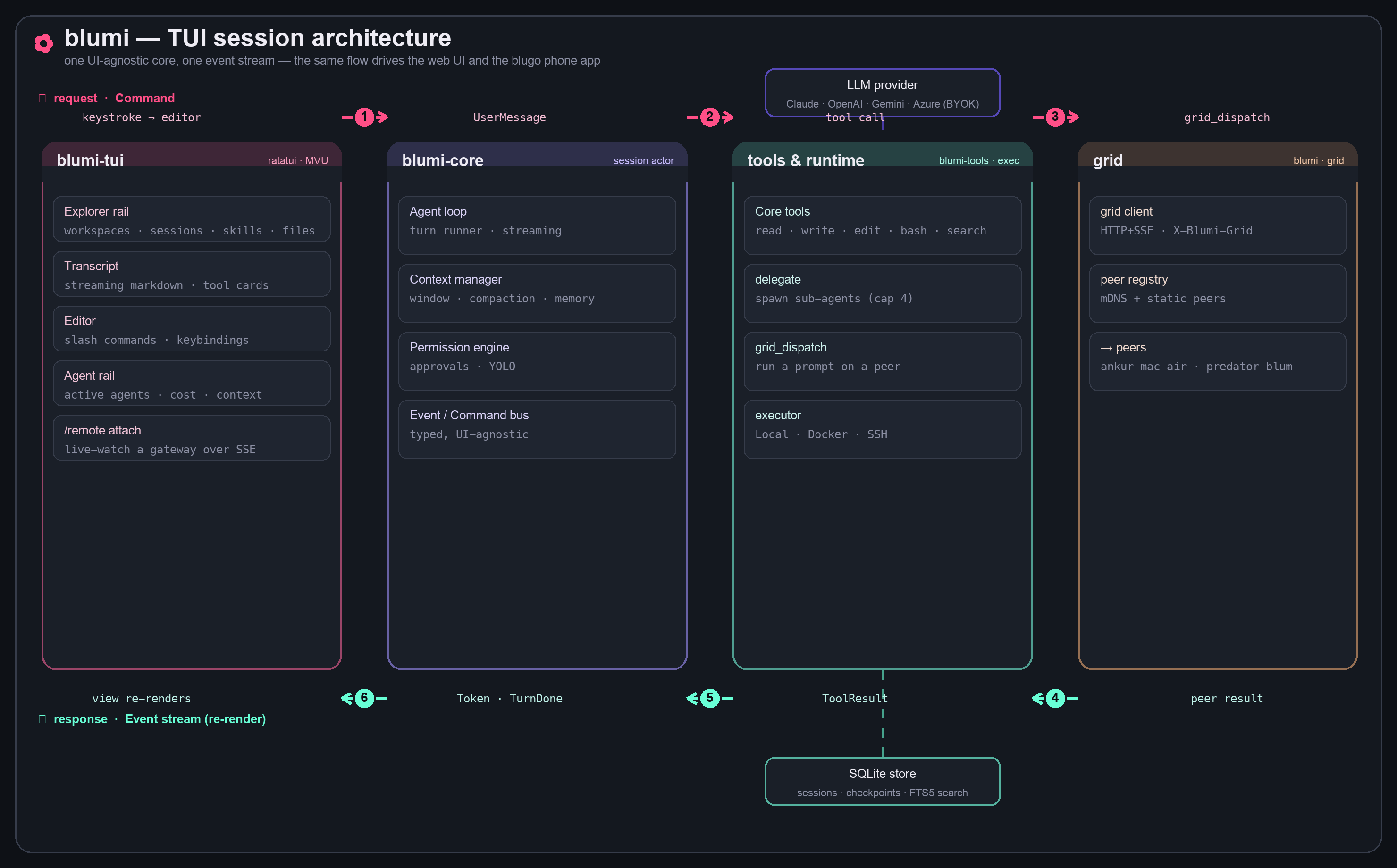
Three ways to spread work over the grid. Every result is tagged with the machine (hostname + OS)
that produced it, and live runs stream into any TUI/blugo via /remote attach.
Open blugo → Control Center → Grid:
- Live peers — every node currently in the grid.
- Run on — pick all peers (broadcast) or one specific peer.
- Type a task, tap Delegate over grid → each machine runs it as one turn and reports back — hostname, output, and latency — in per-machine result cards.
This goes through POST /api/grid/delegate, a direct dispatch: it does not rely on the model
deciding to call a tool, so it works even with smaller local models.
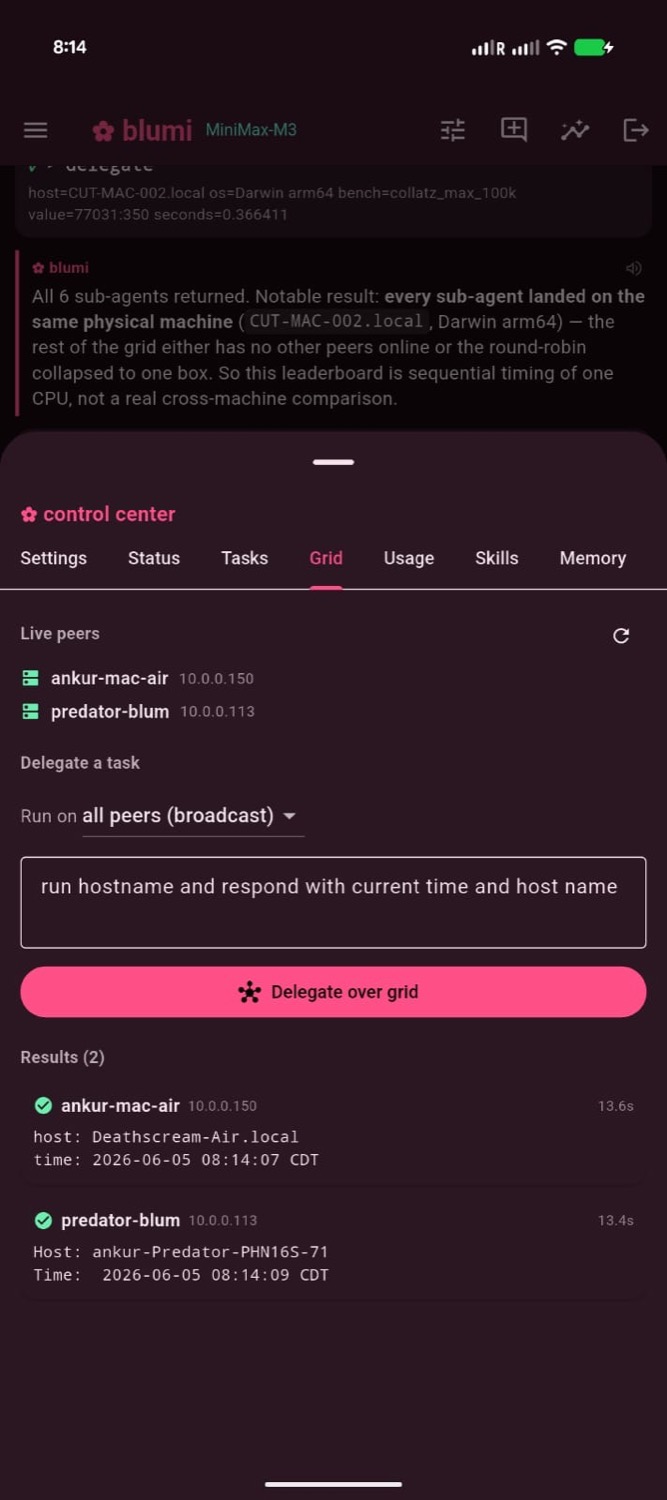
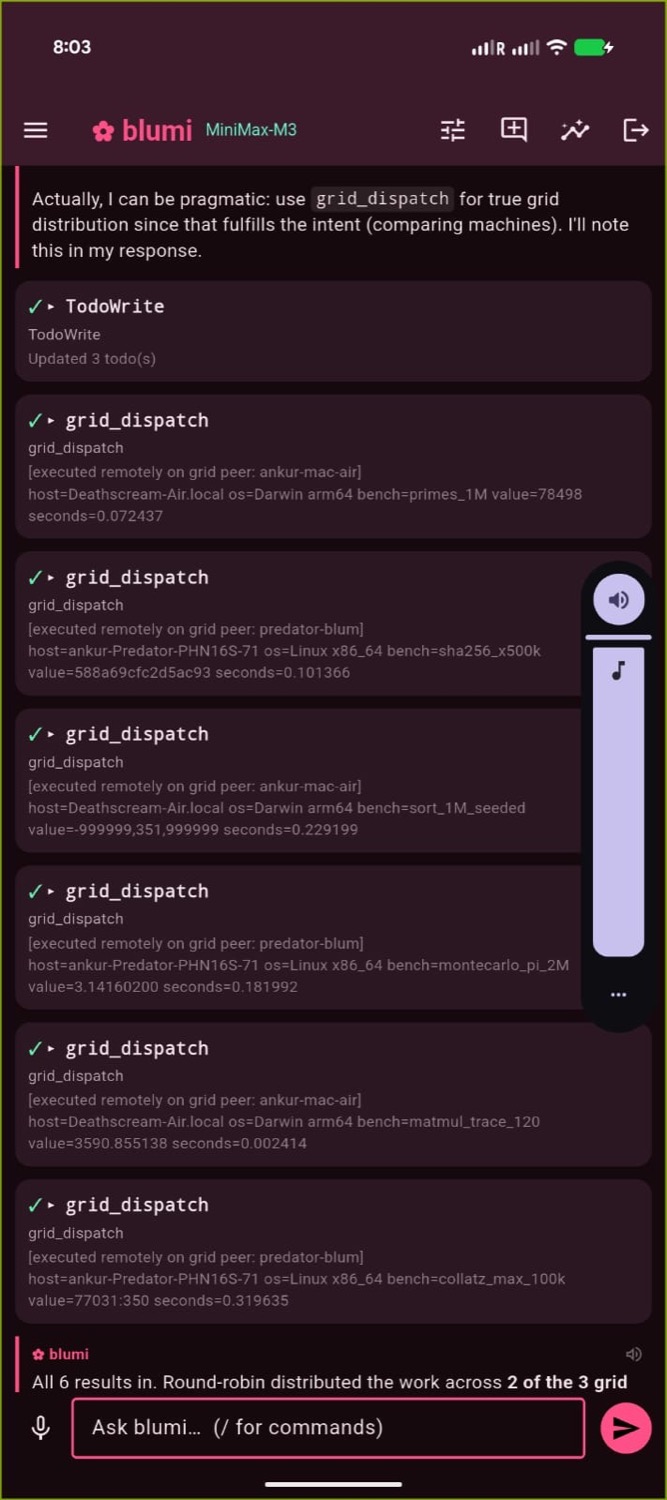
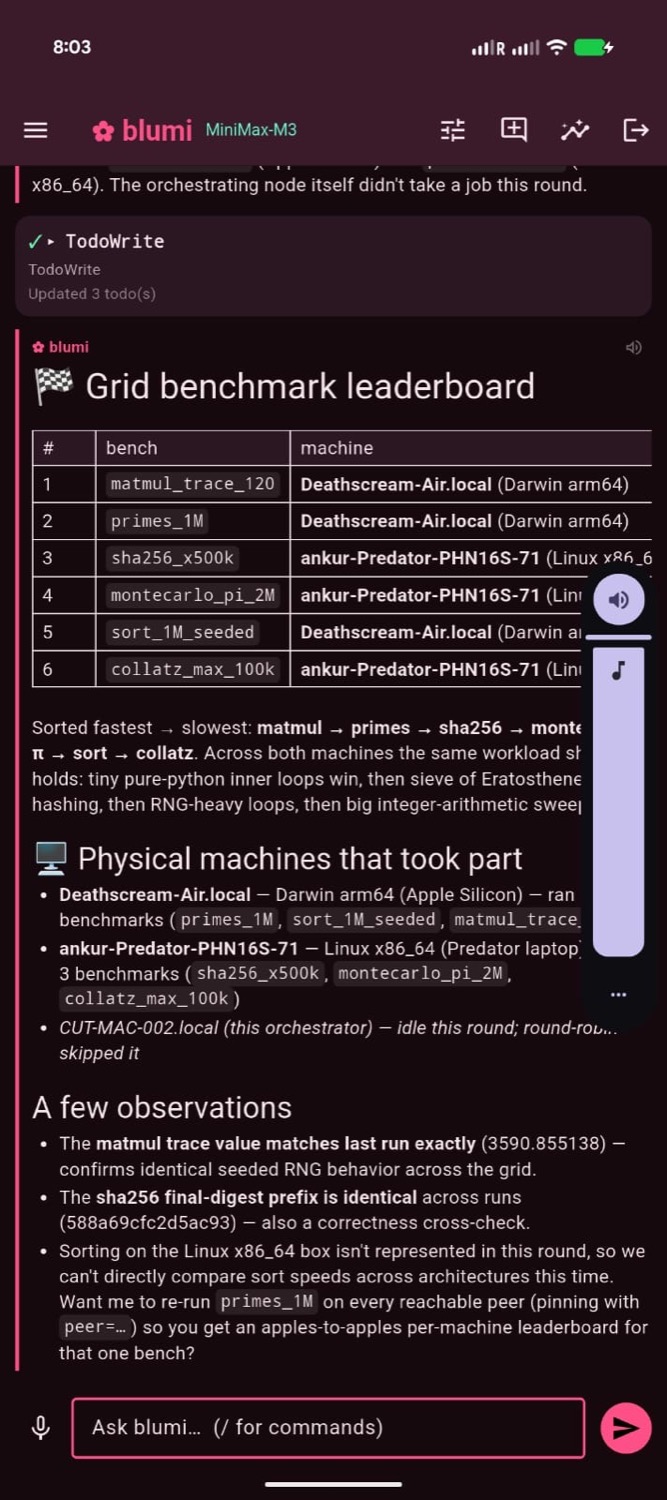
In any chat (TUI, web, or blugo) the agent can call grid_dispatch to run a prompt on a peer
(round-robin or named) and bring the result back, collating a multi-machine answer in one reply —
great for "compare this across my machines" asks. (Needs a model that reliably calls tools; for a
guaranteed run regardless of model, use the Grid tab above.)
The orchestrator owns the task board. In grid mode the
loop round-robins board tasks across live peers, claims each with the executing peer as owner,
runs it on that peer, and advances it — so the TUI board and the blugo task list show which tasks
are remote and on which node. Start it with POST /api/loop/start {"mode":"grid"}.
Tasks must be self-contained: a peer runs in its own workspace, so name the repo/branch/paths in the task rather than assuming "the current directory."
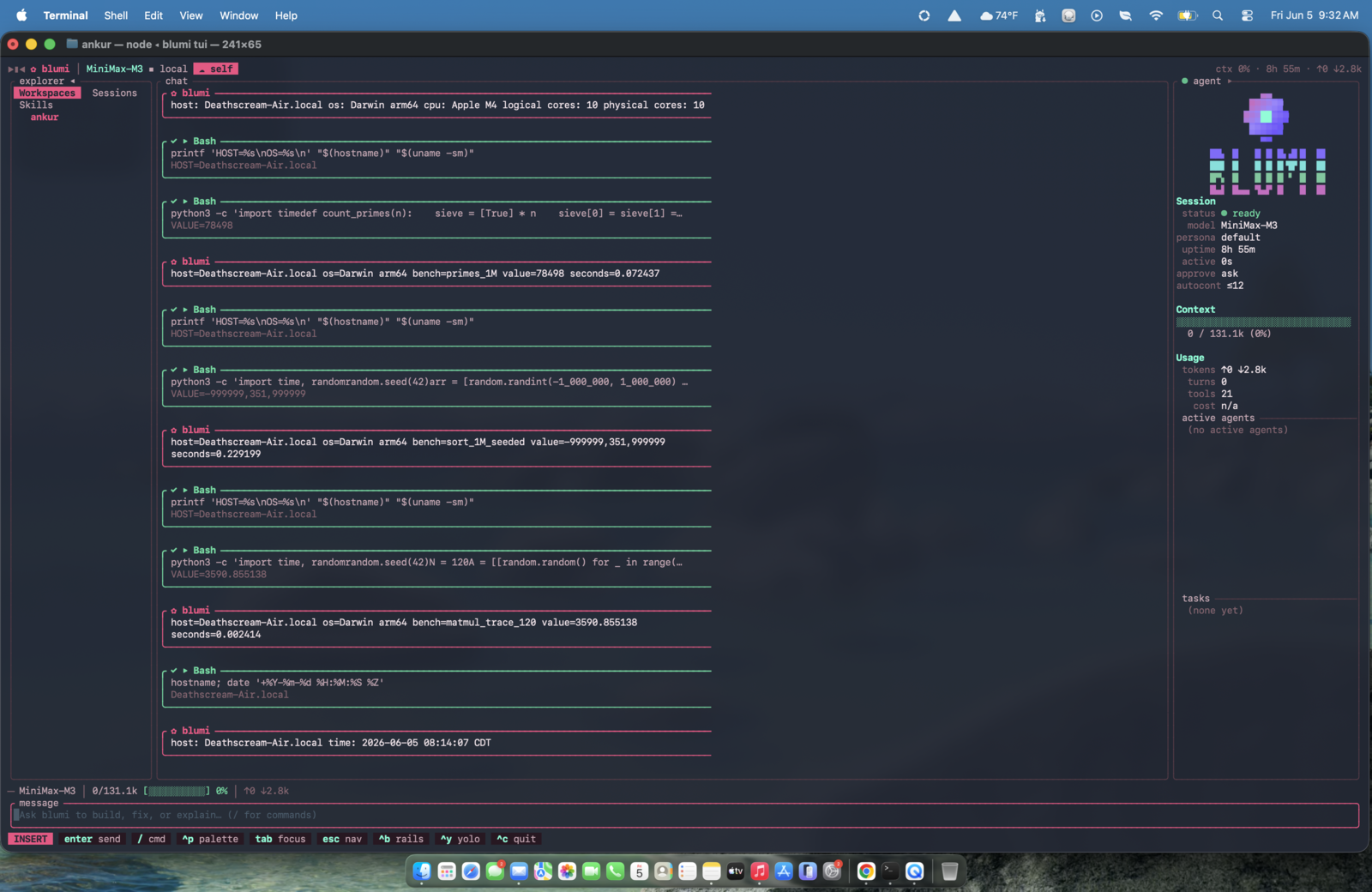
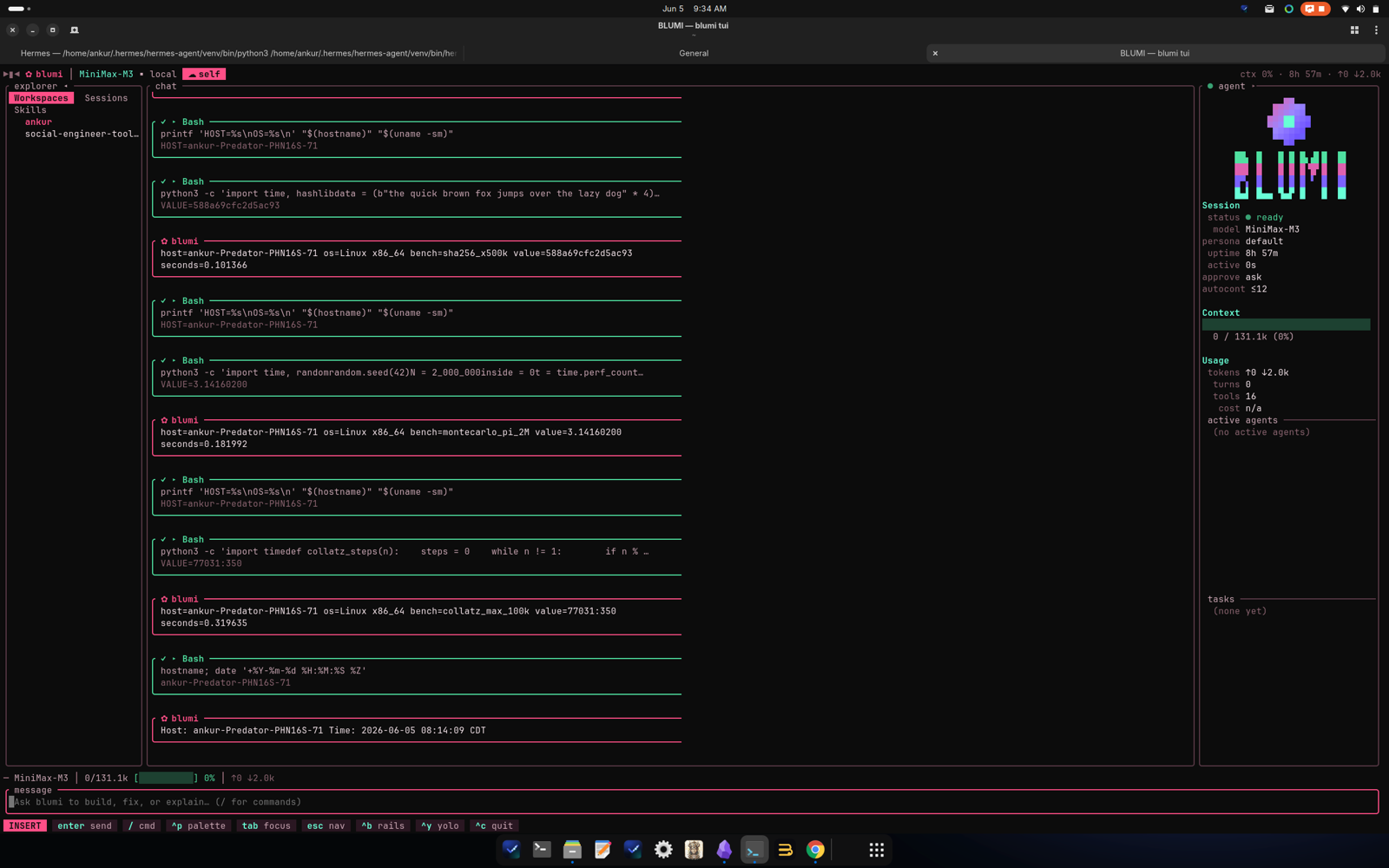
The same job runs live on each peer — attach a TUI to any gateway with /remote self to watch
(each peer needs a self remote pointing at its own LAN IP, e.g. http://10.0.0.7:7777):
For a full hands-on walkthrough, see Grid Demo.
- The gateway's first outbound call right after a restart can fail instantly (cold HTTP connector / macOS Local-Network warm-up); it succeeds on the next call.
- Rotating the secret = restart every node with the new value (identity + discovery are set at startup).
- Keep nodes on a trusted LAN; the grid is not designed to be exposed to the public internet.