Mobile App
blugo is the blumi phone app — a Flutter client that mirrors the TUI, talking to a
blumi serve gateway over your LAN. It's built for the Pixel 9 Pro Fold (single-pane
in portrait, multi-pane unfolded) but runs on any modern Android device.
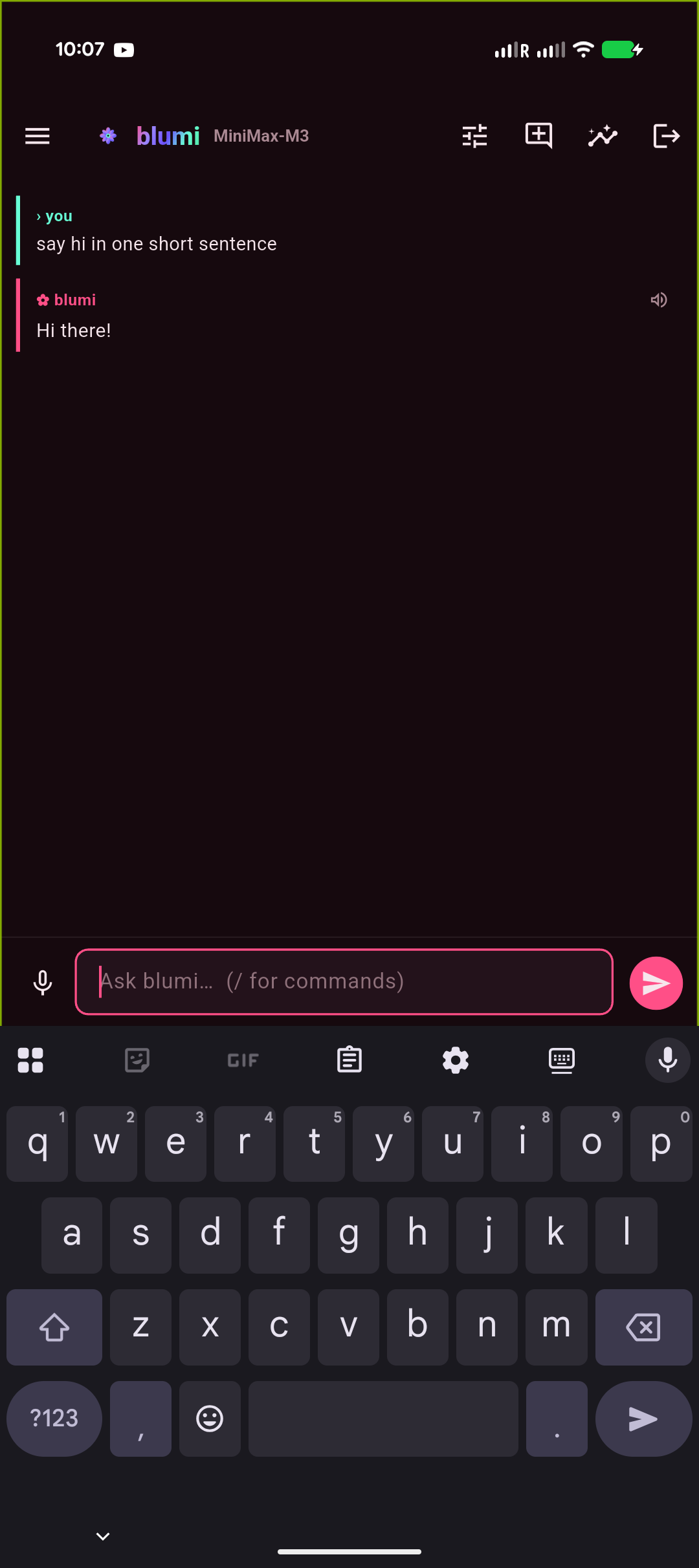
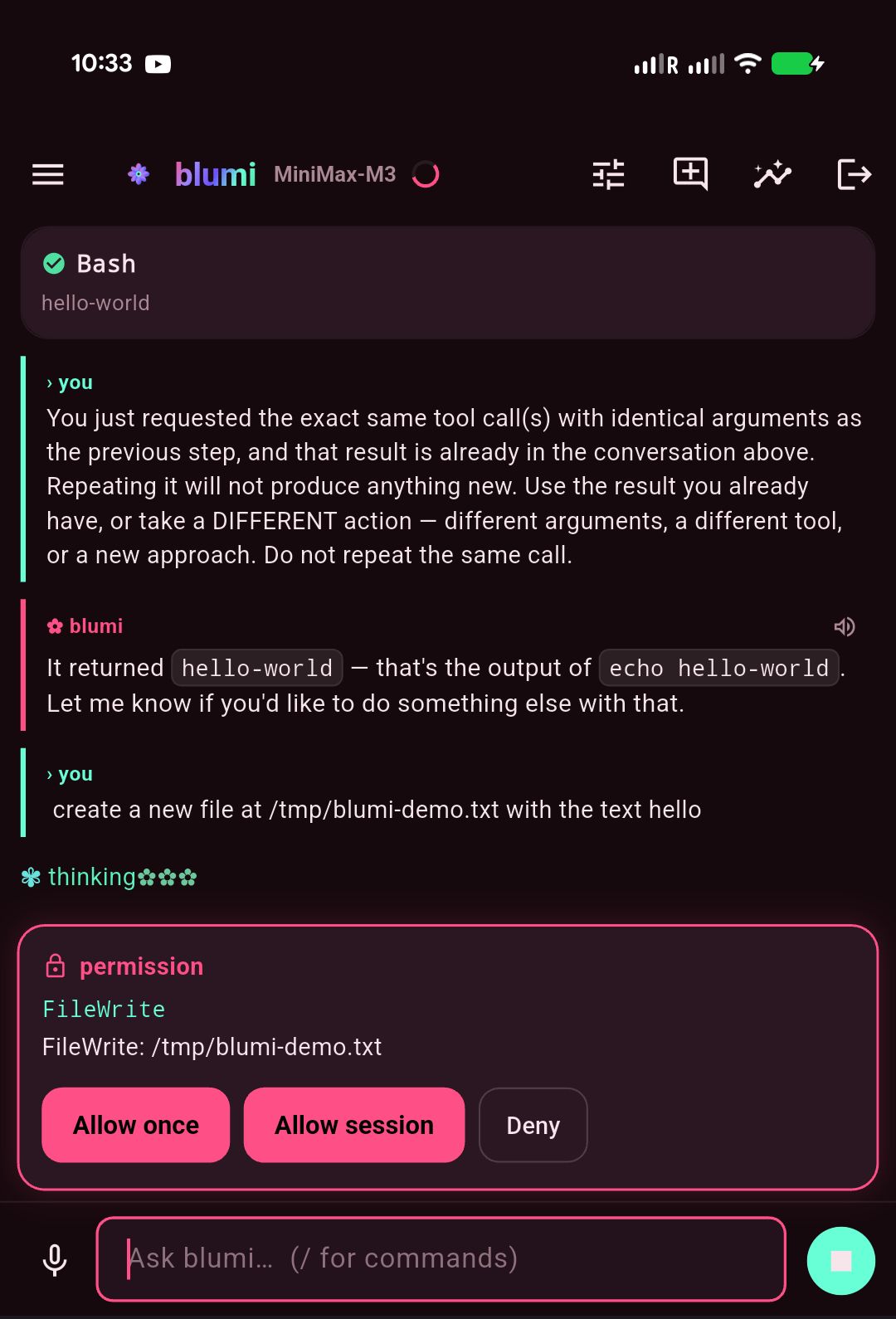
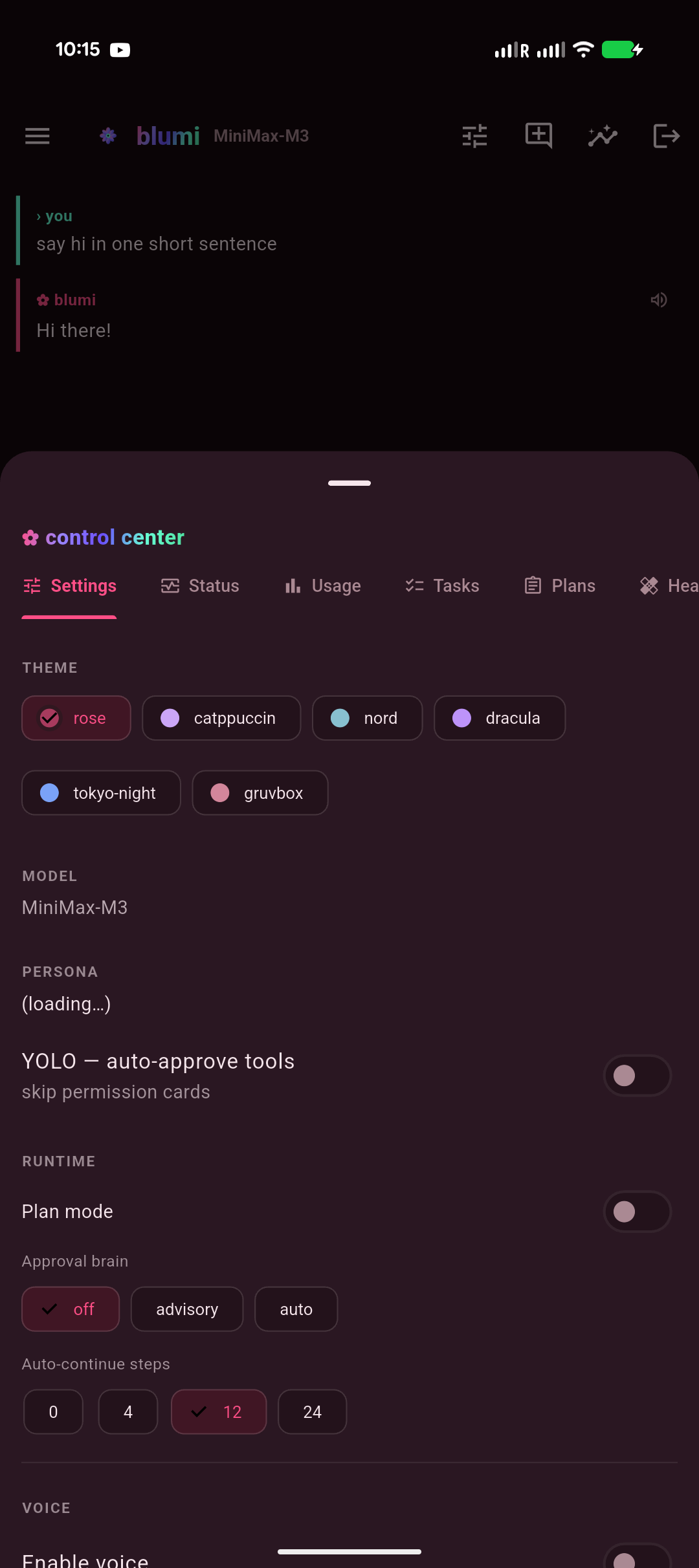
| Chat · markdown & code | Approvals · thinking | Control center |
|---|---|---|
 |
 |
 |
- On your machine, start a gateway → Gateway:
blumi serve pair
blumi serve install --host <LAN-ip>
- Open blugo. It auto-discovers gateways on your Wi-Fi (mDNS) under "on your network" — tap
one, or add by IP (
host:port). - Enter the gateway password. Done — the same session is live in the TUI, web UI, and phone.
You can save multiple gateways by name and switch between them; discovered-but-unsaved ones show up automatically.
- Streaming chat with markdown + syntax-highlighted code, tool cards, and the animated thinking mascot.
- Approval / clarify / plan cards — approve tools (once / session / deny) right from the phone.
- Sessions — new / resume; transcript auto-refreshes after each turn (+ pull-to-refresh).
- Control center — model, persona, theme, YOLO, and tabs for Status, Tasks, Grid, Usage, Skills, Memory, and Voice.
- Grid — delegate a task across your LAN grid right from the phone: pick all peers or one, type a task, and get each machine's result back (hostname + output + latency). It's a direct dispatch, so it works on any model — no tool-calling required. See Grid.
- Voice — TTS (ElevenLabs / OpenAI) and mic→text (Whisper). See Voice.
A signed release APK is produced by flutter build apk --release. Sideload it:
adb install -r build/app/outputs/flutter-apk/app-release.apkPrereqs: Flutter 3.44.1 stable, Android SDK + JDK 17 (flutter doctor all green).
cd blugo
flutter pub get
flutter run -d <device>          # debug
flutter build apk --release      # release (signing: see blugo/README.md)
Release signing reads android/key.properties + a keystore (both gitignored). Full steps are in
blugo/README.md.
- The app and gateway must be on the same LAN/Wi-Fi. If discovery fails, add the gateway by
IP and check the gateway is
running(blumi serve status). - Backgrounding the app and returning reconnects automatically (SSE with Last-Event-ID replay).