Repository navigation
Puppet Desk 1.1.0

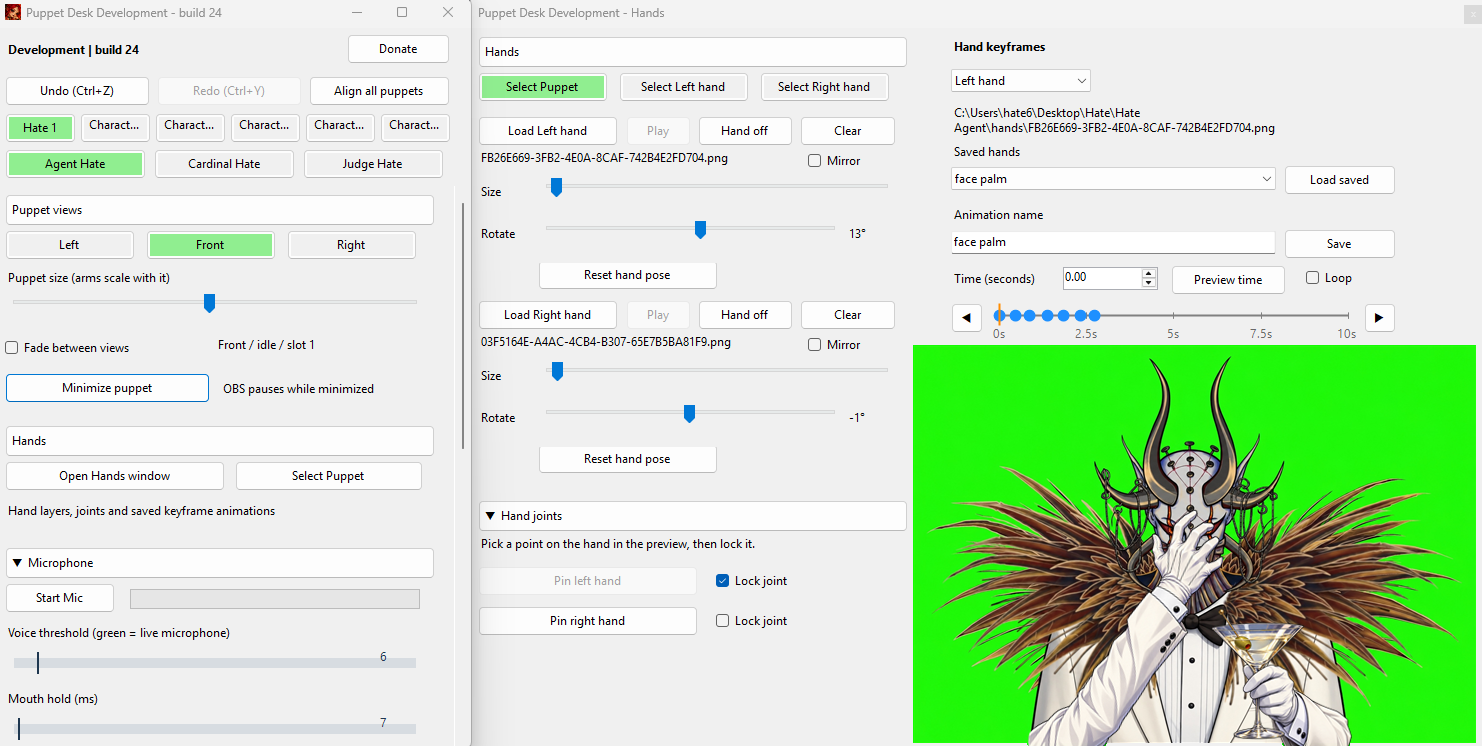
Hands window and saved keyframe animations
- Open Hands window for dedicated hand controls and joints.
- Create animations for each hand file; save and reload Facepalm, Martini, or your own gestures.
- Select blue keyframe dots, drag to retime, or use the time arrows to move the selected key.
- Right-click a dot to copy, then right-click the timeline to paste its pose at another time.
- Play, pause, loop, and stop/restore animations. Hands follow puppet movement and scaling.
- Includes fixes for hand visibility, starting poses, global view hotkeys, window stacking, and OBS capture matching.
Instructions
The expanded README includes Open Hands window / Hand keyframes with creation, selection, timing, copy/paste, saving, loading, and playback instructions.
Update
Close Puppet Desk and run Update Puppet Desk. For a new installation, download PuppetDesk-Windows.zip, extract it, and run Install or Update Puppet Desk.cmd. No GitHub sign-in or GitHub CLI is required.
Official downloads: https://github.com/anonimations696/Puppet-Desk/releases/latest
Developed by Hate and LaMDA.