Repository navigation
Releases
CUDA Rust Windows 0.4.0

CUDA Rust Windows 0.4.0
This Windows distribution adds a signed installer and a ready-built compiler
backend to cuda-oxide 0.4.0, with installation, updates and diagnostics for Windows
x64. It includes the merged upstream Windows work in
PR #1770.
What's included
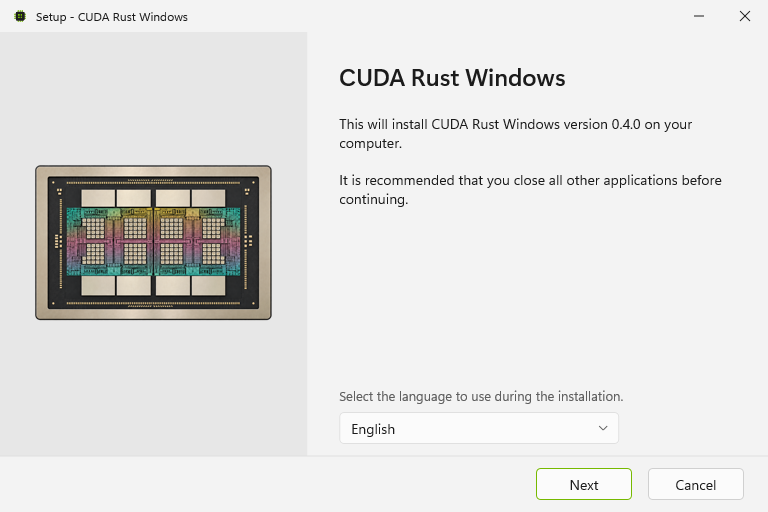
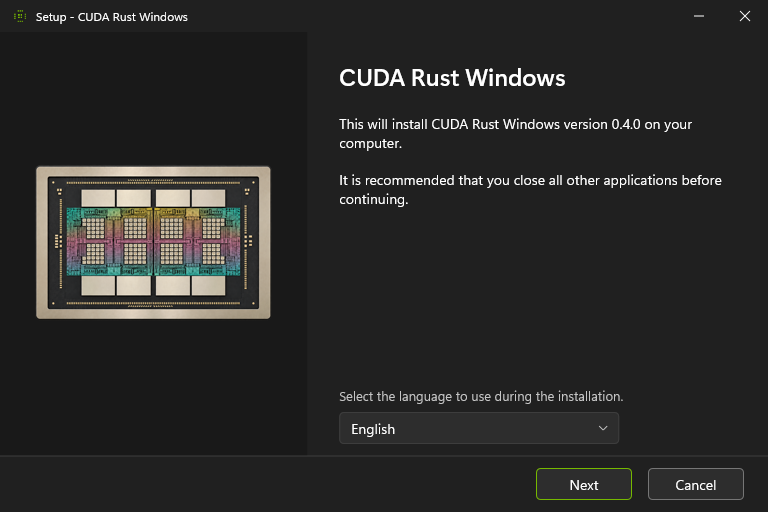
- Signed onni installer with 24 interface languages, automatic light/dark themes,
an optional user PATH entry, a developer shell shortcut and Windows Installed
apps integration. - Prebuilt backend checked against a signed manifest, the project's runtime
revision and the full Rust compiler fingerprint. Other runtime revisions use
their own source;CUDA_OXIDE_PREBUILT=0selects source builds explicitly. cargo oxide windows updateandcargo oxide windows rollback. Rollback opens
the previously installed version's installer, when one has been recorded.- Backend-aware
doctordiagnostics, bounded downloads and ZIP extraction, and
PATH ownership preserved through repair and uninstallation. - A portable ZIP with the same signed tools, file hashes and dependency notices.
Get started
Download cuda-oxide-v0.4.0-windows-x64-setup.exe, install it, then open the
CUDA Rust developer shell from the Start menu:
cargo oxide new my-kernel
cd my-kernel
cargo oxide doctor
cargo oxide run
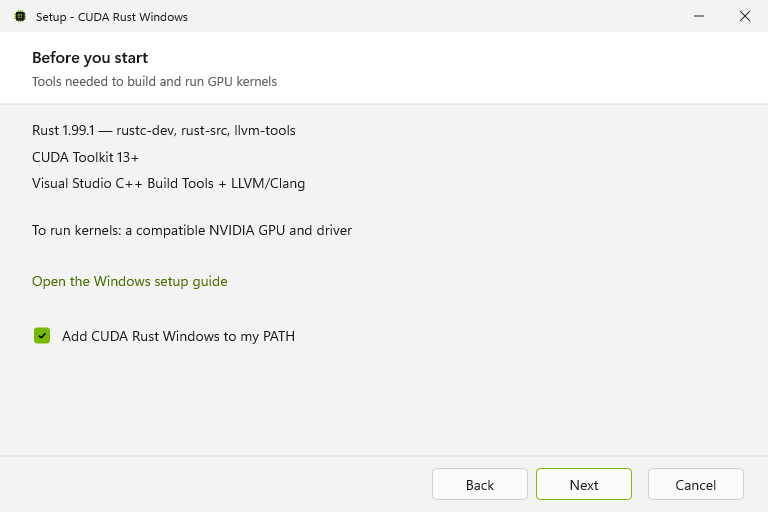
Windows 10 22H2 or Windows 11 x64 is required. Rust 1.99.1 with compiler components,
CUDA Toolkit 13+, MSVC Build Tools and LLVM/libclang are installed separately.
See the Windows setup guide.
The portable alternative is cuda-oxide-v0.4.0-x86_64-pc-windows-msvc.zip.
Extract all files together and keep projects outside that directory. SHA-256
checksum files accompany both downloads.
Validation
The signed package compiled and ran the scaffolded GPU kernel on an NVIDIA
GeForce RTX 4080 with CUDA 13.4: all 1,024 results matched. CLI tests, clippy,
Windows PowerShell 5.1 release tests, five dependency graphs and the selected
source guards passed. Package tests include changed files, missing manifests,
wrong Rust/runtime identities and source-only selection.
Installation, developer-shell startup, repair and uninstallation were exercised
with the signed installer. Uninstallation restored the original user PATH and
kept the test project outside the install directory intact.
Installer preview
cuda-oxide windows v0.3.0
Windows x86_64 MSVC build of CUDA-Oxide 0.3.0, built from f7104e091.
Requires Rust 1.99.1 and CUDA Toolkit 13.0+. See Windows setup.
cuda-oxide windows v0.2.1
cuda-oxide windows v0.2.1
Windows-support fork release aligned with upstream CUDA-Oxide v0.2.1 and upstream/main@cb318ad4e4e37f5e1913ed0a13478af990e857f7.
Artifacts
cuda-oxide-v0.2.1-x86_64-pc-windows-msvc.zipcuda-oxide-v0.2.1-x86_64-pc-windows-msvc.zip.sha256
The zip contains cargo-oxide.exe, rustc_codegen_cuda.dll, README.md, and smoketest.ps1. The Windows executable and DLL are Authenticode-signed.
Verified
scripts/sync-upstream.ps1 -RunCheckscargo oxide doctorwith CUDA Toolkit 13.3 on Windowscargo oxide build vecadd- release archive
smoketest.ps1
cuda-oxide windows v0.2.0
cuda-oxide windows v0.2.0
Signed Windows MSVC release artifacts for the community v0.2.0 release.
This release has been rebuilt from the Windows-support fork after syncing with upstream through 26d3951f6bf5d562f37eea63832722e5f9a2a0ba (Fix sm_120 arch selection and a grid::sync deadlock). The upstream project version is still 0.2.0; cargo-oxide --version reports cargo-oxide 0.2.0.
Archive contents
cargo-oxide.exerustc_codegen_cuda.dllREADME.mdsmoketest.ps1
Target
x86_64-pc-windows-msvc- Windows 10/11 with the MSVC Rust toolchain
- CUDA Toolkit required at runtime/build time
Verification
cargo fmt --all --checkcargo test -p cargo-oxidecargo test -p cuda-core --libcargo test -p cuda-asynccargo test -p cuda-hostcargo clippy --workspace -- -D warningscargo doc --no-deps --workspace- release
smoketest.ps1 - release
cargo-oxide doctor
SHA256:
110c5cce849716d6255e8267ae87c37f76fb1bb379b3e949df39b974f0f4e46d cuda-oxide-v0.2.0-x86_64-pc-windows-msvc.zip