Repository navigation
Bandwidth Meter 1.0.1

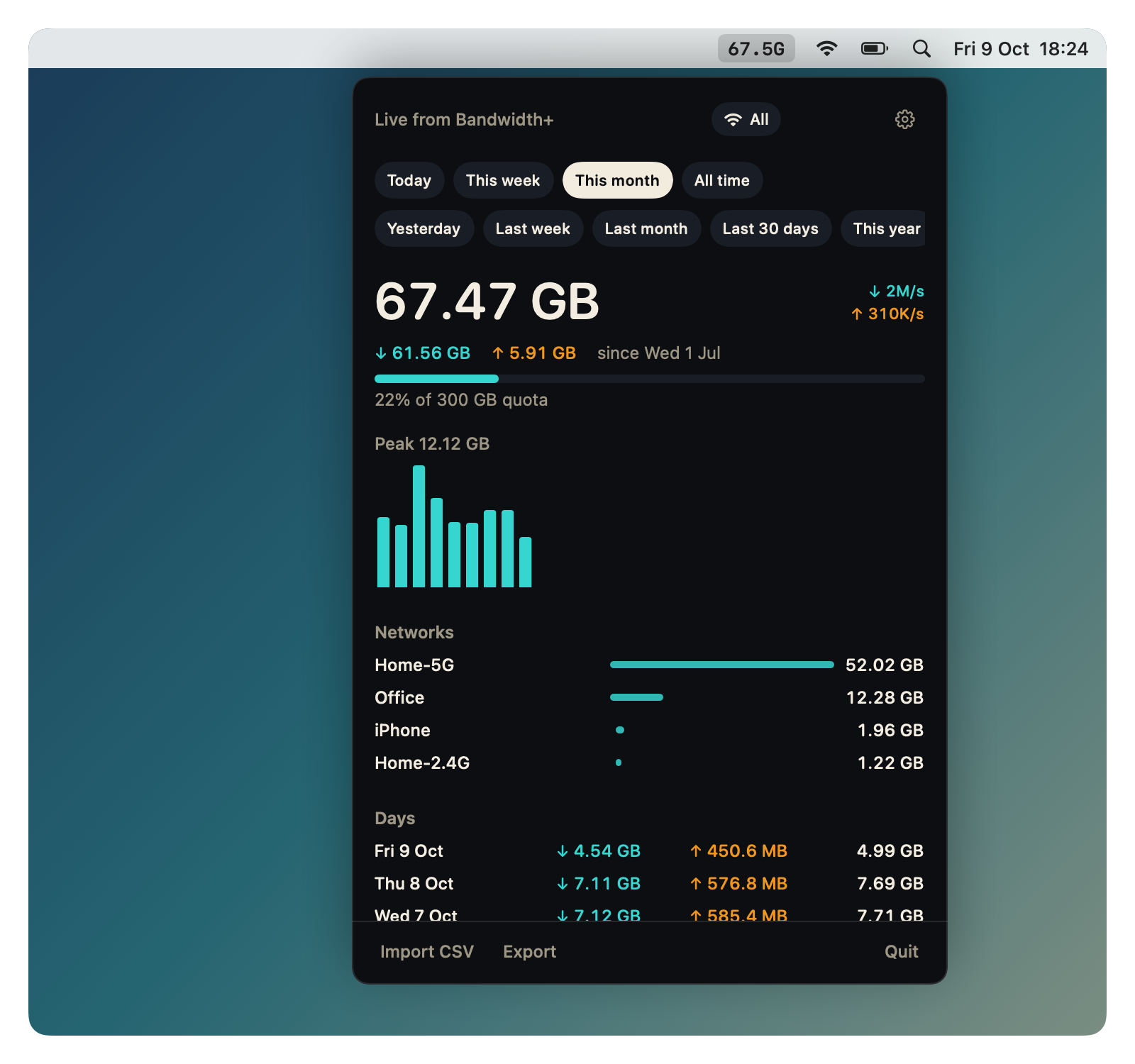
Bandwidth Meter 1.0.1 keeps your totals right when Bandwidth+ files, CSV
imports, or the saved store go wrong, and tidies the panel. Updating from 1.0.0
keeps everything you have recorded.
Fixes
- A finished day no longer shrinks. When a later Bandwidth+ read has a smaller
total for a day and network, the larger download and upload are kept. bandwidth-meter --network NAMEnow filters the full summary, not only a
single period.- A CSV import that can't be parsed now prints the parse error.
Safer
- A
usage.jsonthat can't be read is copied tousage.json.bakbefore
anything is saved. If that copy fails, the file is left alone. The menu bar
and the CLI both show the error. - When a Bandwidth+ history file can't be read, the panel says so and keeps
showing the last saved totals.
Panel
- The total stands on its own, without the "METER" label or the box around
it. Import, Export, and Quit stay at the bottom, and a failed import or
export shows its error there. - The monthly quota bar uses the download colour and turns red after
90 percent. - Settings labels are in sentence case, and Done is a button.
Downloads
| File | What you get |
|---|---|
Bandwidth-Meter-*-full-macos-arm64.zip |
Both: the app, the CLI, and install.sh |
Bandwidth-Meter-*.app.zip |
The menu bar app only |
Bandwidth-Meter-*-cli-macos-arm64.zip |
The CLI only |
Apple Silicon, macOS 14 or later. Keep Bandwidth+
running so each day is recorded. You don't need Xcode.
The builds are ad-hoc signed, not notarized. The combined zip's ./install.sh
clears the quarantine flag. Otherwise right-click the app and choose Open, or
run xattr -cr on the files you copied.
Both
unzip Bandwidth-Meter-*-full-macos-arm64.zip
cd Bandwidth-Meter-*-full-macos-arm64
./install.sh
App only
Unzip and drag Bandwidth Meter.app to /Applications.
CLI only
unzip Bandwidth-Meter-*-cli-macos-arm64.zip
mkdir -p ~/.local/bin
cp bandwidth-meter ~/.local/bin/
chmod +x ~/.local/bin/bandwidth-meter
xattr -cr ~/.local/bin/bandwidth-meter
See the changelog
for every change, and PRIVACY.md
for what the app reads and stores.