Repository navigation
Releases
Bandwidth Meter 1.1.0

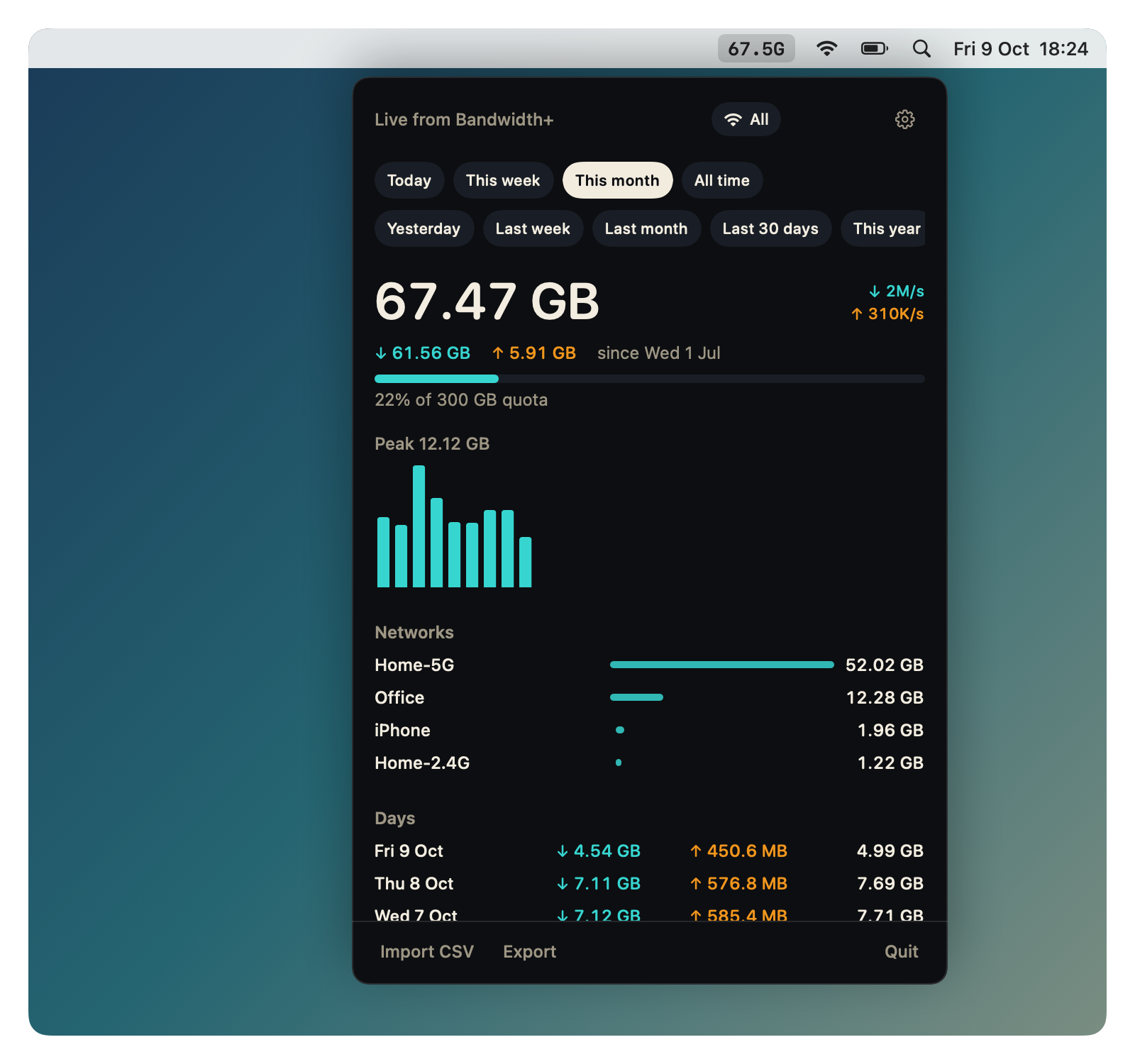
Bandwidth Meter 1.1.0 installs from one disk image, with no Terminal. Updating
from 1.0.x keeps everything you have recorded.
Install
- Open
Bandwidth-Meter-1.1.0.dmgand double-click Install.pkg. It puts
the menu bar app in/Applicationsand thebandwidth-metercommand in
/usr/local/bin, then opens the app. When you close the installer window,
the disk image is ejected. - If Bandwidth+ isn't installed, the installer says so and links to it on the
Mac App Store. You can continue: Import CSV works without it. - Uninstall.app on the same disk image removes the app, the command, and
the installer receipt. It asks before it deletes your saved totals, and
keeps them unless you say otherwise.
First launch
- The installer isn't notarized yet, so macOS stops it the first time. On
macOS 15 and later, click Open Anyway in System Settings › Privacy &
Security. The steps are under Download below.
Also
- The installer quits a running copy before it updates, and keeps your history
and settings. - The three zips and
install.shfrom 1.0.1 are gone. If you used the CLI zip,
the old command in~/.local/binmay come first on yourPATH. Delete it,
or run Uninstall.app, which removes it too.
Download
Bandwidth-Meter-*.dmg has everything. Open it and double-click
Install. The installer puts the menu bar app in /Applications and the
bandwidth-meter command in /usr/local/bin, then opens the app. You don't
need Terminal.
Apple Silicon, macOS 14 or later. Keep Bandwidth+
running so each day is recorded.
The installer isn't notarized yet, so macOS stops it the first time:
- macOS 15 or later: click Done on the warning, open System Settings ›
Privacy & Security, scroll down to Security, click Open Anyway next
to "Install.pkg", and confirm with your password. Right-click › Open no
longer skips the check. - macOS 14: right-click Install, choose Open, then Open again.
The same goes for Uninstall on the disk image. It removes the app and the
command, and asks before it deletes your saved totals.
Updating: run the new installer. It replaces the app and keeps your history and
settings.
See the changelog
for every change, and PRIVACY.md
for what the app reads and stores.
Bandwidth Meter 1.0.1
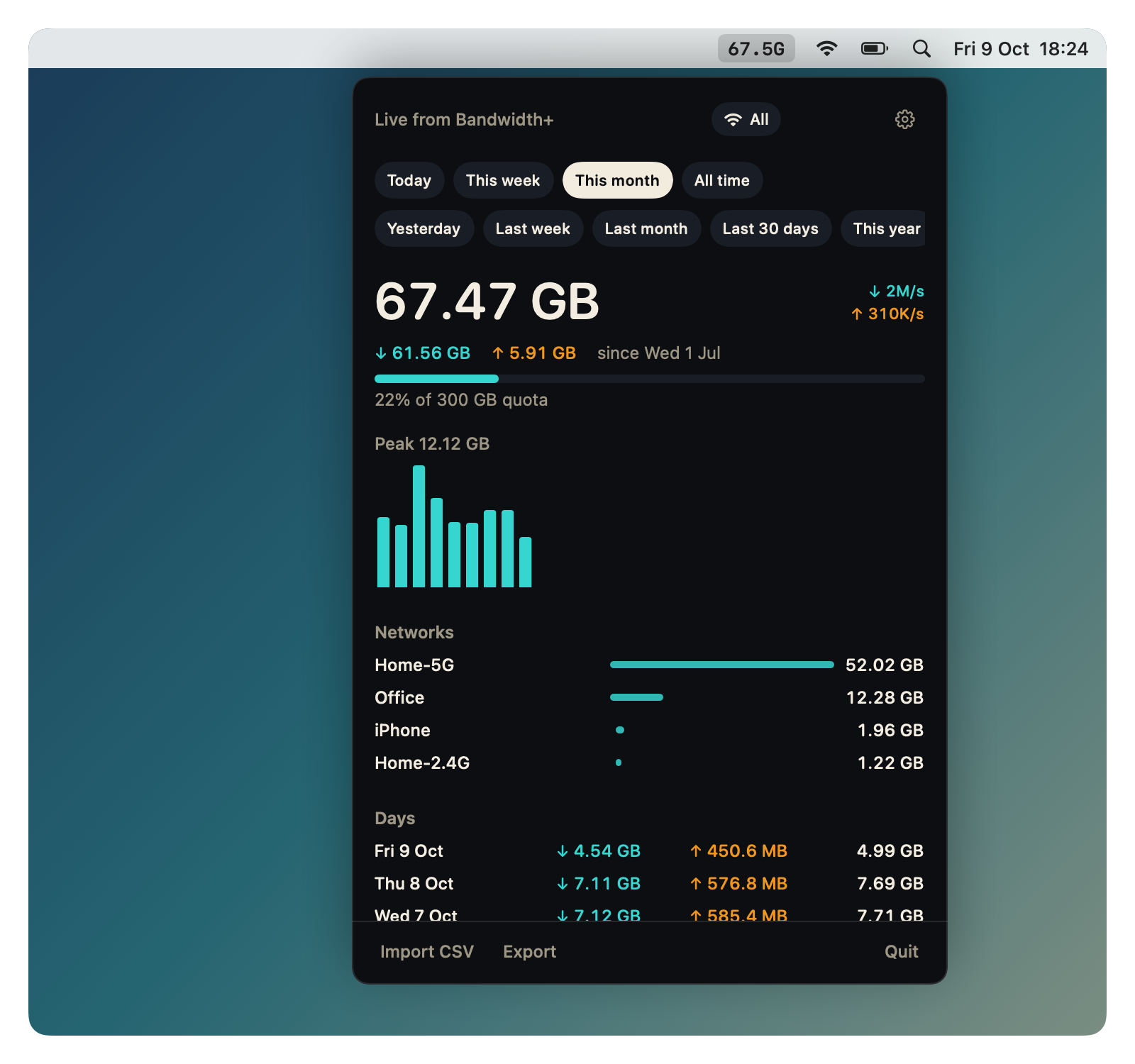
Bandwidth Meter 1.0.1 keeps your totals right when Bandwidth+ files, CSV
imports, or the saved store go wrong, and tidies the panel. Updating from 1.0.0
keeps everything you have recorded.
Fixes
- A finished day no longer shrinks. When a later Bandwidth+ read has a smaller
total for a day and network, the larger download and upload are kept. bandwidth-meter --network NAMEnow filters the full summary, not only a
single period.- A CSV import that can't be parsed now prints the parse error.
Safer
- A
usage.jsonthat can't be read is copied tousage.json.bakbefore
anything is saved. If that copy fails, the file is left alone. The menu bar
and the CLI both show the error. - When a Bandwidth+ history file can't be read, the panel says so and keeps
showing the last saved totals.
Panel
- The total stands on its own, without the "METER" label or the box around
it. Import, Export, and Quit stay at the bottom, and a failed import or
export shows its error there. - The monthly quota bar uses the download colour and turns red after
90 percent. - Settings labels are in sentence case, and Done is a button.
Downloads
| File | What you get |
|---|---|
Bandwidth-Meter-*-full-macos-arm64.zip |
Both: the app, the CLI, and install.sh |
Bandwidth-Meter-*.app.zip |
The menu bar app only |
Bandwidth-Meter-*-cli-macos-arm64.zip |
The CLI only |
Apple Silicon, macOS 14 or later. Keep Bandwidth+
running so each day is recorded. You don't need Xcode.
The builds are ad-hoc signed, not notarized. The combined zip's ./install.sh
clears the quarantine flag. Otherwise right-click the app and choose Open, or
run xattr -cr on the files you copied.
Both
unzip Bandwidth-Meter-*-full-macos-arm64.zip
cd Bandwidth-Meter-*-full-macos-arm64
./install.sh
App only
Unzip and drag Bandwidth Meter.app to /Applications.
CLI only
unzip Bandwidth-Meter-*-cli-macos-arm64.zip
mkdir -p ~/.local/bin
cp bandwidth-meter ~/.local/bin/
chmod +x ~/.local/bin/bandwidth-meter
xattr -cr ~/.local/bin/bandwidth-meter
See the changelog
for every change, and PRIVACY.md
for what the app reads and stores.
Bandwidth Meter 1.0.0
Weekly and monthly bandwidth totals from Bandwidth+ daily history.
Keep Bandwidth+ running for capture. Download one of the zips below — you do not need Xcode.
Downloads
| File | What you get |
|---|---|
Bandwidth-Meter-*-full-macos-arm64.zip |
Both — app, CLI, and install.sh |
Bandwidth-Meter-*.app.zip |
Menu bar app only |
Bandwidth-Meter-*-cli-macos-arm64.zip |
CLI only |
Apple Silicon, macOS 14+. Not notarized: the combined zip's ./install.sh clears quarantine. Otherwise right-click the app → Open, or xattr -cr the files you copied.
Both
unzip Bandwidth-Meter-*-full-macos-arm64.zip
cd Bandwidth-Meter-*-full-macos-arm64
./install.sh
App only
Unzip and drag Bandwidth Meter.app to /Applications.
CLI only
unzip Bandwidth-Meter-*-cli-macos-arm64.zip
mkdir -p ~/.local/bin
cp bandwidth-meter ~/.local/bin/
chmod +x ~/.local/bin/bandwidth-meter
xattr -cr ~/.local/bin/bandwidth-meter
See the changelog for what changed.