Repository navigation
Releases
Capy Canvas 1.0.15

Before updating: Drawings and recovered sessions from 1.0.14 containing image layers may no longer be editable. Keep originals and export flattened PNGs before updating. Saved workspaces may reset.
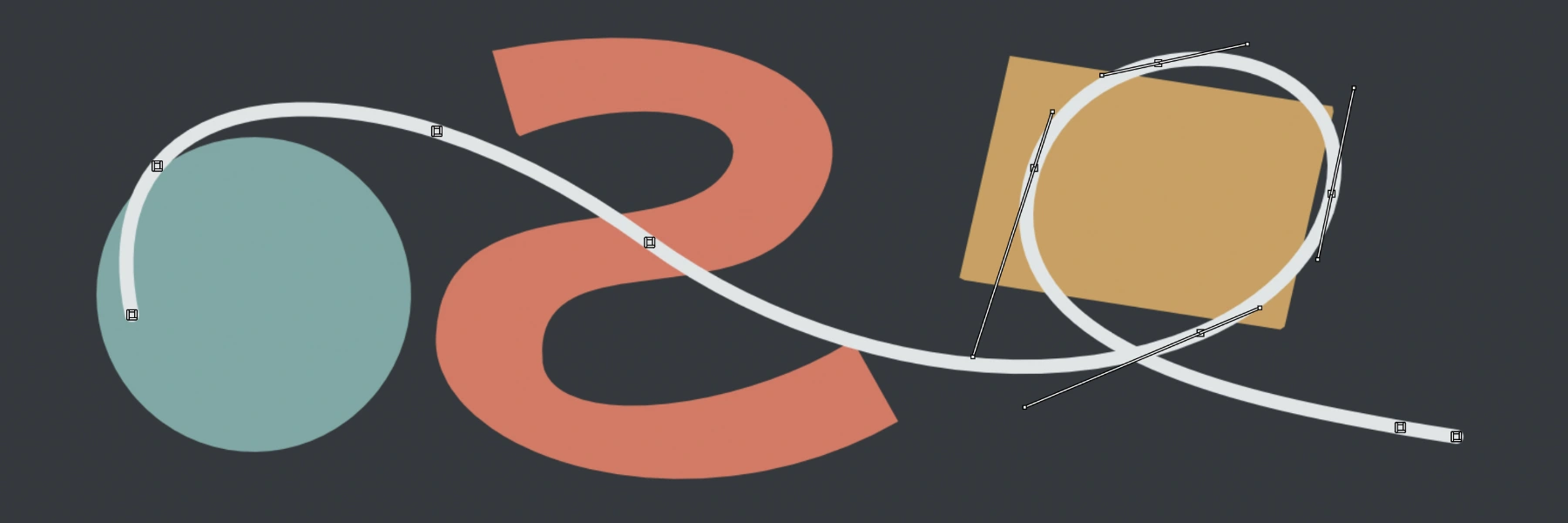
Vector layers
We now support vector drawing alongside raster painting, so you can get 100% crisp lines at any zoom level. SVG export will come in a future release.
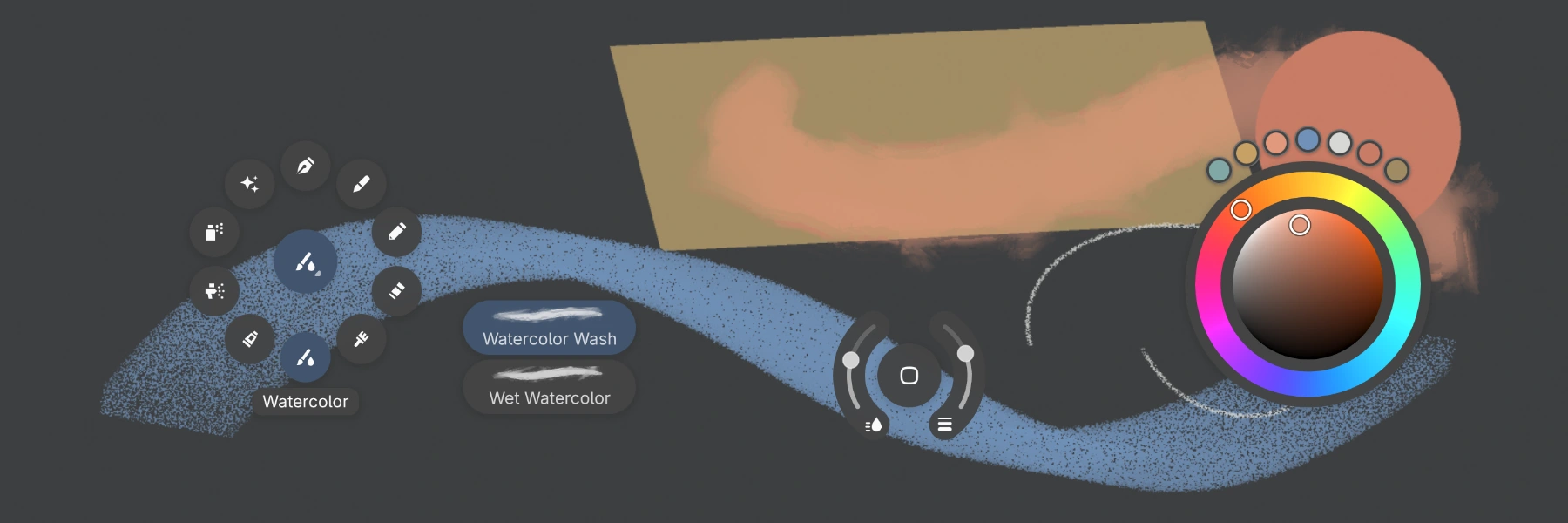
Tool bubbles
To help folks on small-screen devices, we are rolling out a new way to interact with tools. In Sketch mode, just drag and drop any tool in the canvas to have it close at hand.
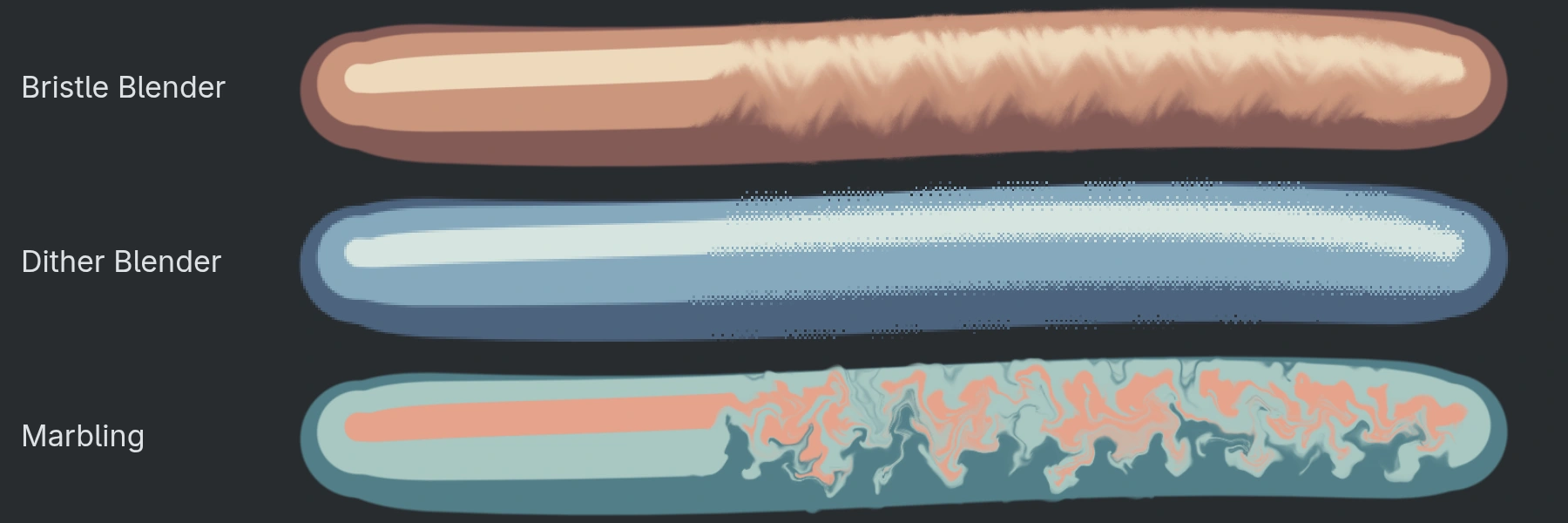
Blenders
We did a complete rewrite of our blending engine, adding a total of 18 new blenders, ranging from simulated physical media blenders that respect the texture of the paper, paint simulation blenders, as well as a few crazy looking ones for digital art.
Liquify
A full rewrite of the Liquify engine improves numerical stability in order to help keep lines and textures crisp when being liquified. This rewrite also enables a few new Liquify modes - Edge and Reconstruct.
Pen tilt calibration
Because pen tilt feels different on each device (and because many of the cheaper Android tablets actually report corrupted pen tilt data), we release a new pen tilt calibration UI that lets you change the tilt curve, sensitivity, and axis mapping so that tilt feels right for you on every device.
Other changes
- Rotation now snaps to 0°, 90°, 180°, and 270° by default.
- Canvas action bars like for the selection and transform tools, have been entirely redesigned for ease of use.
Known Windows issue
On Windows, opening a .capy drawing from Explorer while Capy Canvas is closed may fail. Start Capy Canvas first, then use File → Open. This also affects v1.0.14; original files remain unchanged.
Contributors
Special thanks to @dacreativegenius for extensive Android and iOS hardware testing, checking canvas startup fixes on iPad and Surface Duo, and helping us improve layouts on smaller screens. Thanks also to @pierodev0 for the detailed blending report, @mayumi-dayo for suggesting rotation snapping, @Extner32 for reporting the Zen-mode Escape bug, perspective-transform crash, and workspace usability issues, and @bgardner104-max for image-import feedback.
Contributors


Assets 16
- 113 MB
2026-11-10T19:22:22Z - 61.1 MB
2026-11-10T19:22:22Z - 145 MB
2026-11-10T19:22:22Z - 55.1 MB
2026-11-10T19:22:22Z - 36.4 MB
2026-11-10T19:22:22Z - 15.8 MB
2026-11-10T19:22:25Z - 85.6 MB
2026-11-10T19:22:27Z - 91.1 MB
2026-11-10T19:22:27Z - 91.2 MB
2026-11-10T19:22:28Z - 88.3 MB
2026-11-10T19:22:35Z -
2026-10-30T16:56:21Z -
2026-10-30T16:56:21Z - Loading
Capy Canvas 1.0.14
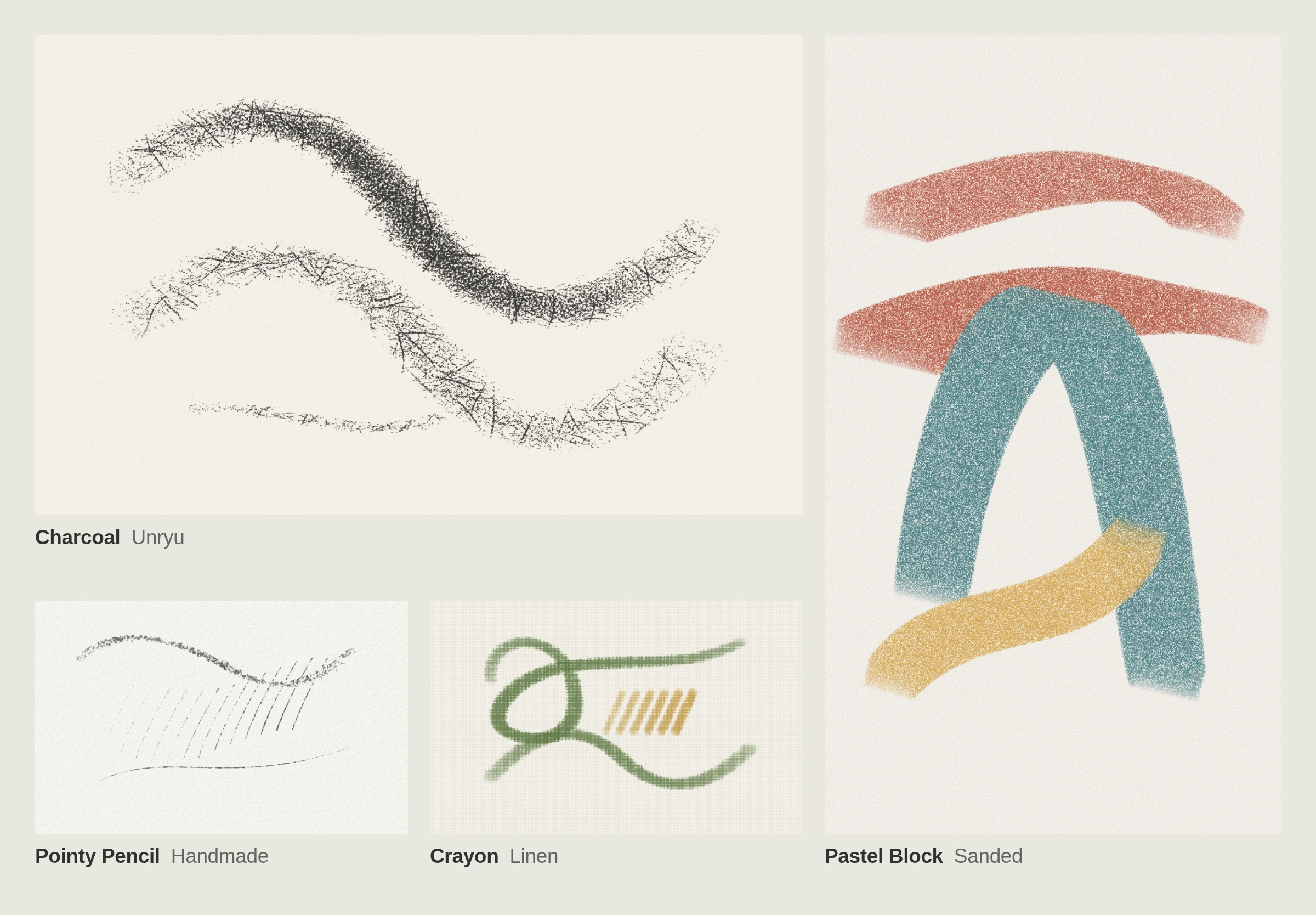
We redesigned the dry media simulation engine from scratch to accurately simulate pencils, charcoal, chalk, pastels, and crayons. Pen pressure and tilt affect stroke shape and coverage, with separate controls for material hardness, paper texture response, and stroke opacity.
This release also adds built-in paper types, including Bristol, hot and cold press watercolor paper, sanded paper, washi, canvas, and linen. You can import your own paper textures, change their scale and lighting, and control how much texture shows through paint. Native app exports include Paper lighting.
Other changes:
- Expanded GPU support, fixing canvas startup on devices including the iPad mini 6. The native iPad app now supports iPadOS 17.5+. The web editor still requires iPadOS 26+.
- Native Windows Arm64 builds.
- Pen pressure calibration and per-brush stroke smoothing.
- A redesigned New drawing dialog with physical units, paper choices, and searchable presets.
- A combined Layers and Properties drawer in Sketch.
Capy Canvas 1.0.12
Copy and paste selected areas, layers and masks, or paste into a new drawing. Zoom, Hand, Rotate, recovery and Safari startup improve.
Imported and pasted images keep original pixels in Object layers until Rasterize Layer.
This beta changes the Object-layer format. Earlier Object-layer drawings cannot be edited in this version. Before updating, export flattened PNG copies and keep original drawing files.
What's Changed
- Bump the github-actions group with 2 updates by @dependabot[bot] in 94a7d91
New Contributors
- @dependabot[bot] made their first contribution in 94a7d91
Full Changelog: v1.0.11...v1.0.12
Contributors

Assets 13
Capy Canvas 1.0.11
Pre-release file compatibility: This release uses the current drawing format. Drawings and open sessions that use the older format, including those from 1.0.0, are not compatible with editing in this version. Before updating an older build, export any work you want to keep as PNG (a flattened copy) and retain the original .capy files. Older saved drawings may open only as preserved previews; the original files are kept unchanged. Avoid using these pre-release builds for important work while the format is changing.
This maintenance release improves Android downloads and delivery of test builds.
- Android downloads pass the latest Google Play signature checks.
- Verified Android builds reach internal testers before closed-beta review.
- iPad test builds reuse the signing identity for future updates.
Full Changelog: v1.0.10...v1.0.11
Capy Canvas 1.0.10
Android downloads open without requiring installation through Google Play.
- Android updates keep the signing identity of existing installations.
- The app name follows your language on supported platforms.
- Title bar spacing follows the selected control size.
The iPad/TestFlight build is unavailable for this version because the Apple account reached its development signing certificate limit.
The Android bundle was uploaded to Google Play. Its Google-signed APK passed the release validator using Java 25; the original CI verifier failed because its Java runtime lacked ML-DSA support. This recovered release does not include the workflow’s build provenance attestations.
Full Changelog: v1.0.9...v1.0.10
Capy Canvas 1.0.9
The Linux battery indicator works without access to system services.
- Flatpak installations no longer request access to UPower.
- The battery indicator reads system batteries in the background and excludes connected accessories.
Full Changelog: v1.0.8...v1.0.9
Capy Canvas 1.0.8
Linux software centers now show Capy Canvas in your language, with light and dark previews.
- Saving a read-only drawing opens a chooser so you can save an editable copy.
- The battery indicator and clock follow your desktop in Flatpak installations.
- Translated Histogram controls fit their labels.
- Drawings with filters reopen correctly after restarting the app.
Full Changelog: v1.0.6...v1.0.8
Capy Canvas 1.0.6
Capy Canvas is available as a Flatpak for Linux.
- Open the downloaded Flatpak installer in your software manager to install Capy Canvas.
- Flatpak installations receive signed updates through your software manager.
Full Changelog: v1.0.5...v1.0.6
Capy Canvas 1.0.4
A small update for Windows.
- The Windows uninstaller is signed, like the app and its setup program.
Full Changelog: v1.0.3...v1.0.4
Capy Canvas 1.0.3
The first public beta of Capy Canvas, for Linux, Windows, macOS, iPad, Android tablets and the web.
- Enclose and Fill, under Lasso Fill, fills the empty areas inside a loop you draw.
- Edit Color has a new layout on Windows, macOS and iPad, with color values you can type, drag to adjust and copy.
- On macOS and iPad, tap a color fill's thumbnail, Paper included, to change its color.
- Layer thumbnails have rounded corners everywhere, and filters use the same effects icon throughout.
- Windows reopens all your windows at launch and asks about any drawing it could not restore.
- The Windows color wheel stays smooth while panels resize, and Export Preview on Windows works again.
- The Windows app and setup program are signed, and the Mac app is notarized by Apple.
Full Changelog: v1.0.2...v1.0.3