Repository navigation
MagicInput 0.6.0

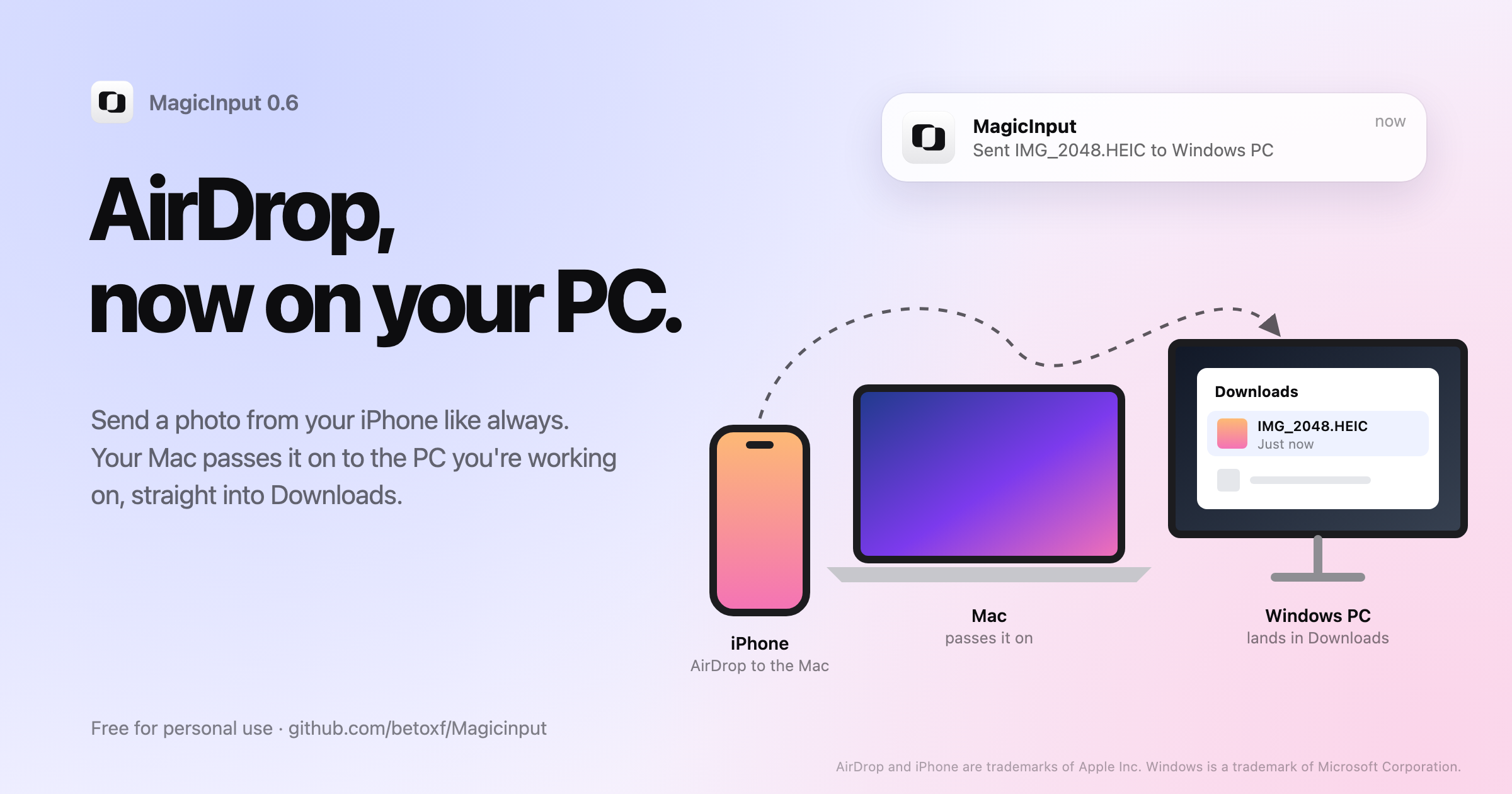
Use one keyboard and mouse across your Mac and Windows PC. MagicInput 0.6.0 brings AirDrop to your PC.
What's new
- AirDrop to your Windows PC. Windows can't receive AirDrop, so your Mac passes it on. AirDrop a photo or file from your iPhone to the Mac while you're working on the PC, and it lands in the PC's Downloads folder and opens in Explorer. If you were working on the Mac, it stays there. Files travel encrypted over your local network on a connection of their own, so the pointer stays smooth even with big videos. The first time, macOS asks to let MagicInput access the Downloads folder.
- Each keyboard stays on its own computer. If both computers have a keyboard, clicking the PC with its own mouse no longer takes over your Mac keyboard, or the other way round. The keyboards move with the pointer when it crosses the edge. A computer without a keyboard still borrows the other one's when you click it.
- Find the icon again. Opening MagicInput from Spotlight, Finder or the Start menu brings back a hidden menu bar or tray icon.
Update both computers to use AirDrop to the PC. 0.6.0 still connects to computers on 0.5.0 and 0.4.0.
Install
- Mac (macOS 13+): open
MagicInput.dmgand drag MagicInput to Applications, orbrew install --cask betoxf/tap/magicinput(brew upgrade --cask magicinputto update). - Windows 10/11: run
MagicInput-Setup.exeand click Install. Running a newer setup updates MagicInput and keeps your settings. The setup isn't code-signed yet, so SmartScreen may ask you to choose More info → Run anyway.
Free for personal use, with every feature. Businesses need a license, from bullfighterstudio.com/magicinput. SHA256SUMS.txt lists the checksums of every download.
AirDrop and iPhone are trademarks of Apple Inc. Windows is a trademark of Microsoft Corporation.