Repository navigation
1.1.35: Side by side screen layout

New: Side by side screen layout
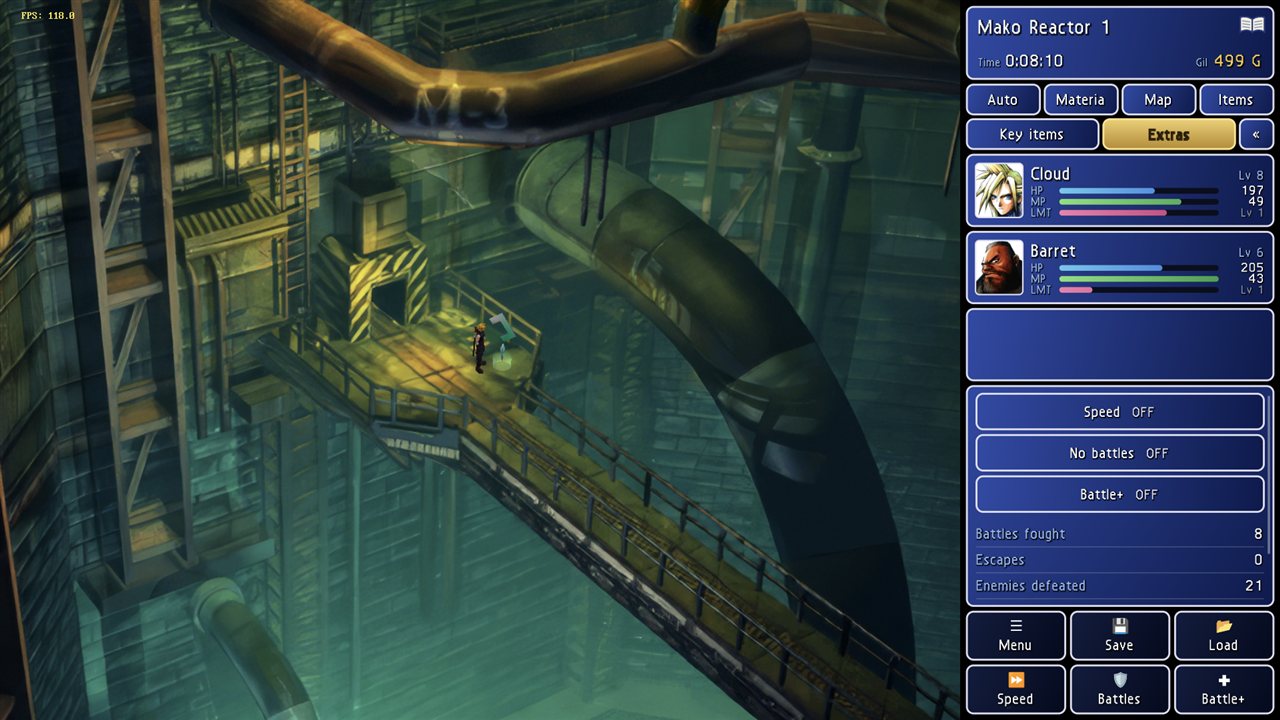
A player asked for the second screen's panels (menu, save/load state, speed and the other boosters, party, items, map) to sit beside the game on one larger handheld screen. That's now in Settings → Screen → Side by side (wide screens):
- The game sits at the left at its own aspect ratio, as tall as the screen allows. The panels fill the space on its right, laid out for a narrow column: location, time and gil on top, two rows of tabs, the party above the details, and the Menu / Save / Load / Speed / Battles / Battle+ buttons in two rows at the bottom.
- The panels get at least a quarter of the width. 4:3 (Settings → Screen → aspect ratio) works best: on a 16:9 screen the game then fills the full height. With 16:9 the picture is a little smaller, with bars above and below.
- Holding the device upright makes it behave like Split: the game on top, the panels below.
- If the on-screen controls show, they lie over the whole screen. Touches they don't use go through to the panels.
What it looks like (4:3 picture on a 1920×1080 screen):
Where to find it: Settings → Screen → Side by side (wide screens)
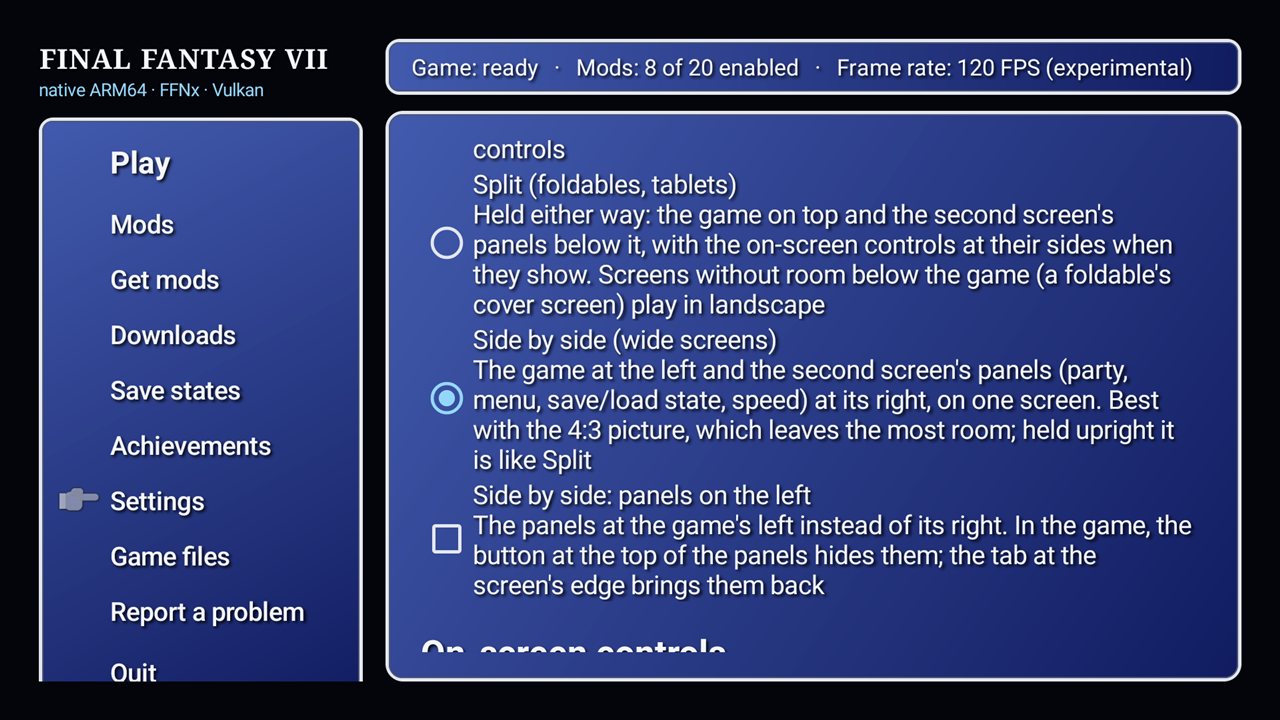
Tested on an AYN Thor's 1920×1080 top screen with a save loaded, in 4:3 and 16:9, tapping the tabs and boosters. Not tested: holding a device upright with this layout, or with the on-screen controls showing.
Updating
Go to Settings → Updates in the launcher (or install this APK over your current version), then press Play. The launcher asks to Update the game once; press it, then Play.
APK SHA-256: 0fc6ea3de3e5ac538526b81bed09ea9acbebf39b8dad3a4d83a2bcfb7ba6b832
Signing certificate SHA-256: 4f:c0:18:09:12:1b:af:25:f5:8c:8f:5e:7a:47:c4:80:c4:f8:6c:1e:a0:66:6e:37:c7:41:19:13:40:4d:1d:7c