Repository navigation
Releases
FF8Recomp 0.2.8

FF8Recomp 0.2.8
Photos of the changes are at the end of these notes.
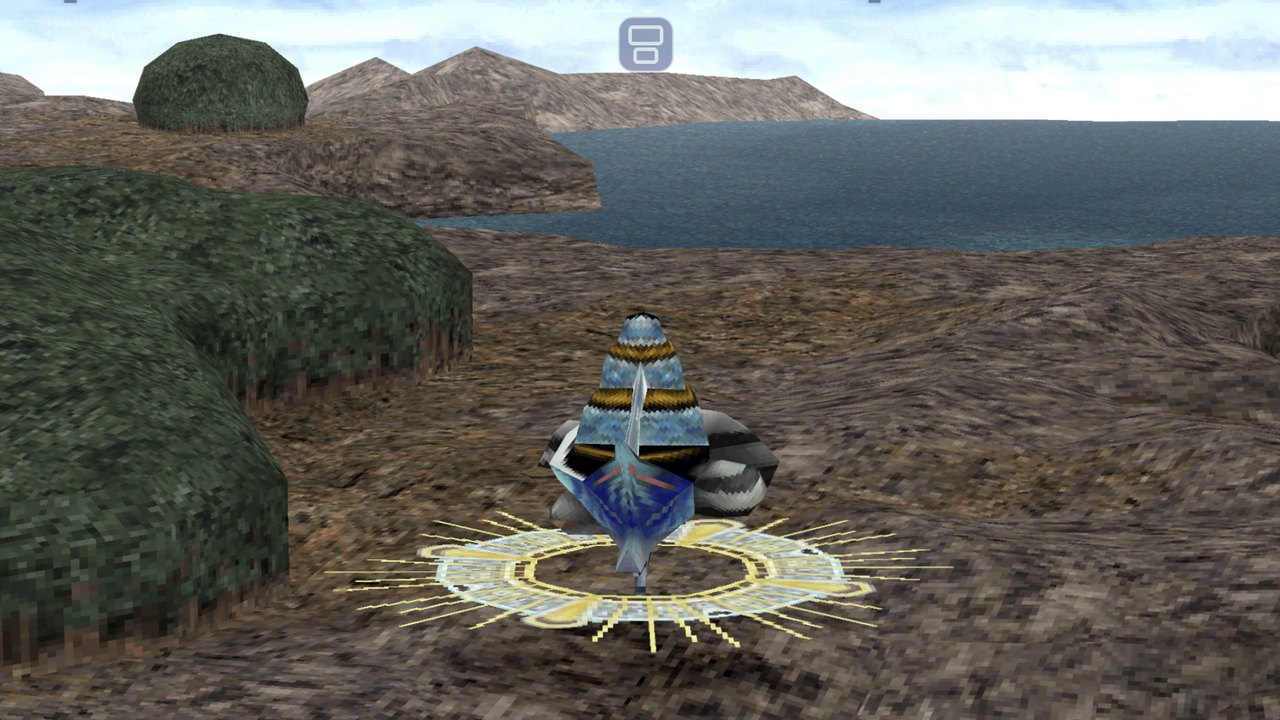
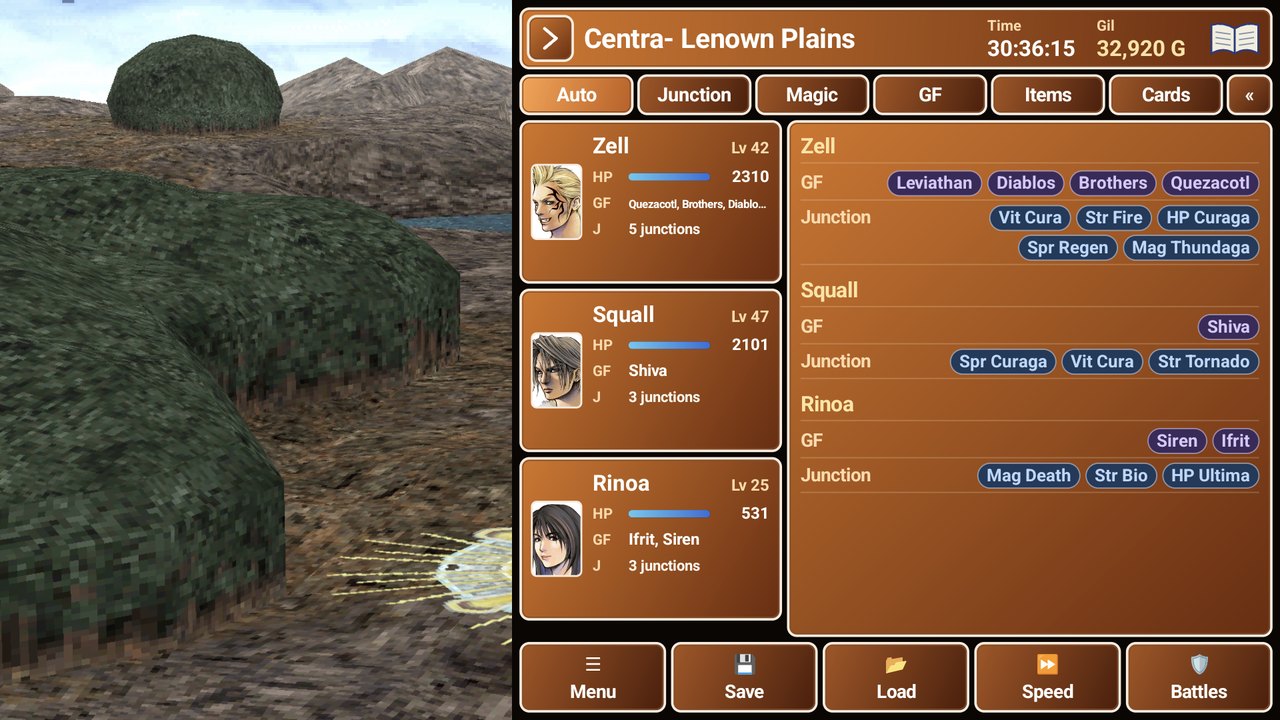
New: the second screen's panels on a device with one screen. In the Landscape layout they can open over part of
the game, and close again:
- Settings > Screen > Button for the panels (one screen) puts a small button over the game. Drag it to move it;
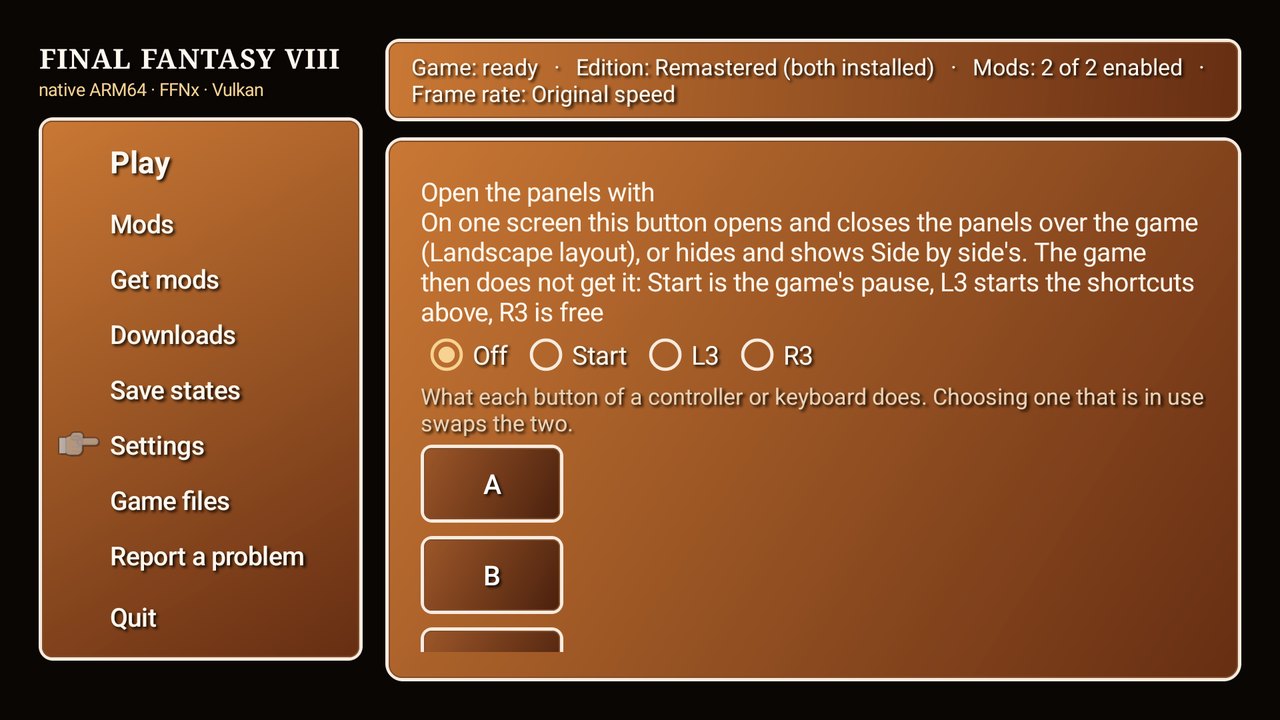
the panels open on its half of the screen. Close them with the arrow at their top, or by tapping the game beside them. - Settings > Controller > Open the panels with: Start, L3 or R3 does the same, and hides or shows the panels in
Side by side. The game doesn't get that button then. Start is the game's pause and L3 starts the speed shortcuts,
so R3 is the free one. Select + Start still leaves the game.
Both are off until you switch them on, and neither does anything while a second screen shows the panels.
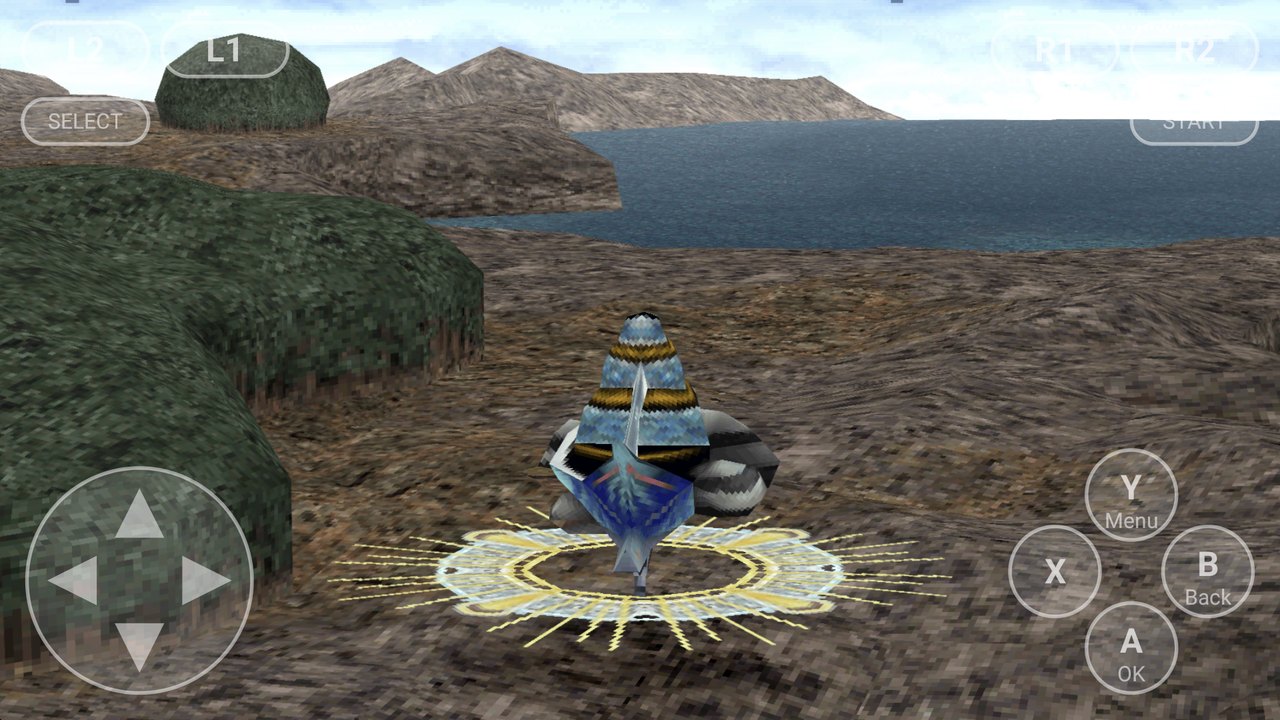
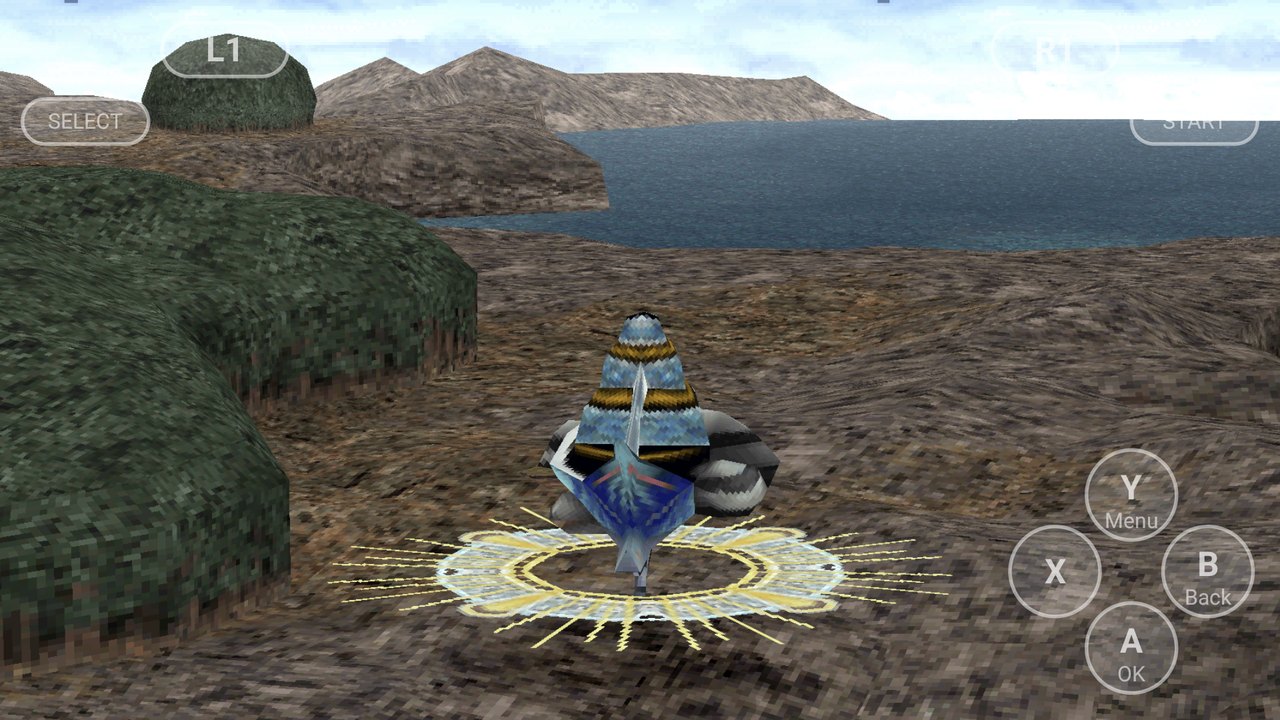
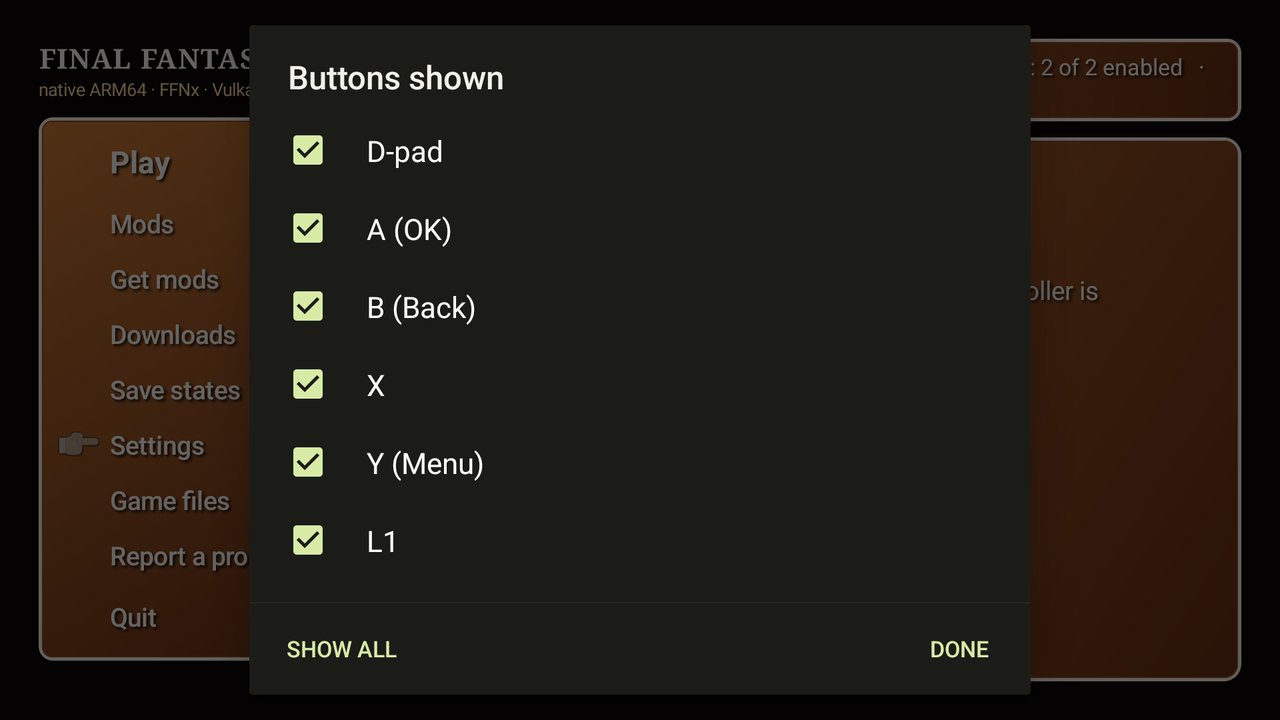
New: any on-screen button can be hidden (Settings > On-screen controls > Buttons shown).
Tested on an AYN Thor (Remastered) set to a tablet's 2560×1600, with the second screen off and on. Not tested: a real
tablet or phone, the 2013 release, L3, and the Buttons shown list itself (hidden buttons were tested). Both features
come from FF7Recomp.
(There was no 0.2.7.)
Updating
Install FF8Recomp-0.2.8.apk over 0.2.6 (the launcher also offers it), then Play; if the launcher asks to
Update the game, accept. Your saves, mods and settings stay. Save states made with an earlier version may not
load, so make a normal save in the game before you update.
SHA-256: 42cec412cedabaf430e694986594100f0cbd135d2a62c4fea6fe97601ea1e22e
Photos
| The button over the game | The panels open |
|---|---|
 |
 |
The controller button, in Settings > Controller:
| Before: every button | After: D-pad, L2 and R2 hidden |
|---|---|
 |
 |
The list where you choose them:
FF8Recomp 0.2.6
FF8Recomp 0.2.6
Fixed: the game closed when a shop was opened in 16:9 (#19). The shop's panels for wide screens were drawn
through a call that didn't work on Android. Both editions had it, with or without mods; 4:3 didn't.
Fixed: music mods such as OST-RF Arranged Soundtrack were not heard (#17). Junction VIII's music mods keep
their songs in a different folder from the one the game was looking in. Songs a mod doesn't replace are still the
game's own.
Tested on an AYN Thor in 16:9. Shops: Buy and Sell in the Remastered. Music: both editions pick up the songs of a
small test mod laid out like OST-RF. Not tested: the full OST-RF download, and a shop in the 2013 release.
Updating
Install FF8Recomp-0.2.6.apk over 0.2.5 (the launcher also offers it), press Update the game when the launcher
asks (a few seconds), then Play. Your saves, mods and settings stay. Save states made with an earlier version may not
load, so make a normal save in the game before you update.
SHA-256: e6e3b6964601c7542390b0944a7c8c8b865288c1f8479e2efb198ac0a4256416
FF8Recomp 0.2.5
FF8Recomp 0.2.5
Fixed: button icon mods such as XBOX-BUTTONS had no way to be turned on (#16). Settings > Game options
has a new switch, Gamepad button icons (off by default): the game shows button pictures instead of B1, B2
and so on, and a mod's button pictures replace them. It's the setting Junction VIII calls UseGamePadIcons.
Tested on an AYN Thor with the Remastered, with the game's own icons and a test mod that replaces them. Not
tested: the XBOX-BUTTONS mod itself, and the 2013 release.
Updating
Install FF8Recomp-0.2.5.apk over 0.2.4 (the launcher also offers it) and Play. The engine is the same as in
0.2.4; coming from an older version, press Update the game if the launcher asks. Your saves, mods and
settings stay.
SHA-256: 88bba6cae6fdf796b2ec6792ffe5df5dae4d38d2c02facd2422aa15193e96d30
FF8Recomp 0.2.4
FF8Recomp 0.2.4
Save-state buttons can be changed (#14): Settings > Controller has Save state and Load state,
where you pick A, B, X, Y, L1, R1, L2, R2 or none (pressed with Select), and Swap save and load. The
defaults are still L1 to save and R1 to load.
More Demaster mods (#13): textures from a DEMASTER_EXP folder that replace whole pages now load, as
.png or .dds:
- field backgrounds (
field_bg) - battle stages (
battle.fs/hd_new/a0stg...); animated ones show only their first frame - the world map (
world/dat/texlandwmset) .ddsfiles in place of the Remastered's own textures
Not supported: the minimap (wmset0), textures matched by fingerprint (hashOutput), and mods that
patch or replace Demaster's or the game's DLLs.
Tested on an AYN Thor with the Remastered, using test textures in Demaster's layout (the world map, one
battle, one field). Not tested: real Demaster mods, .dds files in place of the Remastered's own
textures, and the 2013 release.
Updating
Install FF8Recomp-0.2.4.apk over 0.2.3 (the launcher also offers it), then press Update the game
when the launcher asks (a few seconds; from an older version it can take longer) and Play. Your saves,
mods and settings stay. Save states made with earlier versions may not load (not tested).
SHA-256: 552f2236f52a89c86e6a6711d6c9b31504b4ad805ebf270c990955886d04d6d7
FF8Recomp 0.2.3
FF8Recomp 0.2.3
Fixed: field backgrounds from mods such as AxlRose's WIP did not show (reported in #13), in either
edition.
Newer FF8 mods keep each area's background in a folder of its own. Before using one, the game checks
that the folder exists, and FF8Recomp only answered that check for files. The backgrounds were skipped
without a message and the game's own were drawn. Mods in this layout are now found.
This was tested on an AYN Thor with the Remastered, with a test background in the same format, size and
place as the mod's: 0.2.2 ignores it, 0.2.3 draws it. It was not tested with the full mod itself, nor
on the 2013 release, which uses the same code.
Updating
Install FF8Recomp-0.2.3.apk over 0.2.2 (the launcher also offers it), then press Update the game
when the launcher asks (a few seconds; from an older version it can take longer) and Play. Your saves,
mods and settings stay. Save states made with earlier versions may not load (not tested).
SHA-256: cb32e9785f60386db82d438f112ee9e312660c7274d23bcddb1fb292c1e3c223
FF8Recomp 0.2.2
FF8Recomp 0.2.2
Fixed: the game closed when mods put textures of different sizes side by side (reported in #8 with
Lunar Cry Plus in battles and Horizon Pack Plus in towns), in either edition.
The game keeps several textures on one page. When a mod's textures on a page were enlarged by different
amounts and one size was not a whole multiple of the other, the smaller one was read past its end, and
the game closed. The same mistake could also draw such textures slightly wrong. Textures are now
always read inside their own picture.
This was tested on an AYN Thor with the Remastered: test textures that closed 0.2.1 at the same place
in the program as in the report no longer do, and a battle without mods still looks right. It was not
tested with the two mods themselves.
Updating
Install FF8Recomp-0.2.2.apk over 0.2.1 (the launcher also offers it), then press Update the game
when the launcher asks (a few seconds; from an older version it can take longer) and Play. Your saves,
mods and settings stay. Save states made with earlier versions may not load (not tested).
SHA-256: 277becfa2ef7d0c014fb264cde6f1b15f92b0683e306538f8ca2af8d8565e7b0
FF8Recomp 0.2.1
FF8Recomp 0.2.1
Fixed: Home left the panels on the second screen (#12), in either edition.
Pressing Home sent the game away on the top screen, but the second screen's panels stayed there until
the game was closed. They now leave the second screen whenever the game goes to the background, and
come back when you return to it.
This was tested on an AYN Thor: Home and back, and the device put to sleep and woken. It does not
change Swap screens (Settings > Screen), where the panels are on the main display.
Updating
Install FF8Recomp-0.2.1.apk over 0.2.0 (the launcher also offers it), then press Play. From 0.2.0
the game does not have to be built again; from an older version, press Build for this device if it
asks. Your saves, mods and settings stay.
SHA-256: 31c19244f4731017aee3513713c94928b307c3c007aeb0a5e22531f4c5ba12ae
FF8Recomp 0.2.0
Battles no longer run too fast. The default frame rate, "30 FPS battles", played battles at twice
their speed, and "60 FPS" at four times: FF8 counts its frames, and more of them means everything
happens sooner. The default is now the game's own speed (battles at 15 FPS, the rest at 30), and
anyone on one of those two is moved to it once. They are still there, as Fast battles and Fast
everything.
Frame generation (#8): up to 60 FPS at the game's own speed, with frames made between the game's
by Lossless Scaling, if you own it on Steam. Settings > Display > Frame generation downloads
Lossless.dll (7 MB) from your Steam account; FF8Recomp does not include it. It needs the Vulkan
renderer and a Vulkan 1.3 driver. It adds a delay (about 45 ms when walking, more in battles) and
uses more battery, and a camera cut blends for a few frames. Off by default.
Both editions side by side. The 2013 release and the Remastered can be installed together and
share your saves: switch under Game files, without downloading or building again. Connecting to Steam
offers Download both.
Fixed: battles on the Remastered could crash when an enemy used a certain attack (FFNx makes room
for the Remastered's more detailed models in five of the game's six copies of that effect; now in all).
Mods with .dds textures (#9): HD battle, world map and character texture mods that shipped them were
skipped; they are read now.
Mods on the Remastered (#4, #9, #10): mods can now replace files inside the Remastered's archives, which
Demaster mods do (a DEMASTER_EXP folder, or data/ and textures/). Before, those files were ignored.
Field and world files made for the other edition are left out, as they would turn every area black.
Everything stretched to fill (#9): a new picture option in Settings > Display that stretches fields and
movies too, with no side bars. Battles keep the game's own thin bars at the top and bottom.
Buttons: A confirms, B cancels and Y opens the menu, on a controller, the on-screen controls and a keyboard
(Enter, Backspace and Tab). Before, A opened the menu, B confirmed and Y cancelled.
Controller (#7): Settings now lists the in-game shortcuts (speed, random battles, skip a movie, save
states) and lets you swap what the buttons do. The 16:9 option says where it applies.
Phones with 2 GB of memory (#5) compile one file at a time, so a build does not run out of memory. It
still takes many hours on them.
Fixed: battles could close the game (#11), in either edition and with the second screen off too: the app read an
enemy's name before the game had set that enemy up. The second screen's Items tab also named potions and other battle items one place off.
Also: a build no longer fails now and then on one file, and updates take less time to translate.
Updating
Install FF8Recomp-0.2.0.apk over 0.1.x (the launcher also offers it) and press Build for this
device. From 0.1.2 this takes a few minutes; from an older version it is one more full build.
Save states made with earlier versions may not load; the game's own saves are not affected.
SHA-256: cd9d23e2f7cfb17474458945e8cd8276ff94434b6f9e1f609726df90900116e7
FF8Recomp 0.1.2
FF8Recomp 0.1.2
A fix for Play going back to the launcher on Android 16 (#2), with both editions.
Android 16 keeps its own memory at an address where part of FINAL FANTASY VIII's program has always
lived. As the game started, the two overwrote each other and the app closed. That part of the game
now lives somewhere else, and every place in the program that refers to it was changed to match.
We do not have an Android 16 device. This was tested on an Android 13 device with that range of
memory blocked, so anything still using the old place would have crashed. If Play still goes back to
the launcher for you, please comment on #2 with a Report a problem zip: the log now says what is in
the way.
Updating
Install FF8Recomp-0.1.2.apk over the version you have (the launcher also offers it).
- The game has to be built again once (press Build for this device; as long as the first time).
- Save states made with earlier versions do not load. The game's own saves are not affected, and
your mods and settings stay. If you only have a save state somewhere, load it in the version you
have and save at a save point before updating.
Later updates should be much quicker: from this version on, a build keeps what it compiled, and an
update compiles only the parts of the game it changes. On our test device an update that changed
none of the compiled parts took 3 minutes; a full build takes over 14. The build also tries a file
again if the compiler stops on it.
SHA-256: 950bcbba276483a903bd2d7f9afe7358b140f2d9a0ef7fda293ce85dee401d93
FF8Recomp 0.1.1
FF8Recomp 0.1.1
Fixed: the Remastered could crash as soon as it started on some devices (#4).
The Remastered's program leaves out one call that FFNx looks for at start-up. FF8Recomp followed it
anyway and read a meaningless address. On some devices nothing is there to read, and the game closed
before it began, with or without mods. It now uses the Remastered's own call instead. The 2013
release is not affected.
Not in this release: the other start-up crash, where Play goes back to the launcher and the log says
"game memory moved" (#2). It happens with both editions, and a phone that had the crash above may
still have that one. It is being worked on.
Updating
Install FF8Recomp-0.1.1.apk over 0.1.0 (the launcher also offers it). If it asks, press Update
the game: it links the game you already built with the new engine, which takes a few seconds and
is not a new build. Your saves, mods and settings stay.
SHA-256: 3f9a90374de1a14e2e685b584f97f70e0c5b6ca9dc62ea6ff7623da4d6253ce2