Repository navigation
Waypoint palette
The markers of the waypoints on the map of the site (/map), in the colours of their category. Inspired by the points of interest of gpx.studio; the icons stay those of Camptocamp, white on a disc.
- Introduced by c2c_ui#5215, the hut categories by v6_api#2693.
- Shown on
/mapby default;/map?monochrome=truedraws them all in the orange of the site (#F93), as the other maps. - Defined in
src/components/map/map-documents.ts(CATEGORY_COLORS,WAYPOINT_CATEGORIES,SLEEP_LOOKS,waypointCategoryLook). - The renderings below come from that code (
featureStyle, compact markers, 3× their size on the map).
The huts are told apart by the hut_category the API gives in the waypoint listings:
-
wardened: a staffed capacity, or open only when wardened (accessible_when_wardened). Most "always open" huts are wardened ones with a winter room. -
shelter: no bed (capacity 0). - else its custodianship:
always_accessible,no_warden,key_needed.
Red: a hut or a gîte with beds. Yellow: a roof only, or a key to fetch. Without hut_category (an older API), a hut keeps the yellow of the places to sleep.
| What | Colour | Icon | Rendering |
|---|---|---|---|
| hut, wardened (staffed capacity, or open only when wardened) | red #d32f2f
|
waypoint/hut |
 |
| hut, always open, no staff | red #d32f2f
|
waypoint/shelter |
 |
| hut, no warden | red #d32f2f
|
waypoint/shelter |
 |
| hut, key needed | dark yellow #c99700
|
fa-key |
 |
| hut without beds (capacity 0) | dark yellow #c99700
|
fa-angle-up |
 |
| hut, custodianship unknown | dark yellow #c99700
|
waypoint/hut |
 |
| gîte | red #d32f2f
|
fa-house-flag |
 |
| shelter | dark yellow #c99700
|
fa-angle-up |
 |
| bivouac | dark yellow #c99700
|
waypoint/bivouac |
 |
| camp site | dark yellow #c99700
|
waypoint/camp_site |
 |
| base camp | dark yellow #c99700
|
waypoint/base_camp |
 |
Green: the mountain. Blue: the water. Dark blue: the accesses served by public transport. Coral: food. Pink: paragliding. Dark grey: the others (and the accesses without public transport, as car parks).
| What | Colour | Icon | Rendering |
|---|---|---|---|
| climbing indoor | green #008000
|
waypoint/climbing_indoor |
 |
| climbing outdoor | green #008000
|
waypoint/climbing_outdoor |
 |
| pass | green #008000
|
waypoint/pass |
 |
| slackline spot | green #008000
|
waypoint/slackline_spot |
 |
| summit | green #008000
|
waypoint/summit |
 |
| bisse | deep sky blue #00bfff
|
waypoint/bisse |
 |
| canyon | deep sky blue #00bfff
|
waypoint/canyon |
 |
| lake | deep sky blue #00bfff
|
waypoint/lake |
 |
| waterfall | deep sky blue #00bfff
|
waypoint/waterfall |
 |
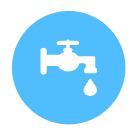
| waterpoint | deep sky blue #00bfff
|
waypoint/waterpoint |
 |
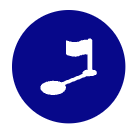
| access served by public transport | dark blue #00008b
|
waypoint/access |
 |
| local product | coral #ff7f50
|
waypoint/local_product |
 |
| paragliding landing | hot pink #ff69b4
|
waypoint/paragliding_landing |
 |
| paragliding takeoff | hot pink #ff69b4
|
waypoint/paragliding_takeoff |
 |
| access (no public transport) | dark grey #444444
|
waypoint/access |
 |
| cave | dark grey #444444
|
waypoint/cave |
 |
| locality | dark grey #444444
|
waypoint/locality |
 |
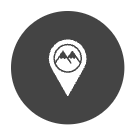
| misc | dark grey #444444
|
waypoint/misc |
 |
| virtual | dark grey #444444
|
waypoint/virtual |
 |
| weather station | dark grey #444444
|
waypoint/weather_station |
 |
| webcam | dark grey #444444
|
waypoint/webcam |
 |
Les refuges se distinguent par le hut_category fourni par l'API dans les listes de waypoints :
-
wardened: une capacité gardée, ou ouvert uniquement lorsqu'il est gardé (accessible_when_wardened). La plupart des refuges « toujours ouverts » sont des refuges gardés avec une pièce d'hiver. -
shelter: sans couchage (capacité 0). - sinon, selon leur gestion :
always_accessible,no_warden,key_needed.
Rouge : un refuge ou un gîte avec des couchages. Jaune : un simple abri, ou une clé à récupérer. Sans hut_category (ancienne API), un refuge garde le jaune de la catégorie « Où dormir ».
| Élément | Rendu |
|---|---|
| refuge, gardé (capacité gardée, ou ouvert uniquement lorsqu'il est gardé) | |
| refuge, toujours ouvert, sans personnel | |
| refuge, sans gardien | |
| refuge, clé nécessaire | |
| refuge sans couchage (capacité 0) | |
| refuge, gestion inconnue | |
| gîte | |
| abri | |
| bivouac | |
| aire de camping | |
| camp de base | |
- Vert : la montagne.
- Bleu clair : l'eau.
- Bleu foncé : les accès desservis par les transports en commun.
- Corail : l'alimentation.
- Rose : le parapente.
- Gris foncé : les autres (et les accès sans transports en commun, comme les parkings).
| Élément | Rendu |
|---|---|
| escalade en salle | |
| escalade en extérieur | |
| col | |
| spot de slackline | |
| sommet | |
| bisse | |
| canyon | |
| lac | |
| cascade | |
| point d'eau | |
| accès desservi par les transports en commun | |
| produit local | |
| atterrissage parapente | |
| décollage parapente | |
| accès (sans transports en commun) | |
| grotte | |
| lieu-dit | |
| divers | |
| virtuel | |
| station météo | |
| webcam | |