Repository navigation
Tasklines 1.4.0

Group within groups, and color your tasks
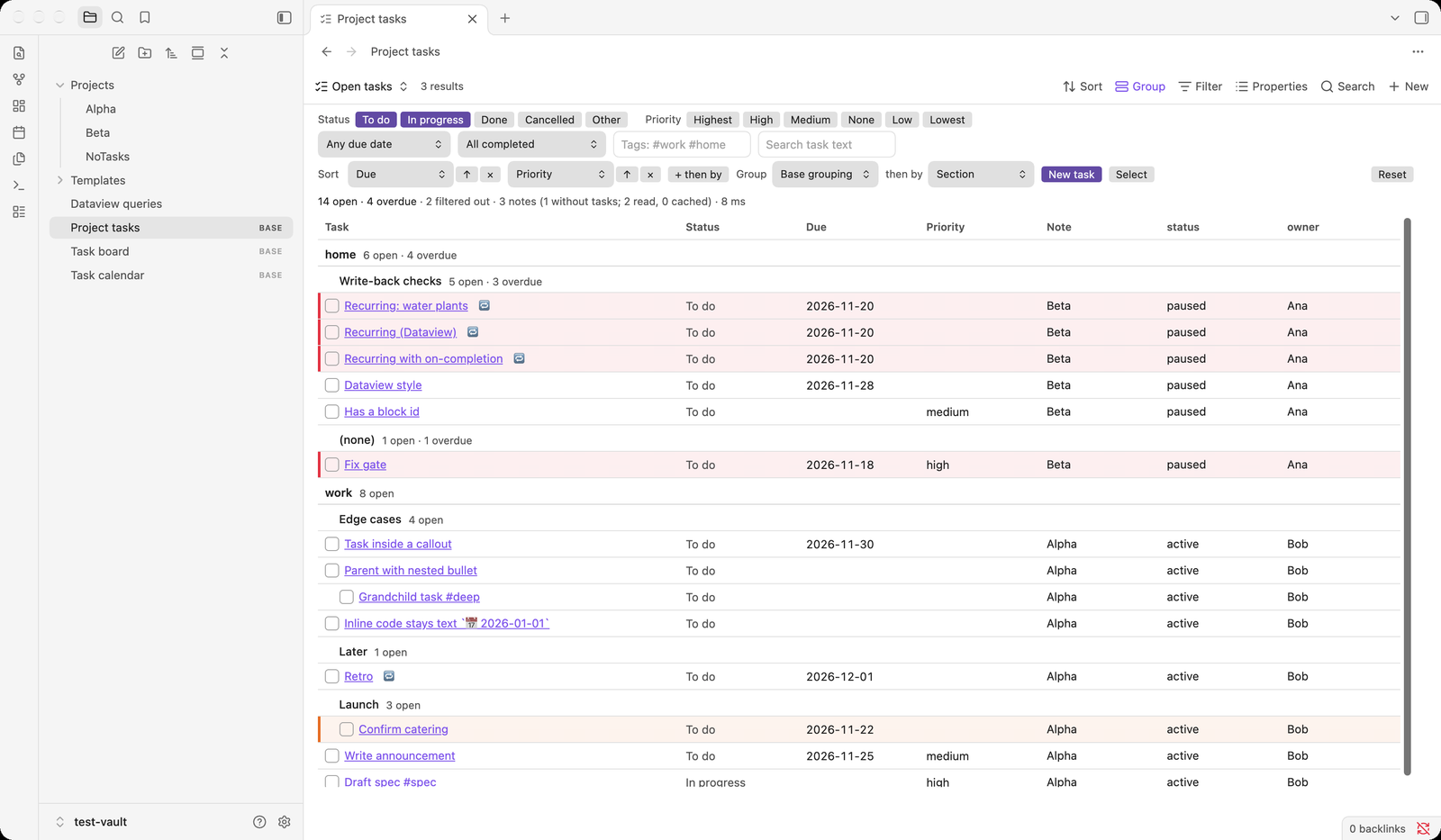
- Group, then by. In the list view, then by next to Group adds a second level inside each group: note then section, due bucket then owner, status then tag, or any other pair. Each heading has its own counts, and in select mode its own checkbox, which selects just that part.
- Color. A new Color option in the config menu of every view (list, board and calendar) tints tasks by due date (overdue red, due today orange), priority (highest red to lowest cyan) or a note property you pick, so every task from the same project, area or owner shares a color. Tints use your theme's own colors, finished tasks aren't tinted by due date or priority, and screen readers hear the same in words ("overdue", "area: home").
- A tidier select bar. The bar's buttons and menus are one height and line up; group checkboxes sit exactly above the tasks' boxes in the list, board and calendar; on phones the bar stays two rows (it could wrap to three on narrower iPhones) and its buttons are visible in light themes.
Tested on macOS, Android and iPhone, in five themes in light and dark.
What's Changed
- Tidy the select-mode bar and line up the group checkboxes by @rcasazza in #51
- Keep the phone select bar to two rows on narrower iPhones by @rcasazza in #52
- Record the select-mode theme check by @rcasazza in #53
- Add a second grouping level and a Color option by @rcasazza in #54
- Keep the select bar's buttons visible on phones in light themes by @rcasazza in #55
- Release 1.4.0: two-level grouping and Color by @rcasazza in #56
Full Changelog: 1.3.0...1.4.0
Contributors

rcasazza