Using the API
Here's how to make a request to the API and use its response.
The illustrations were made using Insomnia (https://insomnia.rest/) and Swagger (http://localhost/api/documentation)
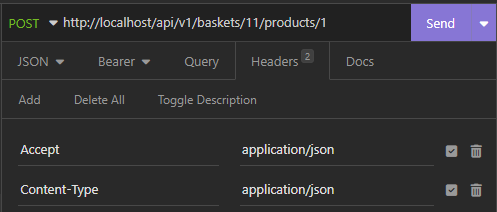
- All requests must include the
Accept: application/jsonheader. - POST, PUT and PATCH requests must also include the
Content-Type: application/jsonheader.
If omitted, the API will return this 400 Bad Request error:
{
	"success": false,
	"errors": {
		"MISSING_HEADER_ACCEPT": "Requests to the API must include the \"accept = application\/json\" header.",
		"MISSING_HEADER_CONTENT_TYPE": "POST, PUT and PATCH requests to the API  must include the \"content-type = application\/json\" header."
	}
}| Add the headers manually in your script or API tool (e.g. Insomnia) |
|---|
 |
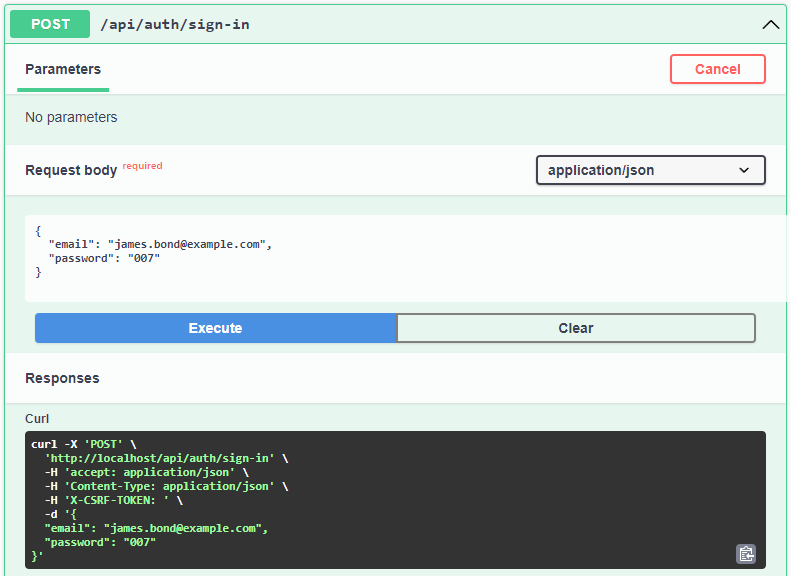
| Swagger takes care of the headers itself, you just need to hit "Execute" |
|---|
 |
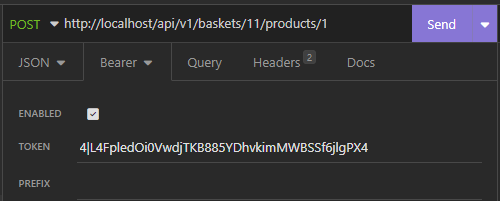
All endpoints except the authentication ones (i.e. /api/auth/sign-up and /api/auth/sign-in) must include a valid bearer token obtained from a successful sign-up or sign-in request.
If omitted, the API will return this 401 Unauthorized error:
{
	"message": "Unauthenticated."
}| Adding the token in Insomnia |
|---|
 |
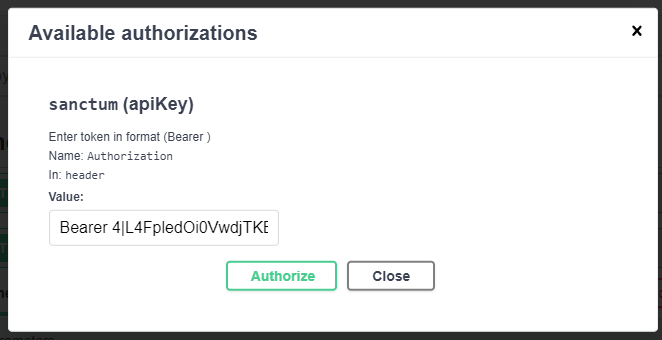
| In Swagger, click "Authorize" in the top right corner of the page, then type "Bearer " followed by the token |
|---|
 |
When required, payloads must be in JSON format.
A missing or invalid payload will return a 400 Bad Request error.
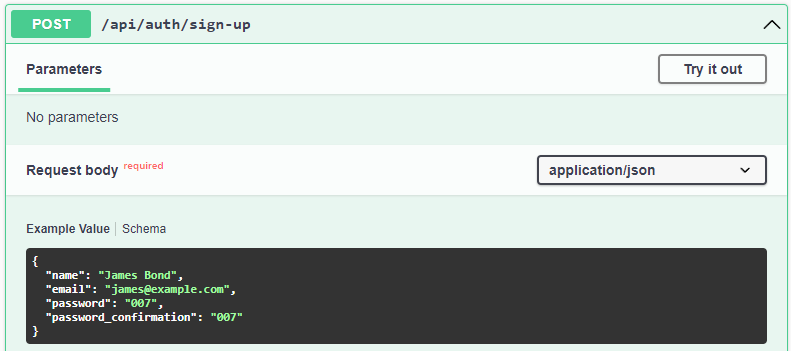
| Swagger provides a payload example for each endpoint. |
|---|
 |
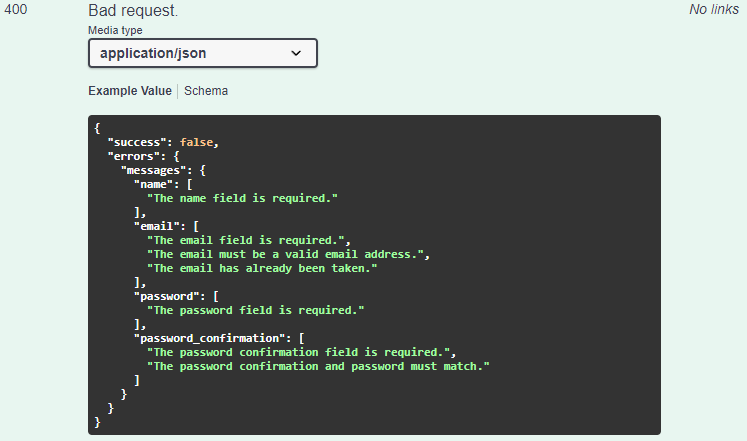
| Swagger also provides the list of potential 400 errors for each endpoint. |
|---|
 |
All responses are formated in JSON (except when downloading a .csv report).
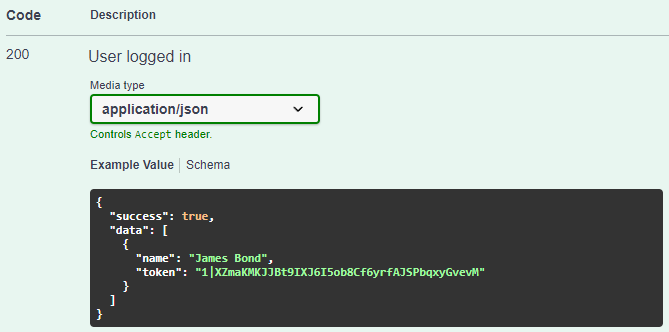
| Swagger provides an example of a successful response's content for each endpoint. |
|---|
 |