Repository navigation

Caution
This app writes directly to your Animal Crossing: New Horizons save, and a corrupted island may be impossible to recover.
Back up your save with JKSV or Checkpoint before every editing session, and copy that backup to a computer.
Tested on one console and one save only (game 3.0.3). Use it offline. No warranty of any kind.
New: your catalogue.ac lists on the console, sent from your phone over Wi-Fi. And from now on, the app can update itself when you ask it to.
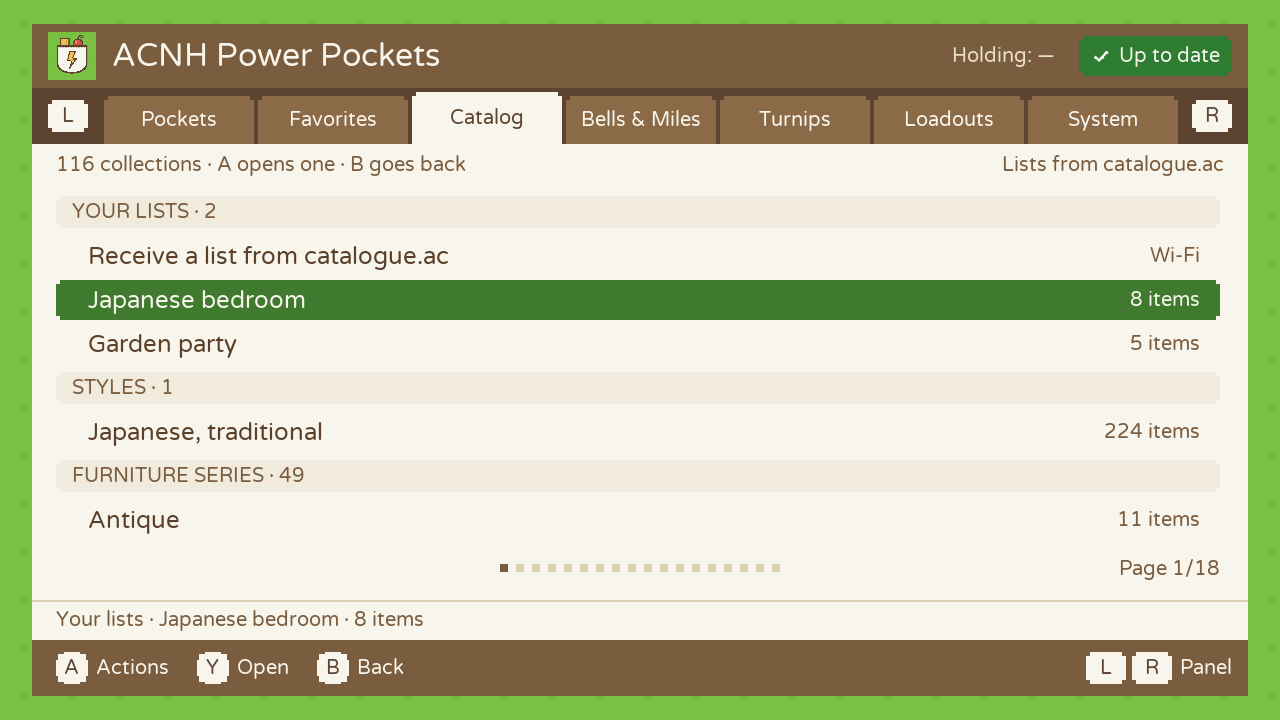
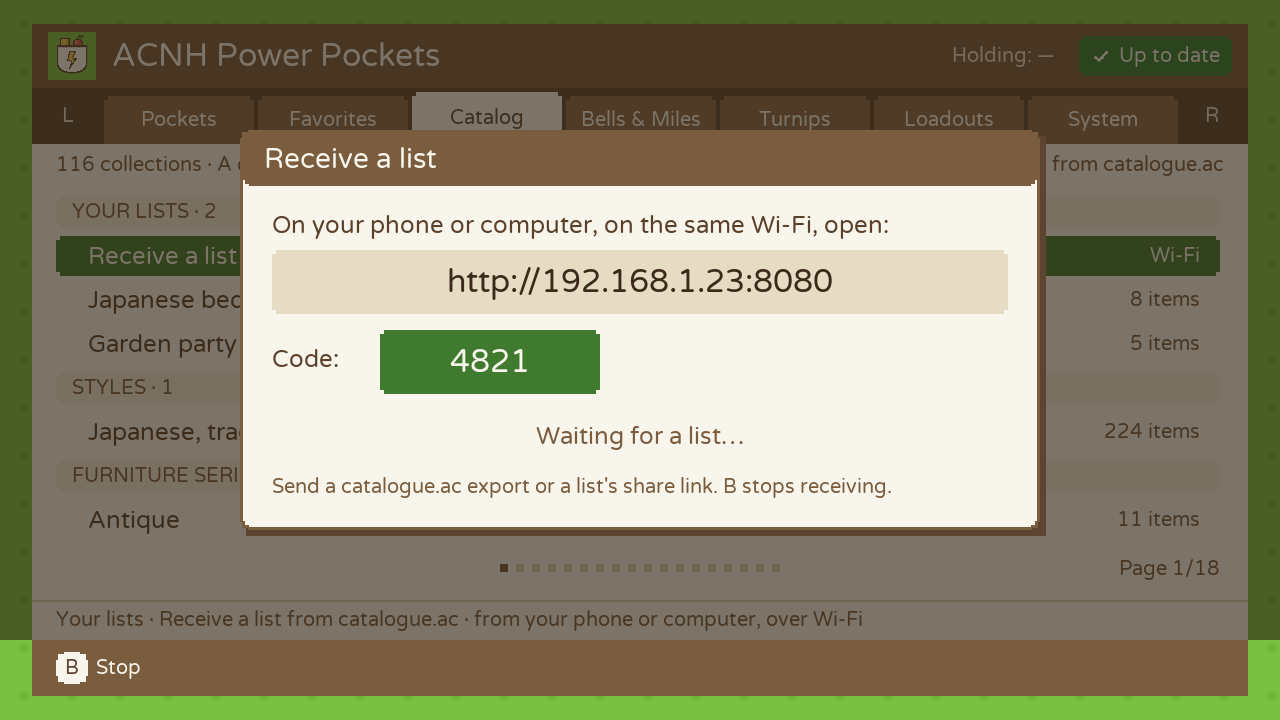
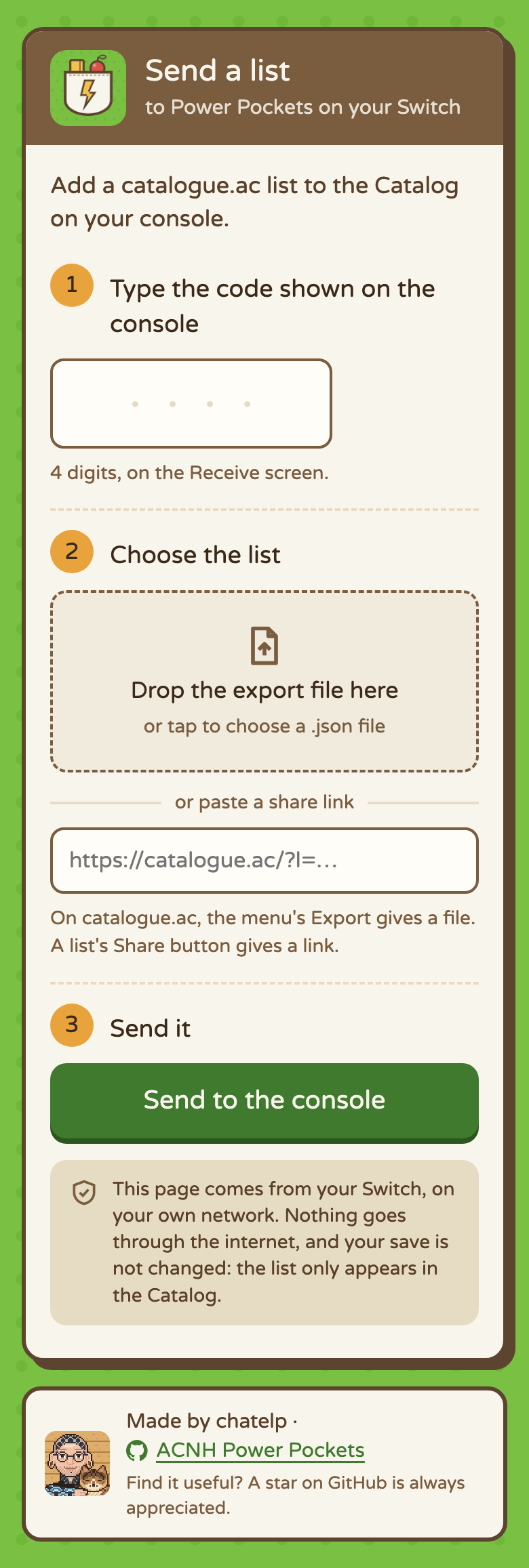
The page served by the console, on a phone
What's new
- Lists from The ULTIMATE Catalogue. Your lists show up in Catalog › Browse collections › Your lists. Open one and take its items with Y, or use A › Fill pockets with this list: what the list still needs goes into your empty slots, with the quantities. What your pockets already hold is skipped, so a second Fill after a trip home brings the rest.
- Receive a list without taking the SD card out. Receive a list from catalogue.ac shows an address and a 4-digit code. Open the address on your phone or computer (same Wi-Fi), drop the export file or paste a list's share link, type the code and send. The page comes from the console itself, only while that screen is open; nothing goes through the internet. Five wrong codes close it.
- Sending the same lists again updates them instead of adding copies.
- About and updates, in System: the author, the credits, and Check for updates. The app connects only when you press it, checks the package's SHA-256 against the one GitHub publishes, and installs it when the app closes, after the save is closed. A failed installation is undone. Details in the README.
What comes across from catalogue.ac
Furniture, items and clothing in the right color. Furniture comes in its base color or pattern. Recipes and villagers are skipped, and the app says how many. Clothing colors come from catalogue.ac's own data (catalogue_ac.txt). Not affiliated with catalogue.ac.
Checked on the console
Receiving lists from a phone, sending them again, Fill pockets and Apply, and Check for updates over Wi-Fi were checked on the console (ACNH 3.0.3).
The save engine is unchanged; a script checks it on every build. Lists only add items to your pockets the usual way: nothing is written until you apply.
Install or update
- Extract
ACNH-Power-Pockets-v1.4.0.zipto the root of your SD card and overwrite the old files. Your favorites, loadouts and backups stay. - Fully close Animal Crossing (HOME › X › Close).
- Hold R while starting Animal Crossing to open the Homebrew Menu, then launch ACNH Power Pockets.
From now on, new versions can also be installed from System › About and updates. That part has not been tried on a console yet: it is covered by tests on a computer (interrupted downloads, power cuts during the installation), and the first real in-app update will be from 1.4.0 to the next version. If an installation fails, the app undoes it, and copying the zip by hand always works.
Questions and feedback: GBAtemp thread · Bugs and test results: GitHub issues
SHA-256 of the zip: aa9168854318ad58f9754632852b17920e30de6a1360b76c8861168db5ef0de6
Built by GitHub Actions from commit 7d3880f.