add note support to flags#243
Conversation


Codecov Report
@@            Coverage Diff             @@
##           master     #243      +/-   ##
==========================================
+ Coverage   82.56%   82.74%   +0.17%
==========================================
  Files          25       24       -1
  Lines        1440     1408      -32
==========================================
- Hits         1189     1165      -24
+ Misses        192      186       -6
+ Partials       59       57       -2
Continue to review full report at Codecov.
|


useful for adding documentation regarding particular flags


| </el-row> | ||
| </el-card> | ||
| <el-card> | ||
| <div slot="header" class="el-card-header"> |

There was a problem hiding this comment.
This card header slot has a strong background color, maybe you can just move the inner divs outside.
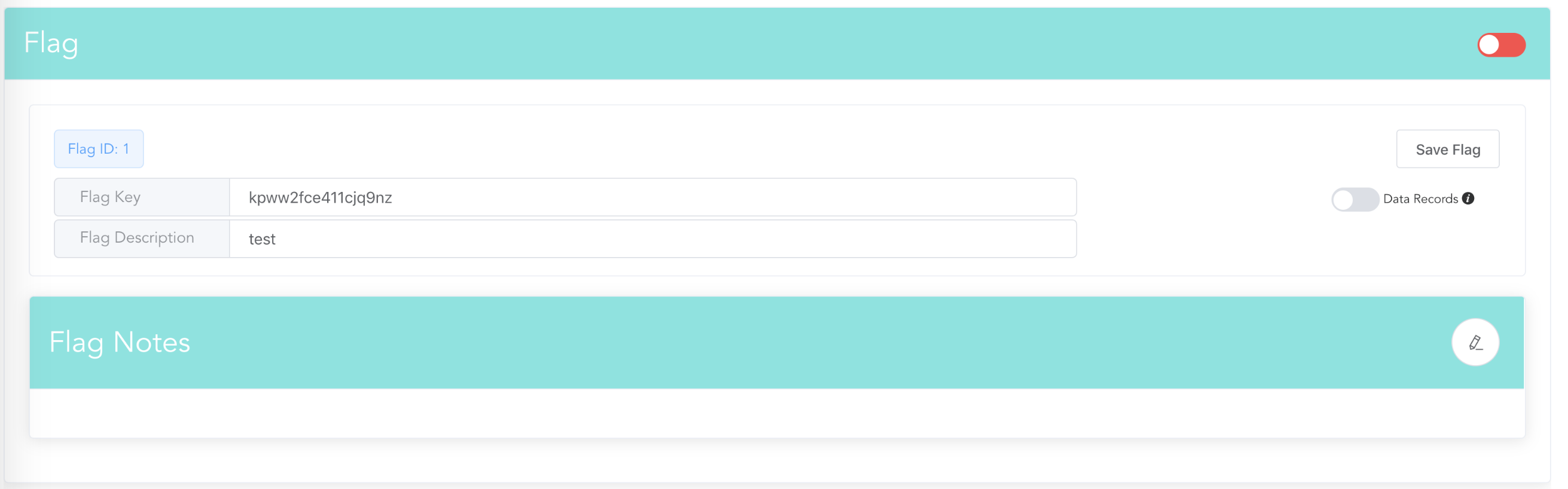
There was a problem hiding this comment.
Something like this?
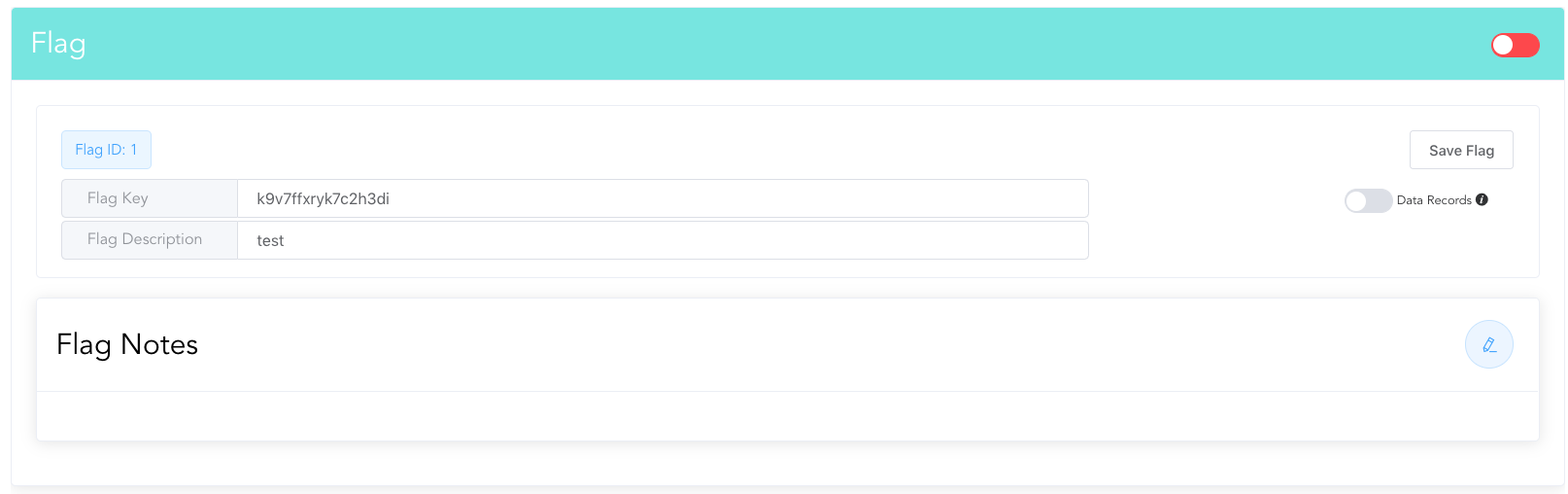
There was a problem hiding this comment.
-                </el-card>
-                <el-card>
-                  <div slot="header" class="el-card-header">
-                    <div class="flex-row">
-                      <div class="flex-row-left">
-                        <h2>Flag Notes</h2>
-                      </div>
-                      <div class="flex-row-right">
-                        <el-button circle style="float: right;" @click="toggleShowMdEditor" :class="editViewIcon"/>
-                      </div>
-                    </div>
-                  </div>
-                  <markdown-editor
-                    :showEditor="this.showMdEditor"
-                    :markdown.sync="flag.notes"
-                    @save="putFlag(flag)"
-                  ></markdown-editor>


+                  <el-row>
+                    <h5>
+                      <span>Flag Note</span>
+                      <el-button round size="mini" @click="toggleShowMdEditor">
+                        <span class="el-icon-edit"></span> edit
+                      </el-button>
+                    </h5>
+                  </el-row>
+                  <el-row>
+                    <markdown-editor
+                      :showEditor="this.showMdEditor"
+                      :markdown.sync="flag.notes"
+                      @save="putFlag(flag)"
+                      ></markdown-editor>
+                  </el-row>
Something like, I think we need to move the markdown editor inside the previous card, since "save flag" button need to cover the note part. Let me know what you think.
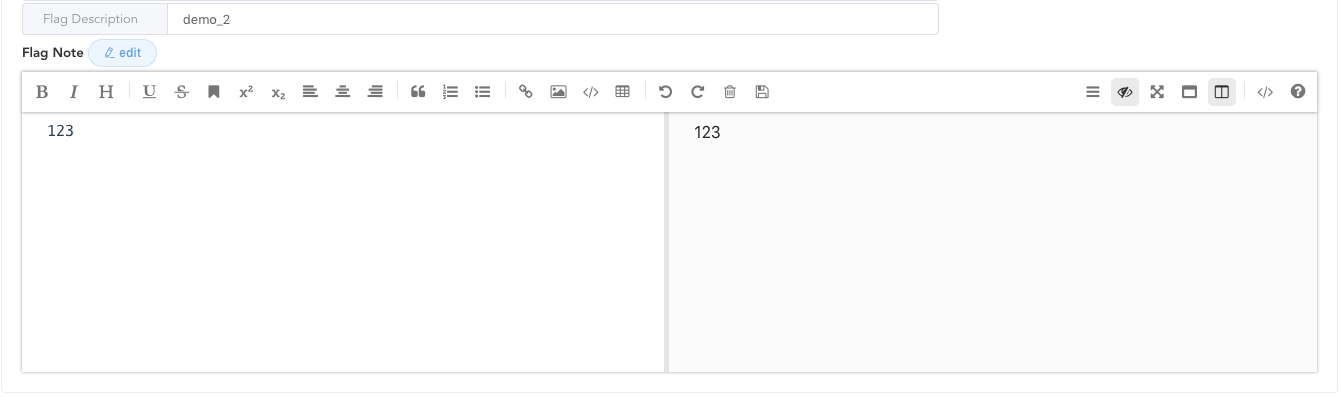
There was a problem hiding this comment.
Ah, I see what you mean. That looks pretty good to me, I am happy to make the change. It makes sense as notes are logically part of the flag entity.
I will note that while the "save flag" button does indeed save notes (as it should) there is also a save button within the editor itself which will save the flag. At first I was thinking whether I should disable the save button within the editor as it is a little weird with the redundancy but I decided to keep it for two reasons:
- Reusability (if we want to reuse the component we may not have a "save flag"-esque button). It is true that we could make the save button optional and disabled in this case, but that leads me to the next reason
- One of the editing modes is full-screen which is great for longer notes. I wanted the option to be able to save from that view.
That being said, I still think it makes sense moving the editor into the flag card given that they are part of the note, but let me know what you think.
Also, as a side note, I experimented a bit with adding an autosave feature so that the flag would be saved either every x seconds while editing or after a certain amount of changes were made since last save (save flag notice disabled in this mode). While it worked great, it made the snapshots get quite messy and I didn't have a great solution for that. I decided to drop that feature as I didn't (and still don't) think it is worth the complication but if you have any good ideas related to handling the snapshots that I'd be curious to hear them.
There was a problem hiding this comment.
Thanks! I like the save button and the full-screen mode. Yes, autosave doesn't play well with snapshots and diffs.
There was a problem hiding this comment.
If you really want autosave, we can exclude note from the snapshot.

|
@zhouzhuojie I moved the notes editor into the flag card as you suggested. It looks much better now. I also added some margin on the toggle button and made it dynamic based on editor mode. Still don't think it's worth messing with the snapshots for autosave functionality so I didn't add that back. Editor closed: Editor open: |

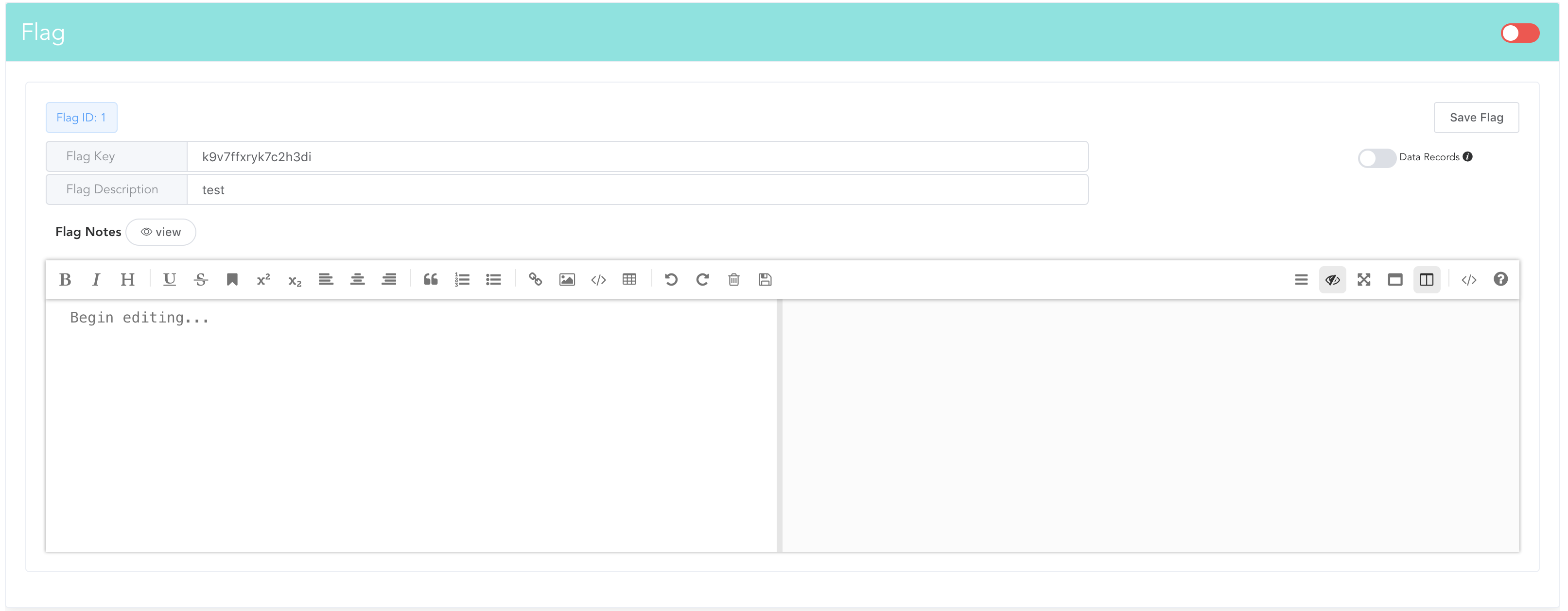

3 participants


Description
Related to issue #230
Adds a new notes section to the flag config view and updates the API to allow for adding a flag with attached notes in markdown format. Notes can be used for adding details about flag usage, describing the flag's purpose, adding examples of usage, etc.
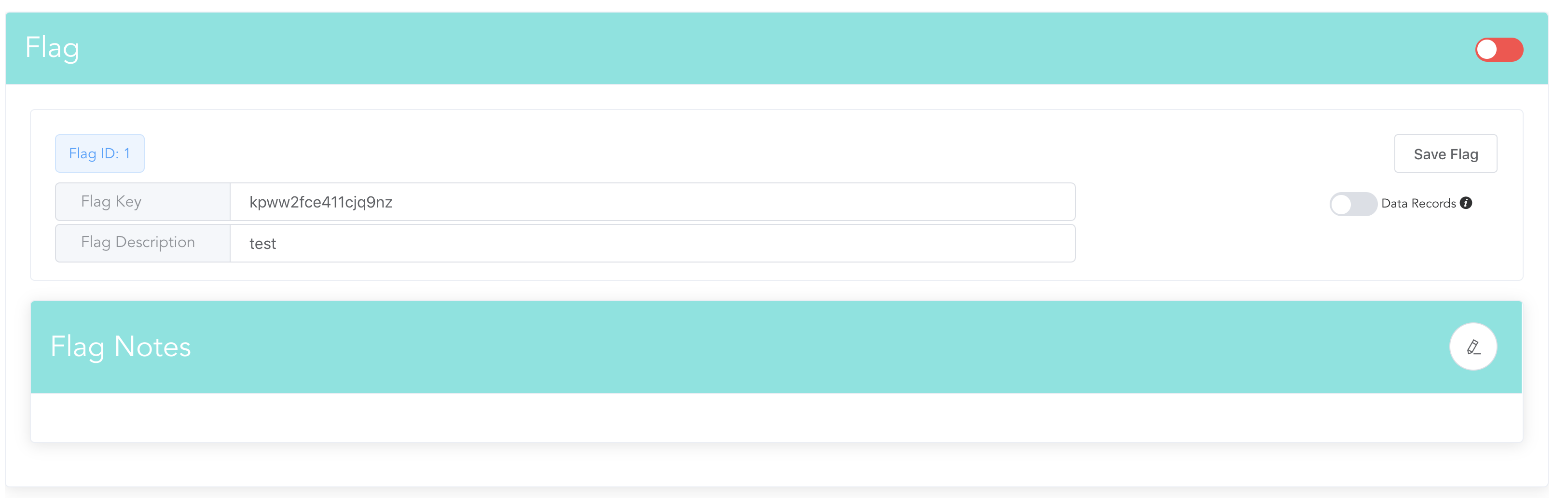
Collapsed view when no notes are present:
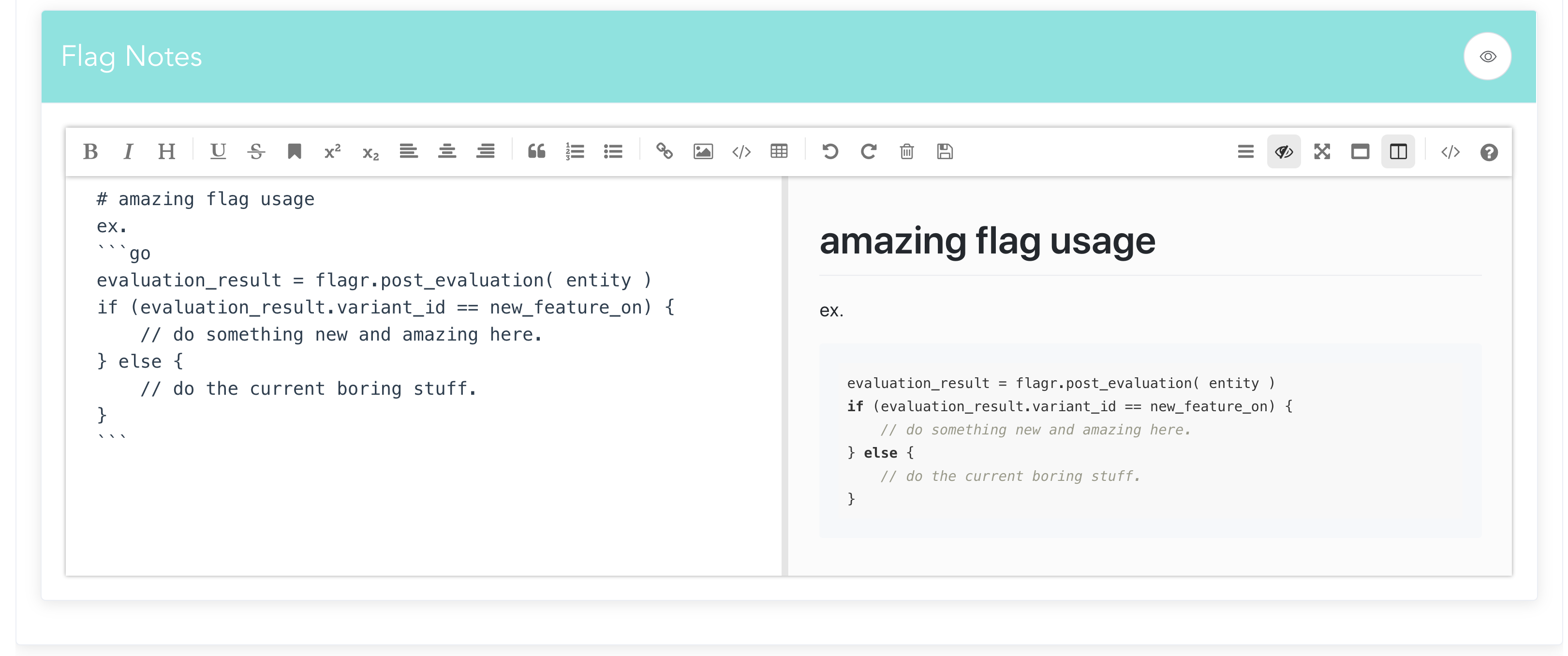
Editor view:
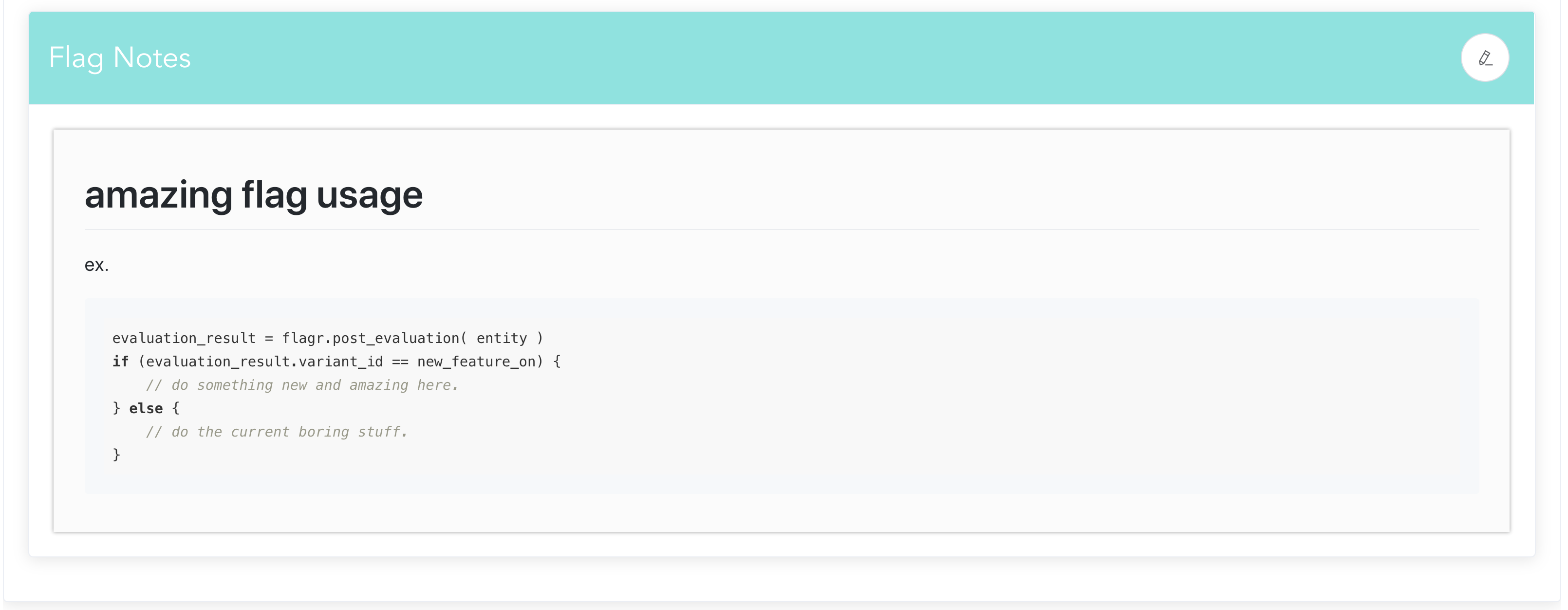
View when notes present:
Motivation and Context
This solves the inconvenience of having to have separate, hard-to-find documentation pages for a given flag. Instead, all relevant documentation is held on the flag config page itself.
How Has This Been Tested?
Manual UI testing and updated CRUD tests to check for new field acceptance.
Types of changes
Checklist: