Repository navigation
TextFold 0.10.55

🧩 TextFold's browser extension is now in the Chrome Web Store, for Chrome, Brave and Edge.
Read the web in TextFold
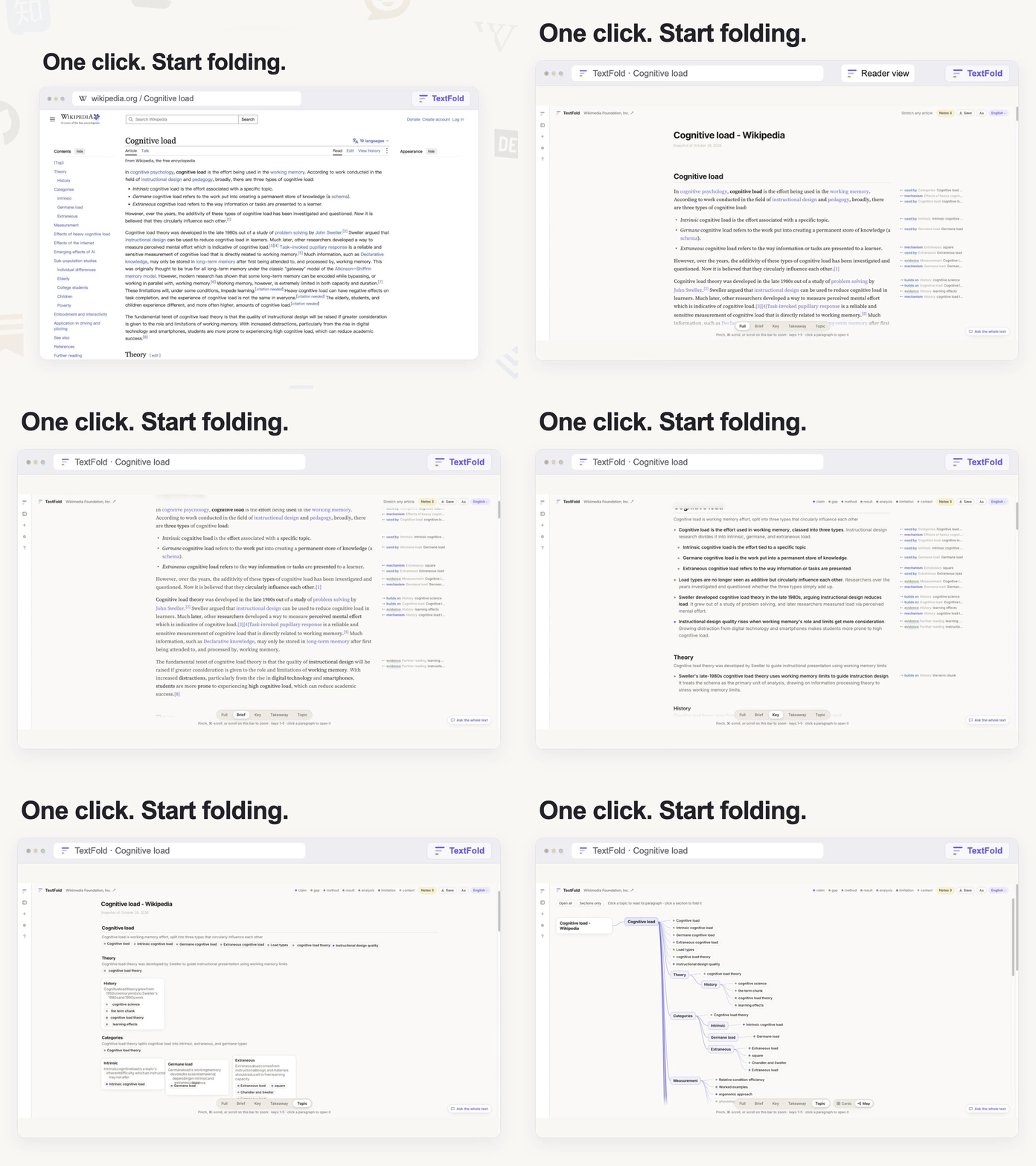
You are no longer limited to reading local PDFs. Public technical blogs, publishers' pages, even pages that need a sign-in or a subscription: click the extension on the tab you are reading, and it takes the article and opens it in TextFold, in a new tab beside it.
- Five levels of semantic folding: from the outline of the whole to the original word for word, zoom the level of detail seamlessly.
- Your whole workflow, as with PDFs: highlights, notes, questions about a passage and translation, all carried over.
Install it and give it a try: turn the long reads piling up in your browser into knowledge you truly take in ✨
Also
- Some stability improvements. A page sent from the browser is read with whichever reading differs least from the page as you saw it, so a Wikipedia article keeps the paragraphs one reading view drops. Paragraphs a reading view wrapped in one (a Zhihu answer) fold again, and a formula is no longer taken for a footnote's mark.
- A web page says how its reading compares with the original: a folded line under its authors, with links to any passage that is missing.
Download
| Your computer | File |
|---|---|
| Mac with Apple silicon (M1 or later) | TextFold-mac-arm64.dmg |
| Mac with an Intel processor | TextFold-mac-x64.dmg |
| Windows 10 or 11, 64-bit | TextFold-win-x64-setup.exe |
Which Mac? Apple menu › About This Mac shows Chip Apple M… or Processor Intel.
The Mac apps are signed and notarized by Apple. The Windows app is not signed yet. The first time you open it, Windows asks: choose More info, then Run anyway.
Already using TextFold 0.10.2 or later? The app offers this version by itself, or check from the menu (TextFold › Check for Updates… on a Mac, Help › Check for Updates… on Windows).
The Python package
python3 -m pip install -U textfoldIf TextFold helps you read, a ⭐ on the repository helps others find it.