Item types
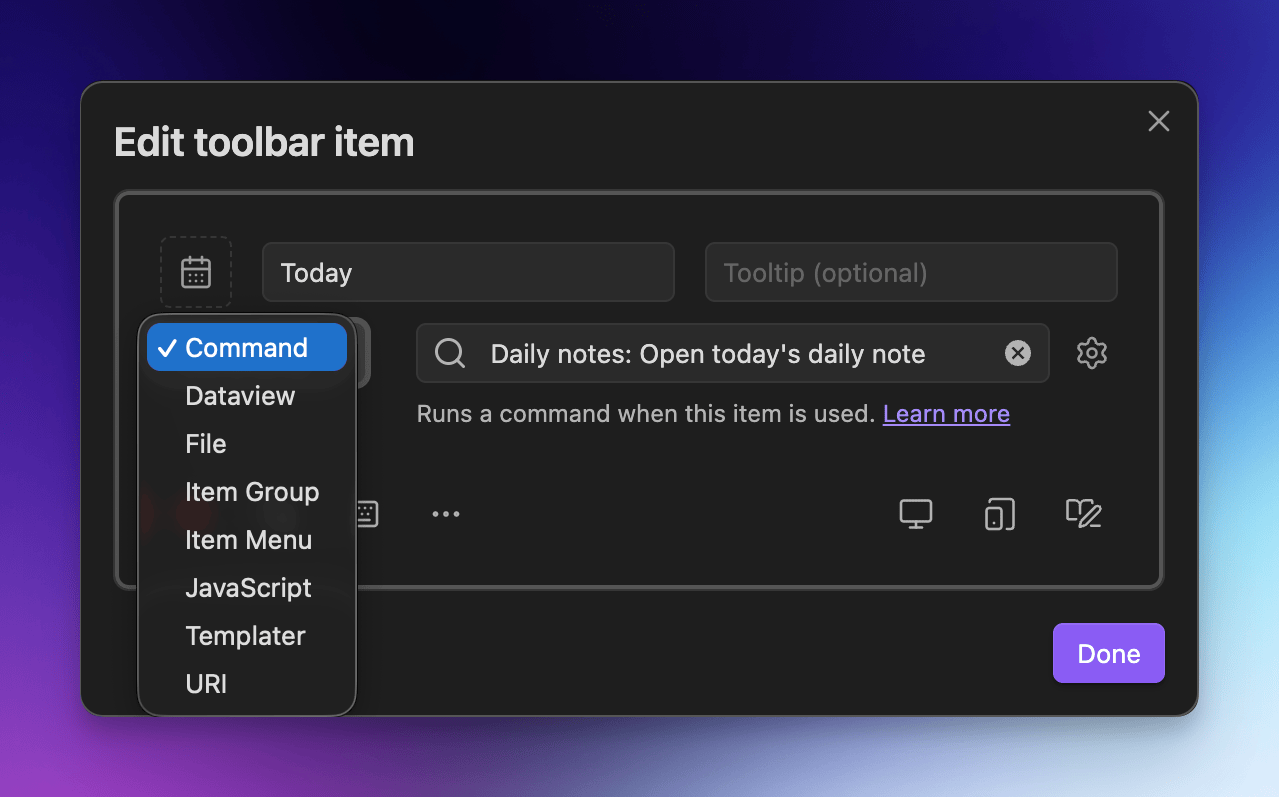
When creating an item, select an item type to indicate how it will behave when clicked/tapped:
| Type | What it is |
|---|---|
| Command | Execute commands built in to Obsidian, or provided by a plugin. Useful for: Formatting, navigating daily notes. |
| Dataview 2️⃣ | Execute Dataview queries, expressions, and scripts. |
| File | Open a specific file, or highlight a specific folder in the file explorer. Useful for: Vault navigation. |
| Item Group | Embed a toolbar within another toolbar. Useful for: Reusing groups of items across toolbars. |
| Item Menu | Select an existing toolbar to add as a drop-down menu to your toolbar. Useful for: Accessing global items across toolbars. |
| JavaScript 1️⃣ | Note Toolbar includes built-in support to execute JavaScript scripts and files. |
| JS Engine 2️⃣ | Execute JavaScript via the JS Engine plugin. |
| Templater 2️⃣ | Insert templates, create new notes from templates, and execute Templater commands. |
| URI | Open a website or any internal location using this item type. Useful for: Navigating to notes linked from properties, accessing websites. |
Notes:
- 1️⃣ Requires Note Toolbar's Scripting option to be enabled.
- 2️⃣ Requires Note Toolbar's Scripting option to be enabled, and the corresponding plugin to be installed and enabled.
Each item type may have advanced settings, accessible by clicking/tapping on the gear icon. See each item type's documentation for details on the options available.