Repository navigation
TabForge 0.8.6

TabForge 0.8.6
Linux is still EXPERIMENTAL. Windows is the main platform. The Linux package is built and smoke-tested automatically, but it has only been tried in a Hyper-V Ubuntu VM, not on real hardware.
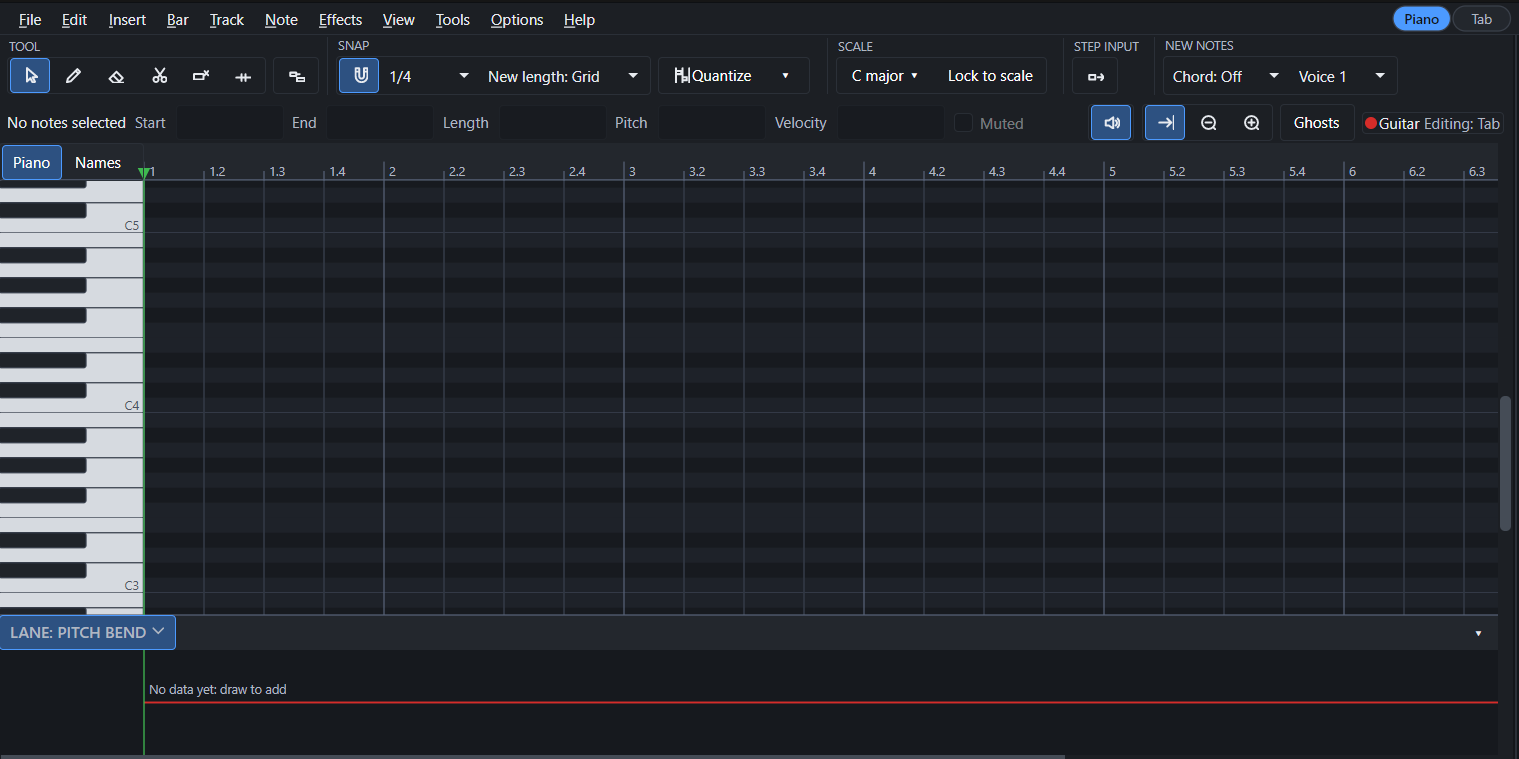
- 🎹 Piano roll redesigned: a new Select tool (the default) and a Write tool, a two-row toolbar, a redesigned keyboard, box and lasso selection, and Split, Glue, Mute and Erase tools that work on a whole drag.
- 🎼 Scale panel redesigned, with more scales and options: one shared scale panel (status bar, fretboard, piano roll) that detects the likely scales for the section you are in, with a match percentage and the notes of each. You choose what it reads from (this section, the whole song, or the song key only) and which tracks to analyse (this track or all pitched tracks; drums are never included), and you can pick any key and scale from the library with "Pick another...". Scale families can be switched on or off (Major, Minor, Pentatonic, Blues, Jazz, Harmonic minor, Melodic minor, Modes, World, Exotic and Favourites), with a "More scales..." search. "Lock to scale" snaps drawn and moved notes to the scale.
- 🎸 New Fretboard look: show the scale on the fretboard as Dots, Rings, Cell tint, Note names or Degrees; choose its colour and opacity; emphasise the root, dim notes outside the scale, or show it only on the frets in view.
- ⬆️ Move notes up or down by half steps or by steps of the scale (T in the piano roll).
- 🔊 Sound banks: pick GeneralUser GS, FluidR3 GM or MuseScore General in Settings, each with its licence; a new "None" sound engine for people who load their own instruments.
- 📤 Export MIDI dialog: choose tracks and a range, write articulation-map keyswitches, and optionally keep TabForge's own technique marks.
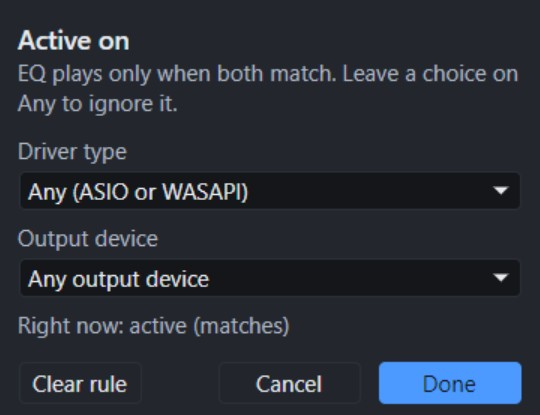
- 🎚️ Meters per track, and FX chains or single effects can be set to play only on chosen outputs ("Active on...").
- 🗂️ Presets remember what you applied (a trailing * when changed, "(missing)" when deleted); loading an FX preset into a used chain asks whether to replace or add.
- 📂 Opening a MIDI file asks whether to import it as tab tracks or as MIDI tracks. Opening song files from Explorer is on by default.
- 🧹 Settings > Advanced > Reset entire app... with a tick list and an optional backup.


Some of the new piano roll behaviour is marked "(untested in app)" in the changelog; it is built and covered by automated checks only.
Download
-
Windows:
TabForge-0.8.6-setup.exe(installer) orTabForge-0.8.6-win-x64-portable.zip(extract and runTabForge.exe). Windows 10/11, 64-bit. Not code-signed, so SmartScreen may warn the first time. -
Linux (experimental):
TabForge-0.8.6-linux-x64.tar.gz(extract, runTabForge/TabForge). Ubuntu 22.04 or newer, x86-64, X11. -
Checksums:
TabForge-0.8.6-SHA256.txt(Windows files) andTabForge-0.8.6-linux-x64.tar.gz.sha256(Linux).
For the full list, see the CHANGELOG, which includes 25 new features and 43 improvements and fixes.
Found something odd? Please report it on the Issues page.