Repository navigation
TabForge 0.9.3

TabForge 0.9.3
Stable release. It adds the customizable left icon strip with a Composer panel (pattern browsing coming soon ✨), an in-app F1 Help window, full TuxGuitar (.tg) open/save so your TuxGuitar files come along, a lighter outlined light theme, and a batch of small fixes around tabs, playback and light mode.
✨ New since 0.9.2
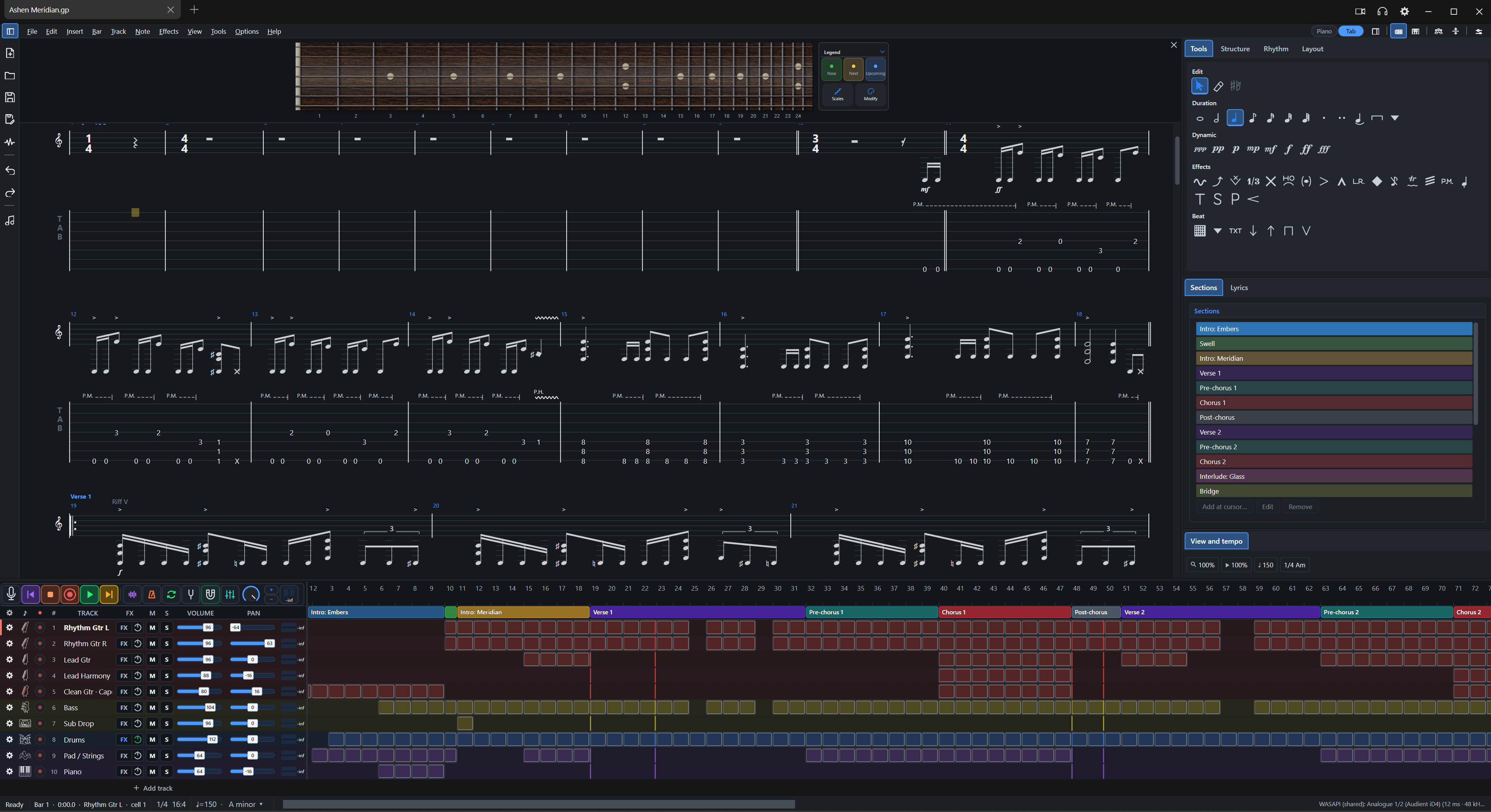
- Left strip and Composer: a slim icon strip beside the score (41 icons to choose from, large by default) with New, Open, Save, Save as, Render, Undo, Redo and Composer. Customize it with drag-and-drop, separators, position (left, beside menus, right), size, tooltips and labels. The Composer panel shows Drums, Bass, Guitar and Keyboard category cards, a search box and style rows — pattern browsing is coming soon, so anything you pick shows an empty state for now. Open it from View > Composer even with the strip hidden.
| Left strip with Composer panel: Drums, Bass, Guitar and Keyboard cards under the score |
|---|
 |
- F1 Help window: fourteen chapters from What's new and Getting started to Troubleshooting and FAQ, with a grouped chapter list, step badges, key-cap chips, Tip / Note / Warning boxes and Problem / Fix cards. Search is local and understands everyday words, forgives small typos, follows symptom phrases like "no sound" to the right chapter, and takes quoted phrases. Chapters load when opened and the window remembers its size.
- TuxGuitar (.tg) open and save: open and save
.tgfiles as a further file type (.tforgestays the default) — if you keep your songs in TuxGuitar, they now open here and come back intact. A file holds song details, tracks, tunings and capo, bars and signatures, repeats, tempo changes, notes and durations, ties, effects, drum parts, lyrics and section markers; anything it cannot hold is left out and named when you open the file. - Scale highlight: one shared On/Off across every control, an On/Off switch beside the SCALE title, a highlight opacity slider in the Scale panel and on the Fretboard settings Scale highlight page, larger outlined note names and degrees, and a Colour row with named colours and a custom colour picker shared with the Scales popup. Reset section and Reset all restore the default colour.
- Light theme: outlined with little fill. Selected chips, rows and tabs get a pale tint with accent text, check boxes are filled with the accent, slider fills are lighter, and OK is the only solid fill — every shade comes from your accent colour. In light mode the default fretboard (Maple) shows notes at 90% brightness unless you changed the look.
- Shortcuts and new tabs: Ctrl+N is now the single New command (File > New, the tab + button, the tab menu and the left strip New icon all run it). The Open and Save icons left the top-right of the menu row and live in the strip. The Shortcuts dialog is gone — Ctrl+Shift+A opens the Command palette listing every command with its keys, and Preferences > Shortcuts still rebinds them. F1 opens Help.
🛠️ Fixes
- Band mode: showing the side panels no longer removes the right panel.
- Speed controls: the keyboard and side panel speed controls are back in sync.
- Playback freeze: the playhead no longer freezes after clicking bar 1 or after a loop wrap.
- Hotkeys and tooltips: the duplicate Tab.New command and the F12 clash in the TuxGuitar preset are gone, and strip tooltips no longer hang.
- Light mode panels: panels, dialogs and the track list no longer stay dark (with dark-blue text on selected tabs and faint icons) while the fretboard and timeline turn light. A settings reset had marked every theme colour as your own pick, so switching to Light kept the dark ones — resets now hand colours back to the theme, and settings saved that way are repaired once at start.
Windows installers are not code-signed. Linux has not been validated on real hardware and remains experimental. Some JUCE 8 plug-in editors can render black under Wine; eight bridged plug-ins may need 1,024-frame buffers. A faulty native 64-bit VST2 plug-in can still crash the Windows audio engine.