A VS Code extension for chatting with local AI models using LM Studio or Ollama.
Selfcoder brings a local-first AI coding assistant into Visual Studio Code. It connects to your own LM Studio or Ollama backend, lets you choose the model that fits your machine, and keeps coding conversations close to your workspace.
This repository is the public home for Selfcoder documentation, Marketplace installation details, and issue tracking.



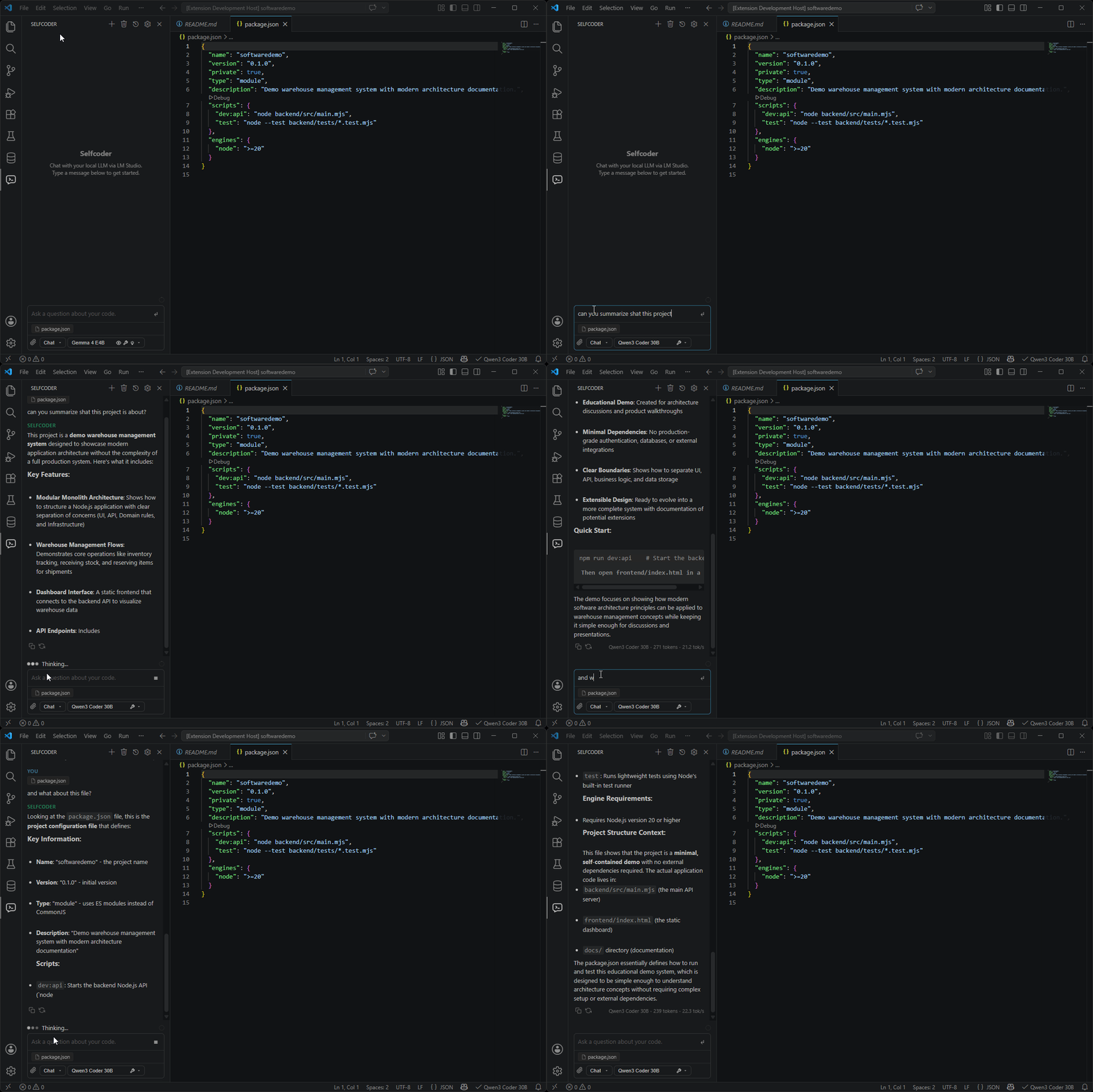
- Adds a dedicated chat panel for local AI coding sessions.
- Connects to local models served by LM Studio or Ollama.
- Supports model-aware workspace context, pinned files, attachments, and chat history.
- Integrates with VS Code native chat through the
@Selfcoderparticipant. - Exposes supported local models to the VS Code model picker.
- Supports image attachments for vision-capable models.
- Includes optional OpenCode agent integration for deeper workspace automation.
Install Selfcoder from the Visual Studio Marketplace.
To install it from VS Code:
- Open VS Code.
- Go to Extensions.
- Search for "Selfcoder".
- Install the extension published by "Coderoom".
- Reload VS Code if prompted.
After installing, start LM Studio or Ollama, pick a local chat model, and open Selfcoder from the VS Code activity bar.
| Backend | Default endpoint | Use case |
|---|---|---|
| LM Studio | http://localhost:1234 |
Easy setup, local model management, GUI friendly |
| Ollama | http://localhost:11434 |
CLI-driven model management, simple local runtime |
Project documentation is available in the docs directory.
Useful starting points:
Use GitHub Issues to report bugs, request improvements, or share compatibility notes for specific models and backends.
Use the Visual Studio Marketplace page for the current version, installation, and changelog details.