Repository navigation
TrimWM 0.9.0

New features
- Tabs layout (
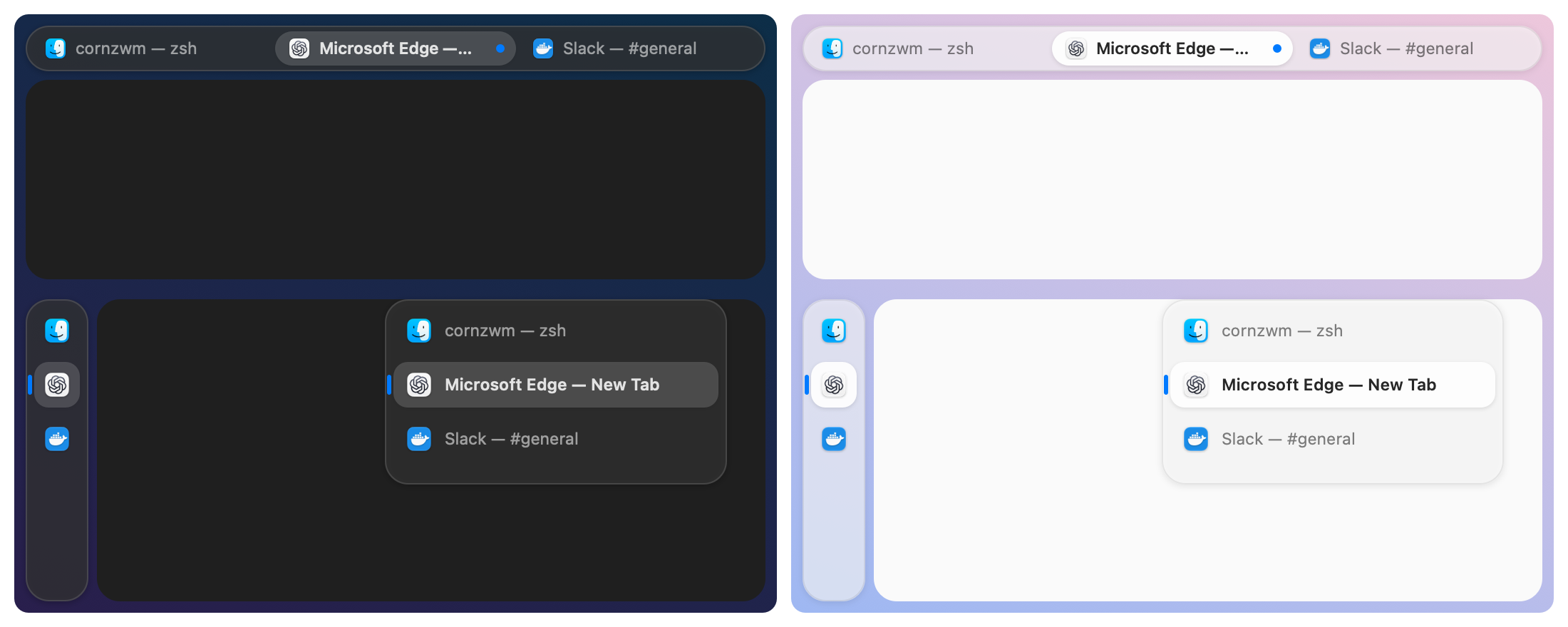
layout tabs,Option+Tin the default configuration): every window of the workspace shares one frame like tabs in a browser. A Liquid Glass tab bar with app icons and window titles switches between them by click,focus, andfocus next;movereorders them. Floating windows stay above the active tab.tabs position top: a capsule tab bar above the window; the active tab is raised with an accent dot.tabs position left: an icon rail that expands over the window to show titles on hover.tabs sizesets the bar's height or width, andtabs autohide truehides the bar until the tabs change or the pointer touches its screen edge.- With your own configuration, add
bindsym $mod+t layout tabsto get the shortcut.
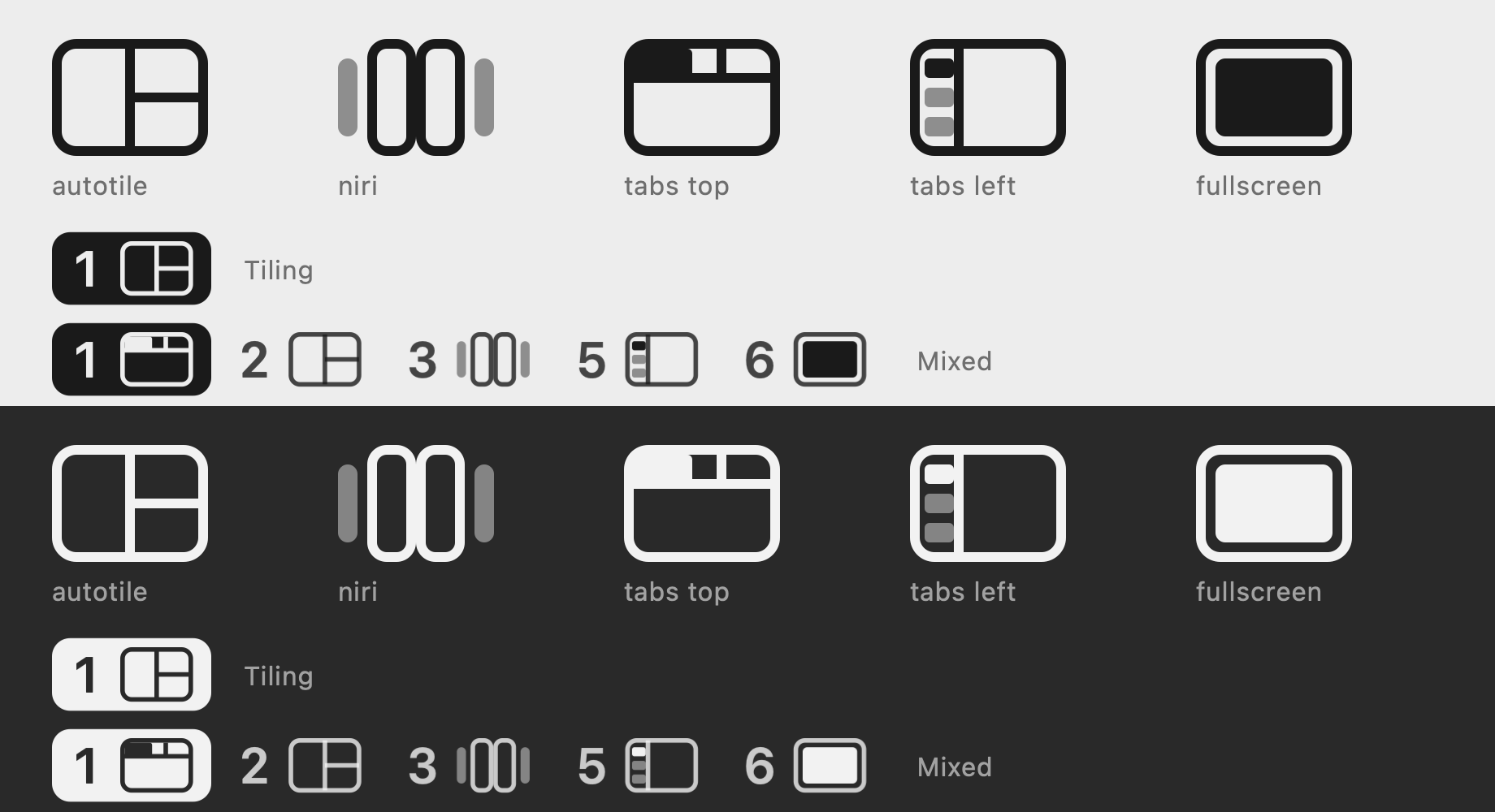
- Layout glyphs in the menu bar: each occupied workspace shows its number and a glyph for BSP, scrolling columns, tabs at the top or left, or WM-fullscreen, instead of
T,N, andF.
Improvements
- Window titles are tracked live, so tabs follow title changes.
- The README now shows all three layouts.
Verification
- All 207 tests pass, including new tests for the tabs layout, tab bar geometry, menu-bar glyphs, configuration, and title events.
- The tab bar was checked live on macOS 27 at the top and on the left, with real Liquid Glass.
- The app is signed with Developer ID, uses the hardened runtime, and is notarized with a stapled ticket.
Full Changelog: v0.8.1...v0.9.0