
Voice control for Linux desktops. Fully local, no cloud, Wayland-native.
Say "Hey Jarvis" and control your desktop with your voice.






⚠️ Early development. This project works but is not polished. Expect bugs, incomplete docs, and changes without notice.
Linux desktop voice control is a gap. Talon exists but has a steep learning curve and costs money for the full version. Most other tools are X11-only, abandoned, or cloud-dependent.
EasySpeak is free and open source (GPL-3.0), fully local (no cloud, no accounts), Wayland-native, simple ("Hey Jarvis, open downloads"), and extensible (drop a Python file in plugins/). Built for people with RSI, accessibility needs, hands-busy workflows, or anyone who wants to talk to their computer.
- Wake word activation ("Hey Jarvis")
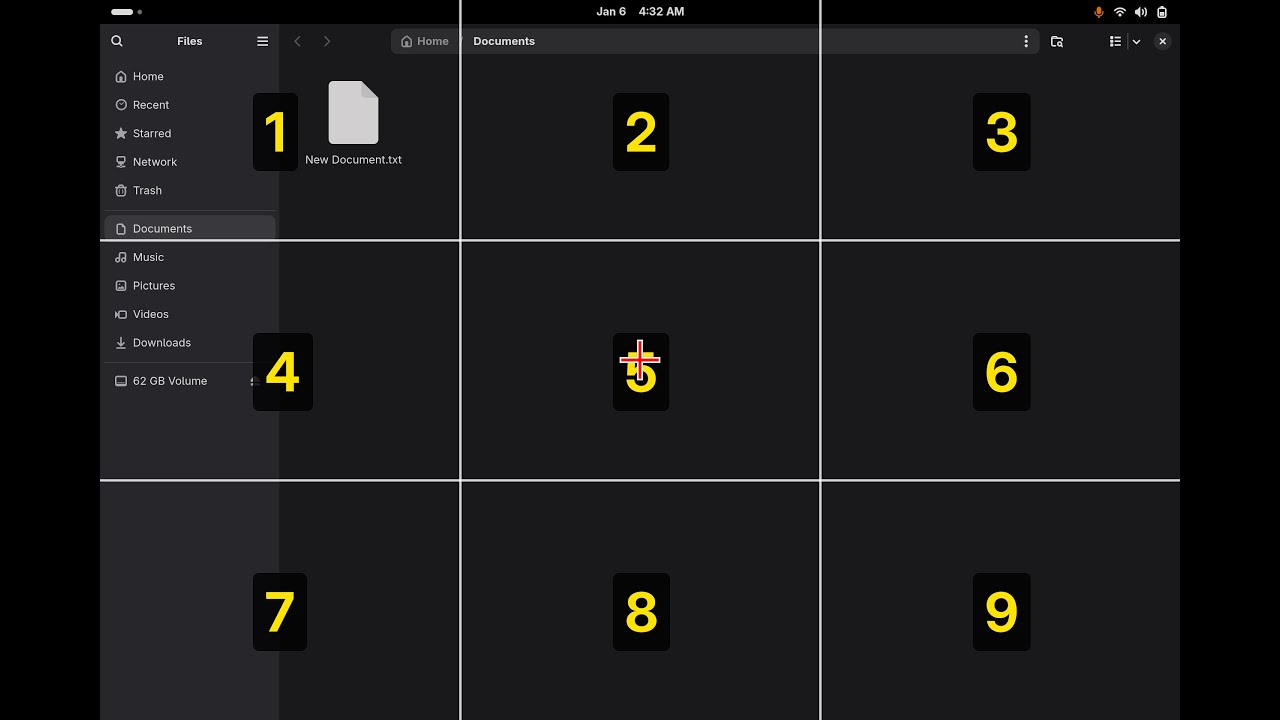
- Mouse grid and experimental head tracking
- Browser control, dictation, app launcher, media and system controls
- pyopen-wakeword + Whisper + Piper, all on-device
Requirements: Linux with GNOME Shell 47+ on Wayland, Python 3.10–3.14 (tested against 3.10, 3.11, 3.12, 3.13, and 3.14), a microphone, and ~2 GB disk for models. Tested on Fedora 43.
# 1. System packages (Fedora; see the docs for the full list)
sudo dnf install python3 python3-devel gcc portaudio-devel \
  pipewire-utils wireplumber at-spi2-core python3-gobject libadwaita qutebrowser \
  glib2 ffmpeg-free pulseaudio-utils sound-theme-freedesktop

# 2. Get EasySpeak and run it (uv manages the virtualenv for you)
git clone https://github.com/ctsdownloads/easyspeak.git ~/easyspeak
cd ~/easyspeak
uv run easyspeak
You also need Piper TTS installed for voice feedback. See the Installation guide for the venv-based path, head tracking, and full details.
Prefer prebuilt packages? Grab the easyspeak app .deb/.rpm plus a language
pack (e.g. easyspeak-lang-en) from the
Releases page and install them
together — a self-contained, offline install (Python runtime, piper, GNOME
extension, and speech models). See the
Packaging guide.
Then say "Hey Jarvis" followed by a command. Say "help" to list all commands.
- Installation — system packages, Python, Piper TTS
- Usage — running the daemon, CLI flags, configuration
- Commands — the full command reference
- Writing plugins — extend EasySpeak with a Python file
- Troubleshooting — common problems and fixes
- How it works — the architecture
- API reference — generated from the source docstrings
- Contributing — how to set up a dev environment and submit changes
- License — GPL-3.0
- pyopen-wakeword — Wake word detection
- faster-whisper — Speech recognition
- Piper — Text-to-speech (we use the last standalone binary from the original rhasspy/piper repo)
- Talon — Inspiration for voice control concepts