Repository navigation
Byte.exe
dream in pixels. create without limits.
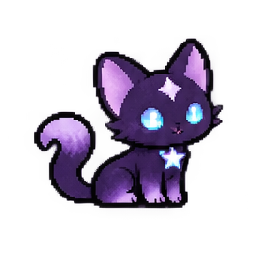
Black-and-purple fur. Bright cyan eyes. A star on his forehead. An impressive ability to make your computer feel a little less lonely.
Byte is the studio’s original pixel-cat mascot and Cy’s tiny screen-dwelling companion. Byte.exe v1.0.0 brings him to Windows as a desktop pet with his own cozy room. ♡
Visit Byte’s website · Open the v1.0.0 release
- Download Byte-v1.0.0-Windows-x64.zip from the release assets.
- Extract the ZIP into a normal, writable folder.
- Keep the extracted application files together.
- Open Byte.exe and say hello.
The Windows x64 build includes its runtime. Byte.exe is currently unsigned; see the official release and source guide for installation details.
Pet him, feed him, let him rest, talk, play, or toss a star in his room. His care stats, preferences, star catches, and desktop position are saved locally.
While Byte’s room is active:
| Key | Action |
|---|---|
1 |
Pet |
2 |
Feed |
3 |
Play |
4 |
Rest / Wake |
5 |
Talk |
6 |
Star game |
7 |
Happy dance |
Read the complete Byte guide for controls, settings, save data, and troubleshooting.
The website’s little Byte overlay has its own browser controls. The Windows application is a separate download.