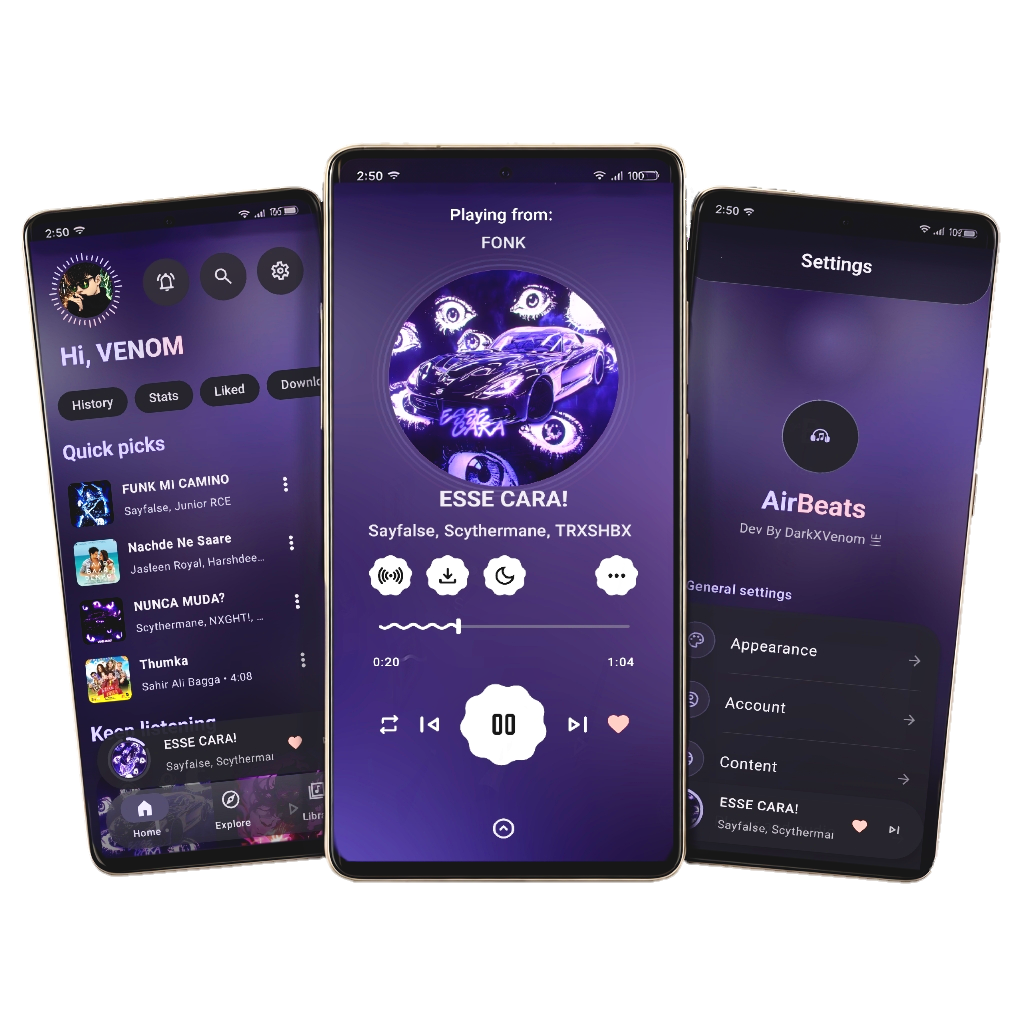
Experience Music Like Never Before on Android


- 🎵 Seamless YouTube Music Integration - Full access to your favorite tracks
- 🎨 Material Design 3 - Modern, elegant, and intuitive UI/UX
- 🎯 Advanced Playback Controls - Fine-tune your music experience
- 🔐 Secure & Privacy-Focused - Your data stays yours
- ⚡ Lightning Fast - Optimized performance and smooth animations
- 🌙 Dark Mode Support - Easy on the eyes, anytime
- 📱 Android 6.0+ - Works on a wide range of devices
| Link | Purpose |
|---|---|
| 🌍 Official Website | Learn more about AirBeats |
| 📥 Download APK | Get the latest version |
| 🏪 Official Store | Alternative download source |
Darkboy - Full-Stack Android Developer

Venom - Creative Design Visionary

Ready to build AirBeats yourself? Follow our comprehensive guide below.
| Requirement | Version |
|---|---|
| Java Development Kit (JDK) | 21 |
| Android Studio | Ladybug or newer |
| Git | Latest |
Important
google-services.json) and Google API Key are not included in the repository for security reasons. You must configure these manually to build the project successfully.
- Visit Firebase Console
- Click Create a new project (or use existing)
- Once created, click the Android icon
- Register your app with these details:
- Package name:
com.darkxvenom.airbeats - App nickname:
AirBeats
- Package name:
- Click Register app
- Download the
google-services.jsonfile - Move it to
AirBeats/app/google-services.json
- Open
local.propertiesin the project root - Add your Google API Key:
google.api.key=YOUR_GOOGLE_API_KEY_HERE
# 1. Clone the repository
git clone https://github.com/d0x-dev/AirBeats.git

# 2. Navigate into the project
cd AirBeats

# 3. Clean build files
./gradlew clean

# 4. Build the Debug APK
./gradlew assembleDebug

# 5. Find your APK at:
# app/build/outputs/apk/debug/app-debug.apk# Build Release APK (requires signing key)
./gradlew assembleRelease
# Build and run on connected device
./gradlew installDebug
# Run tests
./gradlew testCopyright © 2025 Darkboy & Venom
This project is licensed under the GNU General Public License v3.0 - see the LICENSE file for details.
This program is free software: you can redistribute it and/or modify
it under the terms of the GNU General Public License as published by
the Free Software Foundation, either version 3 of the License.
We'd love your contributions! Here's how:
- Fork the repository
- Create a feature branch (
git checkout -b feature/amazing-feature) - Commit your changes (
git commit -m 'Add amazing feature') - Push to the branch (
git push origin feature/amazing-feature) - Open a Pull Request
- 📧 Have questions? Open an Issue
- 🐛 Found a bug? Report it here
- 💡 Have a suggestion? We'd love to hear it!
⭐ If you love AirBeats, please consider giving us a star on GitHub! ⭐