Repository navigation
Combining Inputs and Delimiters
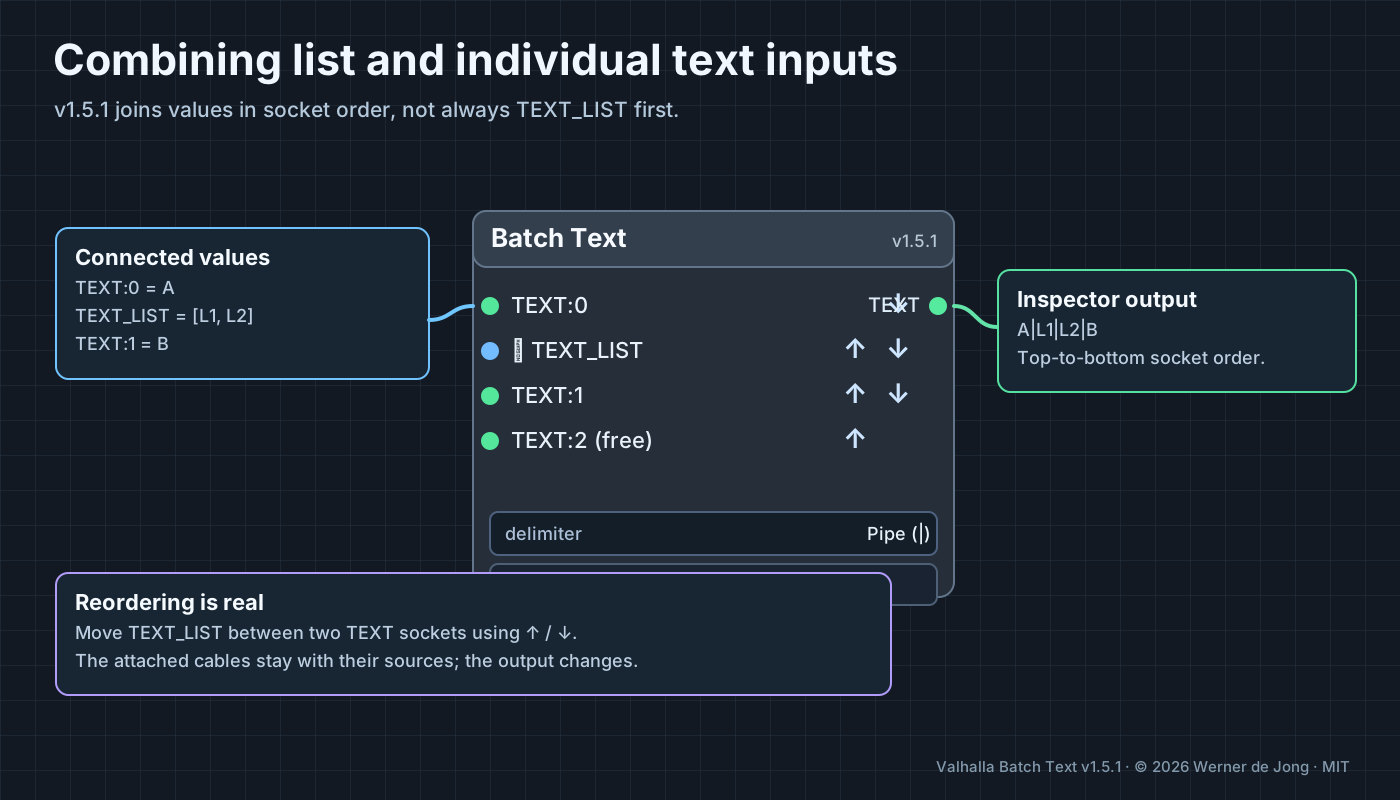
Connect TEXT:0 = A, TEXT_LIST = [L1, L2], and TEXT:1 = B. Use the arrows to put TEXT_LIST between the other two sockets and select Pipe (|). The output is A|L1|L2|B. Change the order and the actual output changes.
Use Blank line (\n\n) when separating larger prompt sections. This delimiter also separates list elements from one another. If you need different separators within a list than between groups, first join the list separately.
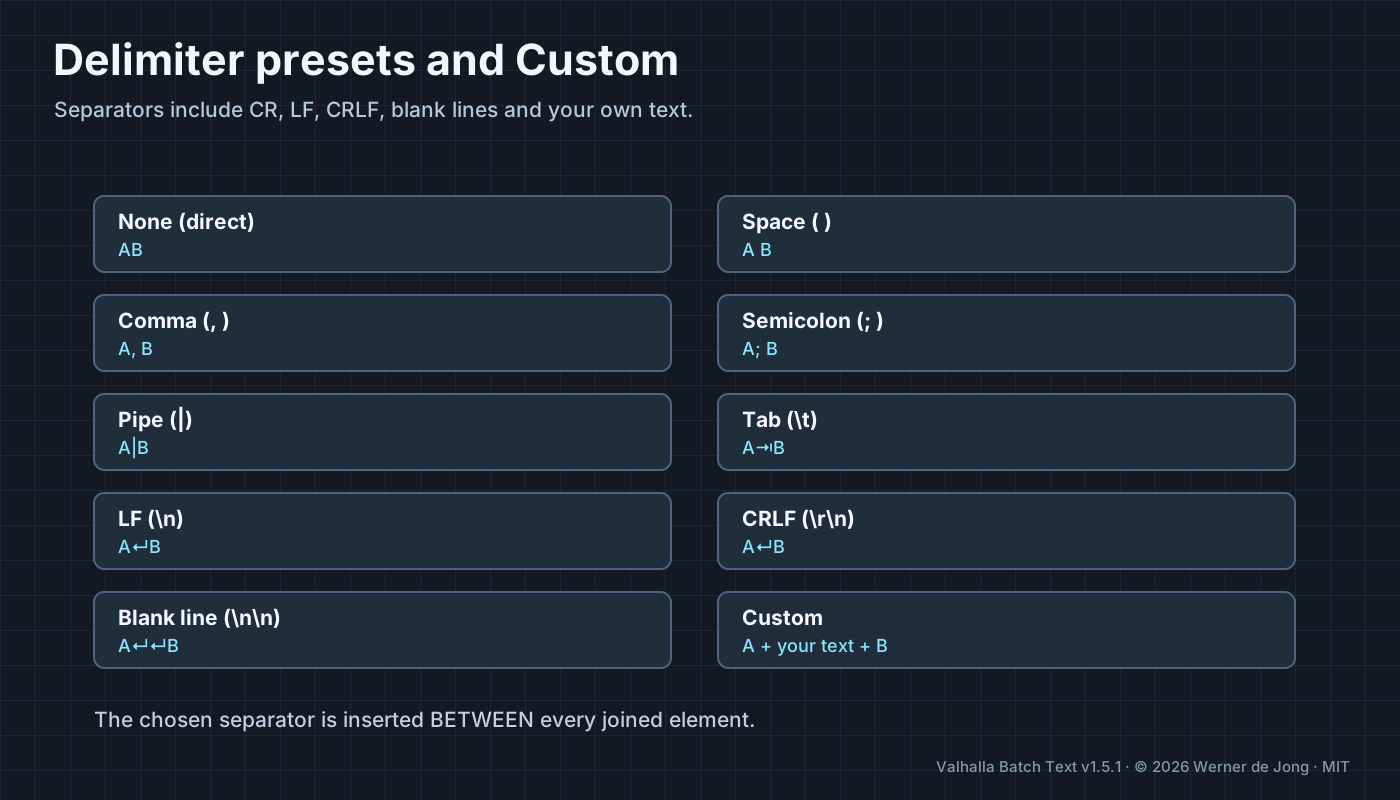
| Setting | Separator |
|---|---|
None (direct) |
Empty string |
Space ( ) |
One space |
Comma (, ) / Comma (,)
|
Comma with / without trailing space |
Semicolon / Colon / Pipe
|
The visible symbols, with or without spaces |
Tab (\t) |
Tab character |
LF (\n) |
Line feed |
CR (\r) |
Carriage return |
CRLF (\r\n) |
Windows line ending |
Blank line (\n\n) |
Two line feeds |
Custom |
Any literal text or supported escape sequence |
Custom: entering \n, \r, \t, or \\ produces line feed, carriage return, tab, or backslash. Other literal characters (including emoji) are also supported.
See Reordering Inputs. The arrows move the connected sockets and keep their cables, and the saved top-to-bottom order is passed to Python.