Repository navigation
Using TEXT LIST
TEXT_LIST is a special native ComfyUI list input for STRING data. It is not a general Python object or image list socket, and a multiline STRING remains one string.
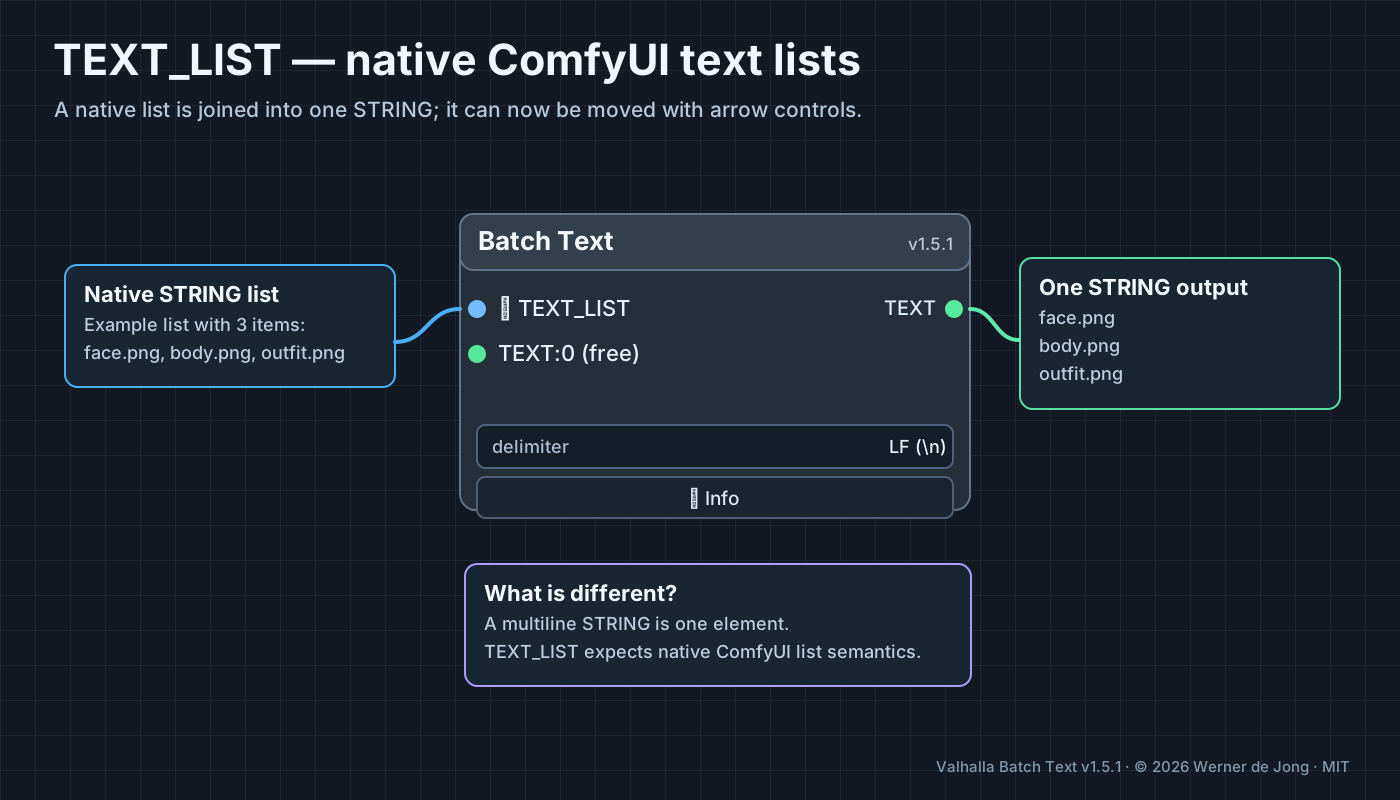
A source producing a native list ['face.png', 'body.png', 'wardrobe.png'], together with delimiter LF (\n), produces:
face.png
body.png
wardrobe.png
You may also connect individual strings to TEXT:n sockets. In v1.5.4, place TEXT_LIST anywhere in the input order using the arrows. The list items are joined at that position, rather than always before the other connected text inputs.
To check whether an upstream node really emits a native list, consult its definition or verify its output. TEXT_LIST expects native ComfyUI STRING values, not arbitrary custom objects. The node does not remove duplicates.