- displayLabel 에는 2 + 3 / 4 와 같이 여러 개의 표현식이 출력되지 않고 결과창에는 항상 숫자만 표현
- 곱하기(×)와 나누기(÷) 기호는 control + command + spacebar를 눌러서 수학 기호를 사용해야 함
- 2 + 3 * 4를 하면 2 + (3 * 4) = 14가 되는 게 아니라 (2 + 3) * 4 와 같이 항상 누른 순서대로 연산
- 2 + = 순으로 누르면 현재 displayLabel에 표현된 숫자인 2가 더해져 2 + 2 = 4 와 같이 동작 단, 다시 한 번 = 를 누르면 더 이상 계산되지 않음
- 2 + + + x - 3 = 순으로 누르면 최종적으로 - 연산자가 적용되어 2 - 3 = -1
- 등호(=)를 눌러 계산 결과가 나온 뒤 연산자를 누르지 않고 바로 숫자를 입력하면 기존의 값은 초기화되고 다시 처음부터 시작
- displayLabel에 입력할 수 있는 숫자는 최대 13자리. (계산 결과로 인해 나오는 숫자는 무관)
| 테스트케이스 | 결과 |
|---|---|
| 12 = 3 | 3 - 12는 초기화 되고 최초에 3을 누른 것부터 다시 시작 |
| 12 + 3 = + 4 = | 19 - 12 + 3 + 4 = 19 |
| 12 + 3 | 12 (화면상에는 3) - 아직 3이 더해지지 않은 상태 |
| 12 + 3 - | 15 - -버튼이 눌려지는 순간 앞의 + 연산이 수행됨 |
| 12 + 3 * + - * | 15 - 연산자만 바꾸는 것은 결과에 영향 없이 다음에 수행할 연산자를 덮어씀 |
| 12 + - * / 3 = | 4 - 마지막으로 누른 연산자(/)로 연산. 12 / 3 = 4 |
| 12 + = | 24 - 12 + 12 = 24 |
| 12 + = = = | 24 - 12 + 12 = 24, 등호(=)는 이전 연산자에 대해 한 번만 계산 |
| 12 +-/ +-/ | 12 - 연산자를 막 바꿔가면서 눌렀을 때 이상 없는지 체크 |
| -5 + 1 = | -4 - 초기 상태에서 -버튼부터 누르고 시작할 때도 정상적으로 연산 |
| 1 * 2 + 3 / 2 - 1 = | 1.5 - 연산자 우선순위와 관계없이 항상 앞에 있던 연산자부터 계산 |
| 숫자를 큰 수나 작은 수 음수로 바꿔가며 결과가 제대로 나오는지 테스트해보기 |
docs: 문서 수정
feat: 새로운 기능 추가
test: 테스트 코드, 리펙토링 테스트 코드 추가
fix: 버그 수정
프로젝트 생성 및 git init


-
Deployment info
- Target Device - iOS12.2
- Device Orientation - Portrait

-
AppDelegate.swift - window 연결
-
Seendelegate.swift - 파일 제거
-
Main.storyboard - 계산기 레이아웃 생성
-
Assets.xcassets - 아이콘 추가
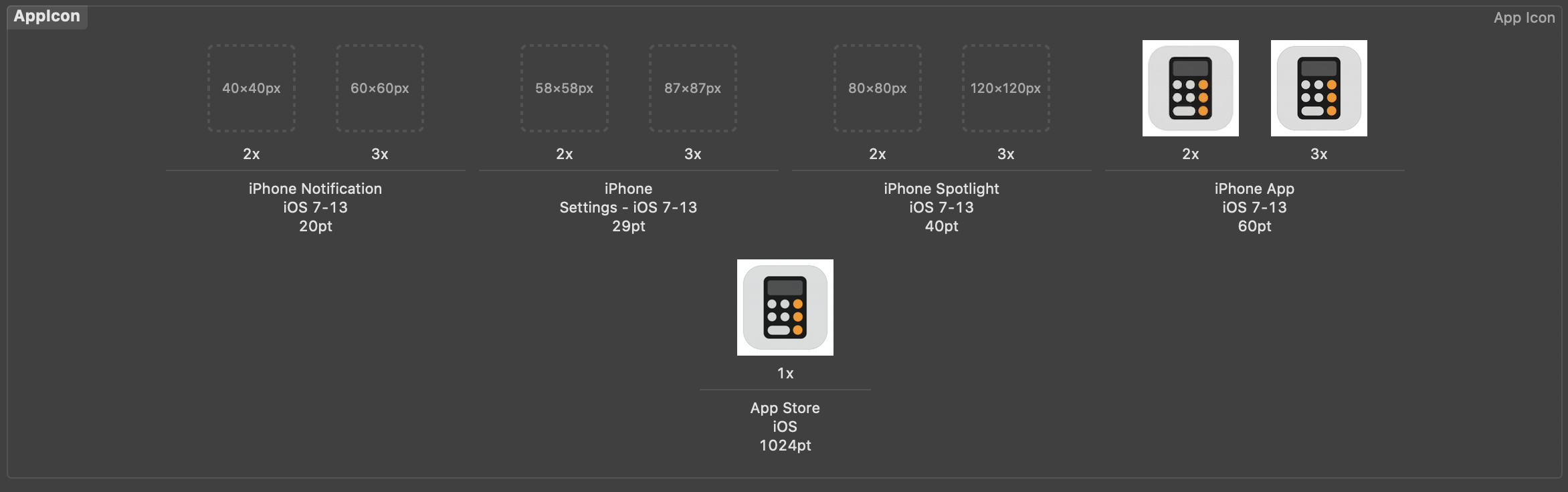
-
Info.plist - Application Scene Manifest 제거

레이블과 버튼에 액션과 아웃렛 설정

Command.swift
enum Command {
    case addDigit(String)
    case operation(String)
    case equal
    case clear
}
ViewController.swift - func didTapButton
@IBAction private func didTapButton(_ sender: UIButton) {
        guard let input = sender.currentTitle  else { return }

        let commend: Command
        switch input {
        case "AC":
            commend = .clear
        case "=":
            commend = .equal
        case "+", "-", "×", "÷":
            commend = .operation(input)
        default:
            commend = .addDigit(input)
        }
        print(commend)
    }
입력을 받는 버튼의 숫자, 연산자, =, AC 를 Command enum의 연관랎으로 받아 구분
ViewController.swift
private var displayValue: String {
    get { return displayLabel.text ?? "" }
    set { displayLabel.text = newValue }
}
ViewController.swift - func didTapButton
displayValue = input
print("display : \(displayValue), command : \(commend)")displayValue를 통해 새로들어온 값을 newValue로 받아 displayLabel에 출력
ViewController.swift
displayValue = performCommand(commend, with: displayValue)ViewController.swift - func performCommand
private func performCommand(_ command: Command, with displayText: String) -> String {
    switch command {
    case .addDigit(let input):
        return displayText + input
    case .operation(_):
        break
    case .equal:
        break
    case .clear:
        break
    }
    return "0"
}
입력된 커멘드에따라 displayText에 추가 혹은 0으로 초기화 함수생성
ViewController.swift
private var shouldResetText = trueViewController.swift
private func addDight(value newValue: String, to oldValue: String) -> String {
    let displayStirng = shouldResetText ? newValue
        : oldValue.count > 13 ? oldValue
        : oldValue + newValue
    shouldResetText = false
    return displayStirng
}
ViewController.swift - func performCommand
private func performCommand(_ command: Command, with displayText: String) -> String {
    switch command {
    case .addDigit(let input):
        return addDight(value: input, to: displayText)
    case .operation(_):
        break
    case .equal:
        break
    case .clear:
        break
    }
    shouldResetText = true
    return "0"
}
문자열의 길이를 제한하기 위하여 addDigit의 기능을 확장하여 함수를 생성한 후 함수 내부에서 shouldResetText의 기본값을 ture 로 설정 후 13자리를 판별한후 displayString를 반환한다
ViewController.swift
private var accumulator = 0.0
private var bufferOperator: String?
ViewController.swift - func calculate
private func calculate(for newValue: String) -> Double {
  let operand = Double(newValue)!

  switch bufferOperator {
  case "+": return accumulator + operand
  case "-": return accumulator - operand
  case "×": return accumulator * operand
  case "÷": return accumulator / operand
  default: return operand
  }
}
ViewController.swift - func performCommand
private func performCommand(_ command: Command, with displayText: String) -> String {
  var result: Double?
  switch command {
  case .addDigit(let input):
    return addDigit(value: input, to: displayText)
  case .operation(let op):
    accumulator = calculate(for: displayText)
    bufferOperator = op
    result = accumulator
  case .equal:
    break
  case .clear:
    break
  }
  shouldResetText = true
  return String(result ?? 0)
}ViewController.swift
private var shouldResetText = true
private var accumelator = 0.0
ViewController.swift - func calculator
private func calculate(for newValue: String) -> Double {
    let operand = Double(newValue)!

    switch bufferOperator {
    case "+": return accumelator + operand
    case "-": return accumelator - operand
    case "×": return accumelator * operand
    case "÷": return accumelator / operand
    default: return operand
    }
}
ViewController.swift - func performCommand
private func performCommand(_ command: Command, with displayText: String) -> String {
    var result: Double?

    switch command {
    case .addDigit(let input):
        return addDight(value: input, to: displayText)
    case .operation(let op):
        accumelator = calculate(for: displayText)
        bufferOperator = op
        result = accumelator
    case .equal:
        break
    case .clear:
        break
    }
    shouldResetText = true
    return String(result ?? 0)
}
입력받은 연산자를 performCommand함수에서 분기하여 화면상의 숫자를 전달인자로 받은 calculate함수 에서 연산하여 Double타입으로 리턴한다.
ViewController.swif - didTapButtont
@IBAction private func didTapButton(_ sender: UIButton) {
    guard let input = sender.currentTitle  else { return }

    let commend: Command
    switch input {
    case "AC":
        commend = .clear
    case "=":
        commend = .equal
    case "+", "-", "×", "÷":
        commend = .operation(input)
    default:
        commend = .addDigit(input)
    }

    let result = performCommand(commend, with: displayValue)
    displayValue = limitFractionDigits(to: result)
    print("display : \(displayValue), command : \(commend)")
}
ViewController.swift - func limitFractionDigits
private func limitFractionDigits(to numString: String) -> String {
    guard let number = Double(numString) else { return "0" }
    let formatter = NumberFormatter()
    formatter.minimumFractionDigits = 0
    formatter.maximumFractionDigits = 3
    return formatter.string(from: number as NSNumber) ?? "0"
}
연산시 소수점 이하 3자리 미만으로 떨어지지 않게 하기위한 함수 추가 NumberFormmater()활용