Repository navigation
Releases
Codex Accounts 0.1.7 Preview — Liquid Glass toolbar

A cleaner Liquid Glass toolbar
Codex Accounts 0.1.7 Preview · Native macOS launcher · Independent of OpenAI
Download for macOS
One universal app package for Apple Silicon and Intel build targets. Requires macOS 13+ and the official Codex desktop app, installed separately.
| File | For | Download |
|---|---|---|
| Codex Accounts.app · ZIP | Use the launcher | Download universal preview |
| SHA256SUMS | Verify archive integrity | Download checksums |
Important
Preview, not notarized. This package is ad-hoc signed, not Developer ID signed. macOS may block the download. Keep Gatekeeper enabled; do not remove quarantine to run it. A frictionless downloaded double-click release is still pending.
Choose the ZIP above to get the app. The “Source code” archives under Assets are for developers.
Get started
- Unzip the download and open Codex Accounts.app. You may move it to Applications.
- Choose Add profile, enter a label, then click Open beside that profile.
- Sign in through the official app and verify the email/workspace. Repeat for another account, one sign-in at a time.
What's new in 0.1.7
- Native Liquid Glass toolbar. Add profile and Privacy & security are grouped beside the window title.
- Clearer profile actions. Profile rows are more compact on macOS 26, with readable Open buttons and lighter outlines.
- macOS 13–15 support. On earlier systems, Add profile appears in the header and Privacy & security appears in the footer.
The launcher still creates separate profile folders, verifies the selected official app's signature, and leaves authentication to that app. It has no built-in networking, telemetry, password form, or token import.
Verification and current limits
| Checked | Result |
|---|---|
| Isolation/security checks | 23 passing automated checks |
| Profile UI | 8 fixture checks with a mocked launch boundary; no real credentials |
| App package | Universal binary and ad-hoc signature verified |
| Artwork | Ten PNG icon sizes and ICNS structure inspected |
| Release archive | Downloaded from GitHub; SHA-256 matched |
| Full multi-account login, Intel runtime, clean-Mac download acceptance | Still pending |
Profiles share one macOS user and are not an OS security boundary. Credentials stored by the official app remain sensitive. Account eligibility, SSO, and organization policies still apply. Desktop launch flags are internal behavior and may change.
The showcase is a source-derived native UI render with fixture labels, not proof of connected accounts. No OpenAI logo or external artwork is bundled. The licensing review is not legal clearance or an absolute non-infringement guarantee.
Source at this version · Changes since 0.1.6 · Security · Licensing · Validation
Codex Accounts 0.1.6 Preview — Liquid Glass
Native Liquid Glass controls
Codex Accounts 0.1.6 Preview · Native macOS launcher · Independent of OpenAI
Download for macOS
One universal app package for Apple Silicon and Intel build targets. Requires macOS 13+ and the official Codex desktop app, installed separately.
| File | For | Download |
|---|---|---|
| Codex Accounts.app · ZIP | Use the launcher | Download universal preview |
| SHA256SUMS | Verify archive integrity | Download checksums |
Important
Preview, not notarized. This package is ad-hoc signed, not Developer ID signed. macOS may block the download. Keep Gatekeeper enabled; do not remove quarantine to run it. A frictionless downloaded double-click release is still pending.
Choose the ZIP above to get the app. The “Source code” archives under Assets are for developers.
Get started
- Unzip the download and open Codex Accounts.app. You may move it to Applications.
- Choose Add profile, enter a label, then click Open beside that profile.
- Sign in through the official app and verify the email/workspace. Repeat for another account, one sign-in at a time.
What's new in 0.1.6
- Liquid Glass on macOS 26 and later. Add profile, the per-profile Open buttons, and Privacy & security use the system glass material. Add profile uses your system accent color.
- macOS 13–15 support. The same controls use their standard AppKit styles on older releases.
The launcher still creates separate profile folders, verifies the selected official app's signature, and leaves authentication to that app. It has no built-in networking, telemetry, password form, or token import.
Verification and current limits
| Checked | Result |
|---|---|
| Isolation/security checks | 23 passing automated checks |
| Profile UI | 8 fixture checks with a mocked launch boundary; no real credentials |
| App package | Universal binary and ad-hoc signature verified |
| Artwork | Ten PNG icon sizes and ICNS structure inspected |
| Release archive | Downloaded from GitHub; SHA-256 matched |
| Full multi-account login, Intel runtime, clean-Mac download acceptance | Still pending |
Profiles share one macOS user and are not an OS security boundary. Credentials stored by the official app remain sensitive. Account eligibility, SSO, and organization policies still apply. Desktop launch flags are internal behavior and may change.
The showcase is a source-derived native UI render with fixture labels, not proof of connected accounts. No OpenAI logo or external artwork is bundled. The licensing review is not legal clearance or an absolute non-infringement guarantee.
Source at this version · Changes since 0.1.5 · Security · Licensing · Validation
Codex Accounts 0.1.5 Preview — Fixed profile borders
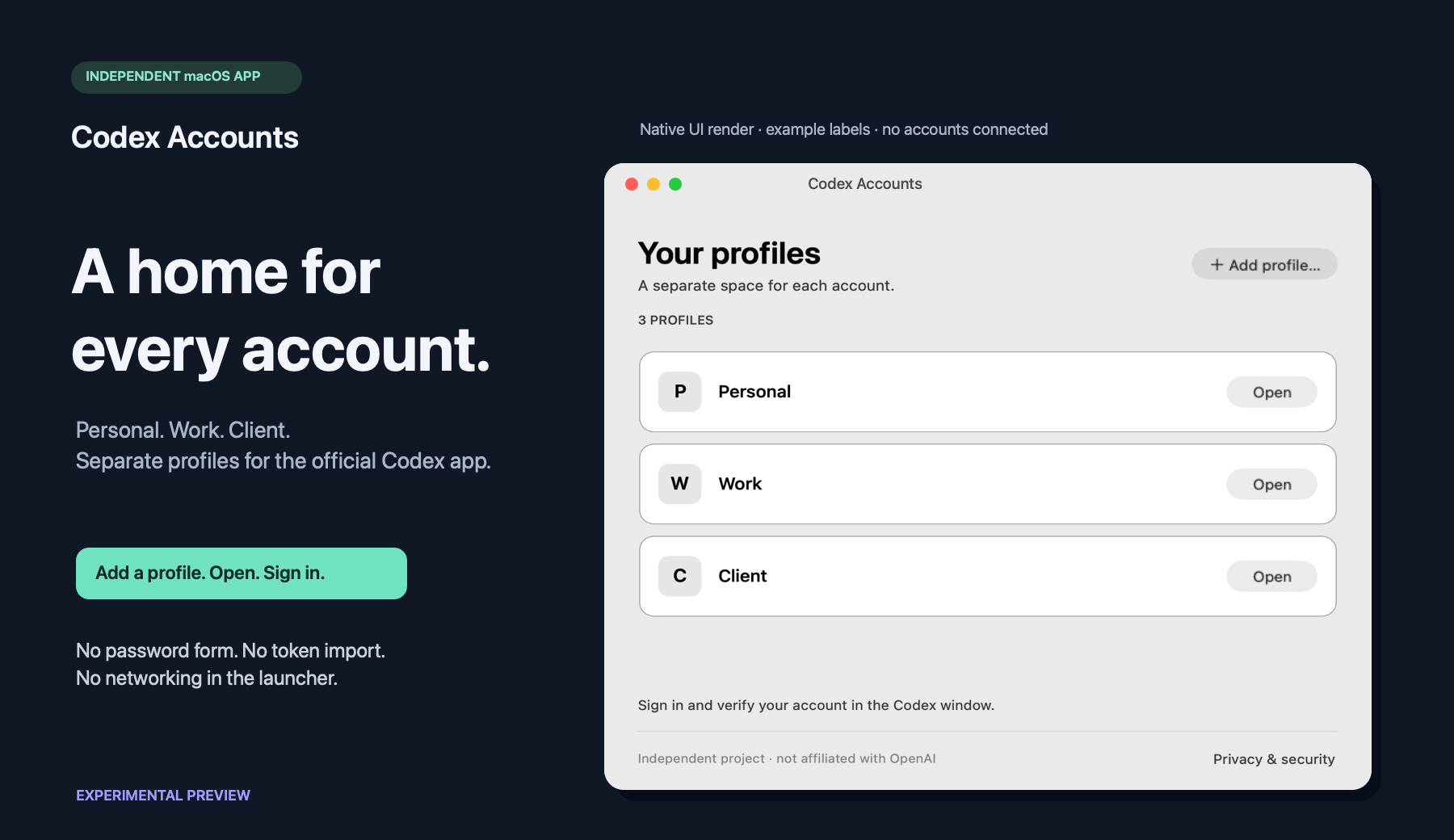
A clean frame for every profile.
Codex Accounts 0.1.5 Preview · Native macOS launcher · Independent of OpenAI
Download for macOS
One universal app package for Apple Silicon and Intel build targets. Requires macOS 13+ and the official Codex desktop app, installed separately.
| File | For | Download |
|---|---|---|
| Codex Accounts.app · ZIP | Use the launcher | Download universal preview |
| SHA256SUMS | Verify archive integrity | Download checksums |
Important
Preview, not notarized. This package is ad-hoc signed, not Developer ID signed. macOS may block the download. Keep Gatekeeper enabled; do not remove quarantine to run it. A frictionless downloaded double-click release is still pending.
Choose the ZIP above to get the app. The “Source code” archives under Assets are for developers.
Get started
- Unzip the download and open Codex Accounts.app. You may move it to Applications.
- Choose Add profile, enter a label, then click Open beside that profile.
- Sign in through the official app and verify the email/workspace. Repeat for another account, one sign-in at a time.
What's new in 0.1.5
- Fixed broken profile-row borders. Profile rows now draw a complete rounded frame directly, instead of relying on NSBox's native border, which left top-edge gaps in the live window.
- Same direct Open controls. The per-profile buttons, attached Add profile sheet and approved double-C icon are retained.
- Updated previews. Native light/dark renders and the README showcase reflect the corrected border configuration.
The launcher still creates separate profile folders, verifies the selected official app's signature, and leaves authentication to that app. It has no built-in networking, telemetry, password form, or token import.
Verification and current limits
| Checked | Result |
|---|---|
| Isolation/security checks | 23 passing automated checks |
| Profile UI | 8 fixture checks with a mocked launch boundary; no real credentials |
| App package | Universal binary and ad-hoc signature verified |
| Artwork | Ten PNG icon sizes and ICNS structure inspected |
| Release archive | Downloaded from GitHub; SHA-256 matched |
| Full multi-account login, Intel runtime, clean-Mac download acceptance | Still pending |
Profiles share one macOS user and are not an OS security boundary. Credentials stored by the official app remain sensitive. Account eligibility, SSO, and organization policies still apply. Desktop launch flags are internal behavior and may change.
The showcase is a source-derived native UI render with fixture labels, not proof of connected accounts. No OpenAI logo or external artwork is bundled. The licensing review is not legal clearance or an absolute non-infringement guarantee.
Source at this version · Changes since 0.1.4 · Security · Licensing · Validation
Codex Accounts 0.1.4 Preview — One-click profile opening
Your profiles, one click away.
Codex Accounts 0.1.4 Preview · Native macOS launcher · Independent of OpenAI
Download for macOS
One universal app package for Apple Silicon and Intel build targets. Requires macOS 13+ and the official Codex desktop app, installed separately.
| File | For | Download |
|---|---|---|
| Codex Accounts.app · ZIP | Use the launcher | Download universal preview |
| SHA256SUMS | Verify archive integrity | Download checksums |
Important
Preview, not notarized. This package is ad-hoc signed, not Developer ID signed. macOS may block the download. Keep Gatekeeper enabled; do not remove quarantine to run it. A frictionless downloaded double-click release is still pending.
Choose the ZIP above to get the app. The “Source code” archives under Assets are for developers.
Get started
- Unzip the download and open Codex Accounts.app. You may move it to Applications.
- Choose Add profile, enter a label, then click Open beside that profile.
- Sign in through the official app and verify the email/workspace. Repeat for another account, one sign-in at a time.
What's new in 0.1.4
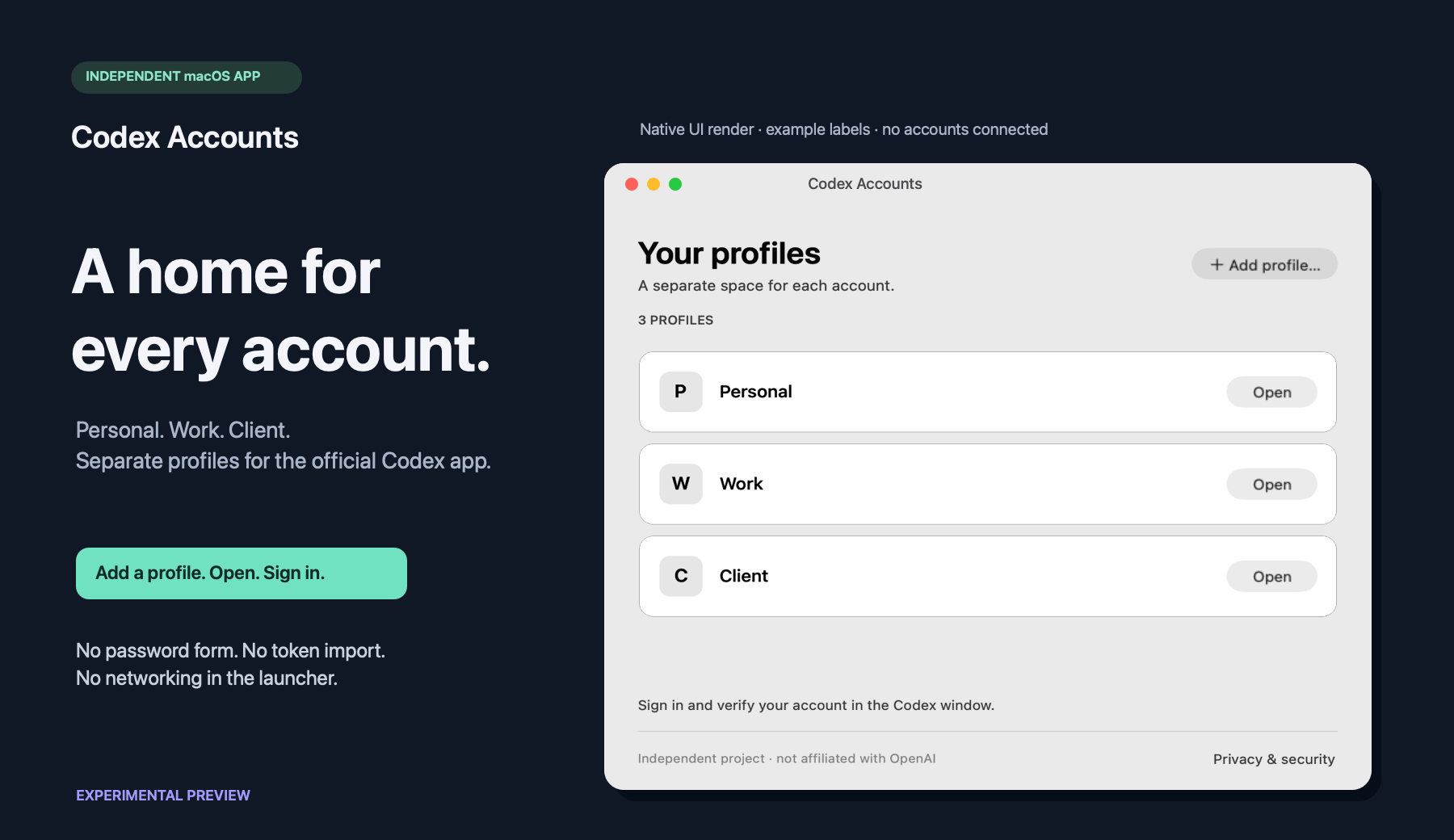
- Open directly from each profile. Each row now has its own Open button, with a readable name and a small initial badge. The radio-like markers and separate selection step are removed.
- A cleaner native layout. Consistent spacing, aligned buttons, a useful empty state, and a compact footer support both light and dark appearances.
- An attached Add profile sheet. Add a name without leaving the main window. Open and Add controls are disabled while a launch is in progress.
- Safer UI routing. Buttons resolve the profile by UUID rather than relying on a selected row. Fixture checks cover row reordering, stale buttons, long names, empty state, and busy controls.
The launcher still creates separate profile folders, verifies the selected official app's signature, and leaves authentication to that app. It has no built-in networking, telemetry, password form, or token import.
Verification and current limits
| Checked | Result |
|---|---|
| Isolation/security checks | 23 passing automated checks |
| Profile UI | 8 fixture checks with a mocked launch boundary; no real credentials |
| App package | Universal binary and ad-hoc signature verified |
| Artwork | Ten PNG icon sizes and ICNS structure inspected |
| Release archive | Downloaded from GitHub; SHA-256 matched |
| Full multi-account login, Intel runtime, clean-Mac download acceptance | Still pending |
Profiles share one macOS user and are not an OS security boundary. Credentials stored by the official app remain sensitive. Account eligibility, SSO, and organization policies still apply. Desktop launch flags are internal behavior and may change.
The showcase is a source-derived native UI render with fixture labels, not proof of connected accounts. No OpenAI logo or external artwork is bundled. The licensing review is not legal clearance or an absolute non-infringement guarantee.
Source at this version · Changes since 0.1.3 · Security · Licensing · Validation
Codex Accounts 0.1.3 Preview — Double-C icon
One identity. Multiple profiles.
Codex Accounts 0.1.3 Preview · Native macOS launcher · Independent of OpenAI
Download for macOS
One universal app package for Apple Silicon and Intel build targets. Requires macOS 13+ and the official Codex desktop app, installed separately.
| File | For | Download |
|---|---|---|
| Codex Accounts.app · ZIP | Use the launcher | Download universal preview |
| SHA256SUMS | Verify archive integrity | Download checksums |
Important
Preview, not notarized. This package is ad-hoc signed, not Developer ID signed. macOS may block the download. Keep Gatekeeper enabled; do not remove quarantine to run it. A frictionless downloaded double-click release is still pending.
Choose the ZIP above to get the app. The “Source code” archives under Assets are for developers.
Get started
- Unzip the download and open Codex Accounts.app. You may move it to Applications.
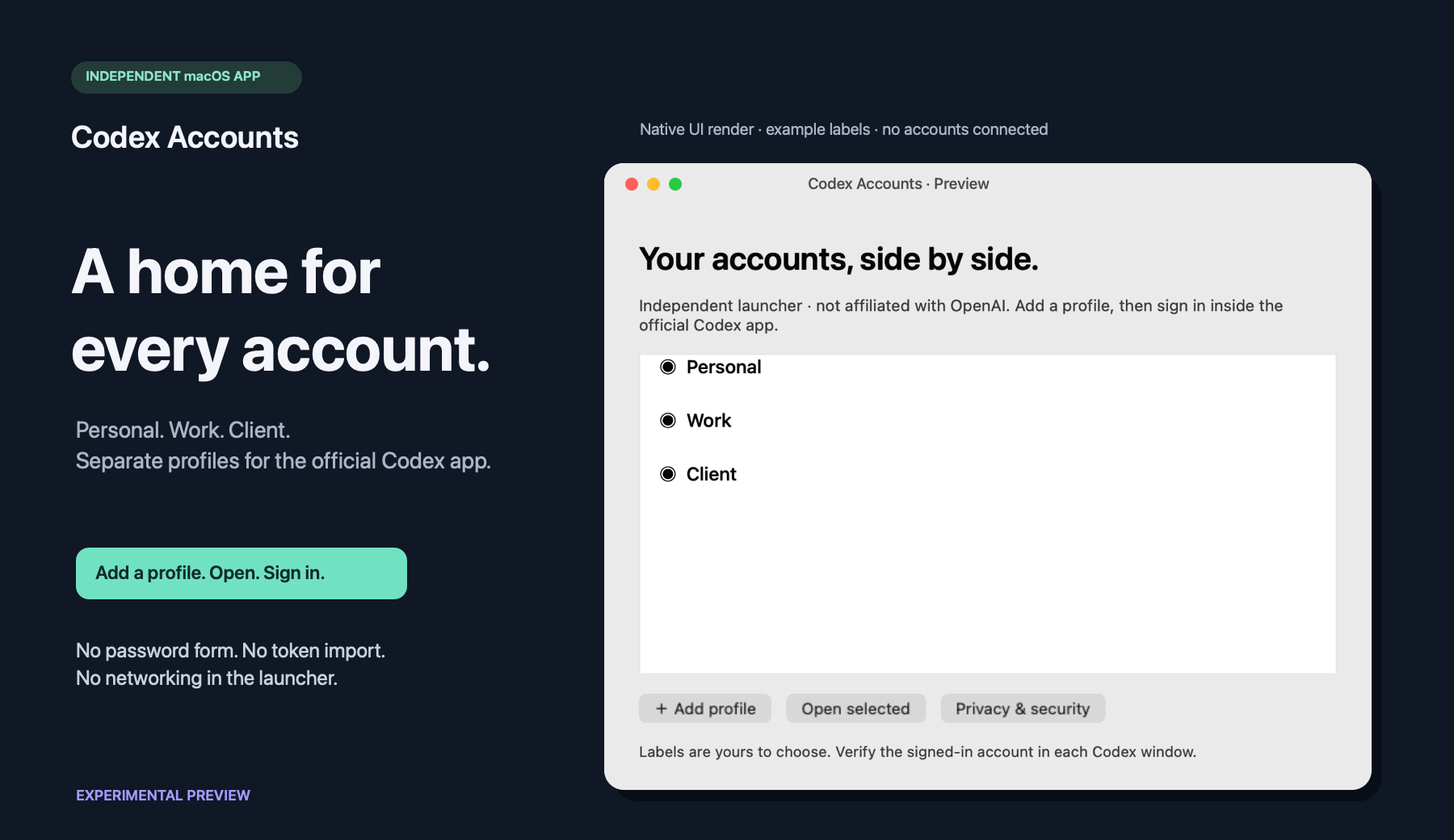
- Choose Add profile, enter a label, then select it and click Open selected.
- Sign in through the official app and verify the email/workspace. Repeat for another account, one sign-in at a time.
What's new in 0.1.3
- The approved double-C icon. Two repeated C forms in graphite on a light tile replace the previous window-outline artwork.
- Ready for macOS. The exact approved image is scaled and centered into all ten PNG representations and the bundled ICNS icon.
- Transparent provenance. The original imagegen PNG, source SHA-256, exact prompt and packaging code are committed. The licensing text now identifies the raster artwork accurately.
The launcher still creates separate profile folders, verifies the selected official app's signature, and leaves authentication to that app. It has no built-in networking, telemetry, password form, or token import.
Verification and current limits
| Checked | Result |
|---|---|
| Isolation/security checks | 23 passing automated checks |
| App package | Universal binary and ad-hoc signature verified |
| Artwork | Ten PNG icon sizes and ICNS structure inspected |
| Release archive | Downloaded from GitHub; SHA-256 matched |
| Full multi-account login, Intel runtime, clean-Mac download acceptance | Still pending |
Profiles share one macOS user and are not an OS security boundary. Credentials stored by the official app remain sensitive. Account eligibility, SSO, and organization policies still apply. Desktop launch flags are internal behavior and may change.
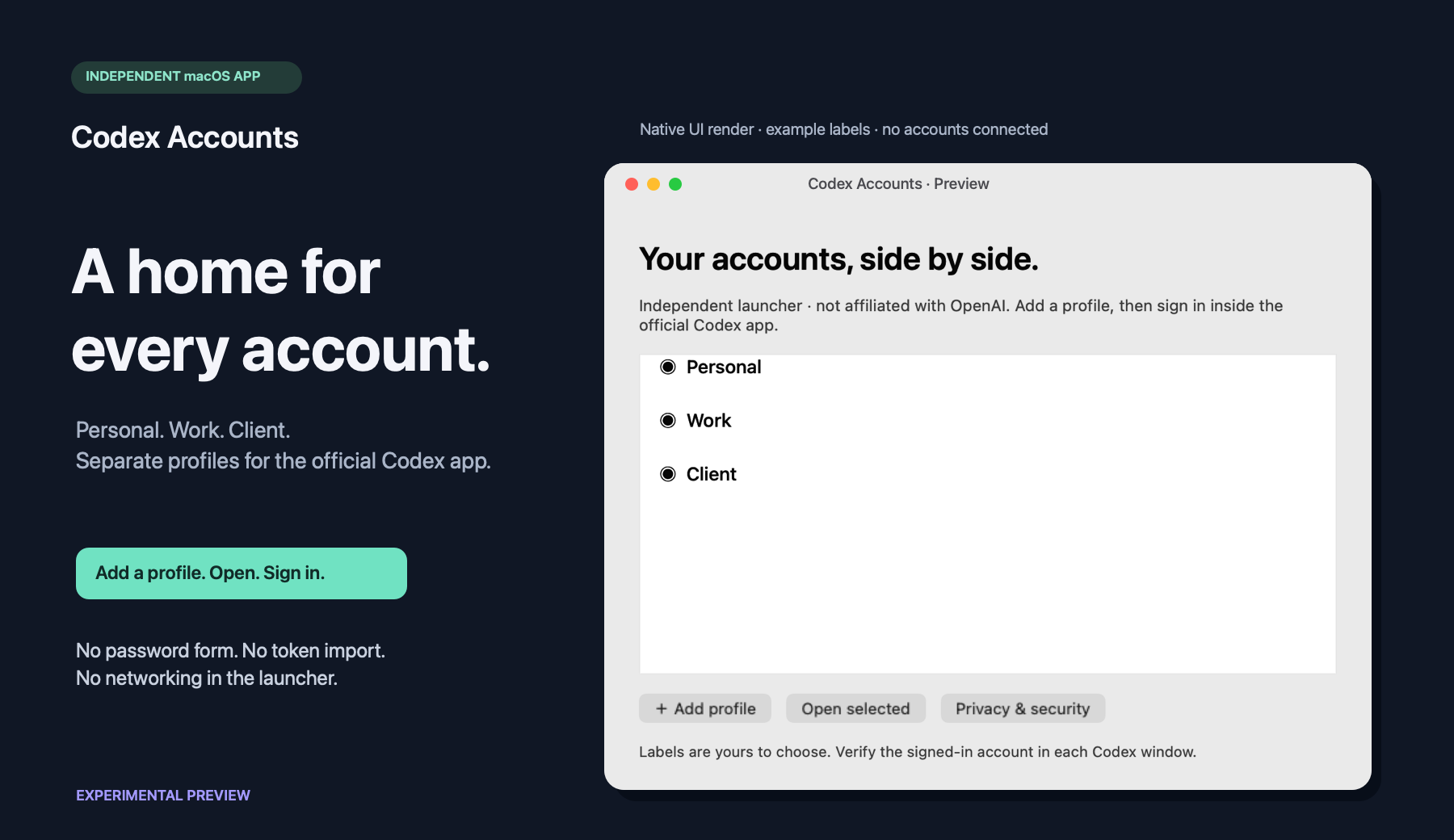
The showcase is a source-derived native UI render with fixture labels, not proof of connected accounts. No OpenAI logo or external artwork is bundled. The licensing review is not legal clearance or an absolute non-infringement guarantee.
Source at this version · Changes since 0.1.2 · Security · Licensing · Validation
Codex Accounts 0.1.2 Preview — Refined app icon
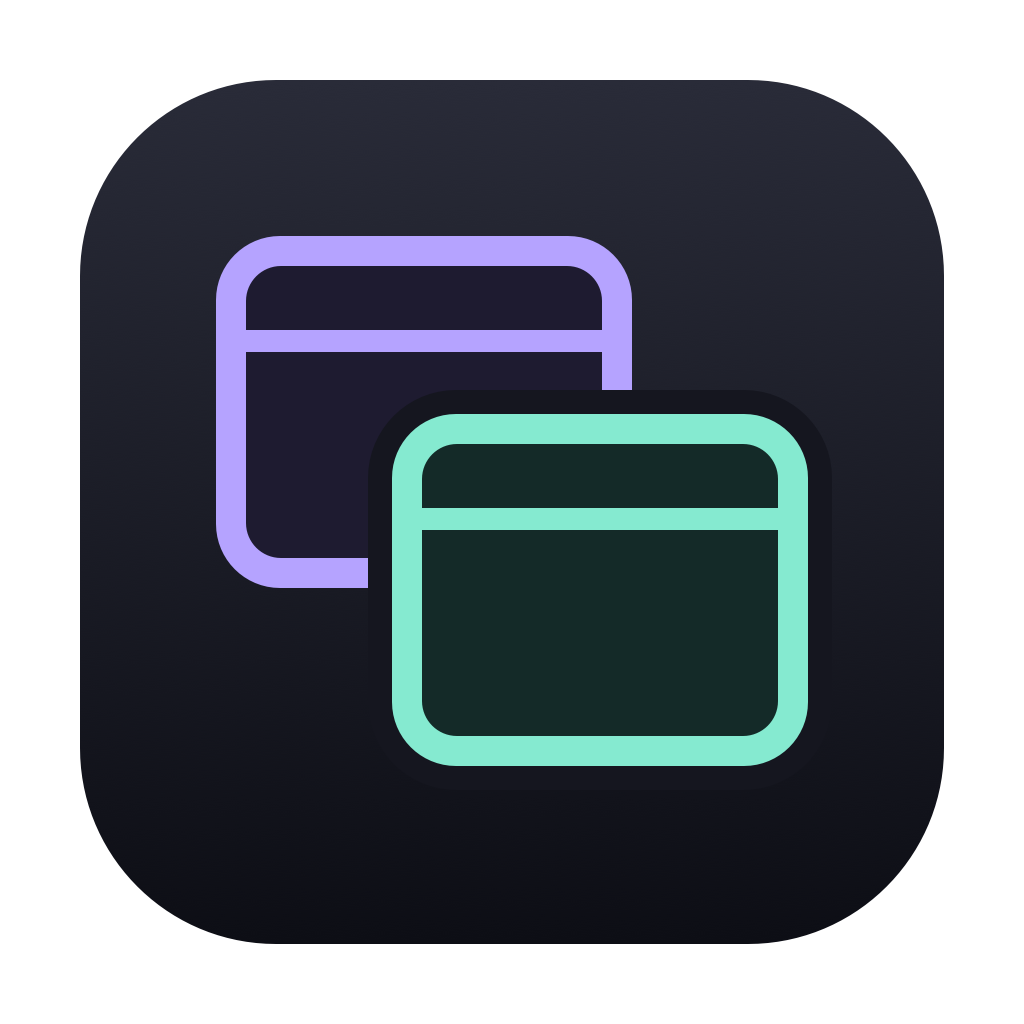
Two windows. One launcher.
Codex Accounts 0.1.2 Preview · Native macOS launcher · Independent of OpenAI
Download for macOS
One universal app package for Apple Silicon and Intel build targets. Requires macOS 13+ and the official Codex desktop app, installed separately.
| File | For | Download |
|---|---|---|
| Codex Accounts.app · ZIP | Use the launcher | Download universal preview |
| SHA256SUMS | Verify archive integrity | Download checksums |
Important
Preview, not notarized. This package is ad-hoc signed, not Developer ID signed. macOS may block the download. Keep Gatekeeper enabled; do not remove quarantine to run it. A frictionless downloaded double-click release is still pending.
Choose the ZIP above to get the app. The “Source code” archives under Assets are for developers.
Get started
- Unzip the download and open Codex Accounts.app. You may move it to Applications.
- Choose Add profile, enter a label, then select it and click Open selected.
- Sign in through the official app and verify the email/workspace. Repeat for another account, one sign-in at a time.
What's new in 0.1.2
- A cleaner app icon. Two overlapping window outlines in lavender and mint on a graphite background replace the account-card illustration.
- Clear at small sizes. All ten macOS icon representations are regenerated, from 16px to 1024px, and packaged in the app's ICNS resource.
- Artwork you can inspect. Editable SVG, PNG preview, and project-authored drawing code remain available under the project's MIT terms where applicable.
The launcher still creates separate profile folders, verifies the selected official app's signature, and leaves authentication to that app. It has no built-in networking, telemetry, password form, or token import.
Verification and current limits
| Checked | Result |
|---|---|
| Isolation/security checks | 23 passing automated checks |
| App package | Universal binary and ad-hoc signature verified |
| Artwork | Ten PNG icon sizes and ICNS structure inspected |
| Release archive | Downloaded from GitHub; SHA-256 matched |
| Full multi-account login, Intel runtime, clean-Mac download acceptance | Still pending |
Profiles share one macOS user and are not an OS security boundary. Credentials stored by the official app remain sensitive. Account eligibility, SSO, and organization policies still apply. Desktop launch flags are internal behavior and may change.
The showcase is a source-derived native UI render with fixture labels, not proof of connected accounts. No OpenAI logo or external artwork is bundled. The licensing review is not legal clearance or an absolute non-infringement guarantee.
Source at this version · Changes since 0.1.1 · Security · Licensing · Validation
Codex Accounts 0.1.1 Preview — A clearer identity
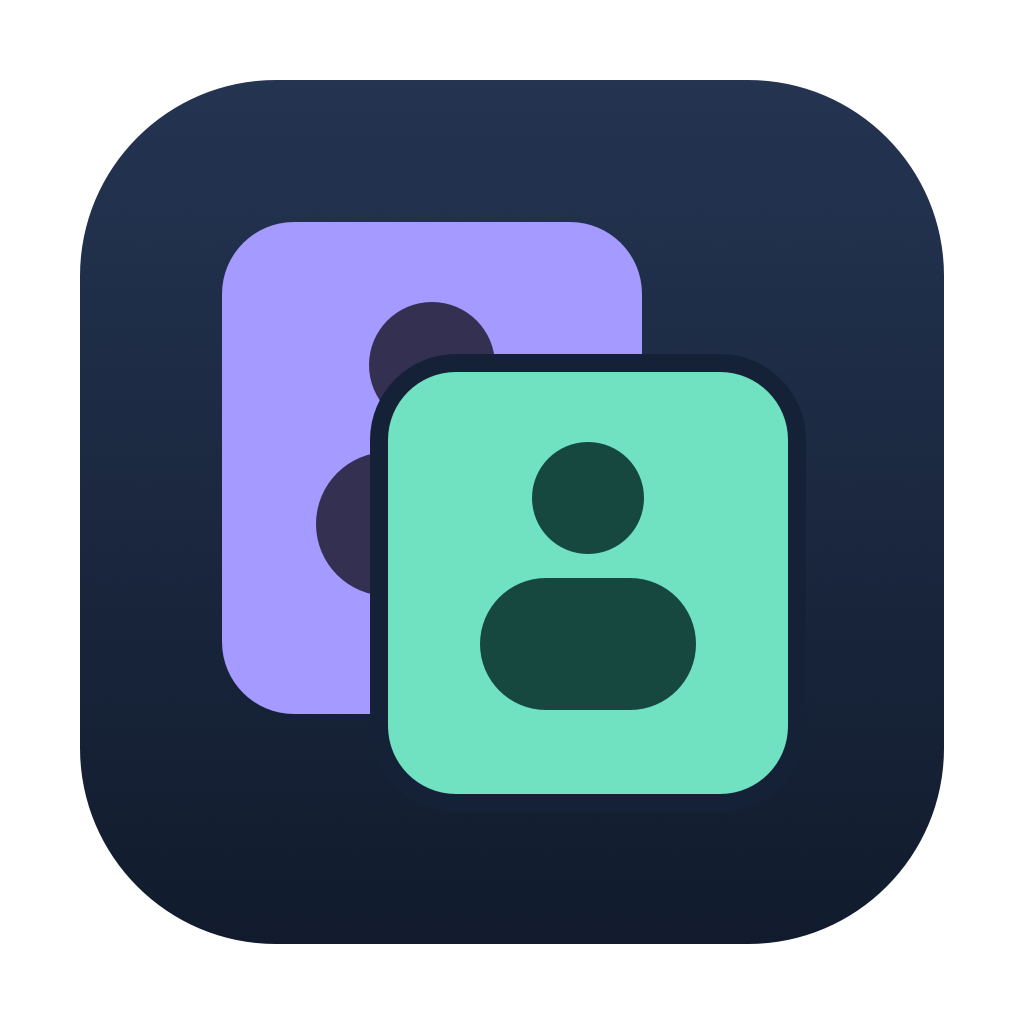
Your accounts. A clearer identity.
Codex Accounts 0.1.1 Preview · Native macOS launcher · Independent of OpenAI
Download for macOS
One universal app package for Apple Silicon and Intel build targets. Requires macOS 13+ and the official Codex desktop app, installed separately.
| File | For | Download |
|---|---|---|
| Codex Accounts.app · ZIP | Use the launcher | Download universal preview |
| SHA256SUMS | Verify archive integrity | Download checksums |
Important
Preview, not notarized. This package is ad-hoc signed, not Developer ID signed. macOS may block the download. Keep Gatekeeper enabled; do not remove quarantine to run it. A frictionless downloaded double-click release is still pending.
Choose the ZIP above to get the app. The “Source code” archives under Assets are for developers.
Get started
- Unzip the download and open Codex Accounts.app. You may move it to Applications.
- Choose Add profile, enter a label, then select it and click Open selected.
- Sign in through the official app and verify the email/workspace. Repeat for another account, one sign-in at a time.
What's new in 0.1.1
- An identity of its own. Original violet-and-mint icon, drawn from project-authored geometry, with all standard macOS icon sizes.
- Licensing you can inspect. Explicit MIT coverage for code, docs, and original artwork where applicable, plus provenance and a third-party inventory.
- Clear independence. In-app notice, About metadata, and a License & notices menu. The existing product name and profile locations are retained.
The launcher still creates separate profile folders, verifies the selected official app's signature, and leaves authentication to that app. It has no built-in networking, telemetry, password form, or token import.
Verification and current limits
| Checked | Result |
|---|---|
| Isolation/security checks | 23 passing automated checks |
| App package | Universal binary and ad-hoc signature verified |
| Artwork | Ten PNG icon sizes and ICNS structure inspected |
| Release archive | Downloaded from GitHub; SHA-256 matched |
| Full multi-account login, Intel runtime, clean-Mac download acceptance | Still pending |
Profiles share one macOS user and are not an OS security boundary. Credentials stored by the official app remain sensitive. Account eligibility, SSO, and organization policies still apply. Desktop launch flags are internal behavior and may change.
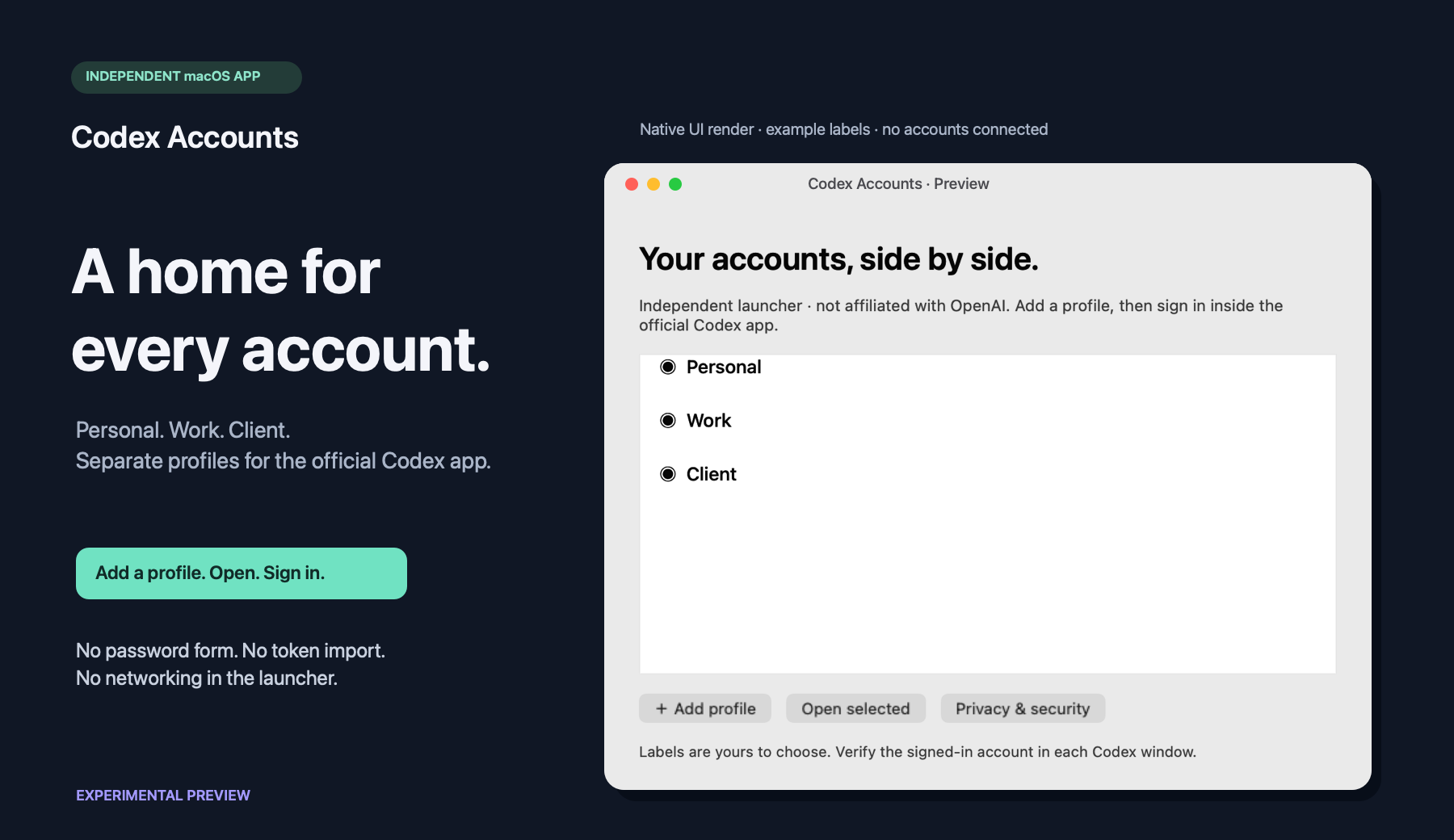
The showcase is a source-derived native UI render with fixture labels, not proof of connected accounts. No OpenAI logo or external artwork is bundled. The licensing review is not legal clearance or an absolute non-infringement guarantee.
Source at this version · Changes since 0.1.0 · Security · Licensing · Validation
Codex Accounts 0.1.0 Preview — First public build
First public preview
A small native macOS launcher for keeping separate account profiles in the official Codex app. Independent of OpenAI.
Note
A newer preview is available: 0.1.1 adds an original app icon and clearer licensing. New users should start there.
Included in this version
- Add a profile label, then open its separate Codex home and desktop data folder.
- Sign in through the official app. No launcher password form or token import.
- Verify the selected official app's signature before launch.
Downloads
| Package | Platform | Link |
|---|---|---|
| Universal app ZIP | macOS 13+ · Apple Silicon and Intel build targets | Download 0.1.0 |
| SHA-256 | Archive integrity | Checksums |
Important
This historical preview is ad-hoc signed, not Developer ID signed or notarized. macOS may block it. Do not disable Gatekeeper or remove quarantine. Full multi-account login, Intel runtime, and clean-machine download acceptance remain pending.
Install the official Codex app separately. Unzip the launcher, add a profile, then sign in inside the official app and verify the email/workspace. Sign in to new profiles one at a time.
Separate profiles are not an OS security boundary. Keep locally stored credentials private; OpenAI and organization account policies still apply.
Source at 0.1.0 · Current security model · Current licensing