Repository navigation
Codex Accounts 0.1.4 Preview — One-click profile opening
Pre-release

Your profiles, one click away.
Codex Accounts 0.1.4 Preview · Native macOS launcher · Independent of OpenAI
Download for macOS
One universal app package for Apple Silicon and Intel build targets. Requires macOS 13+ and the official Codex desktop app, installed separately.
| File | For | Download |
|---|---|---|
| Codex Accounts.app · ZIP | Use the launcher | Download universal preview |
| SHA256SUMS | Verify archive integrity | Download checksums |
Important
Preview, not notarized. This package is ad-hoc signed, not Developer ID signed. macOS may block the download. Keep Gatekeeper enabled; do not remove quarantine to run it. A frictionless downloaded double-click release is still pending.
Choose the ZIP above to get the app. The “Source code” archives under Assets are for developers.
Get started
- Unzip the download and open Codex Accounts.app. You may move it to Applications.
- Choose Add profile, enter a label, then click Open beside that profile.
- Sign in through the official app and verify the email/workspace. Repeat for another account, one sign-in at a time.
What's new in 0.1.4
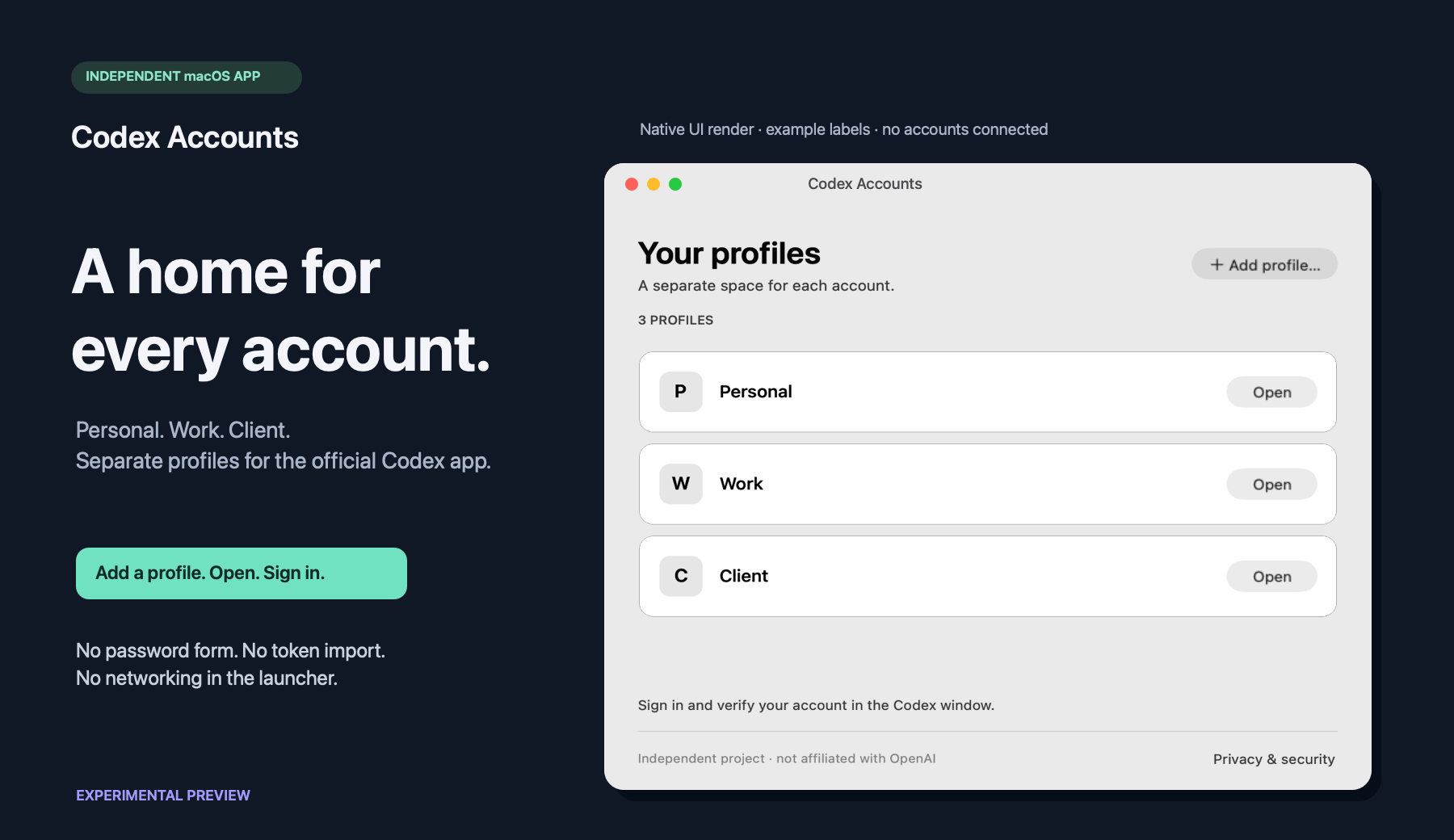
- Open directly from each profile. Each row now has its own Open button, with a readable name and a small initial badge. The radio-like markers and separate selection step are removed.
- A cleaner native layout. Consistent spacing, aligned buttons, a useful empty state, and a compact footer support both light and dark appearances.
- An attached Add profile sheet. Add a name without leaving the main window. Open and Add controls are disabled while a launch is in progress.
- Safer UI routing. Buttons resolve the profile by UUID rather than relying on a selected row. Fixture checks cover row reordering, stale buttons, long names, empty state, and busy controls.
The launcher still creates separate profile folders, verifies the selected official app's signature, and leaves authentication to that app. It has no built-in networking, telemetry, password form, or token import.
Verification and current limits
| Checked | Result |
|---|---|
| Isolation/security checks | 23 passing automated checks |
| Profile UI | 8 fixture checks with a mocked launch boundary; no real credentials |
| App package | Universal binary and ad-hoc signature verified |
| Artwork | Ten PNG icon sizes and ICNS structure inspected |
| Release archive | Downloaded from GitHub; SHA-256 matched |
| Full multi-account login, Intel runtime, clean-Mac download acceptance | Still pending |
Profiles share one macOS user and are not an OS security boundary. Credentials stored by the official app remain sensitive. Account eligibility, SSO, and organization policies still apply. Desktop launch flags are internal behavior and may change.
The showcase is a source-derived native UI render with fixture labels, not proof of connected accounts. No OpenAI logo or external artwork is bundled. The licensing review is not legal clearance or an absolute non-infringement guarantee.
Source at this version · Changes since 0.1.3 · Security · Licensing · Validation