Repository navigation
OpenSpatial 1.0.0

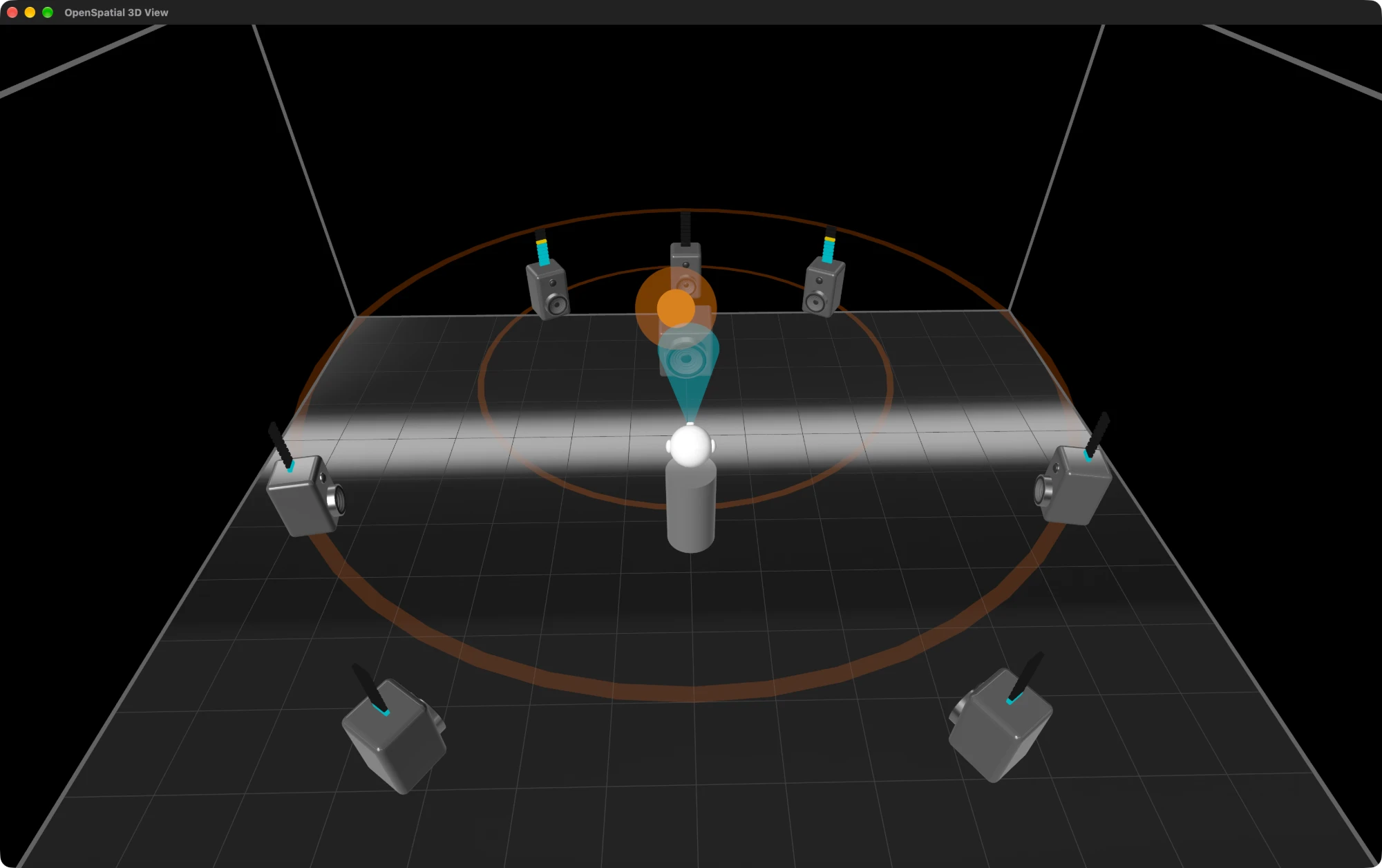
The first release of OpenSpatial: spatial audio for any headphones. Every app on your Mac plays through a 7.1 speaker set around you, and with head tracking the speakers stay where they are when you turn your head.
Highlights
- Any headphones, any app. Wired or wireless, over-ear or in-ear; browsers, players, games and music apps.
- Speakers that stay put. Head tracking follows you through your Mac's camera, so the front stays in front.
- Surround from stereo. Stereo spreads to every speaker around you, and 5.1 gets its missing back speakers.
- AI surround. Pulls the voice out of stereo and puts it in front of you, like a center speaker in a cinema. The model runs on your Mac and downloads only when you turn it on.
- Works with Wine. Windows games play in full 7.1.
- Louder and even. Boost quiet apps, even out loud and quiet scenes, and shape the tone.
- See the sound. Watch the speakers play and where each sound comes from in a 3D view of the room.
Download
| Platform | File | Requirements |
|---|---|---|
| macOS | OpenSpatial-1.0.0-macos-arm64.dmg | Apple silicon, macOS 15 or later |
- Open the disk image and drag OpenSpatial to Applications, then open it. Its icon appears in the menu bar.
- On first launch, OpenSpatial installs its audio driver. macOS asks for your password in a window titled Allow administrator access for a script started by "OpenSpatial": that is the driver install.
- Allow the microphone when macOS asks: it is how OpenSpatial hears your apps. Allow the camera if you want head tracking.
- Choose your headphones in Settings → Sound → Output device and play anything.
Known limitations
- Browsers usually play streaming video as stereo. OpenSpatial spreads it around you, but sound that is mixed for behind you only reaches the back speakers when the app plays 5.1 or 7.1.
- With AI surround on, stereo plays about 2 seconds late, so it suits music better than videos and games.
- Head tracking follows turns to the left and right, and needs your face in view of the camera.
- The first launch needs an internet connection, so macOS can check the notarization of the app copied out of the disk image.
Verify your download
The disk image is listed in SHA256SUMS and carries a build provenance attestation from this repository's release workflow:
shasum -a 256 -c SHA256SUMS --ignore-missing
gh attestation verify OpenSpatial-1.0.0-macos-arm64.dmg --repo dortanes/openspatial
Found a bug? Open an issue. Found a vulnerability? Report it privately as described in SECURITY.md.