Repository navigation
v0.13.0 — Speak with Carl

Speak with Carl.
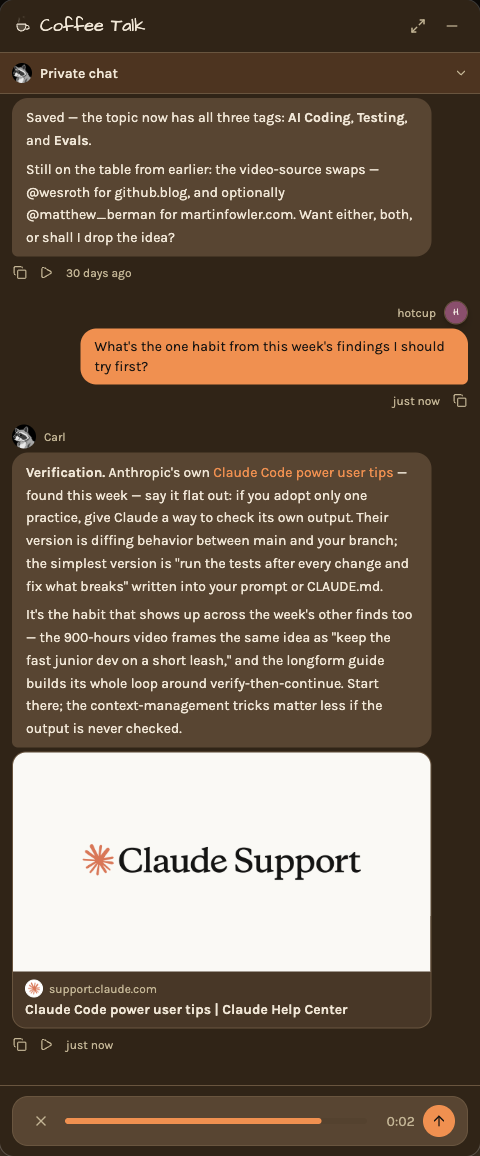
When the message box in Coffee Talk is empty, the send button is a microphone. Tap it and ask out loud. Carl listens
while you talk and sends your question on his own when you stop, so there is nothing to press when you are done. A bar
takes the box's place while he listens, with a cancel button, a level meter, a timer, and a send button for sending
early.
Carl answers out loud, in the same voice he uses on the Coffee Break podcast, and he starts talking as soon as his first
sentence is written. His answer is on the screen too. One tap is a whole conversation: once he finishes, the microphone
opens again on its own, so you can keep going without touching the screen. Say nothing for a few seconds and the
conversation ends quietly. If an episode is playing, it pauses while you talk.
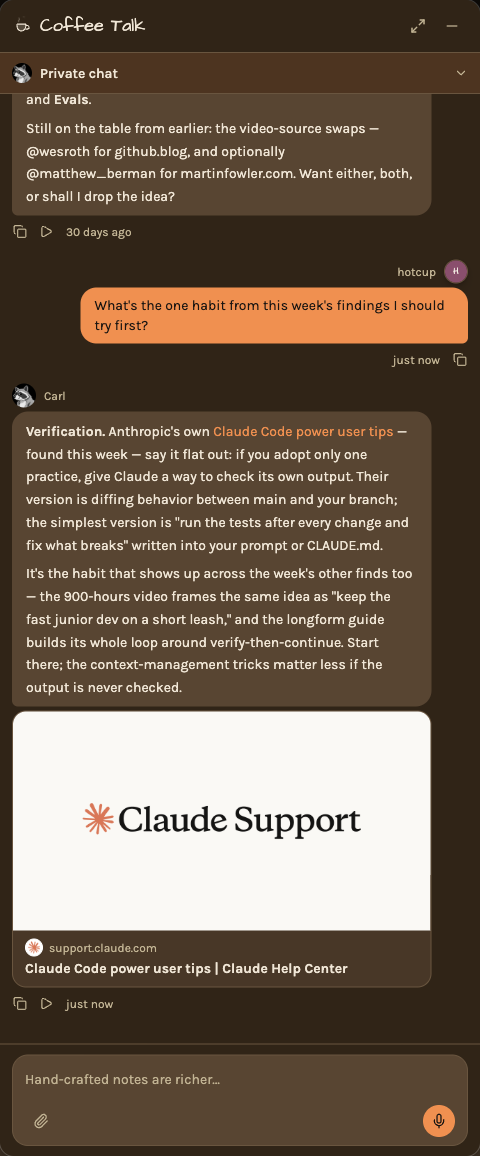
Every answer from Carl has a play button, whether you typed or spoke, so you can hear any reply again. It all works in
your own chat and in a team's chat room. CarlNotes never keeps a recording: your question is turned into text, and the
words are what Carl reads.